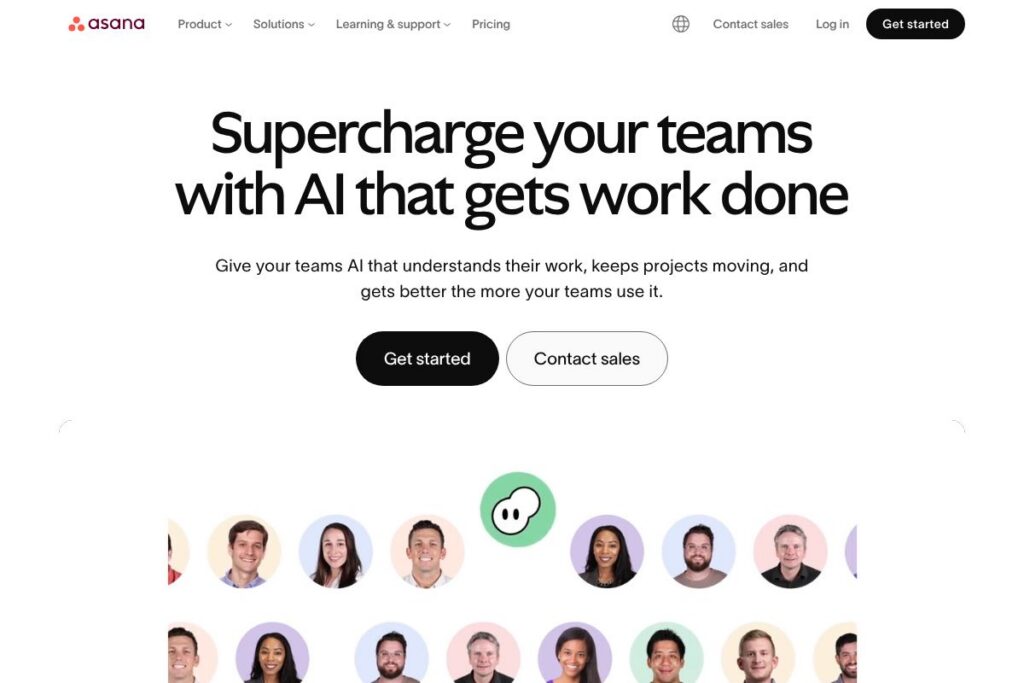
What is Asana?
Asana is a cloud-based work management platform that helps teams organize tasks, run projects, and connect daily work to strategic goals. It provides multiple views for work, including lists, boards, timelines, and portfolios, plus automation and AI features to reduce manual coordination.
Compared with Trello, which focuses on simple Kanban boards, Asana provides a broader set of project management views and reporting tools better suited for cross-functional programs. Compared with Jira, which targets software development and issue tracking, Asana trades deep developer workflows for wider business use cases like marketing and operations. Compared with monday.com, Asana leans toward structured project planning and goal alignment rather than purely visual workflow customization.
All of this makes Asana particularly strong for mid-size to large organizations that need to connect day-to-day tasks to company goals, standardize processes across teams, and provide managers with visibility into progress. It is a good fit for distributed teams that require rich integrations and governance features alongside user-friendly task management.
How Asana Works
Asana models work around tasks, projects, sections, and teams. A task can include descriptions, assignees, due dates, attachments, dependencies, and subtasks; tasks roll up into projects which teams use to manage deliverables and timelines.
Teams can choose list, board, or timeline views to plan work, then create rules and automations to reduce routine updates. Goals and portfolios link project-level progress to higher-level objectives so leaders can measure impact and reallocate resources when priorities shift.
Asana also layers AI features across workflows to help with drafting task descriptions, suggesting timelines, and summarizing project status. Practical workflows include campaign planning in a timeline view, IT request queues routed through forms and rules, and recurring templates for onboarding or event planning.
Asana features
Asana organizes capabilities around task and project orchestration, automation, reporting, goals, and integrations. Recent platform updates emphasize AI-assisted writing and planning, expanded portfolio reporting, and deeper connections to enterprise identity and security features.
Task and project management
Tasks support assignees, due dates, descriptions, attachments, and custom fields so teams can track discrete work items and standardize project information. Projects can be organized as lists, boards, or timelines which helps different teams use the same platform in the way that fits their work.
Timeline view
The Timeline provides a Gantt-style planning canvas for mapping dependencies and deadlines, which helps teams identify schedule conflicts and adjust plans before execution. It benefits cross-functional initiatives that require visible sequencing and resource planning.
Boards and lists
Boards deliver a Kanban-style interface for status-driven workflows, while lists provide a simple, sortable view for task triage and prioritization. Switching between views preserves task data so teams can operate in the view that best matches their process.
Goals and portfolios
Goals let organizations connect strategic objectives to the projects and tasks that deliver them, and portfolios provide a roll-up view of multiple projects for status, risk, and resource assessment. These features help leadership track impact and align teams around measurable outcomes.
Automation and rules
Asana includes a rules engine and reusable templates to automate common actions such as assigning work, updating fields, or notifying stakeholders. Automation reduces manual work and enforces consistent workflows across teams.
Reporting and dashboards
Custom dashboards and advanced search queries surface real-time progress, bottlenecks, and workload across projects. Reporting features are useful for managers who need to measure team capacity and project health.
AI Teammates and assistive features
AI capabilities help generate task descriptions, suggest next steps, summarize project status, and create draft timelines from basic inputs. These features aim to speed repetitive writing and planning tasks while preserving contextual data from projects and goals.
With these capabilities, the largest benefit of Asana is the combination of flexible work views, automation, and goal alignment that keeps distributed teams coordinated and accountable. The platform is well suited to organizations that want a single place to connect execution-level tasks to strategic outcomes.
Asana pricing
Asana uses a freemium subscription model with a free tier for individuals and small teams, plus paid subscription tiers for broader enterprise features and governance. Paid plans are seat-based and vary by billing frequency and feature set.
Monthly Billing:
- Free: Access to basic tasks, list and board views, and simple project collaboration suitable for individuals or small teams.
- Premium: Adds timeline, advanced search, custom fields, and basic automation for growing teams.
- Business: Adds portfolios, workload management, advanced integrations, and cross-project reporting for larger teams and programs.
- Enterprise: Custom pricing with SSO, advanced security controls, and organization-wide governance features.
Annual Billing:
- Free: No change in feature set, intended for individual use and small teams.
- Premium, Business, Enterprise: Annual subscriptions typically provide a lower effective per-seat cost and include the same core features as the monthly plans, with Enterprise offering additional compliance and administrative controls.
For exact monthly and annual rates and to compare plan features, review Asana’s current pricing options which list detailed feature differences and enterprise contact channels.
What is Asana used for
Asana is commonly used for cross-functional project management, campaign planning, and operational process management. Marketing teams use it to manage creative production, editorial calendars, and campaign rollouts, while operations and IT teams use forms and rules to triage requests and automate onboarding or offboarding workflows.
Organizations also use Asana to connect work to strategic goals, report on progress through portfolios and dashboards, and reduce manual coordination with automations and templates. It suits companies that need traceability, standardized processes, and visibility into how day-to-day work contributes to business objectives.
Pros and cons of Asana
Pros
- Flexible work views: Asana supports lists, boards, and timelines which lets teams choose the interface that best fits their workflow and switch views without losing task data.
- Strong automation and templates: Rules, forms, and templates reduce repetitive updates and help standardize processes across teams for consistent delivery.
- Goal and portfolio alignment: Linking goals to projects provides leadership with visibility into strategic progress and the ability to prioritize work across the organization.
- Extensive integrations: Native integrations and a public API allow Asana to connect with communication, storage, and CRM tools used by enterprise teams.
Cons
- Learning curve for complex setups: Setting up portfolios, advanced automations, and governance structures can require time and some administrative expertise.
- Feature depth varies by plan: Some advanced reporting and security controls are limited to higher-tier or Enterprise plans, which may require a costlier subscription for large organizations.
- Notification noise: Without careful notification settings and inbox management, users can receive a high volume of updates that require filtering.
Does Asana Offer a Free Trial?
Asana offers a free plan and free trials for paid tiers. The free plan supports basic task and project management for individuals and small teams, while paid tiers offer free trial periods or demo options so organizations can evaluate advanced features; check Asana’s current pricing options to see trial availability and details.
Asana API and Integrations
Asana provides a public REST API for developers to create custom integrations, automate data flows, and extend platform capabilities; the Asana Developer Documentation describes available endpoints and authentication.
The platform also lists hundreds of prebuilt connections for common enterprise tools, including Slack, Google Workspace, Microsoft Teams, Jira, and Salesforce, via the Asana apps directory which you can browse on the Asana apps page.
10 Asana alternatives
Paid alternatives to Asana
- Trello: A simple, board-based workflow tool ideal for lightweight project tracking and personal task lists.
- monday.com: A highly visual work operating system that emphasizes customizable boards and automations for a range of business processes.
- Jira: A development-focused issue and project tracker with strong backlog, sprint, and release management features for engineering teams.
- ClickUp: An all-in-one platform that combines tasks, docs, goals, and time tracking with high configurability for teams of any size.
- Smartsheet: A spreadsheet-like work management tool that excels at program-level planning, resource tracking, and reporting for operations teams.
- Wrike: A project management and collaboration platform with built-in reporting and resource management aimed at enterprise teams.
- Basecamp: A simplified team collaboration tool focused on messaging, to-dos, and basic project organization for small to mid-size teams.
Open source alternatives to Asana
- Taiga: An open source project management tool for agile teams, offering sprint, backlog, and issue tracking features.
- OpenProject: A self-hosted project management platform with Gantt charts, time tracking, and project timelines suited to enterprise projects.
- Redmine: A flexible self-hosted project tracker with issue tracking, Gantt charts, and plugin support for custom workflows.
- Wekan: An open source Kanban board intended for simple, visual task management and team collaboration.
- Kanboard: A minimal self-hosted Kanban project manager with automation and plugin capabilities.
Frequently asked questions about Asana
What is Asana used for?
Asana is used for project and task management across teams. It helps teams plan work, assign tasks, track progress, and align work to organizational goals.
Does Asana have an API?
Yes, Asana offers a public REST API for developers. The Asana Developer Documentation provides guides and reference endpoints for building integrations.
Can Asana support enterprise security and compliance?
Yes, Asana provides Enterprise-grade controls. Enterprise plans include SSO, data export controls, and administrative features for governance and compliance; see Asana’s enterprise information for details.
How much does Asana cost per user?
Asana uses a seat-based subscription model with a free tier and paid plans. Pricing depends on the plan level and billing frequency; review Asana’s current pricing options to compare plans and costs.
Can Asana be used for Agile software development?
Yes, Asana can be adapted for Agile workflows. Teams use boards, custom fields, and timeline views to manage sprints and backlogs, though development teams may prefer tools like Jira for deeper engineering-specific capabilities.
Final verdict: Asana
Asana excels at providing a single platform where teams can manage tasks, projects, and strategic goals with a mix of flexible views, automation, and reporting. Its AI-assisted features and broad integrations reduce manual coordination and help teams maintain clarity and accountability across distributed work.
Compared with Jira, Asana is broader in business use cases and goal alignment, while Jira is more specialized for software development and issue tracking. In pricing terms, both platforms use seat-based subscriptions with tiered feature sets and enterprise offerings; organizations choosing between them should weigh Asana’s business-oriented project views and goal features against Jira’s development-centric workflows.
For teams that need a platform to connect daily work to company objectives and that value configurable automations and built-in reporting, Asana is a strong choice. Larger organizations with stringent security and compliance needs can adopt the Enterprise tier, while smaller teams can start on the free plan and expand as requirements grow.