Atlassian: An Overview
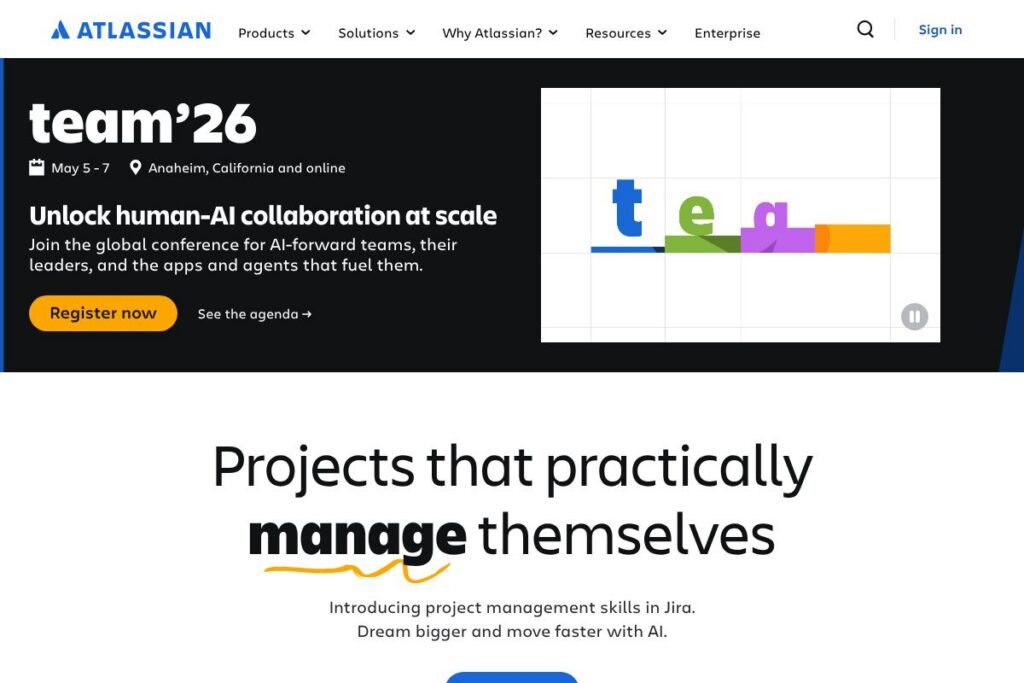
Atlassian is a suite of team collaboration products built for software development, IT service teams, and broader business use. Core products include Jira for issue and project tracking, Confluence for knowledge and documentation, and Trello for visual kanban-style boards, all available as cloud-hosted services and on-premise options. The platform emphasizes integrations and an extensible marketplace so teams can connect developer tools, CI/CD pipelines, and business systems via apps and APIs.
Compared with competitors, Atlassian focuses on connecting work across the full delivery lifecycle. Asana targets broader project and task management for business teams with a simpler interface but fewer development-specific integrations. GitLab bundles source control, CI/CD, and issue tracking into a single developer-first product, while Microsoft Teams focuses on real-time communication and collaboration, and pairs with Azure DevOps for development workflows. Atlassian sits between these approaches by offering dedicated products for tracking, documentation, and lightweight boards plus deep integration points.
Atlassian performs particularly well at tracing work from planning to release and centralizing team knowledge. It is suited to engineering and IT organizations that need structured issue tracking, plus product and business teams that require searchable documentation and cross-team visibility. The platform scales from small teams using Trello to enterprises coordinating thousands of users across Jira and Confluence.
How Atlassian Works
Atlassian organizes work around products that each address specific collaboration needs and integrate with one another. Teams create issues in Jira to plan sprints or track incidents, link those issues to Confluence pages for specifications or runbooks, and use Trello boards for lightweight process management. Automation rules can move items, tag stakeholders, and notify external systems to reduce manual handoffs.
Administrators manage users, security, and application access from a central cloud console or from on-premise administration screens. Atlassian Marketplace apps and built-in integrations let teams connect source control, monitoring, design, and customer support tools so work stays linked across systems. Practical workflows include sprint planning with Jira templates, knowledge base creation in Confluence, and customer-facing task triage via Jira Service Management connected to incident alerts.
Atlassian features
Atlassian’s platform spans issue tracking, knowledge management, visual boards, automation, and a large add-on ecosystem. Recent AI additions include agents in Jira that assist with repetitive tasks and Rovo to surface AI-powered insights across projects and content. These features pair with established capabilities like project templates, permission controls, audit logs, and a robust marketplace for integrations.
Let’s talk Atlassian’s Features
Issue and Project Tracking (Jira)
Jira provides configurable issue types, workflows, and boards for agile teams to plan sprints, track bugs, and manage releases. It supports Scrum and Kanban templates, backlog grooming, and release planning so engineering teams can visualize progress and report on velocity. Jira also includes automation rules to reduce repetitive updates and connect events to external tools.
Knowledge Management (Confluence)
Confluence stores team documentation, design specs, and runbooks with collaborative editing, page templates, and hierarchical organization. It supports inline comments, page-level permissions, and search that indexes attachments and linked Jira issues, making documentation part of the delivery process. Confluence spaces map to teams or projects to keep content discoverable and versioned.
Visual Boards (Trello)
Trello offers a lightweight, card-and-board interface for organizing tasks, ad-hoc projects, and personal to-dos with labels, checklists, and automation. Its simplicity makes it useful for non-technical teams or for running smaller initiatives where full Jira workflows would be overkill. Power-Ups add integrations and automations when teams need more capability.
Automation and AI (Rovo and Jira Agents)
Automation rules help teams auto-assign, transition, and comment on issues based on triggers and conditions, reducing manual work. Recent AI features such as Jira Agents and Rovo provide suggestions, summarize ticket threads, and can surface next steps from large bodies of content. These capabilities aim to reduce repetitive tasks and help teams act on signals across projects.
Integrations and Marketplace
The Atlassian Marketplace provides thousands of apps that extend products with CI/CD connectors, reporting, test management, and ITSM integrations. Native integrations connect common tools like Bitbucket, GitHub, Slack, and external monitoring platforms so data flows between code, tickets, and conversations. Marketplace apps let teams tailor Atlassian products to industry-specific and legacy workflows.
Security and Administration
Atlassian includes organization-level controls such as SSO, SCIM provisioning, audit logging, data residency options, and compliance certifications suited to enterprises. Admins can enforce permission schemes, encryption settings, and lifecycle policies across products to meet regulatory requirements. Role-based access and project-level restrictions help limit exposure of sensitive content.
Video and Async Communication (Loom integration)
Atlassian can combine asynchronous video content with project artefacts by integrating tools like Loom, enabling short walkthroughs, demos, or handoffs that live alongside documentation and issues. Embedding video into Confluence pages or Jira tickets shortens context transfer and reduces meeting load. These integrations support hybrid teams that mix synchronous and asynchronous work.
With these capabilities, the biggest benefit is a coherent platform where planning, execution, and knowledge live together. Teams get traceability from requirements through deployment and can extend behavior via marketplace apps and APIs to match organizational processes.
Atlassian Pricing
Atlassian uses a SaaS subscription model with different plans for individual products and enterprise licensing that scales by team size and feature needs. Pricing varies by product, deployment option, and add-ons, with both cloud and self-managed offerings available and discounts for annual billing and education or nonprofit customers.
Atlassian offers flexible pricing and packaging across Jira, Confluence, Trello, and additional products; view Atlassian’s current pricing and plans on the official Atlassian site to compare product tiers, seat counts, and enterprise licensing options. For enterprise deployments or volume licensing, check Atlassian’s enterprise offerings and contact sales for custom quotes via the Atlassian site.
What is Atlassian Used For?
Atlassian is used for software delivery workflows, IT service management, and centralizing team knowledge across product and business teams. Engineering teams use Jira and Bitbucket integrations to plan sprints, track releases, and link code changes to issues, while support and ops teams use Jira Service Management for incident and request handling.
Beyond engineering, Confluence is used for product requirements, onboarding docs, and decision records, and Trello is often adopted by marketing, HR, and small teams for board-driven processes. The platform works well for organizations that need auditability, cross-team visibility, and a library of reusable templates and automation rules.
Pros and Cons of Atlassian
Pros
- Comprehensive product set: Atlassian covers issue tracking, documentation, and lightweight boards, allowing teams to centralize workflows and knowledge in one platform. This reduces context switching and provides traceability across lifecycle stages.
- Extensible integrations: A large Marketplace and APIs let organizations connect CI/CD, monitoring, design, and business tools, enabling automation and data flow between systems. Integrations support both developer and business workflows.
- Enterprise-grade controls: Role-based access, SSO, audit logs, and compliance options make Atlassian suitable for regulated environments and large organizations. Admin tools simplify provisioning and governance at scale.
- Templates and automation: Built-in templates for Scrum, bug tracking, and DevOps workflows speed setup, while automation rules reduce manual updates and improve consistency across projects.
Cons
- Steep learning curve for complex setups: Advanced workflows and admin configurations require planning and expertise, which can slow adoption without dedicated admin resources. Customizing workflows for large orgs may need governance and training.
- Fragmentation between products: Running multiple Atlassian products provides breadth but requires attention to linking and permissions across apps to avoid information silos. Teams must set conventions for issue linking and documentation structure.
- Cost at scale: While flexible for small teams, licensing and marketplace app costs can grow with seats and add-ons, so organizations should track usage and consolidate where possible. Enterprise plans and migration projects may also require professional services.
Does Atlassian Offer a Free Trial?
Atlassian offers free plans and trial options across many of its products; Jira, Confluence, and Trello each provide free tiers for small teams and time-limited trials for higher tiers. You can explore product-specific free tiers and trial periods, and compare what is included by visiting Atlassian’s product pages and plan comparisons on the official site.
Atlassian API and Integrations
Atlassian provides developer APIs and a well-documented developer portal for building apps and automations, including REST and GraphQL endpoints, webhooks, and Forge for cloud app development; see the Atlassian developer documentation for API reference and SDKs. The platform integrates with common tools such as Slack, Microsoft Teams, GitHub, GitLab, Figma, ServiceNow, and CI/CD providers via native connectors and Marketplace apps.
10 Atlassian alternatives
Paid alternatives to Atlassian
- Asana — Focused on business and product teams for task and project management with a polished UI and timeline views. Asana is often chosen by non-technical teams that want simpler planning and workload management.
- Monday.com — Visual work OS that offers flexible boards and automations for both technical and non-technical teams, with strong reporting and dashboard capabilities.
- ClickUp — Combines tasks, docs, goals, and time tracking into a single app, offering a high degree of customization and many built-in productivity tools.
- Wrike — Enterprise-focused project management with resource planning, proofing, and advanced reporting used by marketing and professional services teams.
- Smartsheet — Spreadsheet-like interface for project and portfolio management that appeals to operations and PMO teams for tracking and reporting.
- Microsoft Teams — Primarily a collaboration and communication hub that pairs with Azure DevOps for development workflows and integrates deeply with Microsoft 365.
Open source alternatives to Atlassian
- OpenProject — Self-hosted project management with issue tracking, agile boards, and roadmap planning suitable for teams that prefer open-source control.
- Taiga — Agile project management platform designed for startups and developers, offering Scrum and Kanban support and a clean UI.
- Redmine — Mature project and issue tracker with plugins for additional features; popular for self-hosted workflows that require customization.
- Phabricator — Developer-centric collaboration suite that includes code review, task management, and wiki features; used by engineering organizations that self-host tools.
Frequently asked questions about Atlassian
What is Atlassian used for?
Atlassian is used for project tracking, knowledge management, and cross-team collaboration. Teams use Jira for issue tracking, Confluence for documentation, and Trello for visual boards across software, IT, and business workflows.
Does Atlassian offer APIs for automation?
Yes, Atlassian provides developer APIs and a developer portal. The documentation includes REST and GraphQL APIs, webhooks, and cloud app development tools to build integrations and automations.
Can Atlassian products be self-hosted?
Yes, some Atlassian products offer self-managed deployment options. Organizations can choose cloud or self-managed installations depending on compliance, control, and infrastructure needs.
Is Atlassian suitable for small teams?
Yes, Atlassian supports small teams with free tiers and scaled plans. Trello and the free Jira and Confluence tiers are commonly used by startups and small teams before scaling to paid plans.
How does Atlassian handle security and compliance?
Atlassian provides organization-level security features such as SSO, audit logging, and compliance certifications. Admins can enforce permissions, provisioning, and data residency controls to meet enterprise security requirements.
Final verdict: Atlassian
Atlassian is a broad, extensible platform that excels at linking planning, execution, and documentation for engineering, IT, and business teams. Its strength is the combination of specialized tools such as Jira and Confluence plus a rich Marketplace and APIs that let organizations connect code, monitoring, and customer data into cohesive workflows. Recent AI features and automation reduce routine work and help surface insights across projects.
Compared with Asana, Atlassian offers deeper development and IT capabilities, while Asana provides a simpler experience for business project managers. In pricing terms, Asana’s lower-tier subscriptions start in a different range such as $10.99/user/month for paid plans, whereas Atlassian’s total cost depends on product mix, seat counts, and add-ons; organizations should compare product tiers and expected app usage to choose the most cost-effective option. Overall, Atlassian is best for teams that need traceability across delivery lifecycles and the flexibility to extend tooling through integrations and marketplace apps.