ClassDojo: An Overview
ClassDojo is a classroom communication and engagement platform used by teachers, students, and families to share classroom activity, track behavior, and build student portfolios. The product centers on private messaging, a Stories feed for photos and videos from the classroom, behavior Points and Big Ideas for social-emotional learning, and a Teacher Toolkit with utilities like attendance and timers. ClassDojo positions itself as a simple, mobile-friendly hub for day-to-day school-family communication and student reflection; the platform emphasizes language translation and easy parent access across devices.
Compared with other classroom communication tools, ClassDojo focuses heavily on family engagement and student-facing portfolios. Remind is stronger on one-way school and district announcements and large-group messaging, while Seesaw emphasizes student-driven portfolios and activity-based assignments with slightly different classroom workflows. Google Classroom targets assignment management and integration with Google Workspace, making it a better fit for document-heavy workflows; ClassDojo complements that by prioritizing classroom culture, SEL, and parent visibility.
All of this makes ClassDojo particularly well suited for elementary and K-8 teachers who want an easy way to keep families informed and to support social-emotional learning in the classroom. The platform’s combination of messaging, translated communications, and student portfolios creates a centralized place for classroom stories and daily logistics.
How ClassDojo Helps Teachers and Families
Teachers use ClassDojo to send direct messages to families, post classroom updates, and record behavior or participation during the day. Messages include automatic translation into many languages which reduces friction when communicating with non-English-speaking households.
In practice, a typical workflow has a teacher take a photo of a class activity, post it to the private Stories feed, add context for parents, and then use Points or Big Ideas to reinforce class norms. Families receive notifications, can view the student portfolio entries, and reply directly to teachers without needing separate email or phone outreach.
Classrooms also use the Teacher Toolkit during transitions: taking attendance at the start of class, running a visible timer during activities, and logging quick notes to a student portfolio for later reflection or parent discussion. For schools, district-level roster sync options streamline account setup and reduce manual enrollment tasks.
What does ClassDojo do?
ClassDojo organizes family communication, classroom moments, and behavior/SEL tracking into one app. Core capabilities include private messaging with automatic translation, a Stories feed for classroom photos and videos, student Portfolios for work samples, Points and Big Ideas for behavior and SEL, and a Teacher Toolkit with everyday utilities. Recent emphasis has been on expanded language support and strengthening classroom-to-home visibility.
Let’s talk ClassDojo’s Features
Messaging with translation
Private messaging lets teachers and staff send direct messages to families, and messages are automatically translated into more than 190 languages so families can read them in their preferred language. Read receipts and threaded replies keep conversations organized, and the mobile apps allow notifications to reach parents and guardians instantly.
Stories: classroom feed
Stories provide a secure, private feed where teachers can share photos, short videos, and updates about classroom activities to families. This feature gives parents a window into daily classroom life while keeping posts private to the class community.
Student Portfolios
Portfolios let students or teachers save samples of student work, including photos, videos, and written reflections, so families can follow progress over time. Portfolios support student voice by letting learners add their own entries and reflect on their work for parent conferences or at-home conversations.
Points and Big Ideas for SEL
Points provide a simple behavior-tracking mechanism teachers can use to reinforce routines or recognize positive behaviors; Big Ideas map to social-emotional learning goals like kindness and perseverance. Together these tools help teachers track and discuss SEL outcomes with families and students.
Teacher Toolkit (attendance, timers, and more)
The Teacher Toolkit groups classroom utilities such as attendance sheets, timers, and randomized student selectors to streamline in-class logistics. These small tools reduce admin overhead so teachers can focus on instruction and student engagement.
Events and calendar reminders
Teachers can create Events that show up on class calendars and send automatic reminders to families, keeping everyone aligned on field trips, parent-teacher conferences, and classroom deadlines. Calendar integration reduces missed events and centralizes classroom scheduling.
District integrations and roster sync
ClassDojo supports roster and single sign-on integrations for districts to automate account setup and user provisioning, reducing manual enrollment work for school staff. These integrations help scale the platform across grades and buildings while preserving classroom privacy controls.
With these features, ClassDojo aims to make classroom life more visible to families, reduce communication friction, and support social-emotional learning through regular, shareable moments.
ClassDojo pricing
ClassDojo uses a freemium approach focused on broad free access for teachers and families, with district and school agreements available for large deployments. The core classroom and family features are offered at no cost to individual teachers, while district-wide implementations or special programs may involve separate agreements.
Free for teachers and families
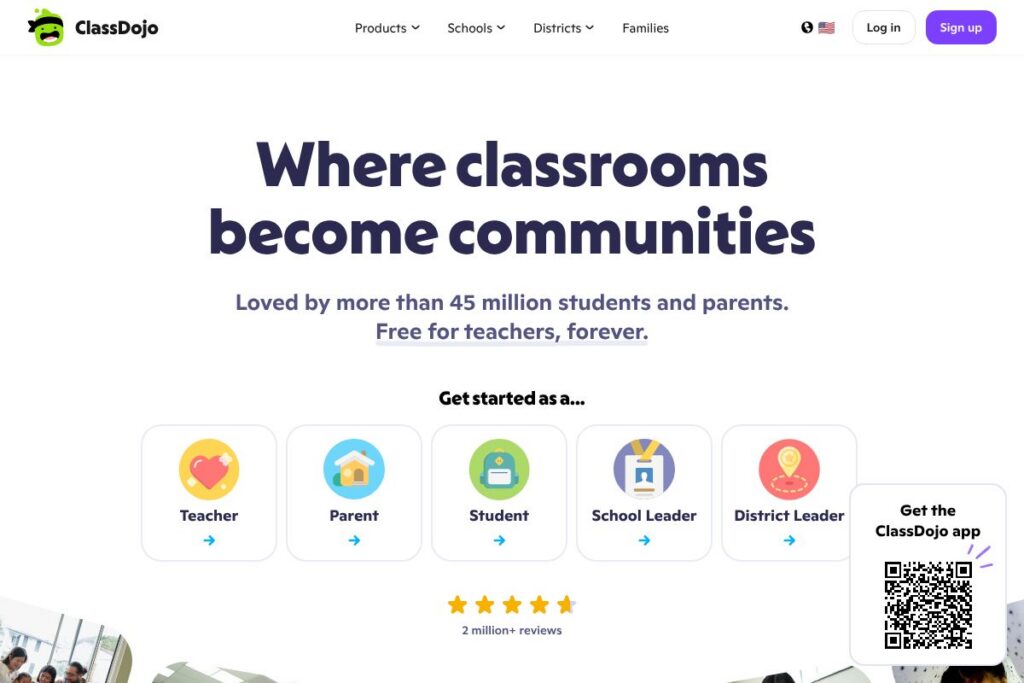
Free: ClassDojo’s core classroom communication, Stories, Portfolios, Points, and Teacher Toolkit are free for individual teachers and families. This includes mobile apps, messaging with translation, and basic classroom management features. View details on the ClassDojo homepage for an overview of included classroom features.
School and district agreements
Custom pricing: Schools and districts that require roster imports, single sign-on, or coordinated rollouts typically work with ClassDojo for custom agreements and implementation support. For district-level details and enterprise options, see ClassDojo’s information about district and school programs on the ClassDojo for schools information.
What is ClassDojo used for
ClassDojo is most commonly used to keep families informed about classroom activity, to document student work, and to reinforce social-emotional learning through Points and Big Ideas. Teachers post classroom moments to the Stories feed, message families directly, and compile student portfolios for conferences and reflection.
Beyond day-to-day communication, ClassDojo is used to streamline event reminders, reduce language barriers through automatic translation, and support positive classroom culture. Schools use ClassDojo to centralize parent engagement and as a simple tool for teachers who want lightweight classroom management without complex learning-management workflows.
Pros and cons of ClassDojo
Pros
- Strong family engagement: Parents receive photos, videos, and messages that give a practical view of classroom activities, which builds connection between school and home.
- Automatic language translation: Built-in translation into many languages helps reach multilingual families without requiring manual translations.
- Free core features for teachers: The primary classroom tools are available at no cost to individual teachers, lowering the barrier to adoption.
- Student-facing portfolios: Portfolios let students curate work and reflect, which supports conferences and visible learning practices.
- Lightweight teacher utilities: Attendance, timers, and other simple tools reduce small daily administrative tasks so teachers spend less time on logistics.
Cons
- Limited assignment workflow compared to LMSs: ClassDojo is not a full-featured learning management system so it lacks advanced assignment and grading workflows found in platforms like Google Classroom or Schoology.
- Privacy and parental consent management: Schools must manage permissions carefully for younger students and ensure district policies align with ClassDojo’s sharing model.
- District coordination required for scale: Large deployments often need roster sync and SSO that require district-level setup, which can add implementation steps.
Is ClassDojo Free to Try?
ClassDojo offers a free plan. The core classroom features, messaging, Stories, Portfolios, Points, and the Teacher Toolkit are free for individual teachers and families. Schools and districts seeking roster imports, single sign-on, or coordinated deployment typically arrange custom agreements through ClassDojo.
ClassDojo API and Integrations
ClassDojo provides district and school integration options including roster sync and single sign-on with providers such as Clever and ClassLink, enabling automated account setup and management. For details on integration capabilities and technical setup, consult the ClassDojo help and support resources.
For custom or large-scale integrations, ClassDojo offers technical support and coordinated deployment options for districts; schools can contact ClassDojo through their site to discuss API access or integration details.
10 ClassDojo alternatives
Paid alternatives to ClassDojo
- Remind — Focuses on school and district messaging, mass announcements, and two-way communication between teachers and families.
- Seesaw — Emphasizes student-driven portfolios and classroom activities with tools for families to view student work and teacher-directed assignments.
- Google Classroom — Provides assignment management, Google Workspace integration, and classroom workflow features suited for older students.
- Bloomz — Combines messaging, volunteer coordination, and family engagement features for classroom communication and event management.
- Edmodo — Offers classroom communication and content sharing, with features for assignments and student collaboration.
- Schoology — A learning management system with deeper assessment and course management tools for K-12 institutions.
- Classcraft — Uses gamification to support behavior and classroom engagement, alongside communication features for families.
Open source alternatives to ClassDojo
- Moodle — A widely used open-source learning platform that can be extended for communication and portfolio-style activities through plugins.
- Sakai — An open-source LMS with course and content management that can be configured for K-12 use with community-developed tools.
- OpenSIS — An open-source student information system that can be paired with communication tools to manage rosters and parent access.
Frequently asked questions about ClassDojo
What is ClassDojo used for?
ClassDojo is used for classroom communication, family engagement, and student portfolios. Teachers post Stories, message families, and use Points and Big Ideas to support behavior and social-emotional learning.
Does ClassDojo cost money for teachers?
ClassDojo is free for individual teachers and families. District-level implementations or special programs may involve separate agreements with ClassDojo.
Can ClassDojo translate messages for families?
Yes, ClassDojo automatically translates messages into many languages. This helps teachers communicate with multilingual families without needing manual translation.
Does ClassDojo integrate with school rostering services?
ClassDojo supports roster sync and SSO with providers such as Clever and ClassLink. Districts can establish automated provisioning to streamline account setup for schools.
Can students create their own Portfolios in ClassDojo?
Yes, students can add work samples and reflections to their Portfolios. Portfolios are designed to let students showcase learning and share progress with families.
Final verdict: ClassDojo
ClassDojo excels at family engagement and classroom visibility by combining private messaging, an image-rich Stories feed, student Portfolios, and simple behavior tracking focused on social-emotional learning. Its free core offering for teachers makes it easy to adopt at the classroom level and to include families in day-to-day learning moments.
Compared to Seesaw, which offers strong student portfolio features and paid school plans for extended functionality, ClassDojo emphasizes translated messaging and teacher utilities while remaining free for individual teachers. For elementary and K-8 classrooms that prioritize family connection and SEL, ClassDojo is a practical, low-friction choice; schools needing advanced assignment management or comprehensive LMS features may pair it with tools like Google Classroom or Schoology.