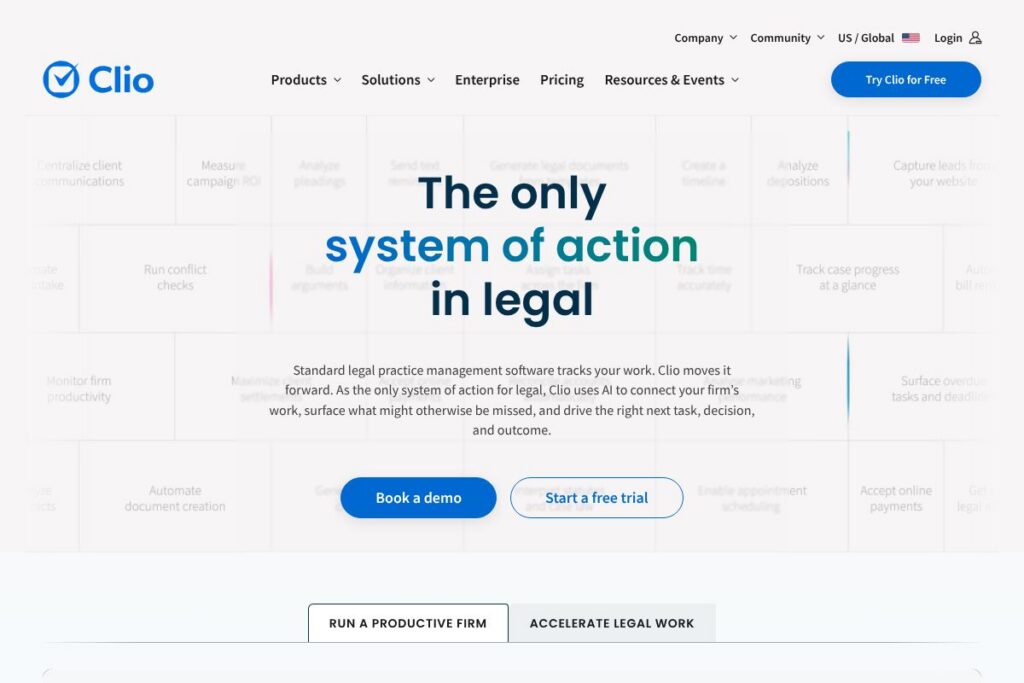
Clio: An Overview
Clio is a cloud-based legal practice management platform built to centralize client intake, case management, billing, document management, and matter-level collaboration in a single system. It layers context-aware legal AI and integrated legal research on top of core practice-management functions so firms can move from intake to invoice without switching products.
Compared with competitors, Clio emphasizes scale and integrations. PracticePanther focuses on streamlined workflows for small firms and solo practitioners and is often chosen for simplicity. MyCase competes on ease of use and bundled features for small to mid-size firms, while Rocket Matter emphasizes billing and timekeeping accuracy. Clio positions itself between these options by offering a broader integration ecosystem and enterprise-grade security useful for firms that need centralized control and regulatory compliance.
Clio does case and client management very well and suits firms that want a single platform for operations, client communications, and financial workflows. It is particularly useful for firms that require strong integrations, audited security controls, and AI-assisted drafting and research that tie back to case context.
How Clio Works
Clio organizes work around matters and contacts, with each matter acting as a central record for documents, time entries, billing, communications, and tasks. Users create client records and matters, track time against matters using desktop, web, or mobile timers, and generate invoices that pull together time, expenses, and trust accounting details.
The platform applies AI and legal research tools to matter data so drafting, precedent retrieval, and research suggestions appear in context. Automations and workflows can trigger reminders, document generation, and billing events so routine tasks require less manual intervention. Firms typically adopt Clio by migrating contacts and matters, connecting calendars and accounting tools, and customizing intake forms and billing rules.
Clio features
Clio brings together core practice management features with automation and AI to reduce administrative overhead and improve consistency across a firm.
Case management
Matter-centric organization keeps files, communications, tasks, and calendars grouped by client and case, which simplifies case triage and delegation. The matter timeline records activity so teams have an audit trail and can quickly see recent developments.
Client intake and CRM
Intake forms, conflict checks, and client portals let firms capture leads, run conflicts, and convert new clients while keeping communications secure. Intake workflows link directly to matter creation so new cases are ready for billing and scheduling.
Timekeeping and billing
Time tracking supports timers and manual entries with matter-level categorization; billing tools produce invoices, support retainers and trust accounting, and automate recurring billing tasks. Integration with payment processors accelerates collections and provides online payment options for clients.
Document management and automation
Centralized document storage, version history, and template-driven document assembly reduce repetitive drafting. Integration with Microsoft Office and cloud storage services enables in-place editing and consistent document metadata tied to matters.
Context-aware legal AI and research
AI features analyze case context and firm preferences to assist with drafting, summarization, and legal research recommendations. Integrated legal research helps surface relevant authority and reduces time spent switching between research tools and case files.
Reporting and analytics
Built-in dashboards and customizable reports provide visibility into time, billing, realization rates, and client-level profitability. These reports support financial planning and operational decisions across offices or practice areas.
Integrations and API
Clio connects with email, calendaring, accounting, and collaboration tools through a large integrations catalog, enabling data to flow between systems without duplicate entry. The platform exposes developer APIs and webhooks for custom automations and third-party integrations.
Security and compliance
Role-based permissions, encryption, and audit logs underpin the platforms approach to protecting client data, while independent certifications validate its controls and monitoring posture.
With these capabilities combined, Clio aims to reduce administrative friction, speed billing and collections, and provide firms with a single source of truth for clients and matters.
Clio pricing
Clio uses a subscription pricing model with plans tailored to firm size and functionality needs, typically ranging from individual plans for solo practitioners up to enterprise plans for multi-office firms. Publicly listed plan specifics vary and may change over time, so firms should review current plan options before committing.
For the most accurate and up-to-date information on plans, available features by tier, and enterprise agreements, review Clio’s plans and pricing information directly on their site or contact their sales team for a tailored quote.
What is Clio Used For?
Clio is used for day-to-day law firm operations: centralizing client information, managing matter workflows, tracking time, producing invoices, and reconciling trust and operating accounts. It replaces scattered spreadsheets and point solutions by consolidating work in a matter-first interface.
Firms also use Clio to improve client communications through secure client portals, to automate routine document creation, and to generate financial and operational reports that inform staffing and growth decisions. In short, Clio is suited to firms that want tighter operational control, better collections, and automated administrative processes.
Pros and cons of Clio
Pros
- Comprehensive platform: Clio combines intake, matter management, billing, document storage, and AI-assisted research in one system, reducing the need for multiple specialist tools.
- Large integrations ecosystem: Clio connects to many third-party tools such as Office 365, Google Workspace, Microsoft Teams, and Zoom, which minimizes duplicated work across systems.
- Security and compliance: Independent audits and certifications support HIPAA, SOC 2, and ISO-level security practices, which helps firms meet regulatory obligations.
- Context-aware AI capabilities: AI features operate with matter context to assist drafting and research, reducing time spent on repetitive drafting and legal research.
- Support and migration services: Clio offers guided data migration and 24/5 support to help firms transition and onboard quickly.
Cons
- Learning curve for larger feature sets: Firms migrating from simple systems may need time to configure workflows and permissions to match internal processes.
- Cost for smaller firms: The breadth of features and enterprise-grade controls may represent higher cost compared with very lightweight practice management alternatives preferred by some solo practitioners.
- Customization complexity: Highly customized workflows or unique accounting rules can require professional services or developer support to implement.
- Dependence on cloud availability: Firms that require fully on-premises deployments will need to evaluate enterprise arrangements, since typical Clio deployments are cloud-first.
Does Clio Offer a Free Trial?
Clio offers a free trial with no credit card required that lets prospective users access core features such as matter management, billing, document storage, and client intake. Sign up on Clio’s site to start a trial and evaluate how the platform handles your firms workflows before committing to a paid subscription.
Clio API and Integrations
Clio provides a developer-friendly API and webhook support for automation and custom integrations; explore the API documentation for available endpoints, authentication methods, and example workflows. The platform also lists major integrations such as Office 365, Google Workspace, Microsoft Teams, Zoom, and accounting integrations on its integrations page.
For firms that need bespoke workflows, the API enables syncing matters, time entries, invoices, and client records with internal systems and third-party services.
10 Clio alternatives
Paid alternatives to Clio
- PracticePanther: A user-friendly practice management suite focused on automation and time tracking for small to mid-size firms.
- MyCase: Simpler case and client management with built-in client communication tools and billing for small firms.
- Rocket Matter: Emphasizes accurate timekeeping and billing with features for law firm operations and productivity.
- LEAP: Practice management with integrated legal forms and document assembly, commonly used by firms that need jurisdiction-specific forms.
- CosmoLex: Integrated practice management and trust accounting designed for firms that want combined accounting and matter management.
- Actionstep: Highly configurable practice management platform with process automation and case management for complex workflows.
- Zola Suite: Combines matter management with native accounting features and a focus on in-house financial visibility.
Open source alternatives to Clio
- Casebox: An open source case and document management system that can be adapted for legal workflows and document collaboration.
- Odoo: Open source ERP with CRM, project, and document modules that can be configured to support legal practice management use cases.
- ERPNext: Open source business system that includes project and document management and can be tailored for small firms seeking a self-hosted option.
Frequently asked questions about Clio
What is Clio used for?
Clio is used for legal practice management, including matter and client management, billing, and document organization. Firms rely on it to centralize workflows from intake through invoicing and to maintain compliance and financial controls.
Does Clio integrate with accounting software?
Yes, Clio integrates with popular accounting and payment tools. Integration options let firms sync invoices and payments with external accounting systems and accept online payments through supported processors.
How secure is data in Clio?
Clio implements encryption, role-based permissions, and independent audits to protect client data. Certifications such as SOC 2 Type 2 and ISO standards back the platform’s security controls and continuous monitoring.
Does Clio offer an API for custom integrations?
Yes, Clio provides a public API and webhook support for developers. The API documentation describes endpoints for matters, contacts, time entries, and invoices to enable custom automations.
How long is Clio’s free trial?
Clio offers a free trial with no credit card required to evaluate the platform. The trial provides access to core features for hands-on testing; visit Clio’s site to start a trial and confirm current terms.
Final Verdict: Clio
Clio excels as a single platform for law firms that need matter-centric workflows, integrated billing and trust accounting, wide third-party connectivity, and context-aware AI to assist with drafting and research. Its combination of integrations, security certifications, and migration services makes it suitable for growing firms and departments that require centralized control over operations.
Compared with MyCase, Clio typically offers a broader integration ecosystem and a stronger emphasis on enterprise security and AI capabilities, while MyCase is often chosen by smaller firms seeking a simpler and more cost-conscious solution. Firms should weigh Clio’s richer feature set and compliance posture against the pricing profile and complexity relative to more lightweight competitors.
Overall, Clio is a strong choice for firms that want to consolidate casework, client communications, and billing into a single platform backed by audited security controls and a growing set of AI-assisted features.