Comm100: An Overview
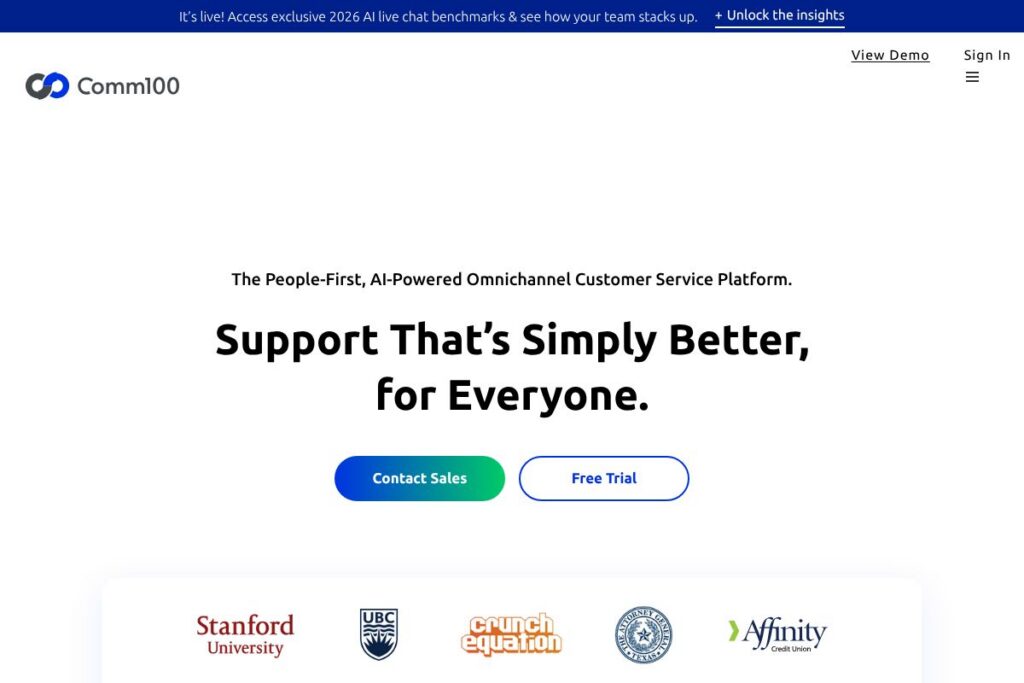
Comm100 is an omnichannel customer service platform that blends AI-driven automation with a unified agent console to handle inquiries across web chat, email, social messaging, SMS, voice, and video. The platform is designed for organizations that need to reduce repetitive work, provide consistent answers across channels, and augment human agents with real-time AI suggestions and coaching.
Compared with Zendesk and Freshdesk, Comm100 emphasizes built-in conversational AI and simulation-based training as core capabilities rather than add-on modules. Zendesk focuses on ticketing workflows and a large integration marketplace, and Freshdesk offers straightforward ticket automation and cost-effective plans; Comm100 differentiates by bundling omnichannel routing, a dedicated AI suite, and analytics aimed at improving both self-serve and live-assist outcomes.
All of this makes Comm100 especially well suited to customer support, student services, and regulated teams that need robust security, multi-channel reach, and AI tools that reduce live workload while preserving the option for real-time human escalation. Organizations that need a customizable, usage-based enterprise solution for high-volume conversational support will find Comm100 a strong fit.
How Comm100 Works
Comm100 centralizes customer interactions in a single agent console so agents can respond to messages from chat, email, SMS, social channels, and voice without switching tools. Incoming interactions are routed based on rules and skill-based queues, while AI agents handle routine queries and surface context-aware suggestions to human agents during conversations.
A typical workflow starts with the AI agent attempting an automated resolution; if the AI cannot resolve the issue, it escalates to a live agent with the conversation history, suggested replies, relevant knowledge articles, and recommended actions. Supervisors can auto-score conversations for QA, convert insights into one-click coaching moments, and use simulation-based training to bring agents up to speed using real transcripts.
What does Comm100 do?
Comm100 combines automated AI responses, omnichannel routing, agent assist, analytics, and training tools into one platform so teams can manage customer conversations end-to-end. Recent focus has been on expanding the AI Suite to include real-time suggestions, conversation auto-scoring, content generation for knowledge bases, and simulation-based learning derived from live transcripts.
Let’s talk Comm100’s Features
AI Agents
AI Agents respond to common queries with context-aware, human-like answers and can resolve a large share of routine interactions without human intervention. They rely on conversation context, historical data, and the knowledge base to reduce live volume and keep repeatable tasks automated.
Real-time Agent Assist
The platform offers live suggestions, reply templates, and next-step recommendations while agents type, reducing handling time and improving answer consistency. These suggestions pull from the knowledge base and past interactions so agents spend less time searching for the right response.
Unified Omnichannel Console
Agents use a single interface to manage chat, email, SMS, social messaging, voice, and video interactions, minimizing context switching and improving throughput. The console includes threading, file attachments, and context panels so agents see full customer history during every interaction.
Voice, Video, and Screen Sharing
Built-in voice and video capabilities allow agents to escalate conversations to richer channels without leaving the platform, including screen sharing for guided support. This tight integration keeps conversation history intact across channel changes and improves first-contact resolution.
Knowledge Management and AI Content Generation
Comm100 connects AI to your knowledge base so teams can identify gaps, draft new articles from real conversations, and push updates back into the knowledge system. That closed loop turns conversational insights into usable self-service content quickly.
Automation and Workflow Orchestration
Automated routing, workflow triggers, SLA enforcement, and canned responses reduce manual steps and speed up resolution paths. Workflows can be configured to hand off between bots and humans, trigger follow-ups, and generate tickets for complex issues.
Analytics, QA, and Auto-scoring
The platform provides AI-driven analytics for sentiment, resolution rates, and conversation quality, plus automatic scoring of dialogues for quality assurance. Supervisors can convert findings into targeted coaching actions and measure the impact over time.
Simulation-based Training and Coaching
Comm100 turns real conversation transcripts into simulations and quizzes that accelerate onboarding and continuous learning for agents. One-click coaching moments let supervisors capture examples and assign training derived from actual customer interactions.
Security and Compliance
Global data center coverage and enterprise-grade controls support regional compliance and data residency needs, with role-based access and audit logging to meet security requirements. These controls cater to regulated industries like banking and healthcare.
With these capabilities, Comm100 helps reduce live workload, improve consistency across channels, and convert conversational data into operational improvements for support teams.
Comm100 pricing
Comm100 uses a flexible, usage-based enterprise pricing model that is tailored to channel mix, usage volumes, and selected feature sets rather than a single public price list. The vendor positions pricing to scale with usage, and enterprise customers commonly adopt custom plans that include AI credits, channels, and support tiers.
For current plan options, seat and usage structures, and to request a tailored quote, see the Comm100 homepage or contact their sales team through the Comm100 contact page.
What is Comm100 Used For?
Comm100 is commonly used to automate high-volume, repetitive customer interactions while keeping live agents available for complex or sensitive cases. Teams deploy it to reduce wait times, improve first-contact resolution, and provide consistent answers across chat, email, phone, and social channels.
Typical users include customer support centers, higher education advising teams, gaming and iGaming support desks, financial services contact centers, and government service desks that require secure, auditable interactions and multi-channel reach.
Pros and Cons of Comm100
Pros
- Omnichannel consolidation: Centralizes chat, email, social, SMS, and voice in one console so agents can handle all channels without context switching.
- Built-in AI suite: Offers automated AI Agents, real-time assist, auto-scoring, and simulation training as integrated features rather than optional add-ons.
- Actionable analytics and QA: Provides conversation-level scoring and sentiment analytics that turn insights into coaching and content improvements.
- Flexible deployment and security: Global data center options and enterprise controls suit regulated industries and organizations with data residency requirements.
Cons
- Custom pricing model: Enterprise and usage-based pricing often requires sales engagement and a demo to produce a quote, which can slow initial evaluation for small teams.
- Implementation effort for large integrations: Complex integrations and tailored workflow setups may need professional services or internal development resources to fully realize advanced automation.
Does Comm100 Offer a Free Trial?
Comm100 offers demos and trial engagements on request rather than a permanent free tier. Prospective customers typically arrange a proof-of-concept or demo with the sales and AI architecture teams to validate AI performance and channel coverage before committing; reach out via the Comm100 contact page to request a trial or demo.
Comm100 API and Integrations
Comm100 provides developer-facing integration options and connectors to common enterprise systems, enabling automation, CRM synchronization, and custom workflow extensions. Key native integrations include major CRMs and messaging channels, and the platform supports webhook and API-based connections for custom needs; explore Comm100’s integration options at the Comm100 integrations page.
For developer documentation and API endpoints, consult the Comm100 developer resources to plan authentication, data flows, and custom automation.
10 Comm100 alternatives
Paid alternatives to Comm100
- Zendesk — A mature customer service suite with ticketing, omnichannel support, and a large app marketplace for extending workflows.
- Salesforce Service Cloud — Enterprise-grade service platform with deep CRM integration, advanced routing, and AI features tied to Salesforce data.
- Freshdesk — Ticketing and omnichannel support with straightforward automation and competitive pricing for growing support teams.
- Genesys Cloud — Contact center platform focused on voice, workforce management, and omnichannel routing for large-scale operations.
- Intercom — Conversational support and product messaging with strong in-app messaging and customer engagement tools.
- LivePerson — AI-first conversational platform geared toward large enterprises that need advanced bot orchestration and messaging scale.
- Help Scout — Simpler, email-first helpdesk with multichannel capabilities geared toward small and mid-market teams.
Open source alternatives to Comm100
- Chatwoot — Open source omnichannel customer engagement platform that supports chat, social messaging, and email with self-hosting options.
- Zammad — A web-based open source helpdesk and ticketing system with multichannel support and developer extensibility.
- osTicket — Widely used open source ticketing system that centralizes email and web form requests into a single workflow.
- UVDesk — Open source helpdesk with configurable workflows and community-supported extensions for e-commerce and SMB use.
Frequently asked questions about Comm100
What is Comm100 used for?
Comm100 is used to deliver omnichannel customer service with AI-driven automation and unified agent handling. Organizations deploy it to reduce live volume, improve agent productivity, and provide consistent support across channels.
Does Comm100 integrate with CRMs like Salesforce?
Yes, Comm100 integrates with major CRMs and enterprise systems. Native connectors and API options enable syncing tickets, customer context, and interaction history with CRMs such as Salesforce and other platforms.
How does Comm100 handle security and data residency?
Comm100 operates data centers across regions and provides enterprise security controls. Role-based access, audit logging, and regional hosting options help organizations meet compliance and data residency needs.
Can Comm100’s AI be customized to our knowledge base?
Yes, the AI suite trains on your knowledge base and live conversations to provide context-aware responses. Teams can update content, fix knowledge gaps, and generate new articles from conversation insights to improve AI accuracy.
Is Comm100 suitable for regulated industries like banking and healthcare?
Comm100 is designed to support regulated industries with enhanced security features and compliance-focused controls. The platform’s deployment options and audit capabilities make it appropriate for organizations with stringent regulatory requirements.
Final Verdict: Comm100
Comm100 stands out for combining an integrated AI suite with a truly omnichannel agent console, making it a practical choice for organizations that need to reduce repetitive support volume while preserving high-quality human assistance. Its strength lies in built-in auto-scoring, simulation-based training, and the ability to turn conversational insights into knowledge and coaching quickly.
Compared with Zendesk, which sells per-agent subscription tiers and a large ecosystem of add-ons, Comm100 favors a usage-based enterprise approach that bundles AI-driven automation and training capabilities into the platform. If your priority is an AI-first omnichannel solution with enterprise security and tailored deployment, Comm100 is worth evaluating alongside competitor offerings.
For demos, feature walkthroughs, and to discuss a pricing model that matches your channel mix, visit the Comm100 homepage or request a tailored demo via the Comm100 contact page.