What is doxy.me
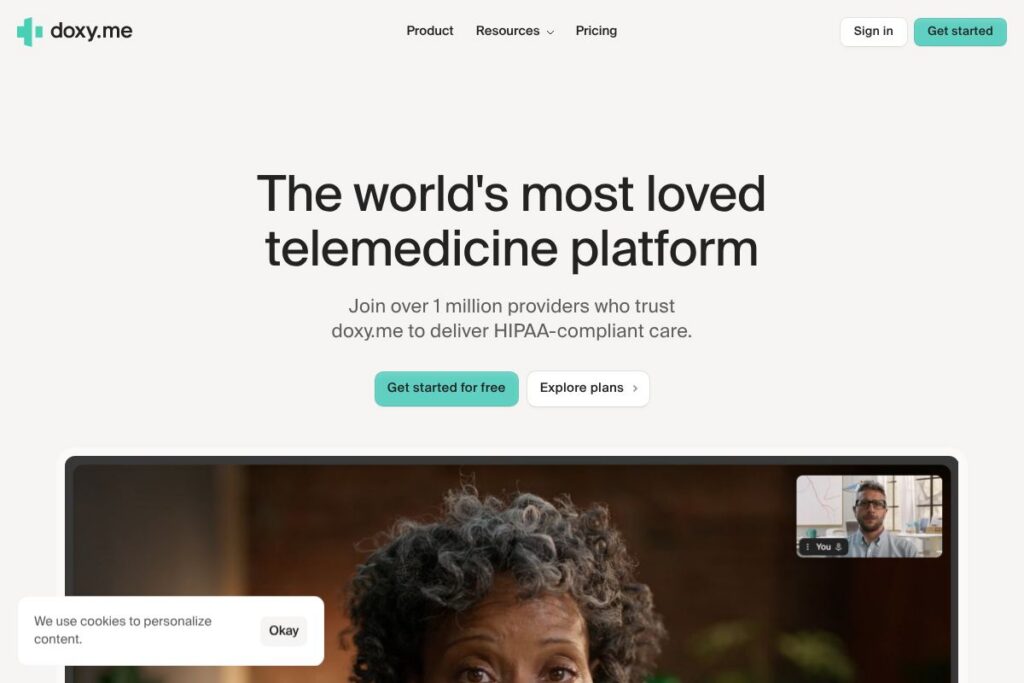
doxy.me is a telemedicine platform designed specifically for healthcare providers to run secure, browser-based video visits without requiring patient downloads or complex setup. It emphasizes simple patient access, a virtual waiting room, and clinician workflows that resemble in-person visits, which reduces friction for both providers and patients.
Compared with general-purpose video services like Zoom for Healthcare, doxy.me focuses on clinical workflows and compliance rather than broad conferencing features. Against practice-focused platforms such as SimplePractice and large telehealth networks like Amwell, doxy.me is built to be lightweight and quick to deploy, making it a preferred choice for single clinicians and small clinics that want minimal setup.
All of this makes doxy.me especially strong for routine outpatient visits, behavioral health sessions, and follow-ups where easy patient connection and privacy are priorities. It fits independent clinicians, small practices, and larger clinics that want a telemedicine layer that integrates into existing workflows with minimal overhead.
How doxy.me Works
Clinicians set up an account and get a persistent clinic link they share with patients. Patients click the link in a browser, join a virtual waiting room, and the clinician admits them when ready, mirroring a real-world check-in flow.
During sessions providers use secure video, optional chat, and simple documentation tools to capture notes and visit details. For multi-provider practices there is a dashboard to manage queues, assign providers, and see patient status in real time.
doxy.me can be embedded into existing workflows via scheduling links and integrations, so referrals, appointment reminders, and EHR entries fit into your current process with minimal change. This design reduces training time and keeps session setup consistent for staff and patients.
doxy.me features
doxy.me centers on secure, healthcare-first video visits with features that reduce administrative work and keep sessions focused on clinical care. The platform bundles a virtual waiting room, provider-facing dashboards, and documentation features aimed at preserving clinical workflows while keeping patient access simple.
Let’s talk doxy.me’s Features
HIPAA-compliant video
Secure video uses industry-standard encryption and privacy controls to meet healthcare compliance requirements, enabling clinicians to hold clinical video visits with patient confidentiality. This security focus is built into the session flow so clinicians do not need separate tools for compliant video.
Virtual waiting room
A persistent waiting room gives patients a single link to join before appointments and shows their status to providers, which recreates front-desk triage digitally. The waiting room helps manage patient flow and reduces no-shows by making access straightforward.
No-download patient access
Patients join visits directly from a web browser on desktop or mobile without installing apps, which lowers barriers for older patients and those with limited technical skills. This reduces support calls and shortens the time from invite to visit start.
Clinic and multi-provider dashboards
Dashboards allow clinics to view queued patients, route visits to different providers, and manage multiple concurrent sessions. These controls support scheduling staff and clinical teams who need centralized visibility of virtual workflows.
Session notes and forms
Integrated documentation tools let clinicians capture visit notes and completed forms alongside the video session so records stay organized. This reduces the need to switch to separate note-taking tools during appointments.
Basic triage and patient messaging
Built-in chat and status messages allow quick pre-visit screening and instructions without leaving the session. This keeps communications centralized and reduces reliance on external messaging channels.
With these capabilities, doxy.me focuses on delivering secure, reliable telemedicine visits that are simple for patients to join and easy for clinicians to manage.
doxy.me pricing
doxy.me uses a freemium pricing approach that includes a free tier for basic telemedicine needs, with paid upgrades available for additional features and clinic-level management. Plans scale from individual clinicians to multi-provider clinics and enterprise deployments.
Individuals
Free – Basic video visits, virtual waiting room, and browser-based patient access suitable for single clinicians and small practices.
Professional – Paid upgrade that adds features for scheduling, reminders, branding, and clinical tools for higher volume or specialty workflows. View the official doxy.me plans and signup for current details.
Teams and Clinics
Clinic – Tier aimed at multi-provider practices that need a shared dashboard, routing controls, and administrative features to manage patient flow across clinicians. Contact doxy.me for specifics on capability bundles and deployment options via the clinic solutions page.
Enterprise
Enterprise – Custom plans for large organizations with needs for single sign-on, advanced integrations, dedicated support, and deployment assistance. Check doxy.me’s enterprise information and contact options on the enterprise solutions page for tailored pricing and terms.
For the most up-to-date plan details, feature comparisons, and any promotions, review the official doxy.me plans and signup.
What is doxy.me used for
doxy.me is used to conduct remote patient visits across specialties where video encounters are clinically appropriate. Typical use cases include primary care follow-ups, mental health counseling, chronic disease check-ins, medication management visits, and remote triage.
Clinics use doxy.me to reduce in-office crowding, maintain continuity of care for patients who cannot travel, and offer flexible scheduling. It is also commonly used for hybrid care models where some visits are in-person and others are virtual, keeping records and workflows consistent across both.
Pros and Cons of doxy.me
Pros
- Browser-first patient access: Patients join from a web browser with no app download required, which lowers technical barriers and speeds adoption.
- Healthcare-focused compliance: Built to support HIPAA-compliant video visits and clinical workflows, reducing the compliance burden on providers.
- Simple clinic workflows: Virtual waiting room and multi-provider dashboards make it straightforward to manage patient flow in busy practices.
- Quick setup: Account creation and a persistent clinic link let clinicians start seeing patients quickly without heavy onboarding.
- Scalable for teams: Options for clinics and enterprises support multi-provider routing and administrative controls.
Cons
- Feature depth compared with full EHRs: It is not a complete practice management or EHR solution, so practices may need additional systems for billing and charting integration.
- Advanced telehealth features behind paid tiers: Some higher-level capabilities such as advanced integrations, dedicated support, and custom branding require paid plans.
- Limited non-video collaboration: For teams that need broader collaboration features beyond telehealth workflows, a general collaboration platform may be necessary.
Does doxy.me Offer a Free Trial?
doxy.me offers a free plan that provides basic, no-download video visits and a virtual waiting room suitable for individual clinicians. For paid features and clinic-level capabilities, doxy.me provides upgraded plans and enterprise options; see the official doxy.me plans and signup to compare what is included at each tier.
doxy.me API and Integrations
doxy.me supports integrations with common healthcare workflows and offers options for enterprise customers to connect with scheduling systems and EHRs. For developers and integrators, doxy.me publishes integration information and contact paths for custom integrations on their site at the integration options page.
Key third-party connections typically include scheduling platforms, EHR connectors, and messaging services so that telemedicine sessions can fit into existing clinical and administrative systems. Reach out through doxy.me’s integration resources to discuss API access and connector options for your setup.
10 doxy.me alternatives
Paid alternatives to doxy.me
- Zoom for Healthcare – A HIPAA-compliant version of Zoom that adds enterprise video conferencing features and broad platform integrations for larger organizations.
- Amwell – A full-service telehealth platform targeted at health systems, offering networked telemedicine services and patient-facing apps.
- SimplePractice – Practice management and telehealth combined, popular with behavioral health and therapy practices for scheduling, billing, and notes.
- VSee – Telemedicine platform with configurable clinical workflows and device integrations for remote monitoring scenarios.
- Teladoc – Telehealth provider network suited for on-demand consultations and enterprise services.
- MDLive – Virtual care platform focused on urgent care and behavioral health with provider network options.
- Updox – Communication and telehealth tools integrated with practice workflows and patient communication features.
Open source alternatives to doxy.me
- Jitsi Meet – Open source video conferencing that can be self-hosted and configured for healthcare with additional security controls.
- BigBlueButton – Web conferencing system oriented to education that can be adapted for telehealth with custom deployments.
- OpenVidu – Open source platform for building custom video applications that developers can use to create tailored telemedicine solutions.
Frequently asked questions about doxy.me
Is doxy.me free to use?
doxy.me offers a free plan for basic telemedicine visits. The free tier includes browser-based video visits and a virtual waiting room, while paid tiers add clinic and enterprise features.
Does doxy.me meet HIPAA requirements?
Yes, doxy.me is designed to support HIPAA-compliant telemedicine. It includes encryption and privacy controls intended to help clinicians meet regulatory requirements for patient data protection.
Can doxy.me integrate with my EHR or scheduling system?
doxy.me supports integrations with scheduling and EHR workflows for clinic and enterprise customers. Contact doxy.me or review their integration resources to confirm specific connectors and integration approaches.
How do patients join a doxy.me visit?
Patients join via a simple clinic link in a web browser, with no app download required. The link opens a virtual waiting room and the patient is admitted by the clinician when the visit is ready to begin.
Is doxy.me suitable for multi-provider clinics?
Yes, doxy.me offers clinic and enterprise options that include multi-provider dashboards and routing controls. These features help administrative staff manage patient flow across several clinicians.
Final verdict: doxy.me
doxy.me delivers focused, healthcare-first telemedicine that makes secure video visits simple for both patients and clinicians. Its browser-based access and virtual waiting room recreate key elements of in-person workflows while minimizing technical friction, which is especially valuable for independent clinicians and small to medium clinics.
Compared with Zoom for Healthcare, doxy.me trades some conferencing depth for tighter clinical workflow integration and easier patient access; pricing-wise, doxy.me emphasizes a freemium entry point with paid upgrades for clinics, while Zoom for Healthcare typically targets enterprise contracts with broader meeting capabilities. For practices that prioritize fast patient access, compliance, and a clinical visit flow, doxy.me is a practical and well-focused telemedicine choice.