Front: An Overview
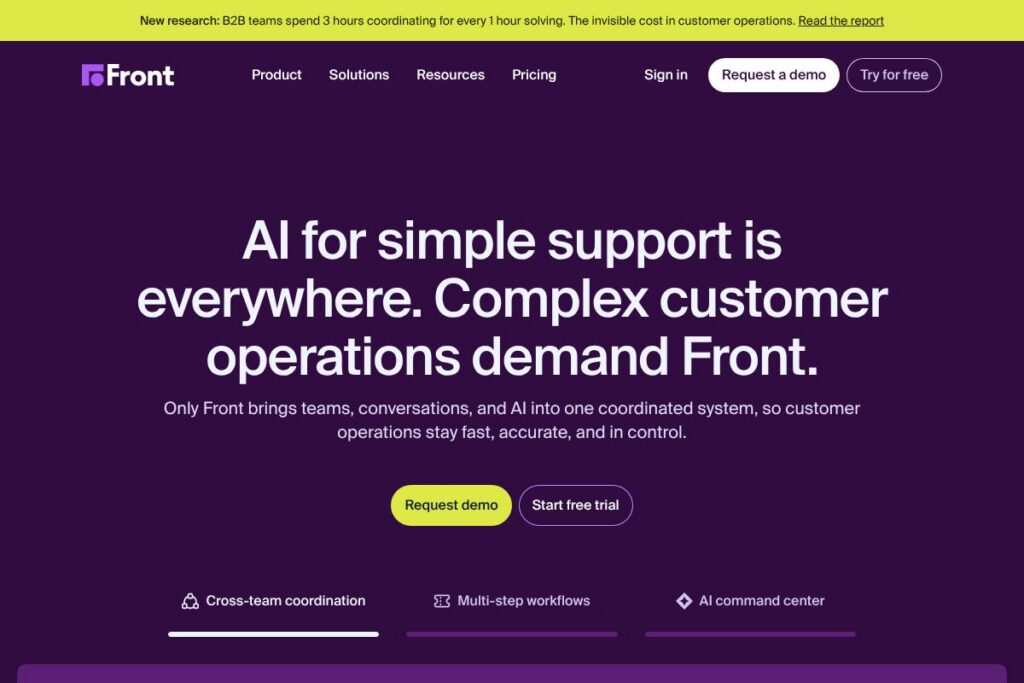
Front is a collaborative customer service platform that brings email, chat, SMS, social, and other channels into shared inboxes with routing, automation, and reporting. It is aimed at customer-first teams that need full conversation context, cross-team visibility, and workflow automation to resolve complex tickets quickly.
Compared with Zendesk, Front focuses on shared inbox collaboration and conversational workflows rather than a ticket-centric support system. Compared with Intercom, Front prioritizes multichannel inbox management and team routing over in-app messaging and product-led growth features. Compared with Help Scout, Front offers more advanced automation and enterprise routing while Help Scout emphasizes simpler inbox-based support for smaller teams.
All of this makes Front well suited for companies that handle high-touch, cross-department customer issues and need a single place to see conversation context, assign ownership, and automate handoffs. It is particularly useful for teams that require tight SLAs, shared visibility across support and non-support departments, and integrations into broader operational systems.
How Front Works
Front aggregates messages from email, chat, SMS, social, and other sources into shared inboxes where teams can assign conversations, leave internal comments, and collaborate on replies without forwarding chains. Rules and automation handle common routing tasks, create follow-up reminders, and assign ownership based on keywords, sender, or custom fields.
Teams typically integrate their product and CRM data into Front so agents see full customer context inline, then use workflows to escalate, loop in other teams, or surface actions to product and engineering. Supervisors use built-in analytics to monitor response time, workload distribution, and conversation outcomes to tune automations and staffing.
Front features
Front centers on shared communication, workflow automation, and analytics designed to keep customer context visible across teams. Core capabilities include shared inboxes, routing rules, message templates, worker assignments, analytics, and integrations with CRM and collaboration tools. Recent updates emphasize AI-assisted triage and smarter automation to reduce manual ticket handling.
Let’s talk Front’s Features
Shared inboxes
Shared inboxes consolidate messages from multiple channels into collaborative queues where teams can assign and claim conversations, add internal notes, and avoid duplicate replies. This reduces context switching for agents and makes it easier for cross-functional teams to own parts of a complex customer issue.
Automation and routing
Automation rules route messages based on sender, subject, tags, or custom fields and can perform actions like assigning owners, applying tags, or creating follow-up reminders. These automations reduce manual triage, enforce routing policies, and help enforce SLAs across teams.
AI-assisted triage and suggestions
AI features help classify incoming messages, suggest reply drafts, and prioritize urgent conversations to speed time to first response. Agents can modify AI suggestions, which improves throughput while keeping human oversight on customer communications.
Multichannel support
Front unifies email, SMS, chat, and social messages into a single workflow so teams handle customer conversations consistently across channels. Unified threading and searchable history maintain context when a ticket moves between channels or team members.
Analytics and reporting
Built-in dashboards track response times, conversation volume, SLA compliance, and agent performance to inform resourcing and process changes. Customizable reports enable teams to measure handoffs, tag-based metrics, and cross-team collaboration efficiency.
Integrations and API
Front integrates with CRMs, helpdesk tools, communication apps, and internal systems so customer context flows into conversations and actions can be automated. For developers, the Front API documentation provides endpoints for conversation management, webhooks, and user sync to extend workflows.
Security and compliance
Enterprise-grade security controls include SSO, role-based access, audit logs, and encryption to protect customer data and meet corporate compliance requirements. These controls help security teams govern access across shared inboxes and integrations.
With these capabilities Front reduces manual work for agents, increases visibility for stakeholders across teams, and provides the telemetry needed to iterate on support processes and staffing.
Front pricing
Front uses a subscription-based SaaS pricing model that scales by team size and required features, with enterprise options commonly tailored to larger organizations. For current plan details, available tiers, and any trial or freemium options, view Front’s available options on the Front homepage.
What is Front Used For?
Front is used to coordinate customer communication when issues span multiple teams or channels, such as billing disputes that touch finance, technical escalations that require engineering, or account management that needs CRM context. It removes fragmented threads and provides a single place to assign ownership and see full history.
Teams use Front for use cases that require shared visibility and collaboration, including customer support, sales inbox management, partner success, and operations that need to respond to customers quickly while keeping other stakeholders informed. It is also used to automate common workflows, escalate incidents, and report on cross-functional outcomes.
Pros and cons of Front
Pros
- Shared visibility and collaboration: Consolidates multichannel conversations into shared inboxes so teams can assign ownership, leave private notes, and avoid duplicated replies.
- Powerful routing and automation: Automations and rules handle common triage tasks, reducing manual work and enforcing consistent routing and SLA behavior.
- Context-rich integrations: Integrates with CRMs and internal systems so agents see customer context inline, which speeds resolution of complex tickets.
- Enterprise security controls: Offers SSO, role-based permissions, and audit logs to support compliance and governance requirements.
Cons
- Customization complexity: Extensive routing and automation capabilities can require planning and maintenance to avoid rule conflicts and ensure consistent behavior.
- Cost at scale: Enterprise-level features and advanced integrations may increase overall costs for large teams that require custom plans and support.
- Learning curve for advanced workflows: Teams adopting advanced automations, analytics, and AI-assisted workflows typically need time to train agents and tune rules to their processes.
Does Front Offer a Free Trial?
Front offers a free trial for prospective customers and may provide limited self-serve options, but exact trial duration and any free-tier availability vary; check the Front homepage to see the latest trial and freemium details that match your team size.
Front API and Integrations
Front provides a developer API for conversation management, webhooks, and user provisioning to support automation and custom integrations. The Front API documentation describes endpoints, authentication, and example workflows for building integrations.
Front also offers native integrations with major CRMs, messaging platforms, and team collaboration tools so customer context and actions flow into and out of the inbox. See Front’s integrations roster on the integrations page to find connectors for tools you already use.
10 Front alternatives
Paid alternatives to Front
- Zendesk – A ticket-driven support platform with extensive workflows, knowledge base, and analytics for large support teams.
- Intercom – A messaging-first platform focused on in-app chat, product-led support, and proactive messaging sequences.
- Help Scout – A simpler shared inbox and knowledge base product that emphasizes straightforward workflows for small to midsize teams.
- Gorgias – Support tool tailored to ecommerce teams with deep Shopify and revenue-oriented integrations.
- Freshdesk – Cloud helpdesk with omnichannel support, automation, and modular add-ons for scaling teams.
- Zoho Desk – An integrated helpdesk within the Zoho ecosystem, with automation and reporting for service teams.
- Salesforce Service Cloud – Enterprise-grade support platform tightly integrated with Salesforce CRM and customer data.
Open source alternatives to Front
- Chatwoot – Open source customer engagement platform with shared inboxes, chat widgets, and multichannel support.
- Zammad – Ticketing system with shared inboxes, automation, and role-based access designed for self-hosting.
- osTicket – Widely used open source ticketing tool for basic support workflows and self-hosted deployments.
- UVdesk – Open source helpdesk platform offering multichannel support and self-hosting options.
Frequently asked questions about Front
What channels does Front support?
Front supports email, chat, SMS, and social channels. It consolidates messages from these channels into shared inboxes so teams can handle multichannel conversations consistently.
Does Front offer an API for developers?
Yes, Front provides a developer API. The Front API documentation includes endpoints, webhooks, and examples for automating conversations and syncing users.
How does Front handle security and access control?
Front includes enterprise security features like SSO and role-based permissions. It also provides audit logs and encryption to help meet corporate security and compliance requirements.
Can Front integrate with my CRM?
Yes, Front integrates with major CRMs and SaaS tools. Integration options surface customer data in conversations so agents have context without leaving the inbox.
Is Front suitable for cross-functional teams beyond support?
Yes, Front works for customer support, sales inboxes, partner success, and ops teams. Its shared inboxes and routing features make it useful when multiple departments must collaborate on customer-facing issues.
Final verdict: Front
Front is a strong choice for teams that need a collaborative, context-rich inbox for handling complex, multichannel customer conversations. Its combination of shared inboxes, automation, integrations, and analytics reduces manual handoffs and keeps the right teams informed when issues cross department boundaries.
Compared with Zendesk, Front emphasizes real-time collaboration and inbox-centric workflows rather than a ticket-first model; Zendesk offers broader ticketing and knowledge base features at scale. For organizations prioritizing agent collaboration and conversational context, Front is often a better fit, while teams that need extensive ticket lifecycle management and public self-service may prefer Zendesk. For current pricing and plan comparisons, review Front’s available options on the Front homepage.