Groove in a Nutshell
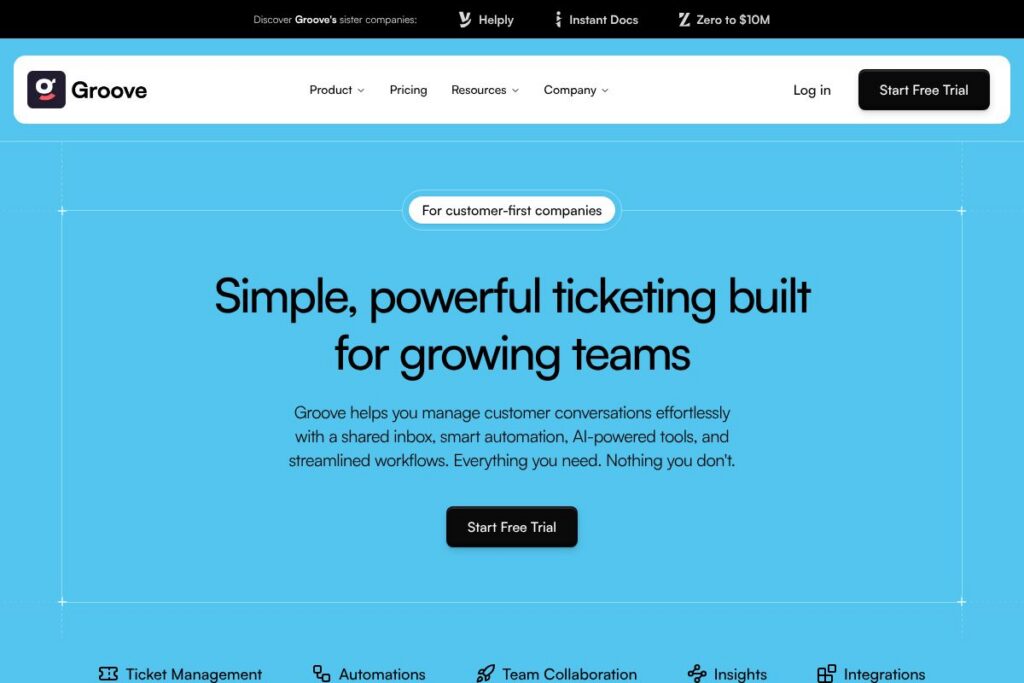
Groove is a helpdesk and shared inbox designed to make customer support simple for growing teams. It collects emails and messages into a single, collaborative inbox, adds ticketing features like tags and custom fields, and layers automation and AI to reduce manual work.
Compared with Zendesk, Freshdesk, and Intercom, Groove trades breadth for simplicity. Zendesk and Freshdesk target large enterprises with extensive configuration and reporting, while Intercom focuses on conversational support and product-led growth; Groove focuses on a compact set of ticketing, automation, and AI features that are faster to deploy and easier for small teams to manage.
All of this makes Groove a practical choice for customer-first companies that want an easy-to-use ticketing system with built-in automation and AI, without the overhead of enterprise-grade configuration and maintenance.
How Groove Works
Groove aggregates customer emails and connected messaging channels into a single shared inbox where agents can assign, tag, and reply. Conversations become tickets that can be organized with Smart Folders, tags, and custom fields to reflect priority and context.
Automation rules handle routine tasks such as auto-assigning, tagging, and escalating tickets based on triggers, freeing agents from repetitive work. Built-in AI features summarize long threads, suggest replies, detect sentiment, and recommend tags so agents can respond faster and more consistently.
Day-to-day workflows typically look like this: inbound messages land in the shared inbox, automation routes them to the right queue or agent, AI suggests a draft reply and tags, and the agent reviews and sends. Supervisors track SLAs and team performance through SLA management and saved reports to ensure response goals are met.
What does Groove do?
Groove combines a shared inbox, simple ticketing, automation, and AI assistance into a single support workspace. The platform focuses on core support workflows including routing, tagging, saved replies, and SLA tracking, with integrations that connect support to the rest of your stack.
Let’s talk Groove’s Features
Shared Inbox
Groove centralizes email and other channels into one collaborative inbox so agents see a single timeline for each customer conversation. The shared view reduces duplication, makes internal notes visible, and supports assignment so ownership is clear.
Ticket Management
Smart Folders, tags, and custom fields let teams prioritize and filter tickets as they scale without losing control. Those tools make it straightforward to build views for specific queues, SLAs, or customer segments.
Automations
A rules engine automates common actions like routing, tagging, and priority changes based on ticket properties or message content. Automations reduce repetitive tasks, accelerate triage, and ensure consistent handling across agents.
AI-Powered Ticketing
AI assists with summarizing threads, suggesting reply text, tagging tickets, and detecting sentiment to help prioritize urgent or sensitive issues. These capabilities shorten response time and help agents produce higher-quality answers more quickly.
Suggested Replies
Suggested replies provide AI-generated draft responses that agents can edit and send, speeding up common interactions and promoting consistent tone and information. Saved replies complement this by storing reusable answers for recurring questions.
Ticket Tagging and Smart Routing
Automatic tagging and smart routing ensure tickets reach the right team or agent based on subject, customer attributes, or keywords. This improves first-contact resolution and reduces reassignments.
Integrations
Groove integrates with tools like Slack, Salesforce, HubSpot, and Stripe so you can surface customer context and trigger actions across systems. Native integrations reduce manual data lookups and let support work within existing workflows; see the integrations page for details.
SLA Management and Reporting
SLA management lets teams set response and resolution targets and track performance against those targets. Reporting surfaces metrics such as response time and CSAT to help prioritize coaching and process changes.
With Groove you get a compact set of features that speed up day-to-day support work: a unified inbox, straightforward ticketing controls, time-saving automations, and AI features that reduce manual effort and improve response quality.
Groove Pricing
Groove offers flexible, subscription-based pricing designed for growing support teams, with plans that scale from small teams to enterprise deployments; current plan details and billing options are listed on the Groove homepage. For organization-level questions such as seat counts, enterprise features, or discounts, follow the contact options on the homepage to reach sales.
What is Groove Used For?
Groove is used to manage customer support email and messaging in a collaborative, trackable way. Teams use it to centralize conversations, automate triage, maintain SLAs, and provide consistent answers using saved replies and AI suggestions.
It is ideal for small to midsize companies, product teams that need lightweight support tooling, and startups that want faster setup times than large enterprise helpdesks provide. Customer success and support teams use Groove to reduce manual routing work and improve response consistency while keeping operational overhead low.
Pros and Cons of Groove
Pros
- Simple shared inbox: The centralized inbox reduces duplicate replies and clarifies ownership across agents, making day-to-day handling faster and less error-prone.
- Practical automation: Automation rules cover assignment, tagging, and priority handling, which cuts repetitive work and speeds up triage.
- Built-in AI assistance: AI summaries, suggested replies, and sentiment detection speed responses and help less-experienced agents handle complex threads.
- Integrations with core tools: Native integrations with CRM and payment tools bring customer context into the support workflow for faster, more informed replies.
Cons
- Limited advanced reporting: For teams that need in-depth analytics and custom dashboards, Groove’s reporting is more basic than some enterprise platforms.
- Fewer enterprise-grade customization options: Organizations that require extensive workflow customization or complex multi-product routing may find Groove less flexible than larger helpdesk suites.
- Scaling beyond mid-market: Very large organizations with hundreds of agents and complex permissions models may outgrow Groove’s simpler approach.
Does Groove Offer a Free Trial?
Groove offers a free trial for new users. The trial provides access to core inbox, ticketing, automation, and AI features so teams can evaluate workflows and integrations; start the trial from the Groove homepage.
Groove API and Integrations
Groove provides native integrations with common tools such as Slack, Salesforce, HubSpot, and Stripe, enabling customers to surface context and automate actions across systems; see the integrations page for full listings.
The platform also supports programmatic access for custom automation through API endpoints and webhooks, which teams use to sync ticket data, trigger workflows, and link Groove with in-house systems; check the developer resources linked from the integrations area for technical details.
10 Groove alternatives
Paid alternatives to Groove
- Zendesk — A full-featured enterprise helpdesk with extensive customization, multichannel support, and advanced reporting.
- Freshdesk — A flexible support platform with omnichannel routing, automation, and AI features for mid-market and enterprise teams.
- Intercom — Focuses on conversational support, in-app messaging, and product-led customer engagement with a strong emphasis on live chat.
- Help Scout — A simple, email-first helpdesk with collaborative tools, docs, and a focus on small to medium teams.
- Front — Shared inbox that blends email and messaging with powerful collaboration features and automation rules.
- Zoho Desk — Part of the Zoho suite, offering ticketing, automation, and native CRM integrations at competitive pricing.
- Kustomer — A CRM-centric support platform built for personalized, multichannel customer service.
Open source alternatives to Groove
- Zammad — Open source ticketing system with agent interface, customer portal, and REST API for integrations.
- osTicket — Widely used open source helpdesk for email-based ticketing and basic workflow automation.
- UVdesk — An open source support system focused on e-commerce and developer extensibility.
- HelpDeskZ — Lightweight PHP-based ticketing system for small teams wanting a self-hosted solution.
Frequently asked questions about Groove
What is Groove used for?
Groove is used for centralized customer support and ticketing. Teams use it to handle email and messaging in a shared inbox, apply automations, and track SLAs for consistent, measurable support.
Does Groove integrate with Salesforce?
Yes, Groove integrates with Salesforce. The integration surfaces CRM data in tickets and can be configured through the integrations page to reduce context switching for agents.
Can Groove’s AI summarize conversations?
Yes, Groove includes AI-powered conversation summaries. Summaries help agents catch up on long threads quickly and reduce the time spent reading previous messages.
Does Groove provide an API for automation?
Yes, Groove provides programmatic access via API and webhooks. Teams use the API to sync tickets, trigger actions from other systems, and build custom integrations; refer to developer resources linked from the integrations area.
Is Groove suitable for small support teams?
Yes, Groove is well suited to small and midsize support teams. Its simple setup, shared inbox model, and practical automation make it a strong fit for teams that need to move quickly without heavy administrative overhead.
Final verdict: Groove
Groove stands out for delivering a focused helpdesk that centralizes conversations, reduces manual work with automation, and adds AI features where they materially speed support. It excels for small to midsize teams that need straightforward ticketing, rapid onboarding, and practical integrations rather than a vast set of configurable modules.
Compared with Zendesk, Groove is easier to deploy and typically has less administrative complexity, while Zendesk provides deeper customization and enterprise reporting. For teams that prefer simplicity and faster time-to-value, Groove is a strong choice; teams that require advanced analytics or heavy customization may prefer a larger platform such as Zendesk.