Kayako: An Overview
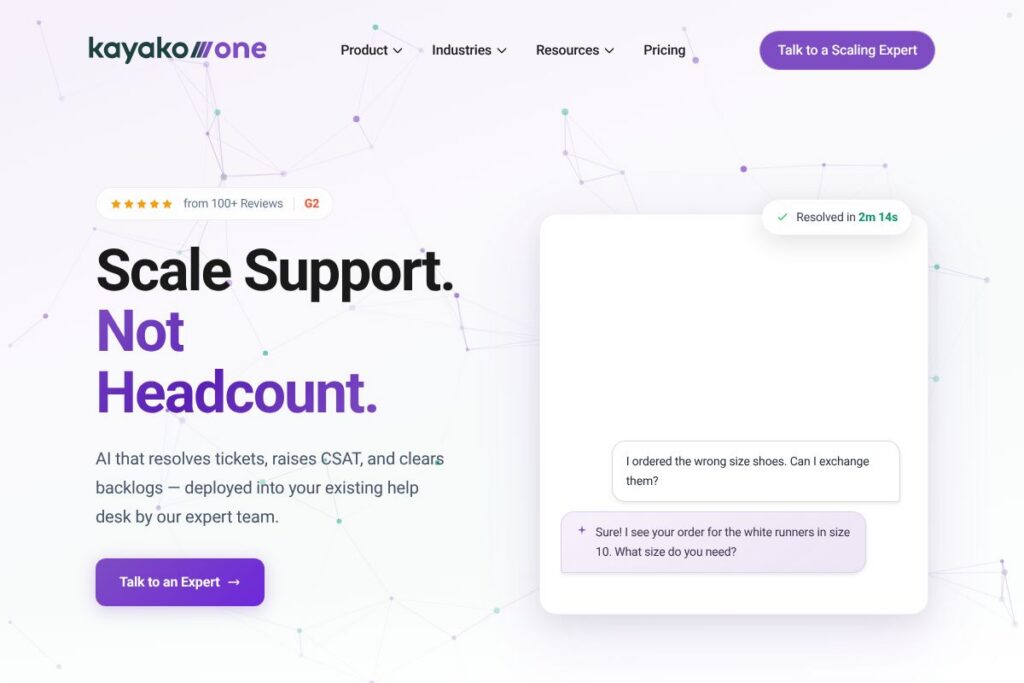
Kayako is an AI-first help desk and customer support platform designed to automate repetitive work across ticket triage, reply drafting, and escalation. It layers into existing help desk workflows so teams can reduce backlog, shorten resolution times, and focus human agents on complex issues that require judgment. The platform emphasizes deployment support from Kayako’s implementation teams to accelerate outcomes and adoption.
Kayako sits alongside established help desk vendors but emphasizes AI-driven resolution and assisted automation. Compared with Zendesk, which focuses on broad modularity and an extensive app marketplace, Kayako prioritizes end-to-end AI triage and reply automation. Against Freshdesk, which offers strong ticketing and omnichannel support out of the box, Kayako concentrates on reducing ticket volume through automated resolution and contextual enrichment to lower handle time.
All of this makes Kayako particularly well suited for support leaders at growth-stage and enterprise companies that have persistent backlogs and want measurable cost reduction without adding headcount. The platform is aimed at teams that need fast ROI from automation, with expert implementation to align AI behavior to company policies and tone.
How Kayako Works
Kayako auto-classifies incoming tickets, assigns priority and routing, and enriches each ticket with contextual data from order systems, CRM, and previous conversations so agents or AI have the full context before responding. This automated triage reduces manual sorting and speeds up first response times while surfacing tickets that need human attention.
For many use cases Kayako drafts replies or asks follow-up questions automatically, handles simple exchanges end to end, and charges or confirms changes when workflows require it. Edge cases are escalated seamlessly to agents with suggested replies and a history of what the AI tried, and the system learns from human resolutions to reduce similar escalations over time. Kayako documents its approach to scaling AI-driven support in their strategy resources; see the Kayako implementation and strategy resources for examples and booking information.
What does Kayako do?
Kayako organizes around reducing ticket volume and response work through AI-first automation, context enrichment, and human-in-the-loop escalation. Core capabilities include automated triage, AI-drafted replies, seamless escalation, and operational metrics to demonstrate ROI. The platform emphasizes phased implementation so the AI coverage compounds over time rather than attempting a big-bang switch.
The platform includes several powerful capabilities:
Automated Triage and Routing
Tickets are automatically classified and prioritized based on content, customer value, and historical patterns, which reduces manual sorting and shortens time to first response. This helps ensure urgent issues reach the right agent or team faster and reduces SLA breaches.
AI Reply Drafting and Resolution
AI generates first replies, follow-up questions, and complete resolutions for repetitive cases, allowing many tickets to be closed without human intervention. Teams can customize tone and guardrails so replies align with brand voice and compliance requirements.
Context Enrichment
Kayako attaches contextual data to tickets, such as recent orders, subscription status, and past interactions so automated replies and agents have the necessary background to act. This reduces back-and-forth and improves first contact resolution rates.
Human Escalation and Learning
When the AI detects ambiguity or a high-risk scenario it escalates to an agent with suggested responses and a summary of prior steps, and the system records human resolutions to improve future AI coverage. This human-in-the-loop process reduces error rates and accelerates model improvement.
Reporting and ROI Metrics
Operational dashboards show backlog reduction, AI-resolved volume, average handle time, and cost-per-ticket so teams can measure the financial impact of automation. These metrics are used during implementation to target leading indicators that drive CSAT improvements.
Integrations and Connectors
Kayako integrates with common systems to provide context and act on customer data, including CRMs, e-commerce platforms, and collaboration tools, which enables actions like updating addresses or issuing refunds directly from the ticket. For a list of supported connectors see Kayako’s integration resources at the Kayako integrations hub.
With these features, the biggest benefit is fewer repetitive tickets and faster resolutions while preserving agent oversight for complex cases, enabling measurable cost savings without sacrificing customer satisfaction.
Kayako pricing
Kayako uses a tailored pricing model that is focused on enterprise deployments and custom packages rather than fixed public tiers. Pricing depends on factors such as number of support seats, required AI coverage levels, integration scope, and implementation services, so most customers receive a custom quote after a strategy session.
For current details and to discuss specific needs, contact sales or request a demo via Kayako’s contact and demo options. The Kayako team can outline pilot pricing, implementation fees, and expected ROI based on your support volume.
What is Kayako used for?
Kayako is used to automate high-volume, repetitive customer support tasks such as order changes, returns, status checks, and basic troubleshooting so teams can reduce backlog and limit unnecessary escalations. The platform is commonly deployed in e-commerce, SaaS, and service organizations where quick, consistent responses and cost-per-ticket reduction are priorities.
Support leaders use Kayako to improve first contact resolution, lower average resolution time, and standardize responses across channels while still allowing agents to handle nuanced or high-value interactions. The phased implementation approach makes it suitable for teams that need measurable improvements without major disruption.
Pros and cons of Kayako
Pros
- Automated backlog reduction: Kayako’s AI-first workflow closes a large portion of repetitive tickets automatically, which lowers queue size and frees agents for higher-value work.
- Context-aware replies: Enrichment with order and CRM data reduces unnecessary follow-ups and increases first contact resolution rates.
- Phased implementation: Expert-led deployment helps tailor AI behavior and ensures predictable, measurable improvements rather than risky all-in rollouts.
- Operational ROI focus: Dashboards and leading metrics allow teams to prove savings and track CSAT improvements tied to automation efforts.
Cons
- Enterprise-focused pricing: Custom pricing and implementation can be a higher up-front investment for very small teams or single-person operations.
- Dependency on integrations: The value of automation increases with data access, so organizations without integrated order or CRM systems may see slower gains.
- Change management required: Shifting repetitive work to AI requires agent training, policy alignment, and continuous monitoring to maintain quality and compliance.
Does Kayako Offer a Free Trial?
Kayako offers personalized demos and pilot trials on request. Prospective customers can book a strategy session or request a tailored pilot through Kayako’s contact and demo options, which typically include guided setup, a short pilot period, and performance targets to validate ROI before broader rollout.
Kayako API and Integrations
Kayako provides developer APIs and a set of integrations to connect ticket data with CRM, e-commerce, and collaboration tools; the Kayako developer documentation outlines available endpoints for ticket operations, webhooks, and user data access. These APIs support automation workflows, custom connectors, and syncing with internal systems.
Popular integrations include Slack, Microsoft Teams, Salesforce, Shopify, and Jira for unified context and actionability across the support stack. For specific connectors and setup guidance see the Kayako integrations hub.
10 Kayako alternatives
Paid alternatives to Kayako
- Zendesk – Enterprise-ready ticketing, omnichannel support, and a large app marketplace for custom workflows. Well-suited to organizations needing extensive ecosystem support.
- Freshdesk – A feature-rich help desk with omnichannel support, automation rules, and competitive pricing for mid-market teams.
- Intercom – Combines messaging, bots, and product tours with conversational support workflows and in-app engagement.
- Help Scout – Simple, email-first help desk focused on small to mid-size teams that want a human-centric support experience.
- Front – Shared inbox and collaboration features that centralize customer communication with strong routing and internal workflows.
- Zoho Desk – Integrated with the broader Zoho ecosystem, useful for companies already using Zoho CRM and productivity apps.
- Gorgias – E-commerce focused help desk optimized for Shopify stores, with macros and automation geared to order support.
Open source alternatives to Kayako
- Zammad – Open source help desk with ticketing, time accounting, and basic automation that can be self-hosted and extended.
- osTicket – Lightweight, widely used open source ticketing system for teams that prefer on-premise control.
- UVdesk – Open source e-commerce help desk with support for custom extensions and self-hosted deployments.
Frequently asked questions about Kayako
What is Kayako used for?
Kayako is used for automating ticket triage and responses to reduce backlog and support costs. Teams deploy it to handle repetitive cases automatically while preserving human oversight for complex issues.
Does Kayako have an API?
Yes, Kayako provides APIs and webhooks for developers. The Kayako developer documentation lists endpoints for ticket management, user data, and event subscriptions.
Can Kayako resolve customer tickets automatically?
Yes, Kayako’s AI can automate and resolve a significant portion of incoming tickets. It drafts replies, asks follow-ups, and completes simple workflows while escalating ambiguous or high-risk cases to agents.
How much does Kayako cost?
Kayako offers custom pricing tailored to deployment scope and AI coverage. To understand estimated costs for your team, book a strategy session or request a demo via Kayako’s contact and demo options.
Is Kayako suitable for small businesses?
Kayako can work for small businesses, but it is optimized for teams with recurring ticket volume and integration needs. Smaller teams should discuss pilot options with Kayako to validate ROI before committing to a broader deployment.
Final verdict: Kayako
Kayako stands out for its AI-first approach to reducing ticket volume and improving operational metrics such as first contact resolution and cost per ticket. Where many vendors provide automation features as one module among many, Kayako emphasizes phased AI adoption, contextual enrichment, and expert-led implementation to deliver measurable backlog and cost reduction.
Compared with Zendesk, which provides broad configurability and a large ecosystem, Kayako focuses investment on AI resolution and outcome-based pilots rather than extensive self-service configuration. If your priority is cutting support costs and backlog through automated resolution backed by an implementation team, Kayako is a strong choice; if you need a large marketplace of third-party apps and self-serve configuration, evaluate Zendesk alongside Kayako.