What is Keybase
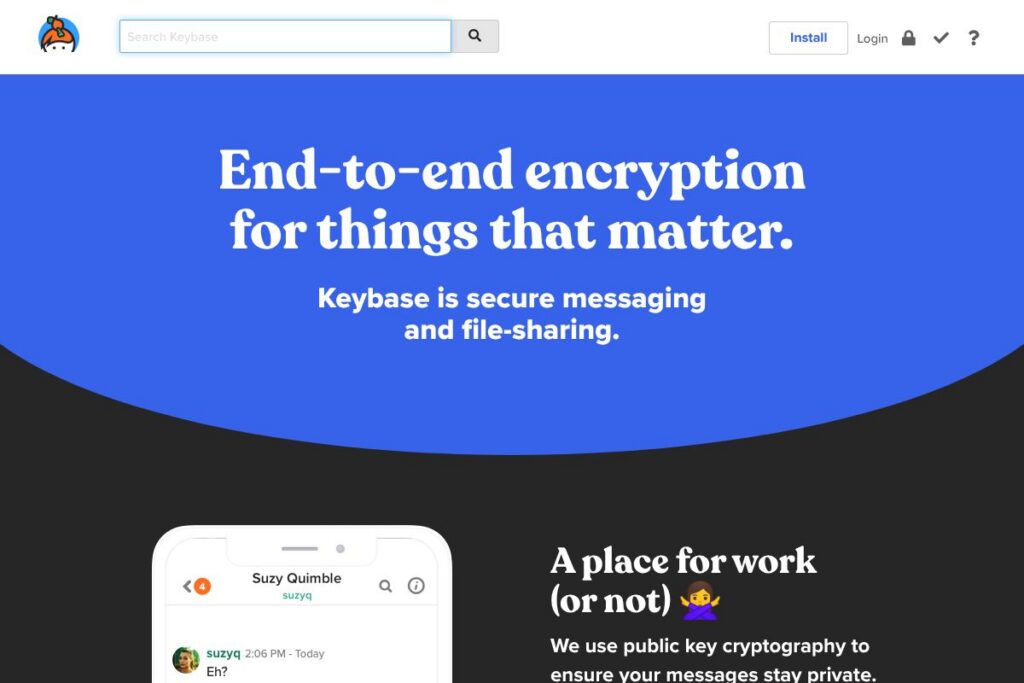
Keybase is a secure communications platform that combines end-to-end encrypted messaging with an encrypted file system and team management. It centers on public key cryptography and identity proofs so users can verify one another by linking social accounts such as Twitter or GitHub to their Keybase identity. Keybase is aimed at teams, communities, families, and individuals who need private, verifiable conversations and shared storage.
Keybase sits between consumer encrypted messengers and team collaboration tools. Compared with Signal, Keybase adds team folders and a mounted filesystem for shared encrypted storage. Compared with Slack, Keybase focuses on cryptographic provenance and client-side encryption rather than searchable, cloud-hosted message archives; Slack is built for broader app integrations and enterprise administration while Keybase is optimized for privacy-conscious groups.
All of this makes Keybase particularly useful for teams and communities that need both private messaging and encrypted file sharing while keeping a clear public identity trail. Its combination of identity proofs, device management, and KBFS (Keybase File System) makes it a practical choice for groups that value cryptographic assurances and cross-platform clients.
How Keybase Works
Keybase uses public key cryptography to encrypt messages and files on the client before they reach Keybase servers, ensuring only intended recipients can decrypt content. Users create a Keybase identity that manages a set of cryptographic keys and can publish proofs that link that identity to social accounts; these proofs help other users confirm they’re communicating with the right person.
For teams, Keybase provides role-based team membership and encrypted team folders which sync via KBFS, the Keybase File System. Clients are available on desktop and mobile, and there is a command-line interface for automation and scripting, so teams can integrate encrypted workflows into existing processes.
Keybase features
Keybase bundles several tightly related capabilities: secure one-to-one and group chat, an encrypted, mountable file system for sharing documents, and identity proofs that link Keybase accounts to public social profiles. It also supports device and key management, ephemeral messages, and a command-line client for advanced workflows. The platform regularly emphasizes client-side encryption and verifiability.
End-to-end encrypted chat
Messages are encrypted on the sender’s device and decrypted only on recipients’ devices, preventing Keybase servers from reading message contents. This applies to one-to-one and group chats, and includes message history encryption so stored messages remain private. The chat client supports attachments, reactions, and threaded conversations to keep team communication organized.
KBFS (Keybase File System)
KBFS provides an encrypted, mountable filesystem that behaves like a shared folder for teams and individuals, syncing files across devices while keeping contents encrypted client-side. Team folders allow controlled access, making it practical to share photos, documents, and other assets without exposing them to third-party cloud providers. Files are end-to-end encrypted and verify integrity against the Keybase identity graph.
Teams and role-based access
Keybase Teams let you create groups with explicit membership and roles for managing access to chats and folders. Teams can be organized hierarchically and can include users verified through identity proofs, which simplifies onboarding for communities and organizations. Team management includes options to provision devices and rotate keys while maintaining verifiable membership lists.
Identity proofs and social linking
Users can post cryptographic proofs that link their Keybase account to external profiles such as Twitter, Reddit, or GitHub; these proofs let others verify that a public identity is controlled by the same cryptographic keys. Identity proofs reduce impersonation risk and help teams trust each other without relying solely on email addresses. The proofs are published and checked automatically by the Keybase client.
Device and key management
Keybase supports multiple devices per account and offers tools to provision new devices, revoke lost devices, and rotate keys without breaking existing trust relationships. The client tracks device keys and prompts users to verify new devices through existing verified devices or posted proofs. This workflow helps maintain secure access as team members change hardware.
Exploding messages and ephemeral content
For particularly sensitive exchanges, Keybase supports setting timers on messages so they delete automatically after a set period. Ephemeral messages are encrypted in the same way as normal messages but are configured to expire on recipients’ devices, reducing persistent risk for secrets or temporary plans. This feature is useful for sharing short-lived credentials or coordination details.
With these features combined, Keybase provides a privacy-focused stack for messaging, file sharing, and identity verification that suits small teams, open communities, and private groups.
Keybase pricing
Keybase is distributed as a free-to-use platform and is built around open-source client components, so there are no public subscription plans for typical users. The service model focuses on free client downloads and open code, with documentation and source available for review and self-hosting considerations.
For details on available downloads and source code, visit the Keybase homepage and explore the Keybase GitHub repository. If you require enterprise-level hosting or support, contact Keybase through their site to discuss options tailored to large organizations.
What is Keybase used for?
Keybase is used for secure individual and group messaging where end-to-end encryption and verifiable identities matter. Teams use it to run private conversations, store shared documents in encrypted team folders, and coordinate with confidence that participants are who they claim to be.
Individuals and small communities use Keybase to share sensitive files, host private chat groups, and link public social identities to cryptographic keys so contacts can confirm authenticity. It’s also used by developers and security-minded users who rely on the command-line client and KBFS for encrypted workflows.
Pros and Cons of Keybase
Pros
- Strong end-to-end encryption: Client-side cryptography ensures messages and files are encrypted before leaving devices, preventing server-side access to content.
- Identity proofs and verifiability: The ability to link social accounts like Twitter and GitHub to a Keybase identity helps reduce impersonation and improves trust in open communities.
- Encrypted shared filesystem: KBFS provides a convenient, mountable encrypted file system for teams, which simplifies secure file sharing across devices.
- Cross-platform clients and CLI: Desktop, mobile, and command-line clients make it flexible for both everyday users and developers automating workflows.
Cons
- Limited enterprise admin tooling: Enterprise-style administration, audit logs, and compliance features are not as extensive as those found in large commercial collaboration suites.
- Smaller app ecosystem: Keybase focuses on core secure communications and storage, so it lacks the large third-party app integrations common to platforms like Slack or Microsoft Teams.
- User onboarding friction for non-technical users: Concepts like key proofs and device provisioning can be unfamiliar to less technical audiences, which can slow adoption in mixed-ability teams.
Does Keybase Offer a Free Trial?
Keybase is free to use and distributes client source code under open-source licenses. The platform does not require a paid trial to evaluate core messaging and file-sharing features, and you can download clients or review the code via the Keybase homepage and the Keybase GitHub repository.
Keybase API and Integrations
Keybase provides a developer-facing API and command-line tooling that can be used to automate actions, verify proofs, and interact with KBFS programmatically; consult the Keybase API documentation for endpoints and examples. The platform also integrates with public identity providers through the proof system, allowing you to link accounts on Twitter, Reddit, and GitHub to your Keybase identity.
Integration points are primarily around identity proofs, KBFS mounts, and scripted account actions via the CLI, making Keybase suitable for custom workflows and developer-centric automations.
10 Keybase alternatives
Paid alternatives to Keybase
- Slack — A team collaboration platform with threaded chat, searchable history, and a large app ecosystem; better for broad integrations and enterprise administration. See Slack’s pricing page for plan details.
- Microsoft Teams — Integrated with Microsoft 365 for chat, meetings, and file collaboration; suitable for organizations invested in Microsoft’s ecosystem.
- Dropbox — File sharing and sync with strong collaboration features, but lacks end-to-end encryption by default for shared folders.
- Box — Enterprise-grade file storage and governance features geared toward compliance and large organizations.
- Google Workspace — Suite of collaboration tools with cloud storage and messaging, optimized for productivity at scale.
Open source alternatives to Keybase
- Element (Matrix) — A client for the Matrix protocol offering end-to-end encrypted messaging and federated rooms, with self-hosting options for teams. See the Matrix and Element documentation.
- Nextcloud — A self-hosted collaboration platform with encrypted file storage, chat plugins, and extensive app integrations for privacy-conscious teams.
- Syncthing — Peer-to-peer file synchronization with strong encryption for directly syncing folders between devices without a central server.
- RetroShare — A decentralized, friend-to-friend communication and file-sharing platform with built-in encryption and forum-style message boards.
- Wire (self-hosted) — Provides encrypted messaging and collaboration with options for self-hosting and enterprise deployments.
Frequently asked questions about Keybase
What is Keybase used for?
Keybase is used for encrypted messaging, identity verification, and secure file sharing. Teams and individuals use it to exchange private messages, maintain encrypted shared folders via KBFS, and verify social identities through cryptographic proofs.
Does Keybase provide end-to-end encryption?
Yes, Keybase uses end-to-end encryption for messages and files. Content is encrypted on the sender’s device and can only be decrypted by intended recipients, so Keybase servers do not have access to plaintext.
Can I link my social accounts to Keybase?
Yes, Keybase supports identity proofs for accounts like Twitter, GitHub, and Reddit. Publishing proofs helps others verify that a Keybase identity is controlled by the same person who owns those public profiles.
Is Keybase free to use?
Keybase is free and distributes client source code under open-source licenses. You can download clients and review source code from the Keybase homepage and the Keybase GitHub repository.
Does Keybase have an API for developers?
Yes, Keybase provides an API and a command-line interface for automation and integrations. The Keybase API documentation describes available endpoints and common use cases.
Final verdict: Keybase
Keybase stands out for combining end-to-end encrypted messaging with an encrypted, mountable file system and verifiable identity proofs. It does these things in a way that is friendly to developers and security-conscious teams, offering CLI tools and open-source clients for inspection and automation.
Compared with a privacy-focused messenger like Signal, Keybase adds structured team folders and identity proofs that help groups collaborate securely. Both are free, but Keybase is a stronger fit when you need shared encrypted storage and team membership controls; Signal is simpler and optimized for personal, lightweight private messaging.