Kustomer: An Overview
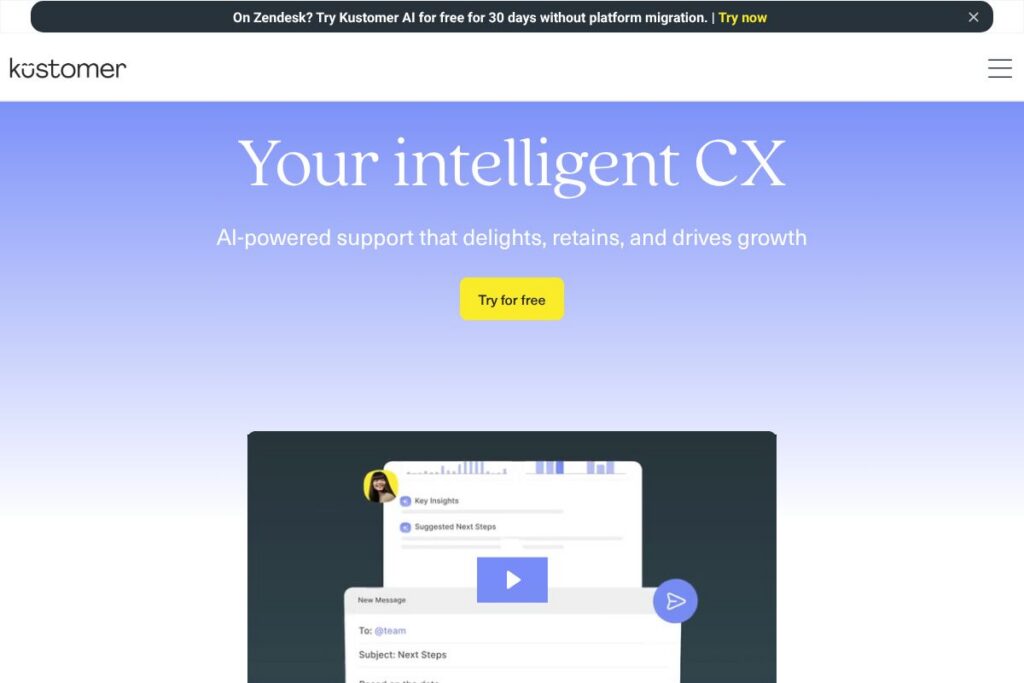
Kustomer is an AI customer service CRM that unifies conversations, customer data, and workflows into a single interface so support teams can deliver faster, more contextual responses. The platform combines AI Agents, a persistent customer timeline, and orchestration tools to automate routine tasks and surface relevant information for agents in real time.
Compared with competitors, Kustomer emphasizes conversational context and automation more than legacy ticketing systems. Zendesk focuses on ticket lifecycle management with broad marketplace integrations, Salesforce Service Cloud ties deeply into CRM and enterprise data models, and Freshdesk targets rapid deployment for smaller teams. Kustomer sits between these approaches with stronger built-in AI orchestration and a timeline-centric customer record.
All of this makes Kustomer especially well suited for businesses that handle high volumes of customer interactions across chat, email, social, and voice and that want AI to reduce manual steps while keeping agents in control. It is particularly valuable for ecommerce, subscription services, and digital-first brands that need contextual, personalized support at scale.
How Kustomer Works
Kustomer collects interaction data from chat, email, SMS, social messaging, and phone, and presents it in a unified customer timeline that surfaces past conversations, orders, and custom attributes. Agents work from that single timeline while AI features suggest responses, recommend actions, and route conversations to the right team or automation.
Automation is modeled as visual workflows that can be configured with no code to detect intent, apply tags, trigger tasks, and escalate as needed. AI Agents can handle common inquiries end to end or assist agents with suggested answers and next steps, while reporting captures outcomes to refine routing and automation over time.
Kustomer features
Kustomer combines conversational CRM, automation, and AI to reduce friction across the entire support lifecycle. Core capabilities include AI-driven responses, a unified customer timeline, visual workflow orchestration, omnichannel routing, and built-in analytics that turn conversation data into operational insights.
Let’s talk Kustomer’s Features
AI Agents
AI Agents can handle routine conversations and assist live agents by drafting replies, summarizing customer history, and recommending next actions. This reduces handle time and ensures consistent answers while keeping a human review step where needed.
Unified Customer Timeline
A persistent timeline aggregates messages, orders, notes, and custom data points so agents can see the full context in one place. This reduces context switching and supports personalized responses that reference previous interactions and purchase history.
Intelligent Orchestration
Real-time intent detection and rules-based workflows route conversations to the right team or automation path. This supports complex CX journeys that require multi-step handoffs, approvals, or external system updates.
Omnichannel Inbox
Conversations from email, chat, SMS, social messaging, and voice appear in a single inbox, with channel-specific tools and routing. Agents can manage all channels without switching tools, improving response consistency and throughput.
No-code Workflow Builder
The visual workflow designer enables non-technical users to create, test, and modify flows that trigger automations, tags, and API calls. This lowers operational overhead and speeds up iteration of support processes.
Analytics and Reporting
Built-in dashboards and conversation analytics surface CSAT, first response times, resolution times, and AI performance, helping leaders measure impact and prioritize improvements. Insights can be used to tune routing and automation rules.
Security and Compliance
Kustomer includes enterprise-grade security controls, access management, and audit logs to meet regulatory and internal compliance needs. Transparent AI controls and human-in-the-loop features support oversight of automated actions.
Kustomer’s biggest benefit is the combination of a unified customer record with AI-driven automation, which reduces repetitive work and helps agents resolve interactions faster while preserving context for complex issues.
Kustomer pricing
Kustomer follows an enterprise SaaS pricing model with plans and fees tailored to company size, channel volume, and feature needs, rather than a single publicized list of consumer plans. Organizations typically engage sales for a tailored quote that accounts for seats, channels, AI usage, and support levels.
For specific pricing tiers and to request a quote, view Kustomer’s enterprise pricing and contact options. Sales can provide details about add-ons like AI Agent credits and premium support, and can outline deployment and onboarding costs.
What is Kustomer Used For?
Kustomer is used to centralize customer conversations and the data that informs those conversations, making it easier for support teams to provide fast, informed answers across channels. Typical tasks include order lookups, returns and refunds, subscription management, and troubleshooting technical issues.
Teams use Kustomer to automate routine interactions, escalate complex cases to human agents, and measure CX outcomes. It is commonly deployed by ecommerce brands, SaaS companies, and service organizations that need to reduce cost per contact while improving CSAT.
Pros and Cons of Kustomer
Pros
- Unified customer view: Provides a single timeline that consolidates messages, orders, and custom attributes so agents have full context without switching systems.
- Strong AI automation: AI Agents and intent detection reduce routine work and improve first response times, helping teams scale without proportionally increasing headcount.
- No-code orchestration: The visual workflow builder allows operations teams to create routing and automation without engineering support, accelerating process changes.
- Omnichannel support: Native handling of chat, email, SMS, social, and voice ensures consistent workflows across channels.
Cons
- Enterprise-focused pricing: The vendor-tailored pricing model can be harder to evaluate for small teams that prefer transparent per-seat tiers, and may require sales engagement to get started.
- Implementation scope: Integrating data sources and configuring orchestration for complex environments can require planning and professional services for the largest deployments.
Does Kustomer Offer a Free Trial?
Kustomer offers a 30-day free trial of Kustomer AI that includes access to AI Agents, the unified customer timeline, and workflow automation so teams can measure improvements in response time and agent productivity before committing to a contract.
Kustomer API and Integrations
Kustomer provides API access and a developer platform for integrating customer data, external systems, and custom automations. The Kustomer developer documentation describes endpoints for conversations, customers, and webhooks to extend platform capabilities.
The platform also connects to common business systems including ecommerce platforms, payment processors, messaging channels, and workforce tools, enabling two-way data flows and richer agent context through native and third-party integrations.
10 Kustomer alternatives
Paid alternatives to Kustomer
- Zendesk — A mature helpdesk and ticketing system with per-agent pricing and a large app marketplace for integrations and add-ons.
- Salesforce Service Cloud — Enterprise-grade service platform with deep CRM integration and case management for organizations already in the Salesforce ecosystem.
- Freshdesk — User-friendly support platform that scales from small teams to larger operations with automation and reporting tools.
- Intercom — Conversational support and product messaging platform that combines chat, bots, and targeted customer messaging for growth-focused teams.
- Gladly — Customer service platform built for conversational, persistent customer records aimed at retail and direct-to-consumer brands.
- Help Scout — Email-first helpdesk with shared inboxes and a lightweight knowledge base for small to mid-size teams.
- Front — Shared inbox and collaboration layer that centralizes external communications and integrates with CRM and helpdesk tooling.
Open source alternatives to Kustomer
- Zammad — Open source helpdesk and ticketing system with a web-based UI and multi-channel support for teams that prefer self-hosting.
- osTicket — Lightweight, widely used open source ticketing system suited for basic support workflows and lower-cost operations.
- Helpy — Rails-based open source helpdesk focused on community-driven support, ideal for small organizations comfortable with self-hosting.
- Corteza — An open source low-code platform that can be extended to build custom CRM and support workflows for teams that need full control.
Frequently asked questions about Kustomer
What is Kustomer used for?
Kustomer is used for unified, omnichannel customer support and CRM. Teams use it to manage conversations, automate workflows, and deliver contextual support across chat, email, social, and voice.
Does Kustomer include AI features?
Yes, Kustomer includes AI Agents and intent detection. These capabilities assist agents with suggested replies, automate routine conversations, and surface proactive signals during interactions.
Can Kustomer integrate with ecommerce platforms?
Yes, Kustomer connects to ecommerce and payment systems. Integrations allow order lookups and contextual data to appear in the customer timeline so agents can resolve commerce-related queries faster.
Is Kustomer suitable for enterprise teams?
Kustomer is designed for mid-market and enterprise support operations. The platform supports complex workflows, compliance controls, and enterprise integrations typically required by larger organizations.
How does Kustomer handle compliance and oversight?
Kustomer provides security controls, audit logs, and human-in-the-loop AI features. These tools support transparent AI decisions and allow administrators to configure oversight and access policies.
Final Verdict: Kustomer
Kustomer stands out for combining a timeline-centric CRM with AI automation that is embedded directly into support workflows. Its strengths are real-time intent detection, no-code orchestration, and AI Agents that reduce repetitive work while preserving human oversight for complex cases.
Compared with Zendesk, which offers public per-agent tiers starting at $19/user/month and a broad app ecosystem, Kustomer takes a more integrated AI-first approach and typically uses custom enterprise pricing to match channel volume and AI usage. If your priority is conversational context and automated outcomes at scale, Kustomer is a strong choice; if you need a simple, transparent per-agent pricing model and a large third-party app marketplace, consider Zendesk as a comparative option.