Loom: An Overview
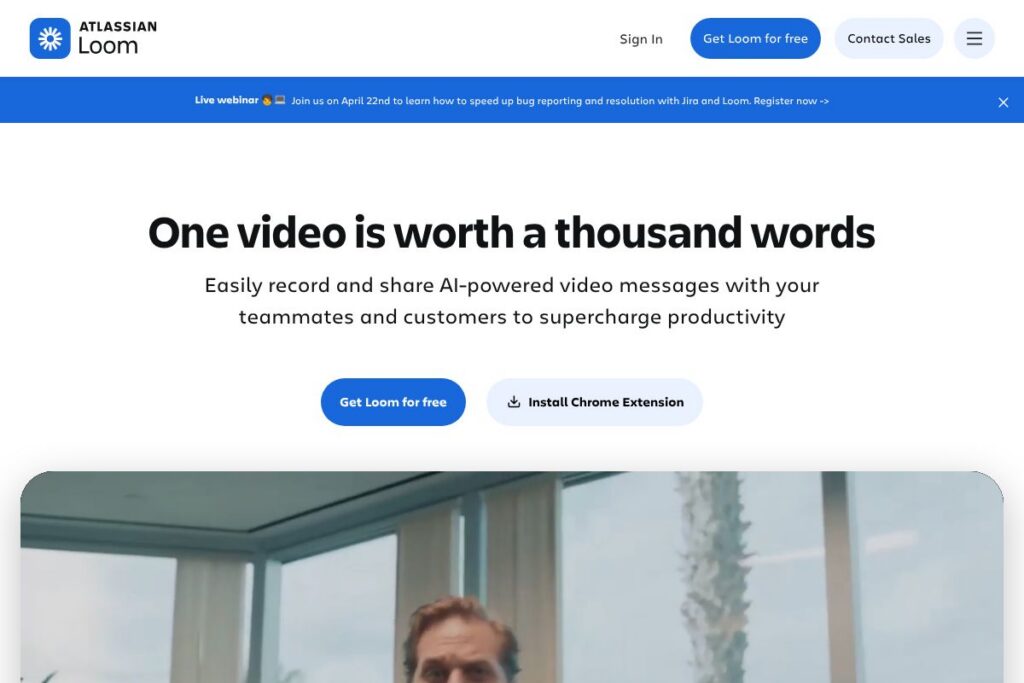
Loom is a screen and camera recording platform built for quick, shareable video messages that replace long text threads and status meetings. It combines recording, lightweight editing, searchable transcripts, and secure cloud storage so teams can record walkthroughs, demos, and explanations and share them with a single link.
Compared with Vidyard, Loom focuses on lightweight team collaboration and simple editing while Vidyard places more emphasis on sales features and advanced viewer analytics. Compared with Zoom, Loom targets asynchronous video messaging rather than live meetings, and compared with Camtasia, Loom trades deep timeline editing for speed and ease of use aimed at quick explanations.
Loom does particularly well at reducing friction: recording starts in a few clicks, sharing is a link, and basic editing is in-browser. This combination makes it most useful for product teams, customer-facing roles, educators, and distributed teams that need fast, recorded communication rather than long-form production workflows.
How Loom Works
Loom runs from a desktop app, browser extension, and web app where you choose screen, camera, or both, then start recording with one click. The recorded file uploads to Loom cloud storage automatically and opens in an editor where you can trim, stitch clips, add overlays, and generate a transcript.
Teams typically use Loom by recording a short walkthrough, copying the share link, and pasting it into chat, issue trackers, or email. Loom captures contextual metadata useful for engineering bug reports, and its editor plus captions let recipients skim, search, and comment without downloading large files.
Loom features
Loom centers on quick recording, browser-based editing, transcript generation, and integrations with collaboration tools. Recent additions emphasize AI workflows and developer-focused captures that auto-populate bug reports and collect technical details.
Let’s talk Loom’s Features
Screen and camera recording
Record your full screen, a window, or a browser tab while also capturing webcam video and system audio. This combination helps you create narrated walkthroughs and personalized messages that show both the UI and speaker reactions.
In-browser editor
Trim start and end points, remove middle sections, and stitch clips together without leaving the web app. The editor also supports text, arrows, and box overlays so you can highlight UI elements and focus viewer attention.
Transcriptions and captions
Automatic transcripts are generated for recorded videos and can be edited for accuracy, then used to create closed captions. Transcripts make content searchable and accessible, and Loom supports captions in multiple languages.
Easy sharing and embedding
Every recording produces a shareable link with configurable privacy controls; you can embed videos in web pages or paste links into collaboration tools. Sharing options include view permissions and password protection for sensitive content.
Viewer insights and engagement tools
Loom provides basic analytics showing who watched a video and for how long, plus viewer actions such as reactions, comments, and call-to-action buttons. These insights help creators see if the message landed and what viewers did next.
Integrations and embedding
Loom integrates with Google Workspace, Slack, Notion, and dozens of other apps so videos can be created and consumed where teams already work. Built-in embedding and link previews streamline distribution across docs, tickets, and chat.
AI-assisted bug reporting
Loom can capture developer-facing context like device, browser, console errors, and network activity and convert recordings into populated Jira work items. This feature reduces back-and-forth by providing engineers with the technical details they need to reproduce issues.
With Loom you get fast creation and distribution of short, focused video messages, plus the tools to edit, caption, and track engagement without a separate production workflow.
Loom pricing
Loom uses a freemium SaaS model with a free tier for individual use and paid plans aimed at teams and enterprises. Paid plans add team management, advanced security, larger storage, and administrative controls.
Plan categories
Free: Free (basic recording, upload and download, limited recording length, access to editor and transcripts)
Teams / Business: Paid plans (additional storage, advanced privacy controls, team management, and viewer analytics)
Enterprise: Custom pricing (single sign-on, dedicated support, compliance features, and deployment options)
For current plan details and exact feature comparisons, view Loom’s current pricing options.
What is Loom Used For?
Loom is commonly used for asynchronous communication such as product walkthroughs, onboarding videos, code reviews, and customer support explanations. Short recorded videos reduce meeting load and provide context that is difficult to convey in text or screenshots alone.
Teams also use Loom for sales outreach to personalize pitches, for engineering to attach rich context to bug reports, and for design and feedback cycles where visual clarity speeds decisions. Its mix of recording, captions, and integrations makes Loom a fit for remote and distributed teams that need to share knowledge quickly.
Pros and Cons of Loom
Pros
- Fast, low-friction recording: Start recording in a few clicks and upload automatically for immediate sharing; this reduces the setup overhead of traditional screen recording workflows.
- Integrated editing and captions: Trim and stitch in the browser and generate transcripts so videos are searchable and accessible without exporting to other tools.
- Broad integrations: Connects with Google Workspace, Slack, Notion, and many other tools so videos can be embedded and shared where teams already work.
- Developer-focused captures: Captures technical context for reproducible bug reports and can convert recordings into Jira items, reducing back-and-forth for engineers.
Cons
- Limited deep editing: The in-browser editor is designed for quick edits rather than advanced timeline-based production, so creators needing complex post-production may need additional software.
- Storage and retention limits on free plan: The free tier has limits on recording length and storage which can be restrictive for heavy users or teams creating many long videos.
- Advanced analytics behind paywall: More detailed viewer analytics and team administration features require a paid plan, which may be necessary for large sales or support teams.
Does Loom Offer a Free Trial?
Loom offers a free plan and paid tiers with team and enterprise options. The free plan includes basic recording, editing, and transcripts for individual users, while paid plans add administration, security, and extended storage; review Loom’s current pricing options for plan limits and trial details.
Loom API and Integrations
Loom provides developer resources and an API so teams can embed recording controls, automate uploads, or integrate Loom recordings into workflows. See Loom’s API documentation for endpoints and developer guides.
Key built-in integrations include Google Workspace, Slack, Notion, and developer tools that let you attach Loom links to tickets and documentation. These integrations reduce context switching by bringing video content directly into daily tools.
10 Loom alternatives
Paid alternatives to Loom
- Vidyard — A video platform focused on sales and marketing with advanced analytics, lead capture, and business-grade hosting.
- Camtasia — A desktop-focused screen recorder with a rich timeline editor for detailed video production and effects.
- ScreenFlow — macOS-based recording and editing app with multi-track editing and exporting tailored for tutorial and course creators.
- Descript — Combines transcription-driven editing, multitrack timelines, and AI tools for podcast and video production.
- Screencast-O-Matic — Web-based recorder with straightforward editing and affordable team plans for education and small businesses.
- CloudApp — Fast screen and GIF capture with annotations, simple sharing, and team management features.
- Zoom — While primarily for live meetings, Zoom offers recording and sharing capabilities that teams use for asynchronous distribution.
Open source alternatives to Loom
- OBS Studio — Free, open-source, cross-platform recording and streaming software with powerful scene composition and encoding options.
- ShareX — Windows-focused open-source tool for screen capture, recording, and automated uploads to cloud services.
- SimpleScreenRecorder — Lightweight Linux screen recorder designed for efficient performance and straightforward captures.
Frequently asked questions about Loom
What is Loom used for?
Loom is used for recording and sharing short video messages, walkthroughs, and tutorials. Teams use it to replace meetings, document processes, and communicate visual information asynchronously.
Does Loom offer a free plan?
Yes, Loom offers a free plan. The free tier includes basic recording, editing, and transcripts for individual users; paid tiers add team management and advanced controls.
Can Loom integrate with Slack and Google Workspace?
Yes, Loom integrates with Slack and Google Workspace. These integrations let users share videos directly to channels and embed recordings in documents and collaborative spaces.
Does Loom provide an API for developers?
Yes, Loom provides an API and developer resources. The API documentation outlines endpoints for embedding, uploading, and managing videos programmatically.
Can Loom be used for bug reporting in engineering workflows?
Yes, Loom can capture technical context for bug reports. Loom’s developer capture features record device, browser, console errors, and network activity and can populate Jira work items to speed issue reproduction.
Final verdict: Loom
Loom excels at fast, shareable video messaging that removes friction from asynchronous communication. Its combination of one-click recording, browser-based editing, transcripts, and integrations makes it a practical choice for product teams, customer support, sales outreach, and internal documentation.
Compared with Vidyard, which emphasizes sales-ready analytics and lead capture, Loom prioritizes speed and team collaboration; pricing structures reflect that difference, with Vidyard often positioned toward higher-cost sales-focused tiers while Loom provides a robust free tier and team plans aimed at broad internal adoption. For teams that need quick recordings, searchable transcripts, and straightforward sharing rather than deep production or advanced marketing analytics, Loom is a strong, practical option.