What is Mentimeter
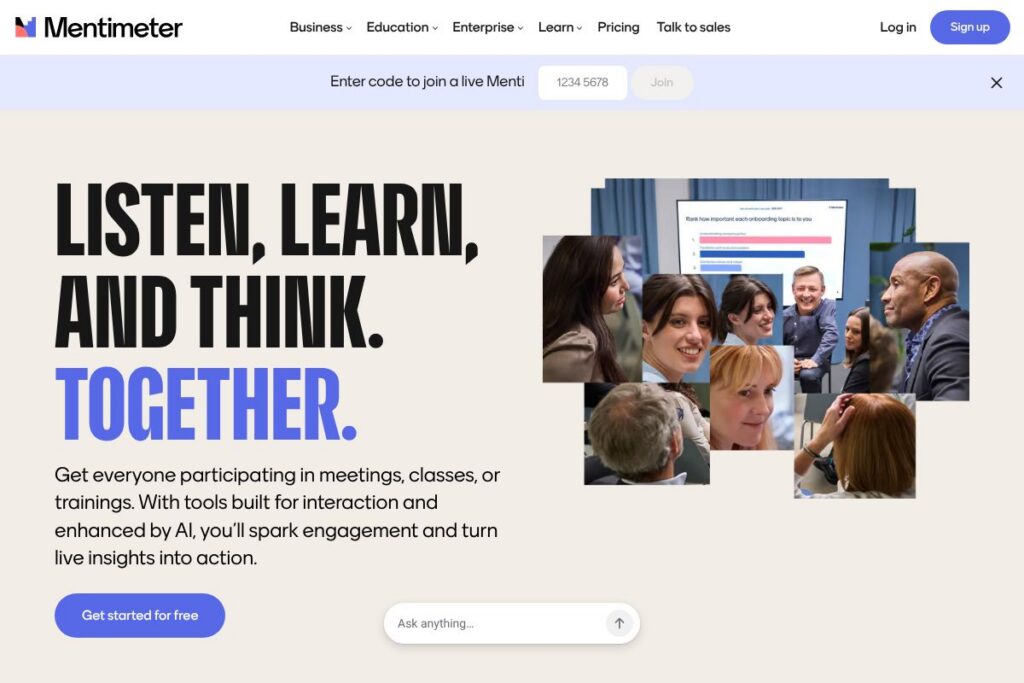
Mentimeter is an interactive presentation and audience engagement platform that helps presenters add live polls, quizzes, word clouds, and Q&A to slides. It collects responses in real time and visualizes results instantly, making it easy to read audience sentiment and adjust a session on the fly.
Compared with competitors, Mentimeter places emphasis on clean visualizations and quick setup. Slido focuses strongly on Q&A moderation and integration with conferencing platforms, Kahoot! prioritizes game-like quizzes for engagement in learning contexts, and Poll Everywhere offers deep polling options and enterprise reporting. Each tool has strengths; Mentimeter is notable for its presentation-style interface and simple results visualization.
All of this makes Mentimeter well suited for educators, meeting facilitators, and event hosts who want straightforward interactive slides and clear, shareable results. It does interactive slides reliably and is a practical choice for teams that need audience input without heavy setup or technical overhead.
How Mentimeter Works
Presenters build a slide deck inside Mentimeter by adding question slides for live polls, multiple choice, open text, or quizzes, then share a join code or link with participants. Respondents use a browser or device to submit answers, which appear instantly as charts, word clouds, or ranked lists within the presenter’s view.
Typical workflows include running a quick poll to check understanding during a training, launching a quiz for formative assessment in a classroom, or collecting anonymous feedback during a company meeting. Presenters can moderate Q&A, hide identifying information, and export results after the session to use in reports or follow-up communications.
Mentimeter features
Mentimeter is organized around real-time interaction and simple presentation creation. Core capabilities include live polling, quizzes, word clouds, Q&A moderation, customizable templates, and analytics for post-session review. Recent updates emphasize AI-assisted slide creation and improved template options to speed setup.
Live Polls
Create multiple choice, rating, or ranking polls that update live as attendees respond. Live polls make it easy to gather instant sentiment, prioritize topics, and make sessions more participatory for remote or in-room audiences.
Quizzes and Games
Build timed quizzes and leaderboards to increase engagement and test knowledge during training or classes. Quiz mode supports automatic scoring and can be used for low-stakes assessment or energizers during longer events.
Word Clouds and Open Text
Collect open-text responses and display them as dynamic word clouds or lists that surface common themes. This is useful for brainstorming, gathering feedback, or surfacing language participants use to describe a topic.
Q&A and Moderation
Accept questions from the audience, enable upvoting, and moderate what appears on screen. Moderation tools let presenters filter or anonymize submissions, making Q&A manageable in large sessions.
Templates and AI-assisted Creation
Start from a library of customizable templates or prompt the built-in AI to generate a draft presentation. Templates accelerate setup for common session types like workshops, lessons, or team meetings, while AI prompts help populate slides quickly.
Integrations and Exports
Connect Mentimeter to conferencing and slide tools, and export results in common formats for reporting. The platform supports add-ins and connectors; see the integrations directory for connectors and workflow options.
Analytics and Reporting
After each session, access aggregated response data and basic analytics to spot trends and share insights with stakeholders. Exportable results and charts make it straightforward to include feedback in post-meeting notes or learning records.
With these capabilities, Mentimeter’s biggest benefit is how quickly it turns audience input into visible, actionable results that fit directly into a live presentation. That combination of immediacy and clarity is what makes it useful for classrooms, internal meetings, and public events.
Mentimeter pricing
Mentimeter uses a subscription-based pricing model with a free tier and paid plans designed for individuals, teams, and organizations. Because pricing tiers and promotional offers change periodically, check Mentimeter’s site for the most up-to-date options.
For current rates and plan comparisons, view the current pricing options on Mentimeter’s site.
What is Mentimeter Used For?
Mentimeter is commonly used to increase participation and collect live feedback during lectures, workshops, company meetings, and events. Presenters use quick polls to check comprehension, quizzes to reinforce learning, and open-text questions to surface ideas from diverse groups.
It is also used for remote and hybrid sessions where visual, real-time data helps presenters keep attention and validate understanding. Facilitators use Mentimeter to structure interactive sessions that require minimal technical setup and clear outcome data.
Pros and Cons of Mentimeter
Pros
- Simple setup and fast results: Creating interactive slides is straightforward, and responses appear instantly, making it easy to collect feedback without technical friction.
- Strong visualization options: Charts, word clouds, and leaderboards present results in a clear and shareable way, which helps with follow-up and reporting.
- Educational features: Quiz mode, timers, and templates are practical for classroom use and training sessions, supporting formative assessment and engagement.
- Cross-device participation: Participants join via any browser or device without requiring an app, lowering barriers to entry for mixed audiences.
Cons
- Advanced analytics are limited: For organizations that need deep analytics, reporting options are more basic than some enterprise-focused survey platforms.
- Branding and customization on paid tiers: Full control over branding and advanced customization typically requires upgrading to paid plans, which may be necessary for event professionals.
- Feature overlap with conference tools: Many conferencing platforms now include polling and Q&A, so teams must evaluate integration needs versus using a standalone tool.
Can You Test Mentimeter Before Buying?
Mentimeter offers a free plan and paid subscriptions for advanced features. The free tier includes core interactive question types and basic presentation functionality, while paid plans add advanced question types, branding, and analytics. For trial periods and promotional deals, consult the current pricing options on Mentimeter’s site.
Mentimeter API and Integrations
Mentimeter supports integrations and connectors for common workflows, including add-ins and integrations with slide and conferencing tools; explore available connections in the integrations directory. These integrations make it easier to embed interactive slides into larger meeting flows and remote sessions.
For developer or enterprise automation options, check Mentimeter’s help and support resources for guidance on single sign-on, data export, and available automation capabilities via the support pages.
10 Mentimeter alternatives
Paid alternatives to Mentimeter
- Slido — Live Q&A and polling with strong moderation tools and deep integration into conferencing platforms like Webex and Google Meet.
- Kahoot! — Game-based learning platform that uses competitive quizzes and interactive lessons, popular in education for high-energy engagement.
- Poll Everywhere — Flexible polling platform with many question types and enterprise reporting features for larger organizations.
- Vevox — Audience engagement tool focused on live polling and Q&A with meeting and classroom use cases in mind.
- AhaSlides — Interactive presentation tool with polls, quizzes, and slide-based interactions geared toward workshops and classrooms.
- Pigeonhole Live — Q&A and polling platform designed for conferences and corporate events, with robust moderation and reporting.
Open source alternatives to Mentimeter
- OpenSlides — Open-source conference and meeting tool that includes agenda management and voting or polling features for assemblies and organizations.
- BigBlueButton — Web conferencing system for online learning that includes polling and collaborative features, commonly used in education deployments.
- LimeSurvey — Open-source survey platform suitable for structured surveys and feedback collection; not real-time presentation-focused but useful for collecting responses.
- Moodle — Open-source learning platform with plugins and modules that support polls, quizzes, and interactive activities within courses.
Frequently asked questions about Mentimeter
What is Mentimeter used for?
Mentimeter is used to collect live audience responses during presentations. Presenters use its polls, quizzes, and Q&A to measure understanding, gather ideas, and drive interactive discussions in classrooms, meetings, and events.
Does Mentimeter have a free plan?
Yes, Mentimeter offers a free plan. The free tier covers basic question types and presentation features, with paid plans that unlock advanced question types, branding, and analytics.
Can Mentimeter integrate with PowerPoint or presentation tools?
Yes, Mentimeter supports integrations and add-ins for popular presentation and conferencing tools. Explore supported connections in the integrations directory to see how it fits into your workflow.
Can I export results from Mentimeter after a session?
Yes, results can be exported for reporting and analysis. Export formats and options depend on your plan, and exported data can be used in meeting notes or learning records.
Is Mentimeter suitable for large events?
Mentimeter can scale to large events but configuration depends on needs. For very large or enterprise events, features like moderation, branding, and advanced reporting are typically handled on paid plans and may require coordination with Mentimeter’s support.
Final verdict: Mentimeter
Mentimeter excels at turning slides into interactive sessions with minimal setup and clear, attractive visualizations. It is particularly strong for educators and facilitators who need to collect and display audience feedback in real time, and for teams that value simple, device-agnostic participation.
Compared with Slido, Mentimeter leans more toward presentation-style interactions and visual output, while Slido emphasizes Q&A moderation and tighter conference integration. Pricing models differ by vendor and plan structure; Mentimeter provides a free tier for light use and paid subscriptions for additional customization and analytics, whereas Slido and others may align plans around events or seats. Evaluating both on features and how your team runs sessions will indicate which fits your budget and workflow best.