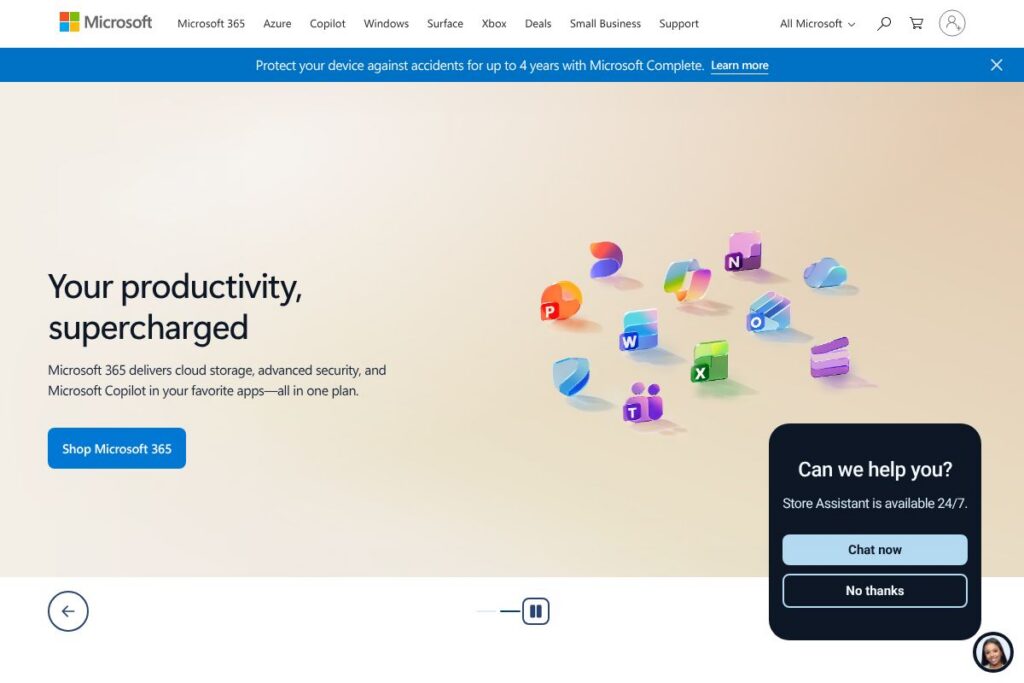
Microsoft: An Overview
Microsoft is a broad technology company that delivers operating systems, productivity software, cloud infrastructure, developer tools, AI capabilities, and consumer hardware. Its portfolio covers everything from Windows and Surface devices to Microsoft 365 productivity apps, Azure cloud services, Teams collaboration, and Xbox gaming platforms.
Compared with competitors, Microsoft positions itself as an integrated platform provider. Google Workspace focuses on browser-first productivity and cloud-native collaboration, while Amazon Web Services emphasizes infrastructure and platform services for developers and enterprises. Apple competes on device design and operating system continuity across hardware, but lacks Microsoft
s enterprise-first cloud and productivity ecosystem.
Microsoft excels at bundling desktop and cloud capabilities into cohesive business offerings, combining Office apps, identity and security controls, and cloud compute. This makes Microsoft suitable for organizations that need end-to-end tooling from device management to enterprise-grade cloud services, plus consumers who want a mix of hardware and software in one vendor.
How Microsoft Works
Microsoft delivers technology through a mix of subscription services, one-time device purchases, and consumption-based cloud billing. For productivity, Microsoft 365 provides access to apps such as Word and Excel, cloud storage via OneDrive, and AI features through Copilot, all managed through a single tenant and identity system.
Enterprises consume compute and platform services on Azure using pay-as-you-go or reserved instances, integrating identity and security via Azure Active Directory and management tooling from Microsoft Endpoint Manager. Developers interact with Microsoft
PIs and SDKs, deploy applications into Azure, and connect services using Microsoft Graph and Power Platform connectors for automation and integrations.
What does Microsoft do?
Microsoftrings together productivity apps, cloud infrastructure, devices, collaboration tools, and gaming services into an interoperable ecosystem. Recent focus areas include integrating AI features into Office apps through Microsoft Copilot, expanding Azure machine learning capabilities, and pushing deeper hardware-software integration on Copilot+ PCs.
Key functionality includes:
Windows and Surface devices
Windows provides the desktop operating system for a wide range of hardware, while Surface offers Microsoft-branded laptops, tablets, and accessories. Those devices are optimized for Windows features like touch, pen input, and enterprise manageability, and they often include firmware-level integrations for Windows Update and security.
Microsoft 365 and Copilot
Microsoft 365 combines Office apps, Exchange email, SharePoint, OneDrive, and Teams with built-in security controls and cloud storage. Copilot adds AI-assisted drafting, summarization, and data extraction across apps, which helps reduce repetitive tasks and speeds up content creation for individuals and teams.
Azure cloud platform
Azure provides infrastructure-as-a-service, platform-as-a-service, and managed SaaS offerings for compute, storage, databases, AI, and analytics. Organizations use Azure to host web applications, machine learning models, and enterprise data workloads with integrated security and identity services.
Teams and collaboration
Teams is a unified collaboration app for chat, meetings, calling, and threaded conversations with file sharing and app integrations. It supports meeting recordings, live captions, and integrations with calendar and SharePoint for team workflows and hybrid work scenarios.
Xbox and gaming services
Xbox hardware and Xbox Game Pass provide console gaming and cloud-streamed titles across devices, with subscription options to play new releases and a library of games. Microsoft also supports game developers via Azure PlayFab and cloud back ends for multiplayer and telemetry.
Security, compliance, and identity
Microsoft offers identity and access management through Azure Active Directory, endpoint protection via Microsoft Defender, and compliance tooling for data governance and auditing. These capabilities are designed to meet enterprise and regulated-industry requirements for security and privacy.
Developer tools and platform integrations
Microsoft supports developers with Visual Studio, GitHub integration, Azure DevOps, and APIs such as Microsoft Graph for cross-product automation. These tools accelerate CI/CD, observability, and integration between cloud services, on-premises systems, and third-party apps.
With these capabilities, Microsoft
elivers a cohesive environment where devices, apps, cloud services, and developer tools can be centrally managed and extended with AI and automation.
Microsoft Pricing
Microsoft uses a mix of subscription pricing, one-time device purchases, and consumption-based billing across its product family. Individual productivity services typically use subscription plans, Azure uses consumption or reserved capacity pricing, and hardware such as Surface and Xbox is sold as one-time purchases or bundled promotions.
Individuals and Consumers
Microsoft offers subscription plans for consumer productivity and entertainment. View the Microsoft 365 plans and offers for options that bundle Office applications, cloud storage, and Copilot features. For gamers, see Xbox Game Pass membership options.
Business and Enterprise
Business customers can choose per-user subscription licensing for Microsoft 365, enterprise agreements for broader needs, and managed services. For enterprise scale and custom licensing, consult the Microsoft 365 for business and Azure enterprise offerings for contract and volume licensing details.
Azure (Consumption-based)
Azure is billed on a consumption model with separate charges for compute, storage, network egress, and managed services; customers can also purchase reserved instances to lower costs. Review the Azure pricing details and the Azure calculator to estimate usage-based costs and compare deployment options.
What is Microsoft Used For?
Microsoft is used for core business productivity, including document creation, email, and collaboration across teams and departments. Organizations rely on Microsoft 365 and Teams to coordinate work, manage files, and run hybrid meetings while maintaining centralized identity and security controls.
Azure is used to host enterprise applications, data platforms, and machine learning solutions, enabling companies to scale infrastructure, run containerized workloads, and deploy global services. For consumers, Microsoft provides devices like Surface, entertainment through Xbox, and software updates through Windows.
Pros and Cons of Microsoft
Pros
- Integrated ecosystem: Microsoft ties desktop apps, cloud services, identity, and device management together, which simplifies centralized administration across large organizations.
- Enterprise-grade security and compliance: Microsoft offers comprehensive security tooling such as Azure Active Directory and Microsoft Defender, and compliance certifications that support regulated industries.
- Wide platform and developer support: Extensive developer tools, APIs like Microsoft Graph, and Azure services support a broad range of workloads from web apps to machine learning models.
- Rich productivity tooling with AI: Microsoft 365 and Copilot integrate AI into familiar apps, helping users automate repetitive tasks and surface insights from documents and data.
Cons
- Complex licensing and pricing: Microsoftnterprise licensing and Azure consumption pricing can be complex to model and manage, particularly for organizations with mixed workloads.
- Resource fragmentation for smaller teams: The breadth of Microsoft products can be overwhelming for small teams that do not need full enterprise capabilities, requiring careful choice of services to avoid unnecessary costs.
- Windows dependency for some features: Some advanced management, virtualization, and desktop features are tied closely to Windows, which may be a limitation for organizations using diverse operating systems.
Does Microsoft Offer a Free Trial?
Microsoft offers free tiers and trial options across several product lines, including a one-month trial for Microsoft 365, an Azure free account with initial credits and limited free services, a free tier of Microsoft Teams, and occasional trial offers for Xbox Game Pass. Check the Microsoft 365 trial and the Azure free account for current trial details and eligibility.
Microsoft API and Integrations
Microsoft provides developer APIs and integration platforms, most notably Microsoft Graph, which exposes data and intelligence across Microsoft 365, Windows, and Enterprise Mobility services. The Microsoft Graph documentation details endpoints for users, mail, calendar, files, and more.
In addition to Graph, Microsoft exposes Azure REST APIs, Power Platform connectors, and SDKs for common languages, and integrates with third-party platforms such as GitHub, Salesforce, and ServiceNow through built-in connectors and marketplace apps. See Azure integrations and connectors for examples.
10 Microsoft alternatives
Paid alternatives to Microsoft
- Google Workspace – Cloud-first productivity suite with Gmail, Docs, Drive, and Meet focused on browser-based collaboration and simple admin controls.
- Amazon Web Services – Comprehensive public cloud platform for compute, storage, databases, and developer services with a strong focus on infrastructure and scale.
- Apple – Consumer and enterprise device ecosystem with macOS, iOS, and bundled productivity apps, favored for device continuity and hardware design.
- Salesforce – Customer relationship management platform with enterprise cloud services for sales, service, and marketing automation, often paired with productivity integrations.
- Adobe Creative Cloud – Subscription services for creative professionals including design, video, and document workflows that complement Microsoft productivity for content creation.
- Oracle Cloud – Enterprise cloud offering with database and enterprise application focus, used as an alternative for large-scale transactional systems.
Open source alternatives to Microsoft
- Nextcloud – Self-hosted collaboration platform offering file sync, sharing, calendars, and document editing as an open alternative to cloud productivity suites.
- LibreOffice – Free open-source desktop office suite for document, spreadsheet, and presentation editing that serves as an alternative to Office apps.
- OpenStack – Open-source cloud infrastructure software for building public and private clouds that can be used in place of proprietary cloud platforms.
- Mattermost – Open-source team messaging platform suitable as a hosted alternative to Teams, with on-premises and cloud deployment options.
Frequently asked questions about Microsoft
What is Microsoft used for?
Microsoft is used for productivity, cloud infrastructure, devices, and gaming. Organizations use Microsoft to run Office apps, manage identity, host workloads on Azure, and provide collaboration through Teams.
Does Microsoft include AI features in its products?
Yes, Microsoft includes AI features across its product line. Copilot adds generative AI to Microsoft 365 apps, and Azure provides machine learning services and cognitive APIs for custom AI workloads.
Can businesses use Microsoft for cloud hosting?
Yes, businesses can host applications and data on Azure. Azure offers infrastructure, platform services, databases, and managed services to support web applications, analytics, and enterprise workloads.
Is Microsoft suitable for small businesses?
Microsoft can suit small businesses with its scaled offerings. Microsoft 365 Business plans, Teams free tier, and Surface devices are options for small teams, while Azure allows pay-as-you-go usage to limit upfront costs.
Does Microsoft integrate with third-party apps?
Yes, Microsoft integrates widely with third-party applications. Integrations are available through Microsoft Graph, Power Platform connectors, Azure services, and marketplace apps for services like GitHub, Salesforce, and ServiceNow.
Final Verdict: Microsoft
Microsoft stands out for delivering a comprehensive, interoperable technology stack that spans devices, desktop software, cloud infrastructure, collaboration tools, and gaming services. Its strength lies in the integration between Microsoft 365, Azure, identity and security services, and surface-level hardware, which simplifies management for organizations that want a single vendor ecosystem.
Compared with Google Workspace, Microsoft offers deeper desktop app integration, broader enterprise security controls, and a full cloud platform in Azure; Google Workspace emphasizes a simpler browser-first approach and often a lighter admin footprint. Pricing models are broadly similar in structure, with subscription plans for productivity suites and consumption-based billing for cloud infrastructure, so organizations should compare feature coverage and management needs in addition to cost. For teams that require combined device, app, and cloud vendor support with enterprise-grade compliance, Microsoft remains a leading choice.