Nearpod: An Overview
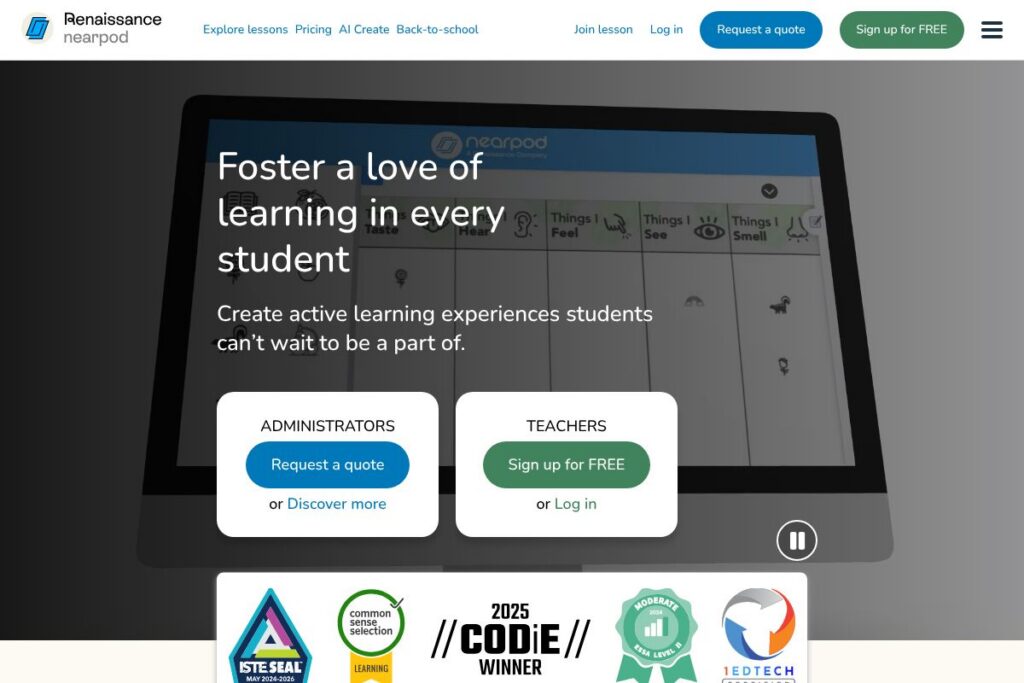
Nearpod is an education platform that helps teachers create interactive lessons, formative assessments, and multimedia activities that students complete on their devices. It combines a large library of standards-aligned content with in-class and remote delivery tools, dashboards for monitoring understanding, and AI-assisted lesson creation aimed at saving teacher time.
Compared with competitors, Nearpod emphasizes interactive slide-based lessons and built-in student response tools, while Pear Deck focuses on teacher-paced slide interactivity integrated with Google Slides, and Seesaw centers on student portfolios and family engagement. Google Classroom covers assignment distribution and grading at no cost, but it lacks Nearpod’s native interactive activities and formative dashboards. All of this makes Nearpod particularly well suited for teachers and districts that want to deliver high-participation lessons with built-in assessment and reporting.
Nearpod excels at securing high student participation, providing quick insights into learning gaps, and offering a large catalog of ready-to-teach materials for teachers who need to scale lesson delivery across classrooms and grades.
How Nearpod Works
Teachers build lessons in Nearpod using a slide-based editor where they can add polls, open-ended prompts, quizzes, video, VR experiences, and interactive activities. Lessons can be launched live for synchronous instruction or assigned for student-paced work, with responses collected in real time and stored in session reports.
AI features let educators generate lesson content, formative questions, and scaffolds quickly; teachers can then preview and edit AI-generated items before presenting them. Integration options allow lessons and rosters to connect with common LMS and rostering systems so student work and participation fit existing workflows.
What does Nearpod do?
Nearpod centers on active learning and formative assessment. Core capabilities include interactive lesson creation, automated and teacher-created assessments, a standards-aligned content library, and dashboards that visualize student responses. Recent additions emphasize AI-assisted lesson generation and classroom-ready AI literacy content developed with Common Sense Education.
Let’s talk Nearpod’s Features
Interactive Lessons
The editor lets teachers combine slides, video, interactive polls, and activities such as Draw It, Collaborate Board, and Time to Climb into a single lesson. These elements make it straightforward to convert static resources into student-facing interactions that increase engagement and elicit evidence of learning.
AI Lesson Creation
AI Create produces draft lessons, prompts, and multiple-choice questions to reduce preparation time, while teachers retain editorial control over content and alignment. This feature is designed to accelerate lesson design and produce consistent, classroom-ready material that teachers can customize.
Formative Assessments & Real-Time Reports
Nearpod captures student responses during live and student-paced lessons and aggregates results into dashboards and exportable reports. Teachers can spot misconceptions, group students for targeted follow-up, and adjust instruction based on instant data.
Standards-Aligned Library
The platform provides access to a large repository of premade, standards-aligned lessons, videos, and activities curated by a curriculum team, which teachers can assign directly or customize. This library helps teachers find vetted content quickly and reduces time spent searching for aligned resources.
Student Engagement Tools
Activities like Collaborate Board, Draw It, and gamified quizzes let students show learning in multiple ways beyond text answers. These varied response formats encourage participation from different learner types and provide richer insight into student thinking.
Differentiation and Accessibility
Nearpod supports scaffolding within lessons and offers ways to differentiate tasks for learner levels, making it easier for teachers to provide targeted supports and extensions. Reporting and activity-level data allow instructors to tailor follow-up instruction and interventions.
With these capabilities, Nearpod helps teachers run lessons that combine instruction, practice, and assessment in one workflow so they can quickly act on what students show they know.
Nearpod pricing
Nearpod follows a SaaS model with free accounts for individual teachers and additional paid options for schools and districts; specific institutional pricing is typically provided through sales channels and may vary by district size and features requested. For the most accurate information on plans and district options, consult Nearpod’s plans and pricing on the official site or contact their sales team for a tailored quote.
What is Nearpod Used For?
Nearpod is commonly used to deliver interactive lessons in K-12 classrooms, run formative assessments, and collect real-time student responses that inform immediate instruction. Teachers use it for whole-class presentations, small-group differentiation, exit tickets, and asynchronous assignments that students complete at their own pace.
District and instructional leaders use Nearpod to standardize lesson quality across classrooms, provide professional learning resources, and aggregate assessment evidence across cohorts to guide curriculum decisions.
Pros and Cons of Nearpod
Pros
- High participation tools: Nearpod provides activities and response types that encourage every student to participate, making classroom engagement easier to track and increase. These tools help teachers gather evidence from all students rather than a vocal few.
- Standards-aligned content library: The platform includes thousands of ready-to-teach lessons and activities aligned to standards, saving teachers time on content sourcing and ensuring instructional relevance. Teachers can also customize and remix library lessons.
- Built-in formative reporting: Real-time dashboards and session reports let teachers identify learning gaps quickly and provide targeted support during or after lessons. Reports export for record keeping and parent communication.
- AI-assisted lesson creation: AI features generate draft lessons and assessment items to reduce preparation load, while teachers keep control to edit for accuracy and alignment. AI literacy lessons developed with Common Sense Education provide a curriculum-aware way to introduce AI concepts.
Cons
- District-level procurement required for advanced features: Larger deployments often require coordination with district IT and procurement for rostering, SSO, and enterprise licensing, which can extend rollout timelines. This means administrators may need to plan for integration and training time.
- Feature overlap with other classroom tools: Schools already invested in a suite of tools may find some functionality redundant with platforms like LMSs or Google Workspace, requiring intentional integration planning. Choosing the right set of tools and workflows is important to avoid duplication.
- Learning curve for advanced features: While basic lesson creation is straightforward, advanced use of analytics, differentiation tools, and AI generation benefits from teacher training. Districts should budget for professional learning to achieve full impact.
Does Nearpod Offer a Free Trial?
Nearpod offers a free teacher account and resources for getting started. The free tier allows teachers to create interactive lessons, access portions of the content library, and run student-paced or live lessons; districts and schools should contact Nearpod for information about enterprise features and pilot options. Sign up and starter resources are available through the Nearpod sign-up and teacher pages.
Nearpod API and Integrations
Nearpod provides integrations with common education platforms and rostering systems, including Google Classroom, Microsoft Teams, Canvas, Schoology, Clever, and Renaissance, which help sync rosters and share lesson data across systems. See Nearpod integrations for the full list and configuration guidance.
Nearpod also supports standards and protocols for LMS integration such as LTI to enable smoother assignment workflows; partner and developer resources are available through Nearpod’s integration pages for organizations that need deeper technical connections.
10 Nearpod alternatives
Paid alternatives to Nearpod
- Pear Deck — Interactive slide-based lessons with a strong Google Slides integration and teacher-paced controls suitable for whole-class engagement.
- Seesaw — Student-driven portfolios and activity-based lessons that focus on student artifacts and family communication.
- Kahoot! — Game-based quizzes and formative checks that prioritize gamification and live engagement in classroom or remote settings.
- Quizlet — Study sets, flashcards, and practice tests that support independent practice and formative retrieval activities.
- Edpuzzle — Video-based lessons with embedded questions and analytics for tracking student understanding.
Open source alternatives to Nearpod
- Moodle — A full-featured open source LMS that supports quizzes, lesson modules, and plugins for interactive content and grading.
- H5P — An open content format and authoring toolset for creating interactive HTML5 content such as quizzes, games, and interactive video that can be embedded in LMS platforms.
- BigBlueButton — An open source web conferencing system built for online teaching with real-time engagement tools such as polls and shared notes.
- OpenBoard — An interactive whiteboard application for classroom instruction that supports multimedia lessons and on-screen annotations.
Frequently asked questions about Nearpod
What is Nearpod used for?
Nearpod is used to create and deliver interactive lessons and formative assessments. Teachers use its activities and reporting to increase student participation and collect data that informs instruction.
Does Nearpod integrate with Google Classroom?
Yes, Nearpod integrates with Google Classroom. Integration supports roster sync and streamlined assignment distribution between platforms.
Can Nearpod be used for remote or hybrid learning?
Yes, Nearpod supports live lessons and student-paced assignments for remote or hybrid settings. Lessons capture student responses in real time and work across devices to accommodate different learning models.
Is Nearpod’s AI suitable for creating lesson content?
Nearpod’s AI features generate draft lessons and assessment items to reduce prep time. Teachers should review and tailor AI-generated content to ensure alignment with learning goals and standards.
How does Nearpod handle district deployments and rostering?
Nearpod offers district and school licensing with rostering and single sign-on options. Districts typically work with Nearpod sales and technical support to deploy at scale and connect to existing SIS or identity providers.
Final verdict: Nearpod
Nearpod stands out as a practical tool for teachers who want to combine instruction, formative assessment, and engagement in a single lesson workflow. Its large library, variety of interactive activities, and real-time reporting make it useful for increasing classroom participation and making faster, data-informed decisions about instruction.
Compared with Google Classroom, which is free as part of Google Workspace for Education and focuses on assignment management and grading, Nearpod provides richer built-in interactivity and formative dashboards that support in-the-moment teaching. For schools that need advanced engagement tools and curated lesson content, Nearpod is a strong option; districts that prioritize cost minimization may combine Google Classroom with complementary tools instead.
Overall, Nearpod is best for K-12 teachers and instructional leaders who want higher student participation, rapid formative insights, and a large library of ready-made materials that reduce preparation time.