What is Olark
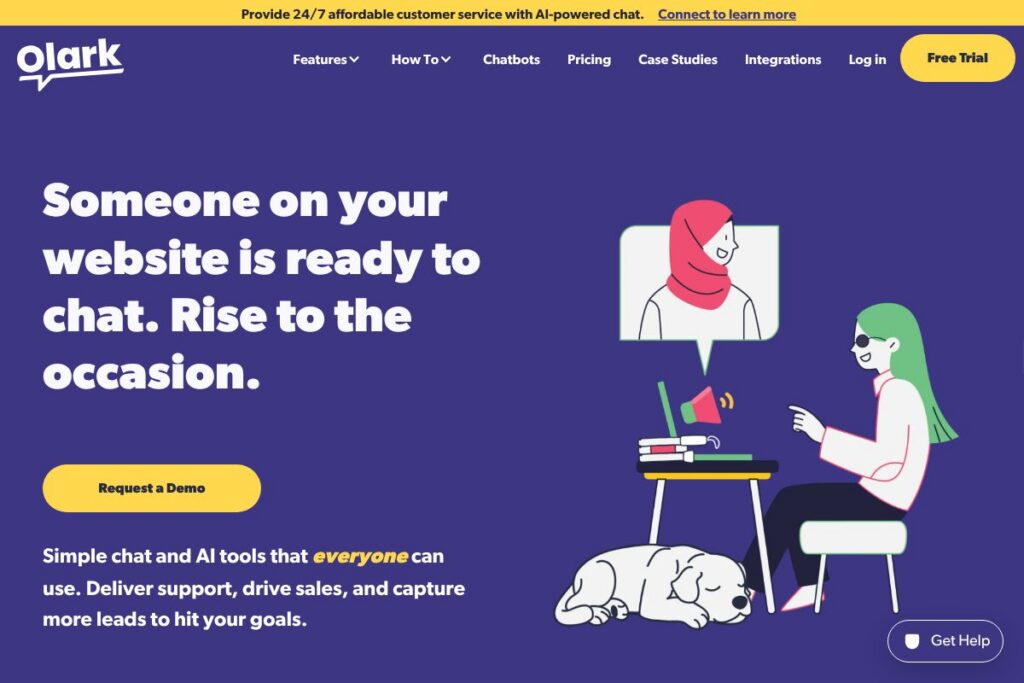
Olark is a live chat and conversational platform for websites that combines human agents, configurable chatbots, SMS texting, and integrations to support sales, marketing, and customer support workflows. It emphasizes accessibility and usability, with third-party testing and WCAG 2.1 AA compliance to ensure the chat widget and agent consoles work for people with disabilities. You can learn more about accessibility through Olark’s accessible chat information.
Compared with competitors, Olark positions itself as a straightforward, accessible chat solution. Intercom focuses on comprehensive customer messaging with broader product features and sophisticated automation; Zendesk delivers an integrated ticketing and support platform with chat as one channel; LiveChat emphasizes enterprise-grade chat and sales features. Olark tends to be simpler to deploy and use than Intercom, more chat-focused than Zendesk, and more accessibility-focused than many alternatives.
All of this makes Olark a practical choice for teams that want an accessible, easy-to-implement chat presence on their website, combined with basic automation and SMS options. It fits small to mid-size teams looking for reliable real-time messaging and a platform that prioritizes inclusion and straightforward integrations.
How Olark Works
Olark installs as a lightweight widget on your website that invites visitors to start conversations; chats route to a web-based agent console or mobile app so teams can respond in real time. Agents handle the conversations directly, transfer to teammates, tag transcripts, and use built-in shortcuts to respond faster while maintaining context.
Automation is layered on top of human support using custom bots to handle routine questions, message routing rules, and SMS for asynchronous mobile conversations. Data from chats can be sent to other tools through a public API and a library of integrations so lead details, transcripts, and conversation events flow into CRMs and help desks. For an overview of available integrations see Olark’s Integrations Directory.
Olark features
Olark’s feature set centers on real-time messaging, accessibility, agent productivity, and integrations. Core capabilities include live chat, customizable chatbots to handle routine tasks, SMS support for mobile messaging, and an API plus 100+ plugins to connect chats to CRMs and analytics. Recent emphasis is on human-friendly automation that assists agents rather than replacing them.
Live chat
The live chat widget supports contextual, in-page messaging so agents can answer questions where visitors are browsing. Agent tools include chat routing, canned responses, visitor previews, and transcript exports, which help teams qualify leads and resolve support requests faster.
Chatbots and automation
Olark builds custom bots to handle repetitive tasks like FAQs, lead qualification, and simple workflows, allowing agents to focus on conversations that need human judgment. Bots can hand off to humans when needed and are designed to augment agent productivity rather than fully automate complex interactions.
Accessibility and WCAG compliance
Olark’s platform is third-party tested for WCAG 2.1 AA conformance, so the widget and agent console are designed to be usable by people with a range of disabilities. Accessibility features include keyboard navigation, readable markup, and focus management to improve usability for assistive technologies.
SMS texting
SMS support lets teams continue conversations off-site with customers and prospects who prefer text messaging. Messages and replies appear in the same agent console, which keeps interaction history in one place and supports follow-up when users are on the move.
Integrations and API
Olark provides a developer-friendly API and a plugin ecosystem that connects chats to CRMs, help desks, and analytics platforms so conversation data flows into existing systems. The API documentation outlines endpoints for sending transcripts, creating visitors, and receiving events.
Reporting and analytics
Built-in reporting captures conversation volume, response times, and agent performance to help teams measure impact and identify training needs. Exportable transcripts and events let teams layer chat data into broader marketing and support analytics.
With these capabilities, Olark delivers a focused chat platform that balances human support with practical automation while prioritizing accessibility across the stack.
Olark pricing
Olark uses a subscription-based SaaS approach with plans tailored to different team sizes and needs; however, specific public plan prices were not included in the material provided here. For exact monthly and annual rates, available tiers, and any free tier or trial details, check Olark’s primary site or contact sales through their demo booking options. See Olark’s homepage or schedule a walkthrough on the demo page for current pricing and plan comparisons.
What is Olark Used For?
Olark is commonly used to provide real-time customer support on websites, letting agents answer questions, guide purchases, and troubleshoot issues before they become tickets. Marketing and sales teams use Olark to capture leads, qualify visitors during browsing sessions, and route high-value prospects to specialized reps.
Higher education, nonprofits, and small businesses use Olark to add conversational access to web content and services, improving discoverability of information and reducing friction in common workflows. The platform’s accessibility focus makes it a better fit for organizations that must meet regulatory or institutional accessibility standards.
Pros and Cons of Olark
Pros
- Accessible by design: Third-party testing for WCAG 2.1 AA compliance means the chat widget and agent console are built to work with assistive technologies and keyboard navigation, improving inclusivity.
- Human-first automation: Bots and AI features are designed to assist agents and automate repetitive tasks while making handoff to humans simple and clear.
- Flexible integrations: A public API plus a large plugin library keeps chat data connected to CRMs, help desks, and analytics for consistent workflows and reporting.
- SMS support: Native SMS messaging expands reach to mobile users and allows asynchronous follow-up inside the same agent interface.
Cons
- Limited scope compared to all-in-one platforms: Olark focuses on chat and conversational workflows, so organizations seeking a full customer engagement suite with product-led messaging or deep marketing automation may need additional tools.
- Enterprise feature depth: Large enterprises that need advanced routing, complex automation flows, or deep analytics platforms may find more feature-rich options in products like Intercom or Zendesk.
Does Olark Offer a Free Trial?
Olark provides demo and self-serve exploration options along with trial experiences for prospective customers. You can schedule a custom demo to see features in action or explore the UI and build a chatbox without immediate sales contact; visit the demo page to start.
Olark API and Integrations
Olark offers an API for developers to access conversation events, transcripts, and visitor data; the API documentation describes available endpoints and integration patterns. A library of 100+ plugins and connectors makes it straightforward to forward chat data to CRMs, help desks, and analytics platforms via Olark’s Integrations Directory.
10 Olark alternatives
Paid alternatives to Olark
- Intercom — A comprehensive customer messaging platform with advanced automation, in-app messages, and product-led growth tools.
- Zendesk — Support-focused suite with chat as part of a full ticketing, help center, and customer service platform.
- LiveChat — Feature-rich chat product aimed at sales acceleration with enterprise controls and reporting.
- Drift — Conversational marketing platform that emphasizes lead routing and account-based messaging.
- Freshchat — Chat and messaging from Freshworks that integrates with Freshdesk and other Freshworks products.
- Tidio — Combines live chat and chatbots with a simple interface aimed at small businesses and e-commerce.
- Help Scout Chat — Part of a lightweight help desk with an emphasis on shared inboxes and human-centered support.
Open source alternatives to Olark
- Rocket.Chat — Open source team messaging and chat platform that can be extended for website chat and self-hosted deployments.
- Chatwoot — Open source customer engagement suite with live chat, inbox features, and integration options for self-hosted teams.
- Mibew Messenger — Lightweight open source live chat solution written in PHP, suitable for simple self-hosted chat widgets.
- Live Helper Chat — Open source live support solution with agent console, routing, and canned responses for self-hosted setups.
- Botpress — Open source conversational AI platform for building and running chatbots that integrate with websites and messaging channels.
Frequently asked questions about Olark
What is Olark used for?
Olark is used to provide live chat and conversational support on websites. Teams use it to answer customer questions, capture leads, and route conversations to the right agent or tool.
Does Olark have an API?
Yes, Olark provides a developer API. The API documentation explains endpoints for retrieving transcripts, pushing visitor data, and subscribing to events.
How much does Olark cost?
Olark offers subscription pricing with tiers for different team sizes and needs. For the most accurate monthly and annual rates, visit Olark’s homepage or request a custom quote via their demo scheduling page.
Can Olark chatbots be customized?
Yes, Olark supports custom bots designed to handle routine tasks and hand off to agents. Bots can capture contact information, answer FAQs, and follow routing rules configured by the team.
Is Olark accessible for users with disabilities?
Yes, Olark’s platform has been third-party tested for WCAG 2.1 AA compliance. The widget and agent console include accessibility considerations like keyboard navigation and screen reader-friendly markup.
Final verdict: Olark
Olark is a focused, accessibility-minded live chat platform that combines human agents, configurable chatbots, SMS messaging, and a wide set of integrations. It does particularly well where teams need an easy-to-deploy chat presence that meets accessibility standards and integrates with existing CRMs and help desks.
Compared with a tool like Intercom, Olark is simpler and more chat-centric while Intercom offers a broader set of product messaging, in-app campaigns, and advanced automation. Organizations that want a streamlined, accessible chat solution and straightforward integrations will find Olark a practical choice; teams that need deep product messaging or enterprise-grade automation should weigh Intercom or Zendesk for those broader capabilities.