Padlet: An Overview
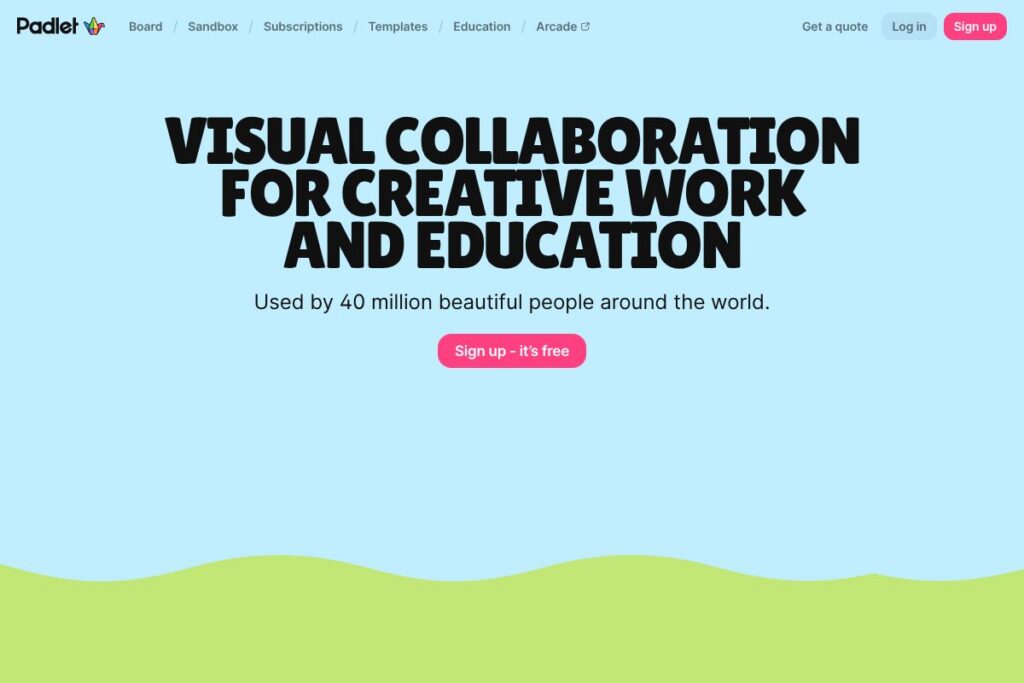
Padlet provides a collection of visual workspaces users call boards and sandboxes, where people can add text, images, video, audio, files, and links onto a shared canvas. It is commonly used by teachers to run classroom activities, by students to assemble multimedia projects, and by small teams for brainstorming and visual planning.
Compared with tools like Miro and Google Jamboard, Padlet emphasizes a simpler, template-driven experience that is easier for non-technical users to adopt quickly. Unlike full-featured whiteboards that focus on complex workflows for product teams, Padlet keeps the interface approachable while providing multimedia embedding and publishing options similar to Canva for visuals and storytelling.
Padlet excels at fast setup, classroom workflows, and multimedia storytelling, making it a good fit for educators, single teachers, small creative teams, and individual creators who need a low-friction visual collaboration space.
How Padlet Works
Users create a board or sandbox, choose a layout template, and invite contributors by link, email, or QR code. Contributors add posts to the canvas that can contain text, uploaded files, images, video, voice recordings, and embedded content from other services.
Boards can be set to update in real time so multiple people can post and edit simultaneously, or they can be locked for teacher moderation and review. Sharing settings control who can view, write, or moderate, and boards can be exported or embedded on external sites for publishing.
What does Padlet do?
Padlet organizes visual collaboration into two primary canvas types: boards for structured collections and sandboxes for freeform activities. Core capabilities include multimedia posts, real-time collaboration, templates for common classroom activities, and simple sharing controls. The platform also supports export and embed functions for presenting work outside Padlet.
The platform includes several powerful capabilities:
Boards and Canvases
Boards provide column- and grid-based layouts for collecting related posts, while canvas-style layouts let contributors place items anywhere on the surface. These layouts help teams and classrooms structure information for timelines, KWL charts, storyboards, and map-based activities.
Sandboxes and Templates
Sandboxes act like digital whiteboards and lesson pages, with templates for quizzes, Venn diagrams, and storyboards that speed setup for lessons and workshops. Templates make it straightforward to reuse proven activity designs without rebuilding from scratch.
Real-time Collaboration
Multiple contributors can add and edit posts simultaneously, with changes appearing live for all viewers. This supports synchronous classroom activities, virtual brainstorming sessions, and remote collaboration where immediacy matters.
Multimedia Support and Embeds
Posts can include images, video, audio recordings, PDFs, and external embeds, allowing rich, mixed-media presentations. Built-in upload and embed options make it easy to combine original content with material from other platforms.
Moderation and Privacy Controls
Creators can set read/write/moderation permissions, require approval before posts go live, and control public visibility. These controls are useful for classroom management, protecting student privacy, and limiting who can contribute.
Export, Embed, and Publishing
Boards can be exported as PDFs or images, and they can be embedded into learning management systems and websites for presentation. Export and embed options help move work from the canvas to reports, portfolios, and LMS pages.
With these features, Padlet provides a low-friction, media-rich canvas for teaching, learning, and visual collaboration, with templates and sharing options that reduce setup time.
Padlet Pricing
Padlet uses a freemium subscription model with free access for basic use and paid upgrades for additional boards, administrative controls, and organization-level features. Pricing is structured to serve individuals, educators, and institutions with different feature sets and capacity limits.
For the most accurate, up-to-date plan details and any educator or institutional discounts, check Padlet’s homepage and account setup options on the Padlet homepage where you can review available plans and sign-up options.
What is Padlet used for?
Padlet is widely used in education for activities such as KWL charts, digital storyboards, exit tickets, and collaborative research walls where students post multimedia responses. Teachers use templates and sandboxes to run lessons that combine individual and group work, and to collect student submissions in one place.
Outside education, Padlet is used by small teams and freelancers for visual brainstorming, portfolio presentations, and lightweight project documentation. Its multimedia-first approach suits creative projects, lesson planning, and any scenario that benefits from a visual, shareable canvas.
Pros and Cons of Padlet
Pros
- Simple, visual interface: The board and sandbox metaphors make it easy for non-technical users and students to start contributing quickly, with templates and drag-and-drop uploads simplifying content creation.
- Multimedia-first collaboration: Supports images, video, audio, files, and embeds in one place, which makes it suitable for storytelling, portfolios, and interactive lessons.
- Flexible sharing and moderation: Fine-grained permissions let teachers and creators control who can view, write, or moderate posts, which helps manage classroom submissions and public publishing.
- Templates and education focus: Built-in templates and activity designs reduce prep time for lessons and encourage consistent activity structures across classes.
Cons
- Limited advanced whiteboard tooling: For teams that need advanced diagramming, sticky-note workflows, or extensive integrations, Padlet is less feature-rich than dedicated whiteboard platforms like Miro.
- Scaling for large organizations: Enterprise deployment and centralized administration may require upgraded plans and additional setup for districts or large institutions.
- Export and analytics limitations: While export and embed are supported, analytics and advanced reporting for large-scale assessment are more limited compared with specialist LMS reporting tools.
Does Padlet Offer a Free Trial?
Padlet offers a free plan that lets individuals and educators create and share boards and sandboxes with basic features, plus paid upgrades for additional boards, storage, and administrative controls. The free tier is sufficient for light classroom use and individual projects, and you can sign up quickly via the Padlet homepage to explore options before upgrading.
Padlet API and Integrations
Padlet provides integration options for common education and collaboration platforms, including Google Classroom, Microsoft Teams, and LMS platforms, plus embed capabilities for websites and course pages. These integrations streamline assignment workflows and let teachers push or present Padlet content inside classroom tools.
For developer and automation use, see the Padlet developer documentation which outlines API access, embedding parameters, and available endpoints for advanced integrations and enterprise automation.
10 Padlet alternatives
Paid alternatives to Padlet
- Miro — A collaborative whiteboard focused on product teams and workshops with extensive templates, integrations, and enterprise admin features.
- Jamboard — Google’s digital whiteboard that integrates tightly with Google Workspace for simple sketching and collaborative sessions.
- Canva — A visual design tool with collaborative features and templates for presentations, storyboards, and classroom graphics.
- Microsoft Whiteboard — Integrated with Microsoft Teams and Microsoft 365, suitable for organizations using the Microsoft ecosystem.
- Trello — Card-based project boards that are useful for task-oriented visual workflows and content planning.
- Notion — An all-in-one workspace that supports databases, documents, and simple boards for organizing project content and learning materials.
- Conceptboard — Visual collaboration boards tailored to design review and remote workshops with annotation tools.
Open source alternatives to Padlet
- Excalidraw — An open-source virtual whiteboard for sketching and diagramming with real-time collaboration options.
- OpenBoard — An interactive whiteboard application geared toward classroom use and lesson delivery.
- WBO (Whiteboard) — A lightweight, self-hostable whiteboard that supports drawing and basic collaboration for teams that want to host their own instance.
- BigBlueButton — An open-source web conferencing system with whiteboard and presentation tools commonly used in education.
- Boardmix (Community forks) — Community-driven whiteboard projects that provide basic canvas and sticky-note features for collaborative sessions.
Frequently asked questions about Padlet
What is Padlet used for?
Padlet is used to create shareable visual boards and sandboxes for collaboration and learning. It collects multimedia posts from contributors and is commonly used for classroom activities, storyboards, and lightweight team brainstorming.
Does Padlet integrate with Google Classroom?
Yes, Padlet integrates with Google Classroom. Teachers can link Padlet boards to assignments and share boards directly with classes to collect student work.
Can Padlet be used for remote learning and hybrid classrooms?
Yes, Padlet works well for remote and hybrid instruction. Real-time collaboration, templates, and moderation controls let teachers run synchronous activities and gather asynchronous assignments.
Is Padlet free to use?
Padlet offers a free plan with basic features. Paid plans add capacity, admin controls, and organization-level features for educators and institutions.
Does Padlet provide an API for developers?
Padlet offers developer resources and API access. See the Padlet developer documentation for details on endpoints and integration patterns.
Final Verdict: Padlet
Padlet is a user-friendly visual collaboration tool that shines in education and small-team creative work because of its templates, multimedia support, and straightforward sharing controls. Its board and sandbox metaphors make it especially accessible to teachers and students who need to set up activities quickly without a steep learning curve.
Compared with enterprise whiteboards like Miro, Padlet is more approachable for classroom and individual use and emphasizes template-based activities rather than advanced facilitation and diagramming. Pricing and capacity are oriented toward educators and individuals, while enterprise whiteboards focus on per-seat subscriptions and deeper integration for large organizations.
In short, Padlet is a strong choice for educators, creatives, and small teams who want a simple, multimedia canvas for collaboration and presentation without heavy technical setup. To evaluate whether it meets your needs, sign up on the Padlet homepage and try creating a board or sandbox for a sample lesson or project.