Poll Everywhere: An Overview
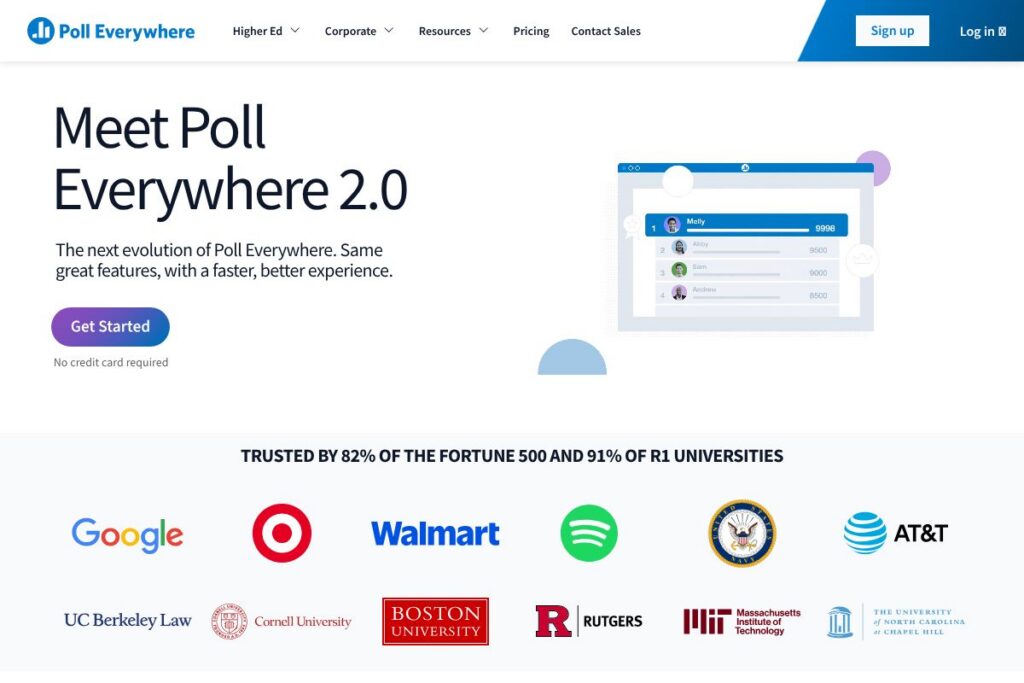
Poll Everywhere is a live polling and audience interaction platform that lets presenters add interactive questions to slides, run Q&A sessions, and collect feedback in real time. It works inside common presentation tools so you can present from PowerPoint, Google Slides, or Keynote while participants respond from their phones or laptops without installing anything.
Compared with Mentimeter and Slido, Poll Everywhere emphasizes tight integration with traditional presentation workflows and classroom tools. Mentimeter focuses on polished visual polling and presenter-friendly templates, while Slido doubles down on Q&A moderation and event-scale engagement; Poll Everywhere sits between those approaches with strong LMS and PowerPoint connectivity.
Poll Everywhere does particularly well when presenters need low-friction participant access, a broad set of question types, and enterprise-grade compliance. This combination makes it a practical choice for teachers, corporate presenters, and event organizers who need live interaction without changing their existing presentation setup.
How Poll Everywhere Works
Create a poll inside Poll Everywhere by selecting a question type, entering your prompt and answer choices, and inserting the live poll into your slides or presenter view. When you present, attendees join via a short join link or a session code and submit responses from any browser on their device.
Responses update on screen in real time so you can use answers to guide discussion, check understanding, or trigger follow-up content. After the session you can export participation records and result summaries for grading, reporting, or event analysis.
What does Poll Everywhere do?
Poll Everywhere centers on live interaction features that integrate directly with slideshow tools and web conferencing. Core capabilities include multiple poll types, real-time response visualization, moderated Q&A, attendance tracking, and exportable analytics; recent updates focus on a faster UI and smoother presenter workflows.
The platform includes these main features:
Live Polling
Run multiple-choice, multiple-answer, and one-click response polls that show results instantly on screen. This is useful for classroom checks, quick audience surveys during meetings, and raising engagement at events.
Slide Integration
Embed polls directly into PowerPoint, Google Slides, or Keynote so you can present without switching apps. Embedded polls behave like native slide content and update live as participants submit answers.
Open-Ended Responses
Collect text responses for brainstorming or short feedback, then surface answers in a word cloud or list for group discussion. This helps capture ideas, suggestions, and qualitative insights from audiences of any size.
Q&A and Moderation
Enable audience Q&A with upvoting and moderator controls to surface important questions and manage flow. Moderation tools help organizers filter inappropriate content and prioritize high-value items.
Participant Access Options
Participants join via a short join link or a session code and respond using a browser on any device, no app download required. That reduces friction for attendees and increases participation rates.
Reporting and Exports
Export response data and participation reports for grading, follow-up, or event metrics. Reports include participation counts, question-by-question results, and timestamps for session activity.
Security and Compliance
The platform supports compliance standards and encryption to protect participant data and meet institutional requirements. Enterprise-grade controls and privacy features make it suitable for higher-education and corporate environments.
With these features, Poll Everywhere helps presenters move from passive slides to interactive sessions that increase attention and capture actionable feedback in real time.
Poll Everywhere pricing
Poll Everywhere uses a subscription and enterprise licensing model with plans tailored to individuals, classrooms, and organizations; plan details and seat or feature limits vary by tier. For current plan options and the latest billing choices, view Poll Everywhere’s current pricing options on their website.
What is Poll Everywhere Used For?
Educators use Poll Everywhere to check comprehension, take attendance, and encourage participation in lectures without adding extra steps to their prep. Quick polls and open responses let instructors measure understanding on the fly and adapt lessons to student needs.
Corporate presenters and trainers use it to collect live feedback, run knowledge checks during sessions, and surface employee questions in a controlled way. Event organizers add polls and moderated Q&A to keynote sessions and panels to make sessions more interactive and gather audience sentiment.
Pros and Cons of Poll Everywhere
Pros
- Low-friction participant access: Participants respond from a browser using a short join link or session code, removing the need for downloads and boosting participation.
- Strong slide integration: Embedding polls into PowerPoint, Google Slides, and Keynote keeps presenters in their usual workflow and reduces context switching.
- Enterprise security: Compliance features, encryption, and administrative controls support use in universities and large enterprises.
Cons
- Feature overlap with competitors: Some users may prefer the visual polish of Mentimeter or the event-focused Q&A tooling of Slido for specific scenarios. This can make feature selection a matter of workflow preference rather than capability.
- Advanced analytics behind paid tiers: Detailed exports and enterprise reporting are typically part of paid or institutional plans, so free-tier users face limits when they need deeper data insights.
Does Poll Everywhere Offer a Free Trial?
Poll Everywhere offers a free plan and trial options that let you create and run basic polls and try core functionality without a credit card. The free tier is useful for classroom checks and small meetings, while trial and paid tiers unlock higher participant limits, advanced question types, and reporting; start or upgrade from the Poll Everywhere signup and plan page.
Poll Everywhere API and Integrations
Poll Everywhere provides integrations with major presentation tools and learning platforms, including PowerPoint, Google Slides, Keynote, Canvas, Blackboard, and common web conferencing platforms. See the full list in their integrations catalog.
For developers, Poll Everywhere exposes embedding options and programmatic access for session management and result retrieval; consult the API documentation for endpoint details and example workflows.
10 Poll Everywhere alternatives
Paid alternatives to Poll Everywhere
- Mentimeter — A visual polling tool focused on polished, presentation-ready charts and interactive templates for workshops and meetings. Good for audiences that value visual design.
- Slido — Event-oriented Q&A and polling with strong moderation and upvoting features, often used for conferences and large-scale virtual events. Integrates with Google Slides and major conferencing platforms.
- Kahoot! — Game-based learning and quiz platform that turns questions into competitive, timed experiences, popular in classrooms and training sessions.
- Crowdpurr — Live audience engagement platform with real-time leaderboards and game-style interactions for events and conferences.
- TurningPoint — A polling and audience response system with a long history in education and corporate training, available as desktop and cloud options.
- Vevox — Live polling and Q&A app for meetings and lectures, with strong analytics and enterprise controls.
- Glisser — Combines slide hosting, slide-sync polling, and attendee analytics for event presenters.
Open source alternatives to Poll Everywhere
- LimeSurvey — An open source survey platform that supports complex questionnaires and data exports, suitable for structured feedback though not optimized for in-slide live polling.
- Nextcloud Polls — A simple polls app for Nextcloud that allows collaborative polling and basic response collection inside a self-hosted environment.
- Framadate — Lightweight, open source polling and scheduling tool for collecting quick responses without centralized hosting.
- OhMyForm — An open source form and survey platform that can be self-hosted for privacy-conscious organizations needing custom question flows.
Frequently asked questions about Poll Everywhere
How do participants join Poll Everywhere polls?
Participants join using a short join link or a session code. They respond from any web browser on their device without installing an app, which reduces barriers to participation.
Does Poll Everywhere integrate with PowerPoint and Google Slides?
Yes, Poll Everywhere embeds into PowerPoint, Google Slides, and Keynote. Embedded polls update live during presentations so presenters can keep using their familiar slide workflow.
Can Poll Everywhere be used in classrooms and for attendance tracking?
Yes, Poll Everywhere is commonly used in higher education and K-12 classrooms. Instructors can use polls for attendance, quick checks for understanding, and collecting student feedback.
Is Poll Everywhere compliant with enterprise security standards?
Poll Everywhere offers enterprise-grade security features and compliance controls. The platform includes encryption and administrative settings designed to meet institutional data protection requirements.
Does Poll Everywhere offer API access for developers?
Yes, Poll Everywhere provides developer documentation and programmatic access. The API and embedding options allow session management and automated retrieval of response data; see their developer resources for details.
Final Verdict: Poll Everywhere
Poll Everywhere is a practical choice for presenters who need reliable, low-friction audience interaction that integrates with existing slide workflows. It does live polling, moderated Q&A, and reporting well, and its browser-based participant experience removes the need for downloads which is important in classrooms and mixed-device events.
Compared with Slido, Poll Everywhere leans more toward slide integration and classroom use, while Slido emphasizes event Q&A flows and may offer simpler per-event pricing for conferences. For organizations that require enterprise security and LMS connectivity, Poll Everywhere provides a balance of integration and administrative controls that make it a strong option for education and corporate training; review Poll Everywhere’s enterprise security features to evaluate fit for your environment.