What is Regroup
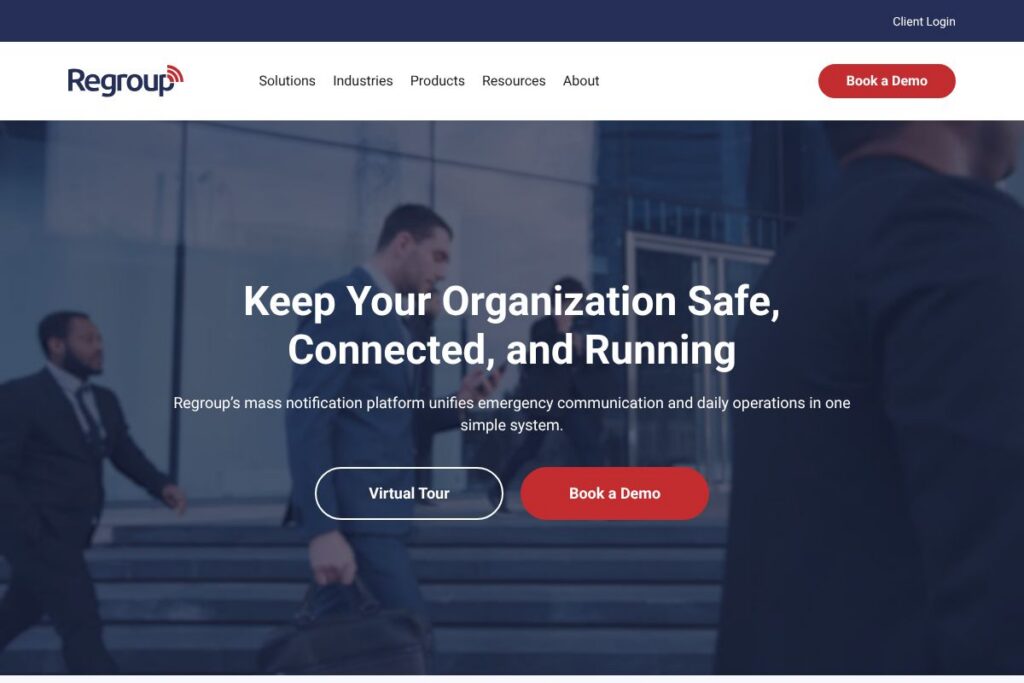
Regroup is a mass notification and emergency communication platform designed to deliver alerts across email, SMS, voice, mobile app, desktop, and other channels from a single interface. It focuses on rapid message creation, targeted delivery through groups and geofencing, and two-way interactions that let recipients confirm status or request help. Regroup also includes incident management and threat intelligence tools to link alerts with response workflows.
Compared with competitors like Everbridge, AlertMedia, and Rave Mobile Safety, Regroup emphasizes ease of use and hands-on customer support during onboarding and operation. Everbridge targets very large enterprise and public-safety customers with a broad critical-event management suite and global scale, AlertMedia highlights unified contact methods and rapid deployment for mid-market organizations, and Rave Mobile Safety focuses heavily on campus and public safety systems. Regroup positions itself between these offerings by combining broad channel support and incident tools with simpler setup and ongoing unlimited support.
Regroup works well for organizations that must reach many people quickly and maintain operational continuity during incidents. Its strongest fits are education, government and public sector, healthcare, and businesses that need both day-to-day notifications and emergency alerting capabilities. For organizations that require hands-on onboarding, customizable roles, and flexible group structures, Regroup provides a practical balance of features and usability.
How Regroup Works
Admins create user groups or import contact lists, choose delivery channels, and send messages using pre-built templates to accelerate response. Messages can be targeted to unlimited groups, sent via geofence to people in specific locations, or broadcast to the public through public alerting channels, while two-way replies let senders collect confirmations and requests for assistance.
The platform is accessible via web console, a free mobile app for recipients, and APIs and integrations for automation with existing systems. Regroup assigns a dedicated onboarding team, which configures permissions, templates, and escalation paths, so organizations can practice alerts and refine workflows before a real incident occurs.
Regroup features
Regroup’s feature set centers on multi-channel alerting, two-way communication, location-aware messaging, incident coordination, and threat monitoring, with a support model that includes dedicated onboarding and 24×7 human support. The product suite groups core capabilities into mass notification, public alerting, threat intelligence, and incident management to cover both everyday communications and critical-event response.
Mass Notification System
Send alerts across email, SMS, voice, mobile app, desktop notifications, and more from one dashboard, and target recipients by group, contact attributes, or location. Two-way messaging supports confirmations and requests for help, and administrators can use templates to reduce error and accelerate dispatch.
Public Alerting
Broadcast time-sensitive notices to the general public while aligning with regional and federal public warning standards; pre-defined templates make recurring public messages faster to send. This capability is intended for community-wide emergencies such as severe weather, missing persons, or public safety incidents.
Threat Intelligence Suite
Integrate real-time data feeds and visualize potential risks on a dashboard to detect incidents before they escalate, with automated alerts for defined threat conditions. The suite supports faster decision-making by combining monitoring, alerts, and escalation automation.
Incident Management
Coordinate response actions across teams, track incident status, and run post-incident analytics to improve procedures and restore operations more quickly. Customizable escalation paths and role-based permissions let organizations match workflows to their structure.
Geofence Messaging and Location Targeting
Deliver location-based alerts to people in a specific geographic area, useful for evacuations, shelter-in-place orders, and event-specific communications. Location targeting reduces unnecessary notifications and ensures relevant recipients receive urgent updates.
Mobile App and Recipient Tools
Recipients can receive push notifications, acknowledge messages, and respond with requests for aid through the free Regroup mobile app, while admins can manage and send alerts from mobile devices. The app also supports group join methods like text-to-join for temporary event audiences.
Templates, Roles, and Permissions
Pre-programmed templates, unlimited custom groups, and granular admin roles simplify governance and reduce the chance of mis-sent alerts during stressful situations. Templates and permission sets accelerate consistent messaging and compliance across teams.
With these capabilities, Regroup helps organizations reduce time to notification, improve situational awareness, and coordinate responses more efficiently. The biggest benefit is the combination of multi-channel delivery and hands-on support that reduces setup time and operational friction during critical events.
Regroup pricing
Regroup uses a flexible, enterprise-oriented pricing approach that is tailored to organization size, required channels, and feature bundles rather than a one-size-fits-all public price list. Pricing typically reflects seat counts, channel usage, public alerting needs, and any required integrations or service levels.
For current plan options and to get a quote suited to your environment, contact Regroup through Regroup’s contact page to request detailed pricing and deployment options. Sales and onboarding teams can provide customized packages, demo access, and information about any trial or pilot offerings.
What is Regroup Used For?
Organizations use Regroup to send emergency warnings, operational updates, weather alerts, and day-to-day communications that require fast, reliable delivery across multiple channels. Schools use it for campus alerts and closures, hospitals use it to coordinate staff and shift changes, and local governments use it to inform citizens during public-safety incidents.
Beyond emergency scenarios, Regroup supports routine business messaging such as maintenance notices, event communications, and internal operations alerts. The platform’s two-way and geofence features are useful for incident accountability, staff check-ins, and targeted outreach during planned events or unplanned incidents.
Pros and Cons of Regroup
Pros
- Fast setup and templates: Pre-built templates and a dedicated onboarding team reduce time to first alert and simplify operator training. This is useful for organizations without a large technical staff.
- Multi-channel delivery: Supports email, SMS, voice, mobile app, desktop, and public alerting, which increases the likelihood that recipients see critical messages. Multi-channel options help reach people in the format they prefer.
- Two-way communication: Allows recipients to confirm status or request assistance, helping incident managers triage responses and track accountability. Two-way flows improve situational awareness during events.
- Unlimited customer support: Ongoing 24×7 support and training at no extra cost helps organizations maintain readiness and resolve issues quickly. Hands-on support is valuable for organizations that need regular assistance.
Cons
- Enterprise-focused pricing model: Costs are customized by organization size and feature needs, which can be harder to estimate without engaging sales. Smaller organizations may need to request quotes to compare vendor costs accurately.
- Feature overlap with larger suites: For very large or highly regulated organizations, competitors like Everbridge may offer broader critical event management capabilities integrated with global infrastructure. Organizations should map required capabilities before selecting a vendor.
- Public alerting complexity: Integration with federal and regional warning systems may require additional configuration and coordination with public authorities. Implementing public alerting sometimes involves procedural steps beyond the platform setup.
Does Regroup Offer a Free Trial?
Regroup offers paid plans with demos and trial or pilot options available on request. Prospective customers can request a live demo or a time-limited trial through Regroup’s sales and onboarding team to verify workflows, templates, and integrations before committing to a full deployment.
Regroup API and Integrations
Regroup provides APIs and a range of pre-built integrations to connect with directories, learning management systems, HR platforms, and operations tools. The Regroup integrations page lists common connectors and explains integration options for automation and synchronization.
Common integrations include directory sync with Microsoft 365 and Google Workspace, connections to paging and dispatch systems, and LMS or student information system integrations for education customers. API access supports automation for alerts and programmatic recipient management when organizations need tighter workflow integration.
10 Regroup alternatives
Paid alternatives to Regroup
- Everbridge — Enterprise-focused critical event management with extensive global alerting, operational resilience tools, and integrations for large public-safety deployments.
- AlertMedia — Rapid-deployment mass notification aimed at mid-market organizations, with a focus on ease of use, unified contact methods, and incident response features.
- Rave Mobile Safety — Campus and community safety platform with emergency notification, incident management, and mass communication for municipalities and higher education.
- OnSolve — Critical communications and incident response software designed for enterprise continuity, with multi-channel alerts and situational awareness tools.
- OneCall Now — Simpler mass notification options for small to midsize organizations with voice, text, and email alerts geared toward schools and community groups.
- BlackBerry AtHoc — Secure networked crisis communication with emphasis on government and large enterprise security and integration into existing communications infrastructure.
- Alertus — Enterprise notification and desktop alerting for internal networks, focusing on on-premise integration and campus safety messaging.
Open source alternatives to Regroup
- Ushahidi — Open-source crisis mapping and crowdsourced reporting platform that can be used to collect and broadcast situational information during incidents. Useful for community-driven reporting and visualization.
- Sahana Eden — Disaster management platform offering resource tracking, incident management, and coordination modules that can be adapted for notification workflows in humanitarian contexts.
- Rocket.Chat — Self-hosted messaging platform that supports notifications and can be extended to deliver alerts to user groups when organizations prefer full control over infrastructure.
Frequently asked questions about Regroup
What does Regroup do for emergency communications?
Regroup delivers multi-channel emergency and operational alerts to designated recipients. It supports SMS, voice, email, push notifications, geofenced messaging, and public alerting to notify people quickly and gather confirmations.
Does Regroup offer mobile apps for recipients?
Yes, Regroup provides a free mobile app for recipients and administrators. The app supports push alerts, acknowledgements, and two-way messaging for status updates and requests for assistance.
How much does Regroup cost for an organization?
Regroup offers customized pricing tailored to organizational size and feature needs. To get exact pricing, contact Regroup through Regroup’s contact page for a quote based on channels, seats, and service level.
Can Regroup integrate with directory services and LMS platforms?
Yes, Regroup supports integrations with common directory services and learning management systems. The Regroup integrations page describes available connectors and API options for automating lists and alerts.
Is Regroup suitable for small organizations and large enterprises?
Regroup is designed to serve a range of organizations from small institutions to large public agencies. Its flexible group management, templates, and support model make it practical for smaller teams, while its public alerting and incident management capabilities scale for larger deployments.
Final verdict: Regroup
Regroup is a practical mass notification platform that balances multi-channel alerting, two-way communications, and incident coordination with a user-friendly interface and strong customer support. Its strengths are rapid setup using templates, geofence messaging for location-specific alerts, and unlimited onboarding and support that help non-technical teams maintain readiness.
Compared with Everbridge, which targets very large enterprises with an extensive global footprint and broader critical event management tooling, Regroup tends to be more approachable for mid-market organizations and institutions that value hands-on support and simpler deployment. For organizations that need deep global scale and enterprise-level integrations, Everbridge may be a better fit; for teams that want fast setup, configurable roles, and multi-channel alerts with responsive support, Regroup is a compelling choice.
For demos, detailed feature mapping, and custom pricing, contact Regroup via Regroup’s homepage or their contact page.