Salesforce: An Overview
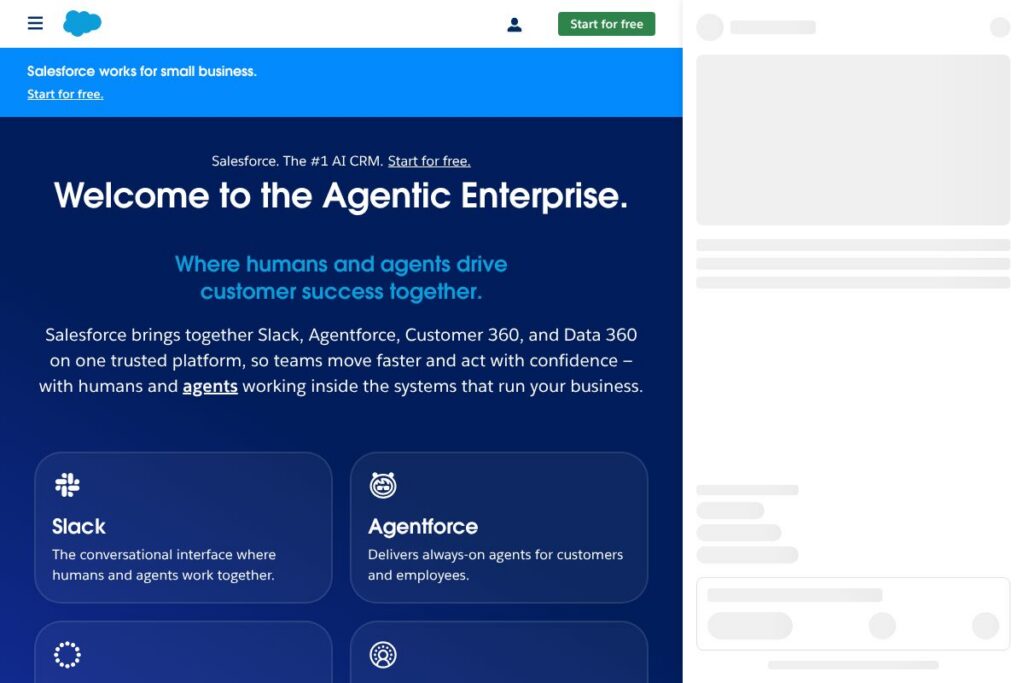
Salesforce is a cloud CRM platform that brings together AI, data, and application services to manage customer lifecycles across sales, service, marketing, commerce, and IT. It emphasizes a unified Customer 360 data model, agentic AI through Agentforce, and integrated collaboration via Slack to enable coordinated customer experiences across teams. Explore the platform catalog on the Salesforce products page.
Compared with other enterprise CRM suites, Salesforce focuses on deep integration between data, automation, and collaboration. Compared with Microsoft Dynamics 365, Salesforce provides a broader marketplace of prebuilt industry solutions and a stronger emphasis on cross-cloud data models, while Dynamics 365 can be a natural fit for organizations already standardized on Microsoft cloud services. Against HubSpot CRM, Salesforce scales to larger organizations and complex workflows with more advanced customization and governance, while HubSpot prioritizes ease of use and a generous free tier.
All of this makes Salesforce well suited for organizations that need a single platform to unify customer data, deploy AI-driven agents, and standardize processes across many teams and channels. It is particularly useful for medium and large enterprises, industry-specific deployments, and businesses that require strong governance, extensibility, and partner ecosystems.
How Salesforce Works
Salesforce organizes customer-related work around shared data and modular applications. Customer records, events, and interaction history are consolidated in a Customer 360 profile that feeds AI models, automation rules, and workflows across sales, service, and marketing. Teams access records through the web app, mobile apps, or embedded components inside tools like Slack.
Agentic AI features automate multi-step tasks such as lead qualification, conversational case handling, and predictive scoring. A typical workflow routes an inbound lead to a lead-scoring model, triggers a sequence to qualify the lead, assigns it to a sales rep or agent, and logs interactions in the shared record so downstream teams have full context. Admins configure automation and governance through declarative tools, with developer APIs available for deeper customizations.
What does Salesforce do?
Salesforce’s feature set centers on unified customer data, AI-powered automation, and extensible application layers for sales, service, marketing, commerce, and analytics. The platform recently expanded agentic AI capabilities and prebuilt industry solutions to accelerate deployments and reduce initial customization work. Integration points with Slack and external systems make it possible to surface CRM data inside collaboration and operational tools.
Agentforce
Agentforce provides conversational, agentic AI that can handle multistep customer interactions, automate routine case resolution, and collaborate with human agents. It is designed to increase autonomous resolution rates, route complex queries to humans, and embed AI-driven suggestions into agent workflows to reduce handling time.
Customer 360
Customer 360 consolidates profiles, interactions, and transactional data across Salesforce clouds to provide a single view of the customer. That unified view supports personalization, reporting, and cross-team workflows so sales, service, and marketing can act on the same authoritative data.
Data 360 and Analytics
Data 360 brings data integration, transformation, and governance capabilities, enabling teams to build clean, ready-to-use datasets for analytics and AI. Built-in analytics and reporting tools support operational dashboards, pipeline analysis, and model monitoring for AI-driven features.
Slack integration
Slack is integrated as a collaboration layer to bring CRM notifications, approvals, and context into team channels and direct messages. Users can create records, receive alerts, and take actions from Slack, keeping communication and CRM workflows closely aligned.
Platform and AppExchange
The Salesforce platform includes low-code builders, developer tools, and the AppExchange marketplace for third-party apps and industry-specific solutions. This extensibility lets organizations add packaged functionality or build custom applications that use core Salesforce data and security controls.
With these capabilities, the largest benefit is a unified environment where data, AI, and applications work together to reduce context switching, automate repetitive work, and support cross-team customer journeys.
Salesforce pricing
Salesforce uses a subscription model with modular plans aimed at small businesses through large enterprises, plus custom enterprise agreements for large deployments. The vendor offers an entry-level suite for smaller organizations and additional editions and clouds that scale by feature set, users, and support; enterprise deals are typically negotiated directly with sales. See the Salesforce products page for current plan options and detailed comparisons.
Monthly Billing:
Starter Suite – $25 USD/user/month (All-in-one CRM for small business with built-in AI for sales, service, and marketing)
Growth / Professional / Enterprise – Contact Salesforce for modular pricing and feature breakdowns (covers advanced automation, integration, and platform capabilities)
Annual Billing:
Starter Suite – $25 USD/user/month billed monthly with annual contracts available for standard savings; enterprise-level agreements are negotiated on a per-deal basis
Enterprise – Custom pricing (adds advanced governance, SSO, dedicated support, and volume discounts)
For the most accurate and up-to-date plan comparisons and to explore industry solutions, view the Salesforce products and solutions pages or request a tailored quote from Salesforce sales.
What is Salesforce Used For?
Salesforce is commonly used to manage end-to-end customer relationships, from lead capture and opportunity management to customer support and retention. Sales teams use it to track pipelines and forecasts, service teams handle support cases and knowledge bases, and marketing teams run campaigns and attribute pipeline to campaigns. The unified data model supports cross-functional reporting and customer journeys.
Industry-specific deployments use prebuilt Agentforce solutions and templates to speed time to value in retail, financial services, manufacturing, education, and technology. Organizations also use Salesforce as a platform to build custom apps that integrate CRM data with internal systems and external data sources.
Pros and Cons of Salesforce
Pros
- Industry-tailored solutions: Salesforce provides prebuilt industry solutions and templates that reduce implementation time and align with vertical workflows. These accelerate deployments and reduce custom development for common industry scenarios.
- Agentic AI and automation: Agentforce and built-in AI automate multistep workflows and conversational interactions, improving case deflection and conversion rates while supporting human-agent collaboration.
- Extensible platform and ecosystem: The AppExchange marketplace, low-code builders, and robust APIs let organizations extend the platform with third-party apps or custom solutions integrated with Customer 360.
- Strong governance and security: Enterprise-grade controls, role-based access, and compliance features support regulated industries and large organizations with complex governance needs.
Cons
- Complexity for smaller teams: The platform’s breadth can be overwhelming for small teams that need a lightweight CRM, requiring focused configuration or adoption of the Starter Suite to keep things simple.
- Cost can scale quickly: Adding clouds, seats, and third-party apps can increase total cost of ownership as use expands, which makes budgeting and license management important for growing deployments.
- Customization learning curve: Deep customizations and integrations often require specialized administrators or developers, which can extend implementation timelines.
Does Salesforce Offer a Free Trial?
Salesforce offers a 30-day free trial for new users. The trial provides access to core CRM features so teams can test lead and case workflows, basic automation, and the unified data model; no credit card is required to start. For small businesses, the Starter Suite can be explored during this trial period and enterprise features can be reviewed with a sales representative.
Salesforce API and Integrations
Salesforce provides comprehensive developer APIs and platform tools for integration, automation, and customization. The Salesforce Developer documentation details REST and SOAP APIs, platform events, Apex, Lightning components, and tools for data loading and integration.
Key built-in integrations include Slack for collaboration, connectors for major marketing and analytics systems, and native adapters for data ingestion. AppExchange hosts many third-party connectors and prebuilt integrations for ERP, telephony, and e-commerce systems.
10 Salesforce alternatives
Paid alternatives to Salesforce
- Microsoft Dynamics 365 — A modular CRM and ERP suite that integrates tightly with Microsoft 365 and Azure services, suited for organizations invested in the Microsoft ecosystem.
- SAP Customer Experience — Focuses on enterprise-level commerce, service, and marketing with deep ERP integration for large global businesses.
- Oracle CX Cloud — Enterprise CRM with strong analytics, commerce, and marketing capabilities, often used by large organizations with complex data needs.
- HubSpot CRM — A user-friendly CRM with a strong free tier and integrated marketing, sales, and service hubs for SMBs and scaling teams.
- Zoho CRM — A cost-competitive CRM with a broad suite of integrated business apps for small and mid-market customers.
- Freshsales (Freshworks) — CRM focused on ease of use, conversational AI, and built-in support for sales and support teams.
- Pipedrive — Sales-first CRM with a visual pipeline and straightforward setup for small sales teams.
Open source alternatives to Salesforce
- SuiteCRM — A feature-rich, open source CRM that provides sales, marketing, and support modules suitable for self-hosting and customization.
- Odoo (Community) — An open source suite that includes CRM, ERP, and e-commerce modules; the community edition can be self-hosted and extended.
- ERPNext — An open source ERP with CRM capabilities that is suitable for organizations seeking an integrated business system with self-hosting options.
- EspoCRM — Lightweight open source CRM focused on core sales and customer management features with an emphasis on simplicity.
Frequently asked questions about Salesforce
What is Salesforce used for?
Salesforce is used to manage customer relationships across sales, service, marketing, and commerce. Organizations use it to track leads, close deals, manage support cases, and create personalized customer experiences using unified customer data.
Does Salesforce include AI capabilities?
Yes, Salesforce includes agentic AI capabilities through Agentforce and Einstein features. These capabilities automate workflows, provide predictive insights, and power conversational agents that work with human teams.
How much does Salesforce cost per user?
Salesforce offers modular subscription pricing with the Starter Suite at $25 USD/user/month for small businesses. Larger deployments and additional clouds are priced per edition or via custom enterprise agreements depending on features and scale.
Can Salesforce integrate with other business systems?
Yes, Salesforce provides extensive integration options, including REST and SOAP APIs, prebuilt connectors, and AppExchange apps. Integrations commonly connect CRM data to ERP, telephony, e-commerce, and analytics systems.
Is Salesforce suitable for small businesses?
Yes, Salesforce offers the Starter Suite designed for small businesses to start with CRM, AI features, and basic automation. As needs grow, organizations can add additional clouds or scale to enterprise-grade features and governance.
Final verdict: Salesforce
Salesforce stands out for its breadth, data-first architecture, and agentic AI features that tie together sales, service, marketing, and collaboration. The platform’s Customer 360 model and Agentforce capabilities make it a strong choice for organizations that need unified data, multistep automation, and industry-specific solutions, with the Starter Suite available for smaller teams at $25 USD/user/month.
Compared with HubSpot CRM, Salesforce offers deeper customization, a larger marketplace, and more advanced AI and governance capabilities, while HubSpot provides a simpler onboarding experience and a robust free tier for small teams. For organizations already invested in Microsoft technologies, Microsoft Dynamics 365 can be a competitive alternative, particularly where tighter Office and Azure integration matters. Ultimately, Salesforce is best for teams that need a single, extensible platform to scale CRM, AI, and data together across the entire business.