What is Signal
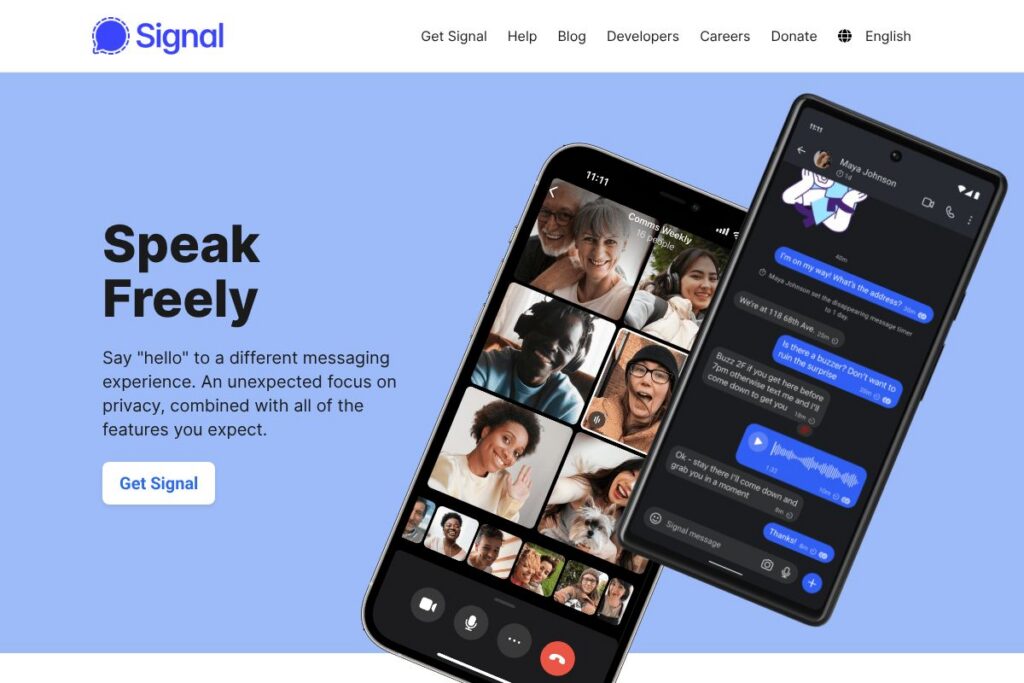
Signal is a cross-platform messaging app that provides end-to-end encrypted text, voice, and video communication. It uses the open-source Signal Protocol for encryption, and the project is run by a nonprofit organization funded by grants and donations. Users register with a phone number and can use Signal on mobile and desktop clients that link to the primary device.
Compared with WhatsApp and Telegram, Signal emphasizes minimal metadata retention and a single-vendor open-source model. WhatsApp uses the same Signal Protocol for end-to-end encryption but operates within a larger corporate ecosystem, while Telegram offers a mix of cloud-based chats and optional encrypted chats with a different encryption approach. For teams needing enterprise integrations, Slack provides richer workflow tooling but does not offer Signal’s level of default end-to-end encryption.
Signal excels at private, direct communication and secure group conversations. It is well suited for privacy-minded individuals, journalists, activists, and anyone who wants a straightforward messaging app without advertising or tracking. The focus on clear encryption defaults and simple UI makes Signal a practical choice for everyday secure messaging.
How Signal Works
Signal uses end-to-end encryption based on the open Signal Protocol to protect messages and calls, ensuring only the sender and recipient can read content. Encryption keys are generated on user devices; Signal servers route messages but cannot decrypt them. The app also uses mechanisms to limit what metadata is retained.
Clients are available for Android, iOS, Windows, macOS, and Linux. Desktop clients link to a primary mobile device via a QR code or pairing process, allowing messages to sync across devices while keeping encryption keys managed by the user devices. Voice and video calls are routed through Signal’s servers or relayed to improve connectivity, always using end-to-end encryption.
Signal features
Signal groups its capabilities around secure communication, media sharing, and privacy controls. Core features include message encryption, voice and video calls, disappearing messages, stickers, and support for attachments. The project continues to evolve with privacy-centered additions and open-source tooling.
Let’s talk Signal’s Features
End-to-end encryption
All messages, voice calls, and video calls are encrypted end-to-end using the Signal Protocol. This prevents Signal servers and third parties from reading message content, which benefits users who need confidentiality for personal or professional conversations.
Voice and video calls
Signal offers one-on-one and group voice and video calls that are encrypted end-to-end. Calls work over data connections to avoid SMS or carrier voice charges, making them suitable for long-distance communication without per-minute fees.
Group chats and group management
Group chats support multiple participants, admin controls, and group metadata that is minimized to protect privacy. Signal’s approach to groups keeps member lists and content encrypted while enabling practical team and family coordination.
Disappearing messages and view-once media
Users can set messages to automatically delete after a chosen time, and send photos or videos configured to be view-once. These features help limit how long sensitive content remains accessible on devices.
Media and file sharing
Signal supports sharing photos, videos, voice notes, documents, and GIFs over your data connection. Files are transferred with the same end-to-end encryption as messages, which keeps shared content private during transit.
Stickers and custom sticker packs
Encrypted sticker support lets users add expressive content to conversations, including custom sticker packs created and shared by users. Stickers are stored and transmitted under the same encryption model as other media.
Desktop and multi-device support
Official desktop clients for Windows, macOS, and Linux pair with mobile devices to sync messages across screens. Linking is done securely through a pairing flow that maintains end-to-end encryption and local key management.
With Signal you get a secure messaging app that covers the common needs of private conversation, media exchange, and small-group coordination while prioritizing minimal data collection.
Signal pricing
Signal is free to download and use, maintained by a nonprofit organization and supported through donations and grants rather than subscription fees. There are no paid tiers or advertising revenue streams, and all core features are available at no cost.
Signal’s development and operations are sustained by voluntary contributions. For users who want to support ongoing development and infrastructure costs, contributions can be made through Signal’s official donation channels. See the Signal donation options for ways to contribute and the Signal download page to install clients.
What is Signal used for
Signal is used for private one-on-one messaging, group chats, and encrypted voice and video calls that require confidentiality. People choose Signal when they want to avoid ads and tracking while keeping regular communication features like media sharing, stickers, and voice notes.
Small teams and communities use Signal for coordination that needs security without the complexity of enterprise tools. Journalists, activists, and privacy-focused users rely on Signal for protecting sensitive conversations and reducing data exposure when compared with mainstream social platforms.
Pros and cons of Signal
Pros
- Strong end-to-end encryption: Signal uses a widely audited open protocol, ensuring messages and calls are encrypted by default and only readable by participants.
- Minimal metadata: Signal is designed to retain as little metadata as possible, which reduces the amount of information stored on servers about who is communicating.
- No ads or trackers: The app operates without advertising and without third-party trackers, so user activity is not monetized for marketing.
- Open-source codebase: Clients and the encryption protocol are open source, enabling independent review and community contributions.
Cons
- Phone number requirement: Signal requires a phone number for account registration, which may be a barrier for users seeking an account model that does not use personal numbers.
- Limited third-party integrations: There is no broad ecosystem of official third-party integrations or bots, which can limit automation and workflow connections compared with tools like Slack.
- Centralized server model: While clients and the protocol are open source, Signal runs centralized servers for message routing, which differs from federated systems some organizations prefer.
Does Signal Offer a Free Trial?
Signal offers a free and fully functional messaging app for everyone. All core features are available at no cost, and there is no trial period because Signal is free; ongoing development is supported by donations. To download the app, visit the Signal download page and to support the project see Signal donation options.
Signal API and Integrations
Signal does not provide a general public API for third-party bots or broad commercial integrations in the same way as many enterprise chat platforms. The project focuses on secure, peer-to-peer style messaging and privacy-preserving features rather than a large integration marketplace.
The underlying Signal Protocol is open and documented, and developers can consult the Signal Protocol documentation and Signal’s source repositories on GitHub to review implementations or build compatible tooling. Signal clients integrate with your device contacts and provide desktop apps that link to mobile, and Android supports additional SMS integration when configured on the device.
10 Signal alternatives
Paid alternatives to Signal
- WhatsApp – A widely used encrypted messaging app that uses the Signal Protocol for end-to-end encryption, integrated into Meta’s platform with broad user reach and media features.
- Telegram – Offers cloud-based chat with large group support and channels, plus optional client-side encrypted secret chats and a paid Telegram Premium tier for added features.
- Slack – A team collaboration platform with rich integrations, channels, and workflow automation, targeted at businesses and available under subscription plans.
- Microsoft Teams – Combines chat, meetings, and Office integration for organizations, with enterprise features under Microsoft 365 subscriptions.
- Threema – Privacy-focused messaging app that requires a paid license and emphasizes anonymity without a phone number if users opt for a Threema ID.
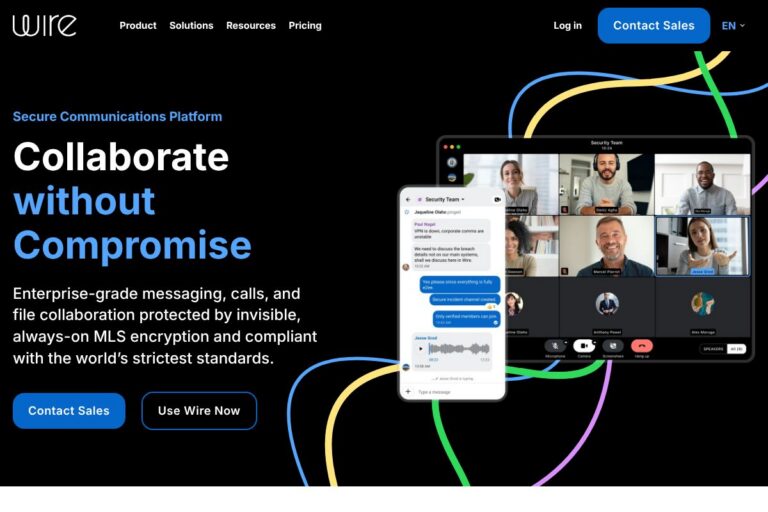
- Wire – Provides secure messaging and collaboration with paid plans for businesses, offering compliance features and enterprise controls.
- Viber – Consumer messaging and calling app with end-to-end encryption for one-on-one chats and some business features through Viber for Business.
Open source alternatives to Signal
- Element – A client for the Matrix protocol that supports end-to-end encryption, federated servers, and extensible integrations for teams and communities.
- Matrix (Synapse) – The reference server for the Matrix protocol, enabling federated, open-source real-time communication and self-hosted deployments.
- Session – A privacy-focused messenger built on decentralized routing and onion requests, open source and designed to reduce metadata exposure.
- Briar – An open-source Android app for secure, peer-to-peer messaging that works over Bluetooth or Tor when network access is limited.
- Jami – A distributed, peer-to-peer communication platform that supports messaging and calls without centralized servers and is fully open source.
Frequently asked questions about Signal
What is Signal used for?
Signal is used for private messaging, group chats, and encrypted voice and video calls. People choose it to keep conversations confidential without ads or third-party tracking.
Does Signal charge for use?
No, Signal is free to use. The app is maintained by a nonprofit and funded through donations rather than subscription fees or advertising.
Can Signal be used on desktop?
Yes, Signal provides official desktop clients for Windows, macOS, and Linux. Desktop apps pair securely with a primary mobile device and sync messages while preserving end-to-end encryption.
Does Signal offer an API for integrations?
Signal does not offer a general public API for third-party bots and large-scale integrations. Developers can review the open Signal Protocol and client repositories through the Signal Protocol documentation and the Signal GitHub organization.
How does Signal protect message content?
Signal protects message content with end-to-end encryption using the open Signal Protocol. Encryption keys are stored on user devices so that only participants can decrypt message content.
Final verdict: Signal
Signal delivers a focused, privacy-first messaging experience that covers everyday needs for secure text, media sharing, and voice and video calls. Its open-source protocol, minimal metadata approach, and lack of advertising make it a strong choice for users who prioritize confidentiality and want a dependable, no-cost messaging tool.
Compared with WhatsApp, Signal offers a clearer stance on metadata minimization and nonprofit governance, while both are free to use and provide end-to-end encryption. For teams that need built-in workflow integrations and admin controls, enterprise offerings like Slack or Microsoft Teams can be more appropriate, but for secure personal and small-group communication, Signal is one of the best practical options available.