What is SnapEngage?
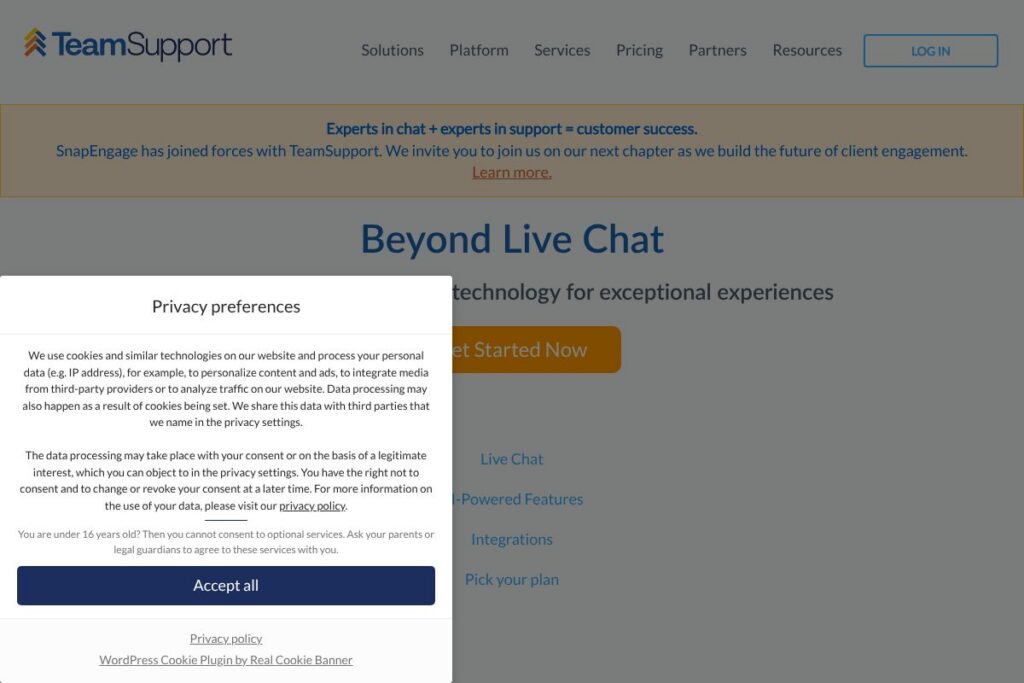
SnapEngage is a cloud-based live chat and chatbot platform built for sales and support teams that need real-time conversations, lead qualification, and omnichannel routing. It combines rule-driven chat, multiple bot types, and direct integrations with CRMs and help desks to move conversations from initial contact to conversion or resolution.
Compared with Intercom, SnapEngage puts more emphasis on enterprise-ready integrations and omnichannel entry points such as Tweet-to-Chat and SMS-to-Chat, while Intercom focuses heavily on an integrated product-led messaging stack. Versus Zendesk, SnapEngage centers conversations around proactive lead capture and sales qualification rather than a full ticketing suite. Compared with LiveChat, SnapEngage offers a broader set of bot types and third-party channel connectors, trading some simplicity for deeper workflow customization.
All of this makes SnapEngage especially well suited for mid-market and enterprise teams that require centralized chat across social channels and a variety of bot behaviors. It performs particularly well when sales teams need to engage and qualify incoming web leads and when support teams need to reduce email volume and improve CSAT through rapid, contextual responses.
How SnapEngage Works
SnapEngage places a chat widget on your site or app and routes conversations to agents, bots, or external channels based on rules and triggers. You can map unlimited custom fields, push captured data directly into your CRM, and use conditional routing to send qualified leads to sales reps or to a support queue for triage.
Bots operate at multiple stages: an Info-Capture Bot collects prospect details, a Guide Bot walks users through process flows, and an Answer Bot supplies automated responses from a knowledge base when agents are not available. Proactive engagement is supported through time-on-page, URL-based rules, and behavioral triggers so the platform can offer assistance exactly when visitors are most likely to convert.
Agent workflows integrate with your existing tools so that team members handle chat sessions inline or via their CRM/help-desk interfaces. Reporting and analytics track chat-to-opportunity rates, response times, and channel performance to refine routing rules and bot scripts over time.
SnapEngage features
SnapEngage is organized around conversational sales and support. Core capabilities include automated bots, proactive triggers, omnichannel connectors like Tweet-to-Chat and SMS-to-Chat, CRM synchronization, and client success support to guide implementation. Recent focus areas are expanding bot options and native social-channel connections to reduce response times and increase conversion rates.
Automation
Automation handles initial qualification, field mapping, and CRM sync so teams capture lead data without manual entry. Rules and triggers enable proactive invitations and session routing, which reduces time-to-first-response and increases the volume of qualified handoffs to sales.
Bot Types and Bot API
Multiple bot types let teams use the right behavior for each stage: Info-Capture Bot for data collection, Guide Bot for process-driven flows, and Answer Bot for knowledge-base responses. A Bot API allows development teams to extend bot logic, integrate third-party NLP, or plug in custom decision trees for specialized workflows.
Omnichannel Connectors
SnapEngage supports connections to social and messaging channels including Tweet-to-Chat, SMS-to-Chat, Facebook Messenger, and WeChat so conversations start where customers already are. Unified session handling keeps context across channels so agents see history and metadata regardless of entry point.
CRM and Help Desk Sync
Native integrations automatically push lead and conversation data into popular CRMs and help desks to preserve context and speed follow-up. Two-way sync options keep contact records updated and enable sales teams to continue nurturing leads using their primary systems.
Proactive Engagement and Rules
Advanced rules let you trigger invites based on time on page, referral source, or behavior sequences, helping sales teams intercept high-intent visitors. Combined with pre-chat qualification and routing, proactive engagement converts more sessions into opportunities.
Client Success and Support
A dedicated implementation and success team provides onboarding, technical support, and ongoing reviews to tune automation and bot performance. That support aims to accelerate time-to-value and ensure the platform maps to business objectives like reducing email volume or improving CSAT.
With these capabilities, SnapEngage helps teams shorten sales cycles and lower support costs by routing the right conversations to the right recipients and automating repeatable tasks.
SnapEngage pricing
SnapEngage uses a customized enterprise-focused pricing approach rather than a single public price list, with plans tailored to company size, number of agents, and required integrations. For exact plan details, seat pricing, and volume discounts, review the current pricing options listed on their site or contact sales for a tailored quote.
What is SnapEngage Used For?
SnapEngage is commonly used to capture web leads and convert visitors into sales opportunities through live chat and bots that qualify prospects before handing them to sales. Teams implement scripts and proactive invites to increase chat-to-opportunity rates and to reduce friction in initial outreach.
For support teams, SnapEngage reduces email volume and response times by routing inquiries into live sessions, providing instant answers with an Answer Bot, and escalating complex cases to agents. Organizations use the platform to bridge social channels and provide consistent, trackable conversations across web, SMS, and social messaging.
Pros and cons of SnapEngage
Pros
- Omnichannel routing: The platform unifies chat across web, SMS, Tweet-to-Chat, Facebook Messenger, and WeChat so teams capture conversations from multiple entry points. This reduces fragmented support and ensures lead context follows users across channels.
- Flexible bot options: Multiple bot types and a Bot API let teams automate qualifying flows, answer common questions, and extend bot behavior through custom integrations. This allows automation to handle low-touch interactions while reserving agents for high-value conversations.
- CRM and help desk sync: Built-in synchronization with CRMs and ticketing systems streamlines lead follow-up and keeps customer records consistent, which helps both sales and support workflows.
Cons
- Enterprise-oriented pricing model: Custom pricing can be harder for small teams to evaluate compared with tools that publish per-seat plans, which may slow short-listing for smaller buyers. Contacting sales is typically required to get a full quote.
- Learning curve for advanced automation: Setting up complex routing, mapping unlimited fields, and custom bot logic can require technical resources or support time to optimize for high-volume, multi-channel deployments.
- Feature overlap with broader suites: Organizations that already use a full customer service suite may find some capabilities redundant and prefer a single-vendor support stack with integrated ticketing and knowledge base management.
Does SnapEngage Offer a Free Trial?
SnapEngage offers demo and trial options for prospective customers. Demos are commonly available to walk through product capabilities and many organizations can request trial access or a guided proof of concept through the sales team to validate chat flows, bot behavior, and integration setup.
SnapEngage API and Integrations
SnapEngage provides developer-level connectivity and a Bot API so teams can extend bot behavior, fetch conversation data, and integrate with custom systems. The API documentation explains endpoints for session management, contact sync, and webhook events useful for automation and reporting.
Key native integrations include major CRMs and help desks, social channels, and popular analytics platforms to preserve conversation context and automate lead handoffs. For an overview of supported connectors refer to the integrations directory.
10 SnapEngage alternatives
Paid alternatives to SnapEngage
- Intercom — A messaging platform that blends product messaging, chat, and automation with a strong focus on in-app and product-led growth workflows.
- Zendesk — A customer service suite with integrated chat, ticketing, and knowledge base tools suited for support-centric teams.
- LiveChat — A straightforward live chat product focusing on agent workflows and per-agent pricing, with a marketplace of apps and integrations.
- Drift — A conversational marketing and sales platform that emphasizes account-based chat, meeting scheduling, and qualification bots.
- Freshchat — Part of Freshworks, offering chat, bots, and messaging integrations with a unified customer engagement suite.
- HubSpot Live Chat — Included with HubSpot CRM, giving tight integration between chats and marketing/contact records for inbound-driven sales teams.
- Tidio — A combined live chat and chatbot product geared toward small and medium businesses, offering templated bots and ecommerce integrations.
Open source alternatives to SnapEngage
- Rocket.Chat — An open source team communication platform that can be extended for live chat and customer-facing messaging with self-hosting options.
- Chatwoot — A modern open source customer engagement suite with multi-channel inbox, bots, and CRM-like features for support teams.
- Mibew Messenger — A lightweight open source live chat solution that can be self-hosted and integrated into websites with customization capabilities.
- LiveHelperChat — An open source live support solution focused on chat routing and visitor tracking for self-managed deployments.
Frequently asked questions about SnapEngage
What is SnapEngage used for?
SnapEngage is used for live chat and chatbot-driven sales and support conversations. Organizations use it to capture leads, qualify prospects, and provide faster support across web and messaging channels.
Does SnapEngage integrate with CRMs?
Yes, SnapEngage provides native CRM and help desk integrations. Contacts and captured data can be synchronized bi-directionally so sales and support teams maintain context in their primary systems.
Can SnapEngage handle social channels like Twitter and Facebook?
Yes, SnapEngage supports Tweet-to-Chat and Facebook Messenger connections. This lets teams engage users who initiate conversations on social platforms and continue the session within the SnapEngage environment.
Is there an API for customizing bots in SnapEngage?
Yes, SnapEngage offers a Bot API and developer documentation. The API enables custom bot logic, webhook events, and session-level integrations for complex automation.
How does SnapEngage help improve customer satisfaction?
SnapEngage reduces response times by combining bots, proactive engagement, and omnichannel routing. Faster first responses and immediate answers for common questions contribute to higher CSAT and lower email volumes.
Final verdict: SnapEngage
SnapEngage excels at enabling sales and support teams to handle high volumes of conversational traffic across web and messaging channels while preserving lead context and syncing directly to CRMs. Its strength is in configurable bots, advanced routing rules, and omnichannel connectors that capture conversations where customers already engage.
Compared with Intercom, SnapEngage is more focused on enterprise-grade integrations and omnichannel entry points, while Intercom emphasizes product messaging and has more public, tiered pricing. That difference makes SnapEngage a strong choice for organizations that need robust channel coverage and customized workflows and are prepared to engage with a sales-led purchasing process.
Overall, SnapEngage is a practical option when your goals are increasing chat-to-opportunity rates and reducing support cost-per-interaction through targeted automation and persistent conversation context. For implementation details and to compare plan options, see the official SnapEngage site.