What is StreamYard
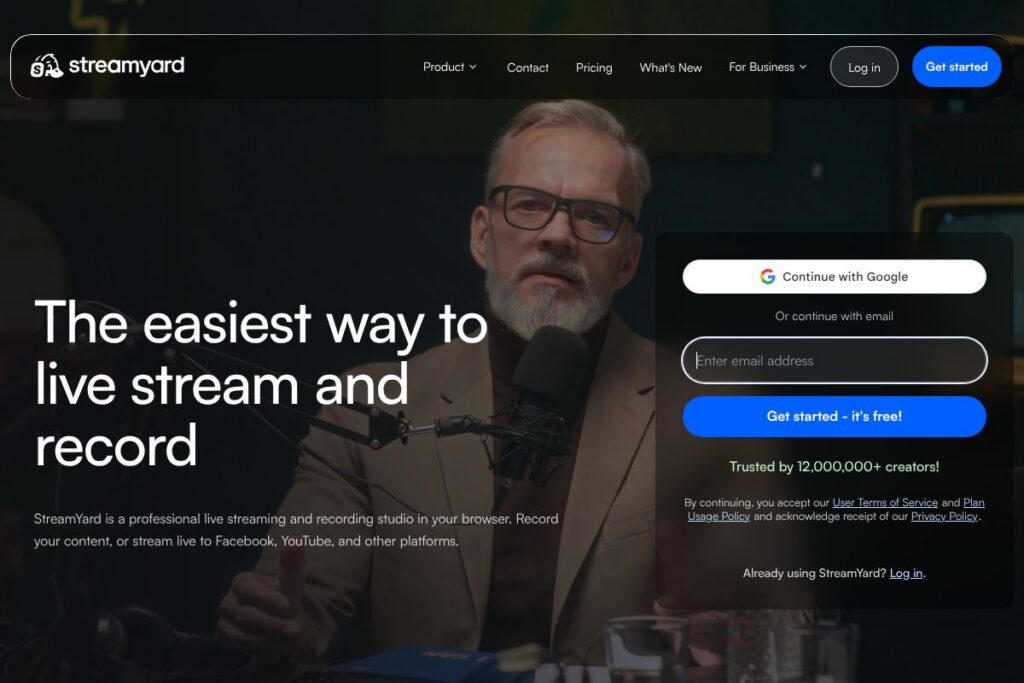
StreamYard is a web-based live streaming and recording platform that runs in a browser, removing the need for dedicated desktop software. It focuses on simple multistreaming, remote guest management, branded overlays, and separate local recordings so creators get cleaner audio and video for post-production.
Compared with competitors, StreamYard emphasizes production simplicity and browser access. Restream centers on broad distribution and analytics across many destinations, while OBS Studio is a free open source desktop application with advanced scene composition but a steeper learning curve. Ecamm Live offers polished production tools for macOS users, but it is not browser-native and is limited to a single operating system.
StreamYard does particularly well at making professional-looking broadcasts accessible to non-technical users. Its combination of multistreaming, guest invites, and local recording makes it a practical choice for podcasters, marketers, educators, and small teams that need reliable, easy-to-run live shows.
How StreamYard Works
The platform operates as a browser-based studio where hosts open a studio page, configure a destination or destinations, and invite guests by sending a join link. Guests connect from browser or mobile without downloads; StreamYard captures each participant’s audio and video locally to produce separate files for cleaner recording output.
During a session, the host manages layout, overlays, and on-screen elements from the studio UI. You can add logos, banners, lower thirds, pre-recorded videos, and switch between layouts while streaming live to platforms such as Facebook, YouTube, LinkedIn, Twitch, and custom RTMP destinations.
For workflows, teams often use StreamYard to stream live while recording local tracks for post-show edits. A typical workflow is: schedule the show, invite guests, run the live session while recording separate files, then download and edit the local files for podcast distribution or clips for social channels.
StreamYard features
StreamYard’s feature set centers on multistreaming, guest management, branding tools, and high-quality local recordings. The interface prioritizes production controls that are accessible from a browser; recent product messaging highlights a webinar-focused product called On-Air and improved studio stability.
Multistreaming
StreamYard allows simultaneous streaming to multiple destinations by sending the same live feed to platforms such as Facebook, YouTube, LinkedIn, Twitch, and custom RTMP endpoints. Multistreaming expands reach without requiring separate encoders and simplifies simultaneous audience engagement.
Local recordings
Local recordings produce separate audio and video files for each participant that are saved locally and available for download after the session. This approach prevents single-connection issues from degrading the final recorded assets, which is useful for podcasting and editing.
Branding and overlays
The studio supports adding logos, custom colors, overlays, backgrounds, and pre-roll/outro videos so shows look consistent and on-brand. These assets apply during live streams and recordings, reducing the need for post-production graphics work.
Guest invites and remote production
Guests join via a simple browser link and can connect from mobile or desktop without installing software. The platform provides basic on-screen controls for muting, camera selection, and connection checks so hosts can manage remote contributors in real time.
Screen sharing and media playback
Hosts and guests can share their screens, present slides, or play pre-recorded videos during a broadcast. These media tools enable demos, tutorials, and mixed-format shows without leaving the studio interface.
Live comments and audience interaction
StreamYard surfaces live comments and reactions from destination platforms in the studio, allowing hosts to display selected comments on screen and engage the audience directly during the broadcast.
StreamYard On-Air (webinar features)
On-Air is positioned as a webinar-capable product with embedding options for a white-label experience, registration handling, and production stability tailored to webinar formats. It is intended for users who need webinar-specific controls while retaining StreamYard’s production tools.
Recording exports and downloads
After a session, hosts can download separate video and audio files for each participant and combined master recordings. These exports make it straightforward to repurpose live shows into podcasts, clips, and on-demand videos.
With these capabilities, the biggest benefit is enabling high-quality live shows without complex setup. StreamYard trades advanced desktop-only features for a browser-first experience that speeds production and lowers the technical barrier for hosts and guests.
StreamYard pricing
StreamYard uses a subscription model with tiered plans and a free option for basic streaming and studio access. Exact plan names, included features, and billing rates are listed and updated on the vendor site.
For the latest plan details and to compare monthly and annual billing, check StreamYard’s pricing and plans on their official site. That page lists current tiers, what each plan unlocks, and any trial or promotional offers.
What is StreamYard Used For?
StreamYard is used for live broadcasts, interviews, panel discussions, and podcast recordings where accessibility and distribution matter. Creators use it to multistream the same show to multiple social platforms, while teams use it for product launches, town halls, and customer-facing webinars.
It is also commonly used to record higher-quality remote interviews and podcasts because of the separate local recordings per participant. Marketing teams, educators, faith organizations, and video-first creators benefit from quick setup, branded output, and easy guest management.
Pros and cons of StreamYard
Pros
- Browser-first accessibility: StreamYard runs in a browser so hosts and guests avoid software installs and cross-platform compatibility issues. This lowers friction for one-off guests and non-technical contributors.
- Multistreaming made simple: The platform can send a single production to multiple destinations simultaneously, simplifying distribution across social platforms and custom RTMP endpoints.
- Local multi-track recordings: Separate audio and video files per participant protect recording quality and make post-production cleaner and more flexible.
- Branding and production tools: Built-in overlays, lower thirds, logos, and video playback let small teams produce polished broadcasts without a separate graphics workflow.
Cons
- Less advanced than desktop encoders: For users who need full scene composition, plugin support, or advanced audio routing, desktop tools such as OBS Studio or vMix offer deeper control.
- Dependent on browser and network constraints: Although StreamYard manages quality well, browser limitations and participant internet connections can still affect live interactions and require fallback planning.
- Limited public API access: The platform focuses on production and platform destinations rather than exposing a broad public developer API for custom integrations.
Does StreamYard Offer a Free Trial?
StreamYard provides a free plan alongside paid subscription tiers. The free plan lets users access core streaming and recording features with StreamYard branding and limited production options, while paid plans remove branding and unlock expanded destinations, higher-quality recordings, and advanced studio features.
StreamYard API and Integrations
StreamYard does not position itself around a public developer API; instead, it focuses on native platform destinations and RTMP support for connecting to services. The studio integrates directly with major platforms such as Facebook, YouTube, LinkedIn, Twitch, and X (Twitter), and it can stream to custom RTMP endpoints to reach other services.
For embedding webinar experiences and learning about destination support, see StreamYard’s information on supported destinations and studio features on their site. Integration work typically involves connecting platform accounts or using RTMP keys rather than calling a public REST API.
10 StreamYard alternatives
Paid alternatives to StreamYard
- Restream — Multistream-focused platform with scheduling, analytics, and distribution tools for reaching multiple destinations at once. Restream emphasizes broad distribution and audience insights.
- Ecamm Live — macOS-native production software with strong scene controls, overlays, and guest handling for Mac users who want advanced local production tools.
- vMix — Windows-based live production software offering advanced mixing, inputs, and hardware integration for broadcast-level control.
- Wirecast — A professional streaming encoder for desktop that provides advanced production workflows and broadcast features for events and studios.
- Be.Live — Browser-based streaming studio with simplified tools for show layouts, interviews, and social streaming, targeting small teams and creators.
- Streamlabs — A streaming suite aimed at creators, especially gamers, with on-stream widgets, overlays, and monetization features; stronger desktop tooling than browser solutions.
- Zoom — While primarily a video conferencing tool, Zoom is used for webinars and shows when combined with streaming outputs to social platforms and encoders.
Open source alternatives to StreamYard
- OBS Studio — A free, open source desktop encoder and scene composer that supports custom scenes, plugins, and RTMP streaming; highly flexible but requires more setup.
- Nginx with RTMP module — An open source streaming server setup for users who want to self-host RTMP ingest and distribution; requires server administration expertise.
- Jitsi Meet — Open source video conferencing software that can be adapted for live streaming workflows when combined with recording and RTMP bridges.
Frequently asked questions about StreamYard
What platforms can StreamYard stream to?
StreamYard can stream to major social platforms and custom RTMP destinations. Common destinations include Facebook, YouTube, LinkedIn, Twitch, and X (Twitter), plus any service that accepts RTMP.
Does StreamYard record separate tracks for each participant?
Yes, StreamYard offers local multi-track recording per participant. Each participant’s audio and video are captured separately so the final files are suitable for post-production and editing.
Can I invite guests to a StreamYard broadcast without downloads?
Yes, guests join via a browser link with no software installation required. This makes it easy to include one-off or remote contributors from desktop or mobile.
Is StreamYard suitable for webinars and embedding on a website?
StreamYard provides a webinar-oriented product called On-Air that supports embedding and white-label experiences. On-Air is designed for webinar stability, registration, and a more controlled presentation format.
Does StreamYard offer integrations with other tools like OBS or encoders?
StreamYard supports custom RTMP outputs which can connect with encoders and intermediary services. While it is not centered on a public API, RTMP and platform account connections allow flexible integration into broader workflows.
Final verdict: StreamYard
StreamYard stands out for making live production accessible without software installs, offering clean multistreaming, branded visuals, and reliable local recordings. Its browser-first approach reduces setup friction for hosts and guests while preserving many production controls you need for a polished show.
Compared with Restream, StreamYard focuses more on in-studio production and branding, while Restream leans into distribution and analytics. Both use subscription pricing models, so choosing between them depends on whether you prioritize production simplicity and local recording (StreamYard) or advanced distribution features and platform-level analytics (Restream).
Overall, StreamYard is a strong choice for creators, marketers, and small teams that want a dependable, easy-to-use production studio for live streaming and recording without the complexity of desktop encoders or extensive technical setup.