What is tawk.to
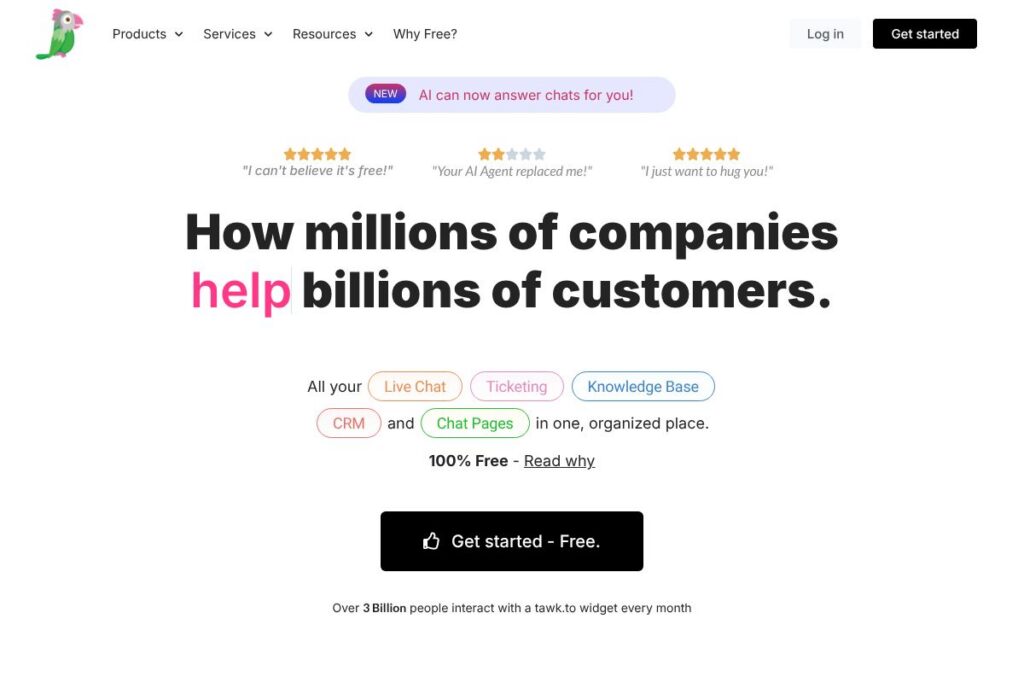
tawk.to is a hosted live chat platform that lets websites add a chat widget, monitor visitors in real time, and manage conversations with ticketing and a built-in knowledge base. The core product is provided at no cost, while optional paid services such as professionally trained chat agents and branding removal are available.
Compared with products like Zendesk, Intercom, and LiveChat, tawk.to focuses on making core messaging features freely available and removing seat or chat volume limits. Zendesk and Intercom bundle broader help-desk ecosystems and more advanced automation at higher price points, while LiveChat targets a similar live-chat use case but with paid tiers for advanced capabilities. tawk.to trades advanced paid automation for a fully free core experience and the option to add paid services on demand.
All of this makes tawk.to a practical choice for small businesses, ecommerce sites, and any organization that needs real-time visitor messaging with minimal upfront cost, while larger teams that need deep automation and a dedicated support SLA may prefer a paid platform.
How tawk.to Works
Adding tawk.to starts by embedding a small JavaScript snippet into your site or using a plugin for common CMS platforms; the widget appears on pages and immediately begins tracking visitor activity. Agents monitor active pages, view basic visitor metadata and engagement history, and respond through web, desktop, or mobile apps.
Conversations can be routed to teams, assigned to specific agents, or escalated into tickets. The platform pairs live chat with a searchable knowledge base so agents can paste article links and shortcuts into replies, and admins can publish those articles publicly to reduce repeat questions. For implementation specifics and code examples, see the tawk.to JavaScript API documentation.
tawk.to features
tawk.to centers its offering on live chat, ticketing, and a knowledge base, with several add-ons such as voice/video and paid agent services. Core capabilities include an embeddable widget, unlimited agents and history, visitor tracking, basic reporting, and integrations through a JavaScript API. Recent additions mentioned in product copy include AI-assisted agents and in-chat payments in beta.
Live chat widget
The widget is customizable and multilingual, loads via a lightweight JavaScript snippet, and supports real-time typing indicators and message sneak-peek. It helps teams respond faster by surfacing which page a visitor is on and maintaining full conversation history across sessions.
Ticketing and conversation management
Chats can be converted into tickets for asynchronous work, assigned to teammates, tagged, and filtered for reporting. This centralizes conversations from multiple channels into a single property so teams can follow an end-to-end customer journey.
Knowledge base
A built-in knowledge base lets teams publish help articles and share internal notes during chats, reducing repetitive messaging. Public articles improve self-service, while internal drafts and search shortcuts speed up agent responses.
Unlimited agents and history
tawk.to does not cap the number of agents or the volume of stored chat history on a property, which suits growing teams and multiple-site deployments. Each agent has their own account for access control and audit trails.
JavaScript API and integrations
A JavaScript API lets developers programmatically control the widget, push visitor data, and trigger custom events for deeper workflow automation. Common integrations include CMS plugins and analytics tools for capturing chat events alongside site metrics.
Voice, video, and screen sharing (add-ons)
Optional add-ons provide voice, video calling, and screen sharing to escalate complex support scenarios without leaving the platform. These features are offered as paid extensions to the free core product.
AI agents and automation (beta)
AI-assisted agents can answer chats automatically and help draft replies using conversational templates; this capability is presented as an optional way to reduce manual handling. Automation also extends to shortcuts and canned responses that speed typical support flows.
With these features, tawk.to delivers an all-in-one, no-cost starting point for website messaging while giving teams the tools to scale with add-ons and integrations.
tawk.to pricing
tawk.to uses a free-first pricing approach for its core messaging platform, and supplements that core product with optional paid services. The software itself, desktop and mobile apps, and key features are provided at no charge; additional services are billed separately.
Core product
Free: 100% free access to the live chat widget, unlimited agents, ticketing, knowledge base, visitor tracking, and chat history. This covers the platform functionality needed to run customer messaging across multiple sites.
Paid add-ons and services
Hired Agent service: $1/hr for professionally trained, native-speaking chat agents who handle messaging on your behalf. This is a usage-based service rather than a subscription. Some users may also choose to pay a small fee to remove the “Powered by tawk.to” branding, with that fee quoted at checkout.
For more information about optional services and current offerings, visit the tawk.to homepage and the tawk.to Help Center for details on add-ons and agent services.
What is tawk.to Used For?
tawk.to is used to capture and respond to website visitor messages in real time, reduce support friction with a searchable knowledge base, and manage asynchronous requests via ticketing. It is commonly deployed on ecommerce sites, SaaS product pages, blogs, and service pages to answer pre-sale and support questions quickly.
Teams also use tawk.to to centralize customer interactions across multiple domains and to surface FAQ trends through search analytics in the help center. Organizations that want messaging without per-seat fees find tawk.to useful for keeping operational costs low while maintaining 24×7 coverage through internal teams or paid agent services.
Pros and Cons of tawk.to
Pros
- Truly free core platform: The core product includes unlimited agents, unlimited history, and a customizable widget at no cost, which lowers the barrier to entry for small businesses and nonprofits. This makes it easy to add live chat across multiple sites without recurring seat charges.
- Simple setup and developer hooks: A quick JavaScript snippet deploys the widget in minutes, and the JavaScript API enables event tracking and custom behavior for developers. CMS plugins and straightforward configuration reduce implementation time.
- Built-in knowledge base and ticketing: Combining live chat with a knowledge base and ticketing keeps support context in one place, so teams can publish articles, use shortcuts, and turn chats into tickets without third-party tools.
Cons
- Limited advanced automation compared to paid rivals: While tawk.to offers basic automation and AI assistance, platforms such as Intercom or Zendesk provide deeper workflow automation, multi-channel routing, and advanced analytics for enterprise needs. This makes tawk.to less suitable when organization-wide automation is required.
- Hosted-only architecture: tawk.to is a hosted service and does not offer an on-premise, self-hosted option, which may be a limitation for organizations with strict data residency or regulatory requirements.
- Add-on model for premium features: Some advanced features like voice/video, screen sharing, professional agents, and branding removal require extra fees or are offered as paid add-ons, which can increase overall cost for larger teams.
Does tawk.to Offer a Free Trial?
tawk.to offers a free plan that provides full access to the core live chat, ticketing, knowledge base, unlimited agents, and apps; access is free forever for self-managed use. Optional paid services such as the professionally trained Hired Agent service are billed separately at $1/hr, and small fees may apply for branding removal or premium add-ons. Get started for free via the tawk.to signup page.
tawk.to API and Integrations
tawk.to provides a JavaScript API that developers use to initialize the widget, pass visitor metadata, listen for events, and trigger custom behavior during chats. See the tawk.to developer documentation for examples and integration notes.
Beyond the API, tawk.to integrates with common site platforms and analytics tools through plugins and webhook patterns, enabling basic connections to systems like Google Analytics, WordPress, and other CMSs. For details on specific integrations and setup steps, consult the tawk.to Help Center.
10 tawk.to alternatives
Paid alternatives to tawk.to
- Intercom — A paid customer messaging and product engagement platform with advanced automation, multichannel inboxes, and deep customer data tools for growth and support teams.
- Zendesk — A full-featured support suite with ticketing, knowledge base, and chat that scales to enterprise needs and integrates into broad IT and CRM ecosystems.
- LiveChat — A commercial live-chat provider focused on sales and support workflows, with apps, customizable widgets, and add-ons for analytics and automation.
- Freshdesk — A helpdesk platform with chat, ticketing, and automation designed for mid-market and enterprise teams, bundled with Freshworks’ suite of products.
- Drift — A conversational marketing and sales platform with chatbots, playbooks, and routing focused on lead qualification and meeting scheduling.
- Olark — A simpler paid live chat solution with reporting, automation, and CRM integrations aimed at small to medium businesses.
- Help Scout — A help-desk product that emphasizes email-style ticketing, a shared inbox, and a knowledge base for customer support teams.
Open source alternatives to tawk.to
- Chatwoot — An open source customer messaging platform that provides live chat, shared inboxes, and APIs for self-hosting or cloud deployment.
- Rocket.Chat — A team communication platform with live chat capabilities, which can be self-hosted and extended for customer-facing channels.
- Mibew Messenger — A lightweight open source live chat solution that can be self-hosted and embedded into websites for direct messaging.
- Live Helper Chat — An open source chat and support system with real-time monitoring, file transfer, and a built-in knowledge base for self-hosting.
Frequently asked questions about tawk.to
What is tawk.to used for?
tawk.to is used to provide live chat on websites, manage tickets, and publish help center content. Teams use it to respond to visitors in real time, centralize conversations, and create knowledge base articles to reduce repetitive questions.
Is tawk.to free to use?
Yes, tawk.to offers a free core product for unlimited agents and unlimited chat history. Optional paid services such as professionally trained hired agents are billed separately, typically at $1/hr.
Does tawk.to offer an API for developers?
Yes, tawk.to exposes a JavaScript API for controlling the widget and sending visitor data. Developers use it to trigger chats, set visitor properties, and integrate chat events with analytics or backend systems.
Can tawk.to handle multiple websites and teams?
Yes, tawk.to supports multiple properties and unlimited agents. You can add widgets to several domains, assign conversations to departments, and share properties across agent accounts.
Is tawk.to secure for customer conversations?
tawk.to uses encrypted connections and hosts data on encrypted servers. Communication between agents and visitors is protected with industry-standard transport security, and the service operates from a globally distributed cloud infrastructure.
Final Verdict: tawk.to
tawk.to stands out as a no-cost entry point for website messaging that includes unlimited agents, ticketing, and a knowledge base, which makes it attractive for small businesses and sites that need low-cost customer contact. The combination of an easy JavaScript setup, mobile and desktop apps, and optional paid agent coverage allows organizations to start with minimal investment and scale coverage as needed.
Compared to a paid competitor such as Intercom, tawk.to is functionally leaner but materially cheaper: Intercom focuses on deeper automation, product messaging, and enterprise workflows at a subscription price, whereas tawk.to provides core live chat for free and charges only for optional hired-agent hours at $1/hr. For teams that prioritize cost-free messaging with the option to add human support on demand, tawk.to is a compelling choice; teams that require built-in advanced automation and analytics may prefer a paid platform like Intercom or Zendesk.