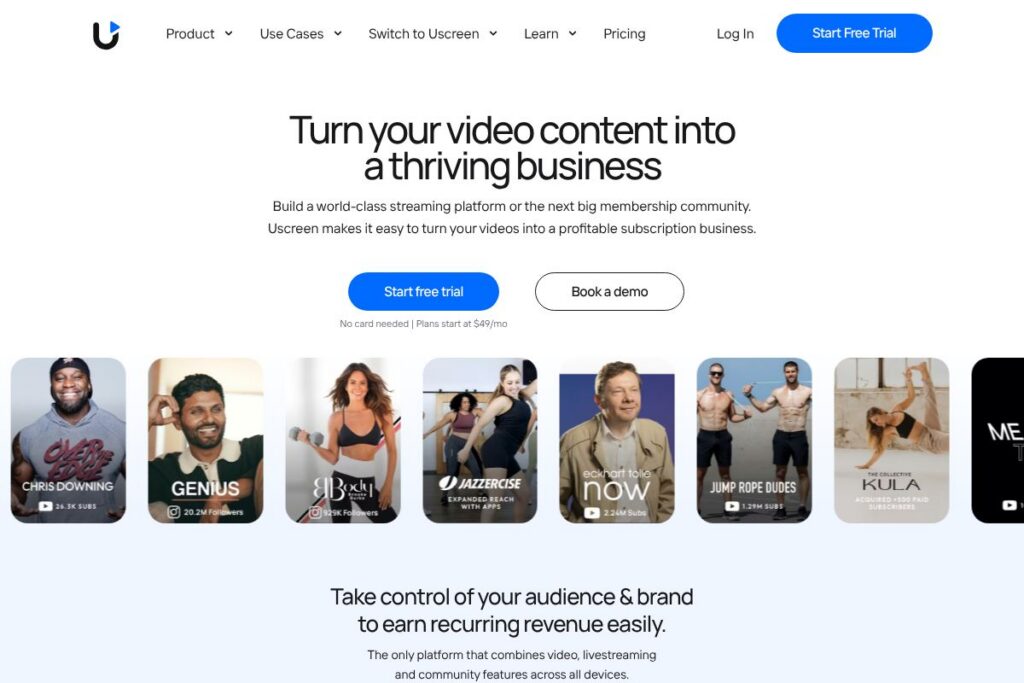
What is Uscreen
Uscreen is an all-in-one video membership platform that helps creators publish video libraries, run live events, and sell subscription or one-off access across web, mobile, and TV apps. It combines video hosting, membership billing, native app publishing, and community tools so creators can manage audience, distribution, and revenue from a single platform. Explore Uscreen’s core capabilities on the features page.
Compared with competitors, Uscreen focuses specifically on video-first memberships and native apps rather than general course builders or donation platforms. For example, Kajabi emphasizes course funnels and built-in email marketing while Patreon centers on patronage and community tiers; Uscreen puts more emphasis on streaming quality, TV support, and in-app distribution. Against Vimeo OTT Uscreen competes on integrated community features and onboarding services for creators moving an existing audience into a paid membership.
All of this makes Uscreen well suited for creators who need a dedicated streaming-and-membership stack with native apps and live streaming baked in. It does particularly well at combining hosting, billing, and app distribution into a single workflow, which is useful for independent studios, fitness instructors, educators, and niche entertainment publishers.
How Uscreen Works
Creators upload or import video content into Uscreen’s video library, organize content into collections and playlists, and assign access via subscription plans, one-off purchases, or bundles. The platform handles secure video delivery and DRM-ready playback on web, mobile, and TV devices so members see a Netflix-style interface without requiring the creator to manage CDN or player infrastructure.
To monetize, creators configure pricing, set trial or promo options, and connect payment processors. Uscreen supports recurring subscriptions and one-time sales; built-in analytics track membership churn, video engagement, and revenue so creators can iterate on offers and content strategy.
Uscreen also manages app distribution and live events. Creators can publish branded iOS, Android, Apple TV, and Roku apps, host live streams that members can join from any device, and use the integrated community features to keep members interacting. For developer or integration details, see Uscreen’s developer resources.
What does Uscreen do?
Uscreen provides the core building blocks for running a paid video membership: video hosting and streaming, subscription and storefront management, native apps for mobile and TV, and live streaming with member chat. It bundles these capabilities so a creator does not need separate hosting, billing, or app teams to reach audiences on multiple platforms.
Here are some key features worth highlighting:
Video hosting and player
Secure, adaptive hosting stores your master files and serves optimized streams to members on desktop, mobile, and TV. The player supports download options, captioning, and playback controls, which helps viewers binge content and improves accessibility.
Membership and billing management
Uscreen handles plan configuration, recurring billing, trials, promotions, and tax collection workflows so creators can sell subscriptions and one-off purchases without building their own payments stack. Built-in member management tools let you segment audiences, run coupons, and manage access rights.
Native mobile and TV apps
Publish branded iOS, Android, Apple TV, and Roku apps to give members an app-first experience with push notifications and app store distribution. Mobile and TV apps improve retention by keeping content visible on the devices members use most; see more on Uscreen’s apps offering.
Live streaming and event management
Integrated live streaming lets creators run live shows, workshops, and ticketed events with built-in chat and calendar reminders. Live events can be monetized through pay-per-view or included with subscriptions to increase engagement and add time-based revenue.
Community and engagement features
Uscreen includes community channels next to video content so members can post, comment, and create connections within the membership. Public and private channels help creators foster a safer, more interactive environment that increases lifetime value.
Monetization flexibility
The platform supports subscriptions, one-off sales, trials, bundles, and promo codes, giving creators multiple ways to price and package content. Flexible checkout and payment gateway options let creators test pricing without rearchitecting their business model.
Marketing, analytics, and creator support
Uscreen provides basic marketing automations, email integrations, and analytics for payments, retention, and video performance to inform growth strategies. Creators also get onboarding, migration assistance, and account management services to accelerate launch.
With these capabilities, the biggest benefit is that Uscreen consolidates streaming, membership billing, apps, and community into one platform so creators can focus on content and audience growth rather than juggling multiple vendors.
Uscreen pricing
Uscreen uses a subscription-style SaaS pricing approach tailored to creators and businesses of different sizes, typically offering individual creator plans and higher-touch enterprise options. Pricing varies by the level of features, native app support, and onboarding services, and creators can choose plans that include additional services such as migration or a dedicated success manager.
For the most accurate and up-to-date details about plan tiers, available add-ons, and enterprise options, view Uscreen’s current pricing options.
What is Uscreen used for
Uscreen is used to create paid video memberships, host evergreen video libraries with bingeable interfaces, and run monetized live events. Creators use it when they want a single platform that handles streaming, payments, and native app distribution without managing separate services.
Typical users include fitness instructors launching subscription classes, independent media studios building branded streaming services, educators running ongoing membership courses, and event producers who need ticketed live streams across devices. Organizations with an existing audience that want to move from ad or social reliance to direct revenue find the platform especially useful.
Pros and cons of Uscreen
Pros
- Integrated native apps: Having mobile and TV apps built into the platform reduces the technical overhead of multi-device distribution and helps with retention.
- All-in-one membership stack: Video hosting, billing, live streaming, and community live under one roof, which simplifies operations and reporting for creators.
- Dedicated onboarding and migrations: Expert migration services and success managers help creators move content and audiences with less friction.
- Live streaming plus community: Combining live events with community channels increases engagement and gives creators multiple monetization touchpoints.
Cons
- Platform focus on video memberships: If your primary product is text-heavy courses or non-video content, Uscreen’s video-first design may include features you do not need.
- Potential for higher platform dependence: Relying on a single vendor for hosting, apps, and billing concentrates control with the provider, which may be a consideration for creators who prefer modular stacks.
Does Uscreen Offer a Free Trial?
Uscreen offers a free trial and complimentary demo options so creators can test platform features and discuss business setup with a Creator Advocate. The trial typically includes access to core features such as video hosting, membership setup, and the admin interface; you can also schedule a demo to review app publishing and migration options.
Uscreen API and Integrations
Uscreen provides developer resources and integration points so creators can connect payments, email platforms, analytics, and marketing tools; check Uscreen’s developer documentation for endpoint details and SDK guidance. Common integrations include payment gateways and automation tools that link membership events to marketing workflows.
For non-developers, prebuilt integrations and Zapier-style connectors let you sync member events and revenue data with popular marketing and CRM systems, reducing manual work when scaling an audience.
10 Uscreen alternatives
Paid alternatives to Uscreen
- Vimeo OTT — Video-first platform for creators and media companies with monetization options and app distribution, suited for publishers who already use Vimeo’s ecosystem.
- Kajabi — An all-in-one platform focused on courses, funnels, and email marketing, useful when course delivery and marketing automation are the top priority.
- Patreon — Membership and patronage platform centered on creator tiers and recurring support, ideal for artists and creators focused on community-supported income.
- Thinkific — Course platform that supports subscriptions and one-off purchases, aimed at educators who need robust course creation tools.
- Teachable — Course and coaching platform with flexible pricing options and content delivery tools for educators and small teams.
- Memberful — Membership software focused on monetization for independent publishers and communities, often used as a lightweight membership layer on top of existing sites.
- Brightcove — Enterprise-grade video platform with advanced streaming features and analytics, targeted at larger publishers with complex needs.
Open source alternatives to Uscreen
- WordPress with MemberPress — A self-hosted approach using WordPress and membership plugins to build a paid site with video embeds and custom checkout flows.
- PeerTube — Decentralized, open source video hosting and streaming software suitable for communities that want self-hosted alternatives to centralized platforms.
- Streama — Self-hosted streaming server that provides a Netflix-style interface for private video libraries, useful for teams comfortable managing infrastructure.
Frequently asked questions about Uscreen
What is Uscreen used for?
Uscreen is used to build paid video memberships, host live events, and publish branded mobile and TV apps. Creators use it to centralize streaming, billing, and audience engagement in one platform.
Does Uscreen offer app publishing for mobile and TV?
Yes, Uscreen supports native app publishing for iOS, Android, Apple TV, and Roku. The platform helps creators prepare and distribute branded apps so members can access content from common devices.
Can Uscreen handle live streaming events?
Yes, Uscreen includes live streaming and event management features. Creators can sell tickets or include events in subscriptions, run live chat, and configure calendar reminders for attendees.
Does Uscreen integrate with payment processors and marketing tools?
Uscreen integrates with common payment gateways and marketing systems, and it provides developer APIs for custom integrations. These integrations enable automated billing, email workflows, and analytics reporting.
Is Uscreen suitable for creators moving off social platforms?
Yes, Uscreen is designed for creators who want direct customer relationships and recurring revenue. It includes migration assistance and tools to transition audiences into paid memberships.
Final verdict: Uscreen
Uscreen stands out as a purpose-built platform for creators who need a unified solution for video hosting, memberships, live streaming, and native apps. Its combination of app distribution, community features, and migration support reduces the technical burden of launching a branded streaming experience and helps creators focus on content and retention.
Compared with Kajabi, which centers on course creation and marketing funnels with clearly listed tiered pricing, Uscreen prioritizes video delivery and multi-device app support and follows a more tailored pricing approach that often includes onboarding and app services. If your business depends on delivering high-quality streaming and native apps with integrated community features, Uscreen is a strong choice; if you need deeper course-building and email automation out of the box, consider Kajabi and compare their pricing pages directly for a feature and cost trade-off.