What is Viber?
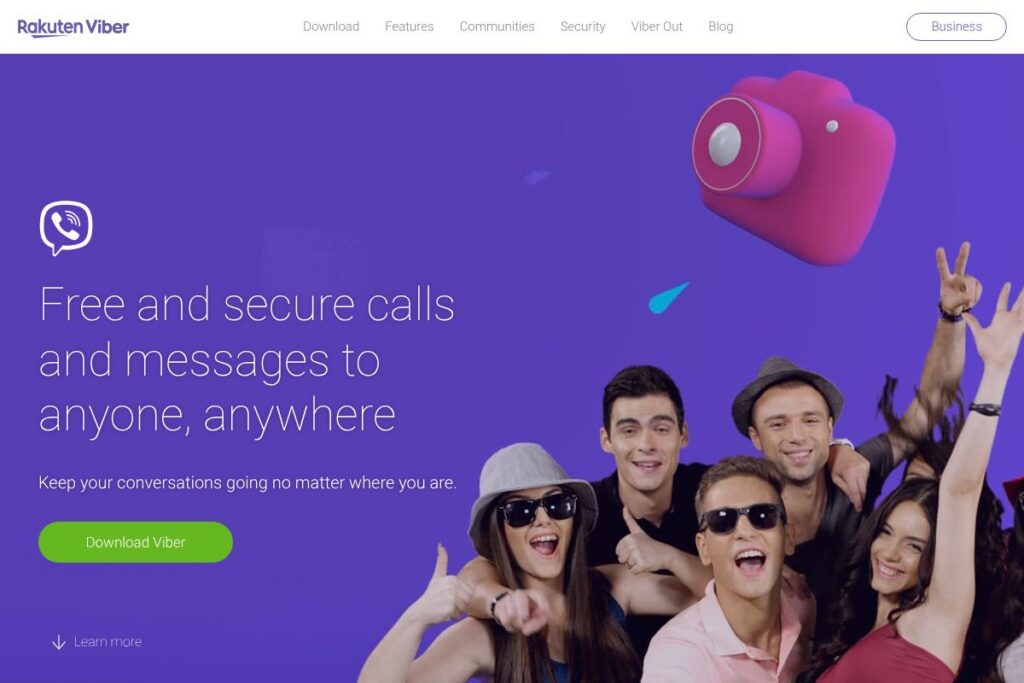
Viber is a cross-platform messaging and calling application that uses your phone number as the account identifier. It supports text messaging, voice and video calling, group chats, and media sharing across mobile and desktop clients with end-to-end encryption on most conversations.
Compared with competitors, Viber sits between lightweight chat apps and platform ecosystems. Against WhatsApp, Viber offers similar encryption and broad feature parity but adds built-in sticker marketplaces and optional paid calling to non-Viber numbers via Viber Out. Compared with Telegram, Viber focuses more on voice and video calling and curated sticker content rather than large-scale channels and cloud-based secret chats. Versus Skype, Viber emphasizes mobile-first messaging and a consumer sticker economy while providing comparable voice/video calling for individuals and groups.
All of this makes Viber well suited for people who want a full-featured consumer messaging app with strong voice/video capabilities, rich expressive content, and optional paid calling to landlines and mobiles. It is particularly useful for users who move between mobile and desktop and want synced conversations and call transfer between devices.
How Viber Works
Viber registers you with your phone number and scans your contacts to indicate which contacts already use the service. Messages and calls travel over the internet to other Viber users, and the app syncs conversation history between mobile and desktop clients so you can pick up conversations on either device.
Calls and messages between Viber users are encrypted, and group chats support reactions, replies, and file sharing. For calls to non-Viber numbers, Viber uses a paid credit system called Viber Out that routes to the traditional phone network.
A common workflow is to start a conversation on your phone, accept a group video call on desktop with one tap, then transfer the call back to mobile without interrupting the call. For businesses, the Viber Business API lets brands send messages and connect with customers using chatbots and structured messages.
What does Viber do?
Viber’s core functionality centers on messaging, voice and video calling, and expressive media. Key capabilities include one-to-one and group messaging, high-quality voice and video calls, a stickers and GIF ecosystem with user-created content, and seamless syncing across mobile and desktop clients.
Let’s dive into the standout features:
Voice and video calls
High-fidelity voice and video calls work between Viber users on both mobile and desktop, with group call support for quick meetings or casual catch-ups. Calls prioritize connection quality and offer basic call-handling controls such as mute, camera toggle, and switching devices mid-call.
Group chats & calls
Group chats support message reactions, threaded replies, polls, and media sharing to keep conversations organized. You can escalate a group text thread into a group voice or video call instantly to move from discussion to live conversation.
Stickers & GIFs
Viber maintains a large sticker marketplace and GIF support so users can express tone and personality beyond text. The app allows creation and purchase of custom sticker packs, which are available across devices once bought.
Cross-device sync and call transfer
Chats and calls are synced between mobile and desktop clients so message history, media, and active calls follow you across devices. One-tap transfer of calls makes it simple to move from desktop to mobile without ending the conversation.
End-to-end encryption and privacy features
Most conversations on Viber are protected with end-to-end encryption, and the app provides privacy controls such as hidden chats and message deletion. These features help protect sensitive conversations while still supporting multimedia sharing.
Viber Out (paid calling to non-Viber numbers)
Viber Out provides pay-as-you-go calling credits for calls to landlines and non-Viber mobile numbers where internet-based calling is not available. This lets users reach contacts who do not use Viber while keeping everything inside the same app.
With these capabilities Viber combines reliable voice/video communication, expressive media, and cross-device continuity to support everyday personal and small-team conversations.
Viber pricing
Viber follows a freemium model: the app is free for messaging and calls between Viber users, while optional paid add-ons are available for calling external phone numbers and purchasing premium content. There is no centralized subscription tier for core messaging; paid items are on-demand.
Individuals
Viber’s core messaging, voice and video calls, group chats, stickers viewing, and desktop sync are free to use for individuals. You can download the app from the Viber homepage or the official app stores.
Viber Out (pay-as-you-go)
Viber Out uses a pay-as-you-go credit system for calling landlines and mobile numbers that are not on Viber. Rates vary by destination and are charged per minute; view specific destination rates and credit purchase options on the Viber Out pages.
Business & Enterprise
Viber offers messaging and bot APIs for brands and enterprises with custom pricing and volume-based options. Organizations interested in customer messaging or chatbot deployment should review the Viber for Business site to request pricing and technical details.
What is Viber Used For?
Viber is commonly used for everyday personal messaging, family group chats, and casual voice or video calls across mobile and desktop. Its sticker marketplace and media features make it a popular choice for users who value expressive, visual communication.
Viber is also used by small businesses and brands to reach customers through the Viber Business API and chatbots, especially for markets where Viber has strong regional adoption. Individuals who need occasional international calls to non-internet numbers use Viber Out for those scenarios.
Pros and Cons of Viber
Pros
- Cross-device sync: Chats and calls synchronize between mobile and desktop, enabling seamless transitions and consistent history on both devices.
- Rich expressive content: Large sticker marketplace, GIF support, and the ability to create custom sticker packs expand expressive options beyond plain text.
- High-quality calling: Reliable voice and video calls for one-to-one and group conversations, plus paid Viber Out for reaching non-Viber numbers.
- Developer and business tools: A public API and business platform enable chatbots and customer messaging for brands.
Cons
- Regional adoption varies: Availability and popularity differ by country, which can limit contact reach compared with globally dominant apps such as WhatsApp.
- Paid features for external calls: Calling non-Viber numbers requires purchasing credits through Viber Out, which adds cost when reaching traditional phone lines.
- Feature overlap with competitors: Many messaging features overlap with other apps, so users may need multiple messaging apps to reach all contacts.
Does Viber Offer a Free Trial?
Viber offers a free plan for core messaging and calling. Messaging, voice and video calls between Viber users, group features, and the desktop app are free; optional paid items include Viber Out credits for calling non-Viber numbers and premium sticker packs. Businesses using Viber APIs typically receive custom trials or demos arranged through the Viber for Business contact process.
Viber API and Integrations
Viber provides a developer platform and APIs for building chatbots and integrating messaging into business workflows; the Viber Developers portal documents webhook endpoints, authentication, and messaging formats. The Business API supports structured messages, media, and bot interactions for customer engagement.
On the user side, Viber integrates with your phone contacts for discovery, supports desktop clients for Windows and macOS, and syncs media between devices. Third-party integrations are mostly available through business and developer implementations rather than consumer-facing plugin marketplaces.
10 Viber alternatives
Paid alternatives to Viber
- WhatsApp: Popular global messaging app with end-to-end encryption, voice/video calling, and a Business API for customer messaging.
- Telegram: Cloud-based messaging with large group capabilities, channels, bots, and extensive file-sharing support.
- Signal: Privacy-focused messaging and calling app with open-source clients and strong encryption defaults.
- Skype: Longstanding voice and video calling platform with landline calling and business meeting features.
- Facebook Messenger: Large user base, integrated with Facebook, offering messages, calls, and rich media.
- WeChat: Feature-rich app combining messaging, payments, and mini-programs in markets where it is dominant.
- LINE: Messaging app with stickers, payments, and social features popular in certain regions.
Open source alternatives to Viber
- Signal: Open-source clients and server software focused on privacy and secure messaging.
- Element: A client for the Matrix protocol offering decentralized messaging, rooms, and federation.
- Jitsi Meet: Open-source video conferencing focused on browser-based and self-hosted video calls.
- Mattermost: Open-source chat platform aimed at teams with self-hosted deployment options.
- Prosody (XMPP): Lightweight open-source XMPP server powering self-hosted instant messaging solutions.
Frequently asked questions about Viber
Is Viber free to use?
Yes, Viber is free to use for messaging and calls between Viber users. Optional paid items include Viber Out credits for calls to non-Viber numbers and premium sticker packs.
Does Viber offer end-to-end encryption?
Yes, Viber supports end-to-end encryption for most one-to-one and group conversations. The app displays security indicators for encrypted chats and includes privacy controls like hidden chats.
Can businesses send messages with Viber?
Yes, businesses can use the Viber Business API to send messages and deploy chatbots. Brands can integrate customer messaging, rich media, and structured messages through the developer and business portals.
Does Viber sync messages between mobile and desktop?
Yes, Viber synchronizes chats between mobile and desktop clients. This allows message history, media, and active calls to be accessed across devices.
How do I call a non-Viber number using Viber?
You use Viber Out, a pay-as-you-go calling credit system. Purchase credits within the app and dial landline or mobile numbers that are not registered on Viber.
Final Verdict: Viber
Viber combines consumer-friendly messaging and high-quality voice/video calling with a rich sticker economy and smooth cross-device sync. It performs particularly well for users who value expressive media and the ability to call non-internet numbers through Viber Out while keeping most interactions inside a single app.
Compared with WhatsApp, Viber matches core messaging and encryption features and adds a more visible sticker marketplace and paid calling option; WhatsApp does not offer a built-in pay-per-minute calling product for landlines. For users who need business messaging, both platforms provide APIs, but Viber promotes regionally tailored solutions and in-app content commerce, with business pricing handled through direct engagement on the Viber for Business site.