What is Vidyard?
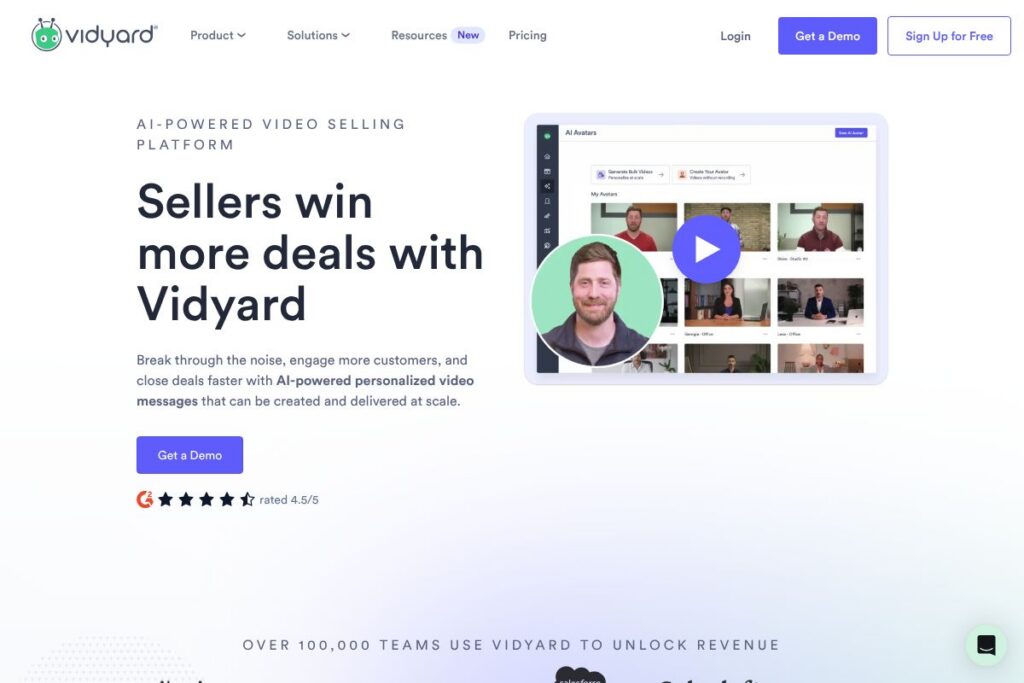
Vidyard is a business-focused video platform designed to help revenue and customer teams send personalized video messages, host marketing and product videos, and measure viewer engagement. It combines recording tools, a hosted player, analytics, and integrations with CRMs and marketing platforms so teams can use video inside everyday workflows.
Compare Vidyard with platforms like Loom, Wistia, and BombBomb. Loom focuses on fast screen and webcam recording for internal and lightweight external use, with a simple sharing model that suits individual contributors. Wistia emphasizes video hosting, website embeds, and marketing features such as lead capture and A/B testing for marketers. BombBomb targets sales email video delivery and lightweight tracking, similar to Vidyard but with different emphasis on workflow and integrations.
Vidyard stands out for its combination of personalized outbound video workflows, enterprise-ready analytics, and CRM automation. That mix makes it particularly useful for sales teams sending one-to-one or scaled personalized videos, and for marketing teams that need hosted video with engagement data tied back to leads and accounts.
How Vidyard Works
Users create videos with browser-based or desktop recording tools that capture webcam, screen, or both; videos can be edited, branded, and published to a hosted player without separate hosting. Shared videos are delivered by link, embedded on pages, or sent via email sequences where viewers are tracked.
The platform records engagement signals such as play rate, watch duration, and viewer identity when integrated with a CRM. Those signals are surfaced as analytics, alerts, and lead-scoring inputs so reps can prioritize follow-up and marketers can measure funnel impact. Vidyard also offers AI-assisted features to scale personalization and produce short, targeted videos more quickly.
Vidyard features
Vidyard bundles recording tools, a hosted player, audience analytics, CRM and marketing automation integrations, and AI-assisted personalization features into a single platform aimed at revenue-generating teams. Recent additions emphasize scaled personalization and automation to help sellers deliver individualized messages at volume.
Let’s talk Vidyard’s Features
Personalized Video Messages
Record one-to-one or one-to-many personalized videos that can include viewer-specific text, thumbnails, and CTAs. This helps sales reps build rapport and increases response rates compared with plain text outreach.
Video Agent and AI Personalization
Video Agent and similar AI features help generate, personalize, and scale video content by suggesting scripts, producing short clips, or automating follow-up sequences. These capabilities reduce the time required for creating consistent, on-brand messages at scale.
Video Hosting and Management
Host videos on Vidyard’s player with centralized asset management, folders, and permission controls for teams. Central hosting simplifies distribution across web pages, email, and sales sequences while ensuring consistent delivery and branding.
Analytics and Engagement Tracking
Measure viewer behavior with metrics like views, watch time, drop-off points, and viewer identity when the viewer is known. Analytics can be tied back to leads and contacts to inform follow-up and optimize content performance.
Integrations and CRM Sync
Native integrations connect video activity to CRMs and marketing tools to push engagement events into workflows and lead records. This creates automated triggers such as follow-up tasks, lead scoring adjustments, and campaign attribution.
Player Customization and CTAs
The Vidyard player supports branding, custom thumbnails, chapter markers, and clickable CTAs to convert viewers into leads directly from the player. Those interactive elements make video more actionable for marketing campaigns and sales outreach.
Security and Compliance
Enterprise features include access controls, SSO, and data governance options to meet corporate security needs. These controls are important when videos contain customer-sensitive content or when organizations require strict audit trails.
With these capabilities, Vidyard helps teams combine personalized outreach with measurable results, making video both a creative asset and a source of behavioral data for revenue operations. The biggest benefit is closing the gap between content and action, so teams can use viewer signals to prioritize real-world follow-up.
Vidyard pricing
Vidyard uses a subscription and enterprise pricing model tailored to team size and required features; public pricing details are not centralized on a single pricing page. For current plan tiers, seat counts, and enterprise options, review Vidyard’s official site for the most up-to-date information.
For more on licensing and plan choices, see Vidyard’s pricing and plans.
What is Vidyard used for
Vidyard is commonly used for personalized sales outreach where reps record short video messages to start conversations, follow up after calls, or demonstrate products. Those videos help increase response rates and give sellers insight into who watched and how much of the video was consumed.
Marketing teams use Vidyard to host campaign videos, embed the player on landing pages, capture leads through in-player CTAs, and feed engagement data into analytics and attribution models. Customer success and support teams use product walkthroughs and onboarding videos to reduce time-to-value and lower support volume.
Pros and cons of Vidyard
Pros
- Strong personalization features: Video creation and AI-assisted personalization make it practical for sales teams to send one-to-one video at scale, improving engagement.
- Deep CRM and marketing integrations: Native syncs with major CRMs and marketing platforms allow video engagement to become actionable data inside existing workflows.
- Comprehensive analytics: Detailed viewer metrics and identity tracking help teams prioritize follow-up and measure campaign impact across the funnel.
- Enterprise-grade controls: Access management, SSO, and compliance features support usage in larger organizations with strict governance needs.
Cons
- Enterprise focus can increase complexity: The platform’s depth and enterprise feature set may add setup time for small teams that only need simple recording and sharing.
- Cost at scale: Advanced features and seat-based licensing for teams can be expensive for organizations that require wide distribution across many users.
- Learning curve for advanced features: Teams must invest time to set up integrations, automation, and analytics to get full value from engagement data.
- Dependent on viewer environment: Tracking and identity resolution work best when viewers provide information or are in systems the platform can match; anonymous viewers yield less signal.
Does Vidyard Offer a Free Trial?
Vidyard offers a free plan and on-demand demos for teams. The free tier includes basic recording, sharing, and limited analytics so individuals can create and distribute videos, while on-demand demos showcase enterprise features and workflows. For trial specifics and demo scheduling, visit Vidyard’s on-demand demo and sign-up options.
Vidyard API and Integrations
Vidyard provides developer APIs and webhooks to automate uploads, manage video assets, and retrieve analytics; the Vidyard developer documentation describes available endpoints and authentication.
The platform also offers native integrations with common business systems such as Salesforce, HubSpot, email clients like Gmail and Outlook, and automation tools like Zapier, enabling video events to trigger workflows and update records across systems. See Vidyard’s integrations directory for specifics.
10 Vidyard alternatives
Paid alternatives to Vidyard
- Loom — Fast screen and webcam recording with simple sharing and viewer insights, popular for internal communication and individual creators.
- Wistia — Video hosting focused on marketing with strong embed tools, lead capture, and website optimization features.
- BombBomb — Sales-focused video email platform for sending short video messages and tracking basic engagement.
- Vimeo Pro — Professional hosting and distribution with advanced privacy and customization for creators and marketers.
- Brightcove — Enterprise video platform for large-scale streaming, monetization, and global distribution.
- Dubb — Video sales and marketing platform with workflow automation and conversion-focused player features.
- Hippo Video — End-to-end video platform with sales personalization, marketing tools, and classroom-style features for training.
Open source alternatives to Vidyard
- Kaltura — Open-source video platform available as a community edition for self-hosting, with broad customization and enterprise deployments.
- PeerTube — Decentralized, federated video hosting platform suitable for organizations preferring distributed hosting and open protocols.
- MediaGoblin — Open-source media hosting software that supports video, audio, and images with self-hosted control.
- Ant Media Server — Open-source streaming engine for real-time and low-latency video delivery that can be self-hosted and extended.
Frequently asked questions about Vidyard
What is Vidyard used for?
Vidyard is used to create, host, and distribute business video content for sales, marketing, and customer success. Teams use it to send personalized outreach, host marketing videos with lead capture, and track viewer engagement for follow-up.
Does Vidyard integrate with Salesforce?
Yes, Vidyard has a native Salesforce integration. Video view events and engagement metrics can be pushed into Salesforce records to support lead prioritization and activity tracking.
Can Vidyard be used for internal training and onboarding?
Yes, Vidyard works for internal training and onboarding. Teams can publish internal-facing video libraries, control access, and measure completion and engagement metrics.
Is there an API for Vidyard?
Yes, Vidyard provides developer APIs and webhooks. The Vidyard developer documentation explains endpoints for uploading, managing assets, and retrieving analytics.
How does Vidyard help sales teams close deals?
Vidyard helps sales teams by enabling personalized video outreach and by surfacing viewer engagement data. Personalized messages increase response rates and analytics show who watched and how much, helping reps prioritize timely follow-up.
Final verdict: Vidyard
Vidyard is a full-featured video platform built for revenue teams that need both personalized outreach tools and enterprise-grade hosting and analytics. Its strengths are in tying video engagement back to CRM and marketing systems, automating follow-up signals, and scaling personalization with AI-assisted features.
Compared with simpler tools like Loom, Vidyard offers deeper analytics, richer integrations, and enterprise controls, while Loom prioritizes ease of use and lower friction for individuals. That makes Vidyard a better fit for sales and marketing teams that need measurable, integrated video workflows, and Loom a strong choice for smaller teams or internal communication where advanced analytics are not required.