WhatsApp: An Overview
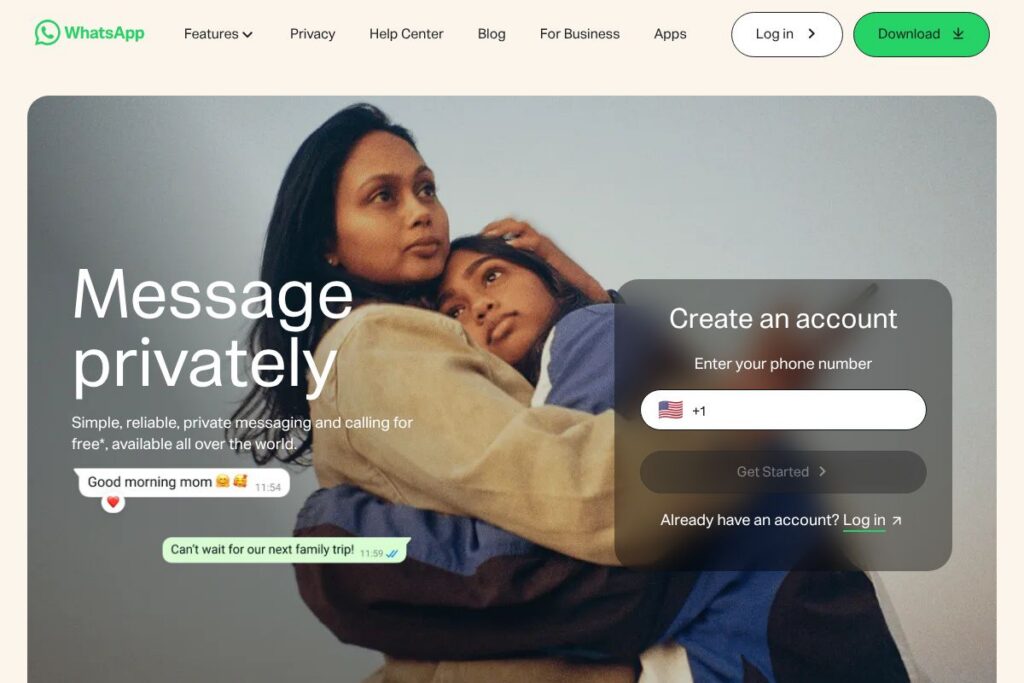
WhatsApp is a mobile-first messaging and calling platform that links accounts to phone numbers and lets people send text messages, voice notes, photos, documents, and make voice or video calls. It runs on iOS and Android, and offers a browser and desktop client that mirror conversations for convenience. The service emphasizes private, person-to-person communication with features for group chats and simple media sharing.
Compared with Telegram and Signal, WhatsApp is more widely adopted globally and uses phone-number identity rather than usernames, which simplifies contact discovery but links identity to a phone number. Compared with Facebook Messenger, WhatsApp prioritizes end-to-end encryption by default for personal chats, while Messenger provides optional encrypted conversations. All of this makes WhatsApp particularly well suited for people who want a single app that handles personal messaging, voice and video calling, and light business interactions with a large existing user base.
WhatsApp does particularly well at providing a consistent messaging experience across devices and regions, while keeping interactions private by default. It is a practical choice for families, friend groups, and small businesses that need direct messaging and low-friction calling without managing separate usernames or accounts.
How WhatsApp Works
WhatsApp uses your phone number as the primary account identifier; during setup you verify ownership of that number by SMS or call. Contacts who have your number and use WhatsApp are discovered automatically, so message threads start quickly without friend requests or usernames.
Messages and calls are end-to-end encrypted, which means the content is protected between the sender and recipient. The app supports one-to-one chats, group conversations, voice messages, file and photo attachments, and full-screen voice and video calls. A companion web and desktop client connects to your account so you can continue conversations on a laptop without re-registering.
What does WhatsApp do?
WhatsApp bundles several communications primitives into a single app: secure text messaging, multimedia sharing, voice and video calls, group chat, presence indicators, and ephemeral Status updates that disappear after 24 hours. The platform also supports voice notes and location sharing for quick exchanges that do not require long typing.
The service recently expanded multi-device support so you can use the desktop client independently of your phone for short periods, while preserving encryption and message history synchronization. For small businesses, WhatsApp provides dedicated tools to display catalogs and send customer-facing messages through the WhatsApp Business app and Business API. Learn about WhatsApp’s business tools on the WhatsApp Business overview.
End-to-end encryption
All personal messages and calls are encrypted end-to-end by default, which prevents WhatsApp and third parties from reading message contents. This encryption covers text, voice notes, attachments, and one-to-one voice and video calls, and key details are documented in the end-to-end encryption details on WhatsApp’s site.
Voice and video calls
WhatsApp provides high-quality voice and video calls over data or Wi-Fi, including one-to-one and group calls. Calls are encrypted and adapt to network conditions, letting users switch between Wi-Fi and mobile data with minimal interruption.
Groups and Communities
Group chats support large numbers of participants for planning, interest groups, and family conversations, with admins controlling membership and group settings. Communities allow multiple related groups to be organized under a single space for announcements and subgroup discussions.
Media and file sharing
Users can send photos, videos, documents, and voice messages directly inside chats, with support for common file types and basic compression options. Shared media is accessible via chat history and can be forwarded, starred, or saved locally depending on user preferences.
WhatsApp Web and Desktop
The browser-based WhatsApp Web and native desktop apps mirror your mobile conversations and support most messaging features, including media sharing and calls where supported. Multi-device mode improves independence from the phone for short sessions while keeping privacy controls intact.
WhatsApp Business
The WhatsApp Business app provides tools for small companies to create a business profile, set automated greetings and away messages, and list products using a catalog. For larger organizations that need automation and programmatic messaging at scale, the WhatsApp Business API is available; details and developer resources are listed on the WhatsApp Business API documentation.
With WhatsApp you get a single app that covers messaging, voice and video calling, group coordination, and basic business messaging, all with encryption and broad device support as the central benefits.
WhatsApp Pricing
WhatsApp follows a consumer-first free model for personal use, while providing business-oriented options that involve separate commercial terms. The consumer messaging app is free to download and use; businesses that need API access typically negotiate terms or work with third-party providers.
Consumer
Consumer: Free to download and use for messaging, voice, and video calling. Data charges from your mobile provider may still apply depending on your plan.
Business and Enterprise
Business and Enterprise: WhatsApp Business app is free for small businesses, while the WhatsApp Business API and enterprise messaging solutions use commercial pricing that varies by vendor, region, and message type. For enterprise details and partner pricing options, consult the WhatsApp Business API documentation and the WhatsApp Business overview.
What is WhatsApp Used For?
WhatsApp is commonly used for day-to-day personal messaging and voice or video calls between friends and family across countries, replacing SMS for many users. Its group chat features are used for coordinating events, planning, and ongoing community discussions where quick back-and-forth is needed.
Businesses use WhatsApp for customer-facing messaging, appointment confirmations, order updates, and simple customer support threads. Small merchants rely on the WhatsApp Business app to share catalogs and communicate directly with customers, while larger organizations connect through the Business API for automated notifications and CRM integrations.
Pros and Cons of WhatsApp
Pros
- Wide global adoption: WhatsApp has a large user base in many regions, making it easy to reach contacts without requiring them to join a new service. This lowers friction for starting conversations and sharing media.
- End-to-end encryption: Messages and calls are encrypted by default, which improves privacy for personal communications and reassures users that their conversations are not readable by the service provider.
- Rich media and calling features: Support for voice notes, high-quality voice and video calls, group calling, and file sharing gives users a single app for most everyday communication needs.
- Business tools for small merchants: The WhatsApp Business app and Business API provide practical options for small sellers and customer messaging, including product catalogs and automated replies.
Cons
- Phone-number identity model: Because accounts are tied to phone numbers, users who want anonymity or cross-device identity without a SIM may find setup and discovery limited. This model also complicates multi-account workflows for some users.
- Limited cloud message history control: Message backups and history depend on device-level backups or third-party cloud backups, which may not always align with user expectations for cross-device continuity or enterprise archival.
- Business API complexity: Scaling customer messaging using the Business API involves integration work, third-party providers, and variable pricing that can be more complex than consumer messaging setups.
Does WhatsApp Have a Free Version?
WhatsApp offers a free plan for personal use and a free WhatsApp Business app for small businesses. The consumer app provides messaging, voice and video calls, and media sharing at no cost; data charges may still apply. Organizations needing the WhatsApp Business API for automated or scale messaging follow commercial terms and may incur messaging fees through Meta or solution providers.
WhatsApp API and Integrations
WhatsApp provides the WhatsApp Business API for programmatic messaging and integration with CRM systems, contact centers, and automation platforms. The WhatsApp Business API documentation explains endpoints, message templates, and onboarding for verified business accounts.
Third-party integration partners and platforms like customer engagement suites, CRM providers, and messaging gateways commonly connect to the Business API to route messages, log conversations, and orchestrate automated replies. For small businesses, the WhatsApp Business app offers built-in profile and messaging tools without API integration.
10 WhatsApp alternatives
Paid alternatives to WhatsApp
- Telegram: A cloud-first messaging app with large group support, bots, and channels for broadcast-style content. Telegram emphasizes speed, large file sharing, and multi-device syncing.
- Signal: Focused on privacy and minimal metadata collection, Signal offers end-to-end encryption and open-source clients for messaging and calls. Popular with users who prioritize privacy design.
- Facebook Messenger: Integrated with the Facebook ecosystem, Messenger supports rich media, games, and business integrations tied to the broader Meta platform.
- WeChat: Widely used in China, WeChat combines messaging with payments, mini-programs, and a wide set of services beyond pure chat.
- Viber: A messaging and calling app with public chats and business messaging features, including support for sticker marketplaces and media sharing.
- Line: Popular in parts of Asia, Line offers messaging, social timelines, integrated payments, and a broad sticker economy.
- iMessage: Apple’s messaging platform for iOS and macOS users, providing rich media, encryption, and deep OS-level integration for Apple device ecosystems.
Open source alternatives to WhatsApp
- Signal: While also listed among mainstream alternatives, Signal’s client and server components are open source and emphasize privacy-first design. It is suitable for individuals and organizations seeking verifiable software.
- Element (Matrix): A client for the Matrix open standard, Element provides decentralized messaging with bridges to other networks and strong support for team and community chat.
- Rocket.Chat: An open-source team chat platform that can be self-hosted for full control over data and integrations, suited for internal communications and developer workflows.
- Mattermost: A self-hosted messaging platform oriented at team collaboration, offering extensibility and integration with developer toolchains.
- Jami: A peer-to-peer open-source communication app that supports messaging and calling without central servers for users who require decentralized architecture.
Frequently asked questions about WhatsApp
What is WhatsApp used for?
WhatsApp is used for private text messaging, voice and video calls, and media sharing between contacts worldwide. People use it to coordinate events, exchange photos and documents, and make low-cost international calls using data.
Does WhatsApp use end-to-end encryption?
Yes, WhatsApp uses end-to-end encryption for personal messages and calls by default. Encryption covers text, voice notes, attachments, and calls so only the communicating parties can read or listen to the content.
Can businesses use WhatsApp for customer messaging?
Yes, businesses can use the free WhatsApp Business app for small-scale interactions and the WhatsApp Business API for automated, programmatic messaging at scale. The API supports integration with CRM systems and third-party platforms for customer notifications and support.
Is WhatsApp free to use?
WhatsApp is free for personal use and free for small businesses using the WhatsApp Business app. Data charges from your mobile carrier may still apply, and enterprise API usage is subject to commercial terms.
Does WhatsApp work on desktop and web?
Yes, WhatsApp provides a browser-based web client and native desktop apps that mirror your mobile conversations. Multi-device support improves desktop independence for short sessions while maintaining encryption and security.
Final Verdict: WhatsApp
WhatsApp is a practical, widely adopted messaging and calling platform that combines secure end-to-end encrypted communication with broad international reach and simple phone-number identity. It excels at making messaging and voice or video calling accessible to nontechnical users while providing small business tools for direct customer contact.
Compared with Telegram, WhatsApp offers default end-to-end encryption for personal chats and stronger global penetration, while Telegram offers larger groups, channels, and a cloud-first model that eases multi-device syncing. On pricing, WhatsApp remains free for consumers and offers business API options under commercial terms, while Telegram and Signal are also free for core users but differ in architecture and platform features. For most individuals and small businesses who need secure, familiar messaging with wide contact reach, WhatsApp is a solid, low-friction choice.