Wistia: An Overview
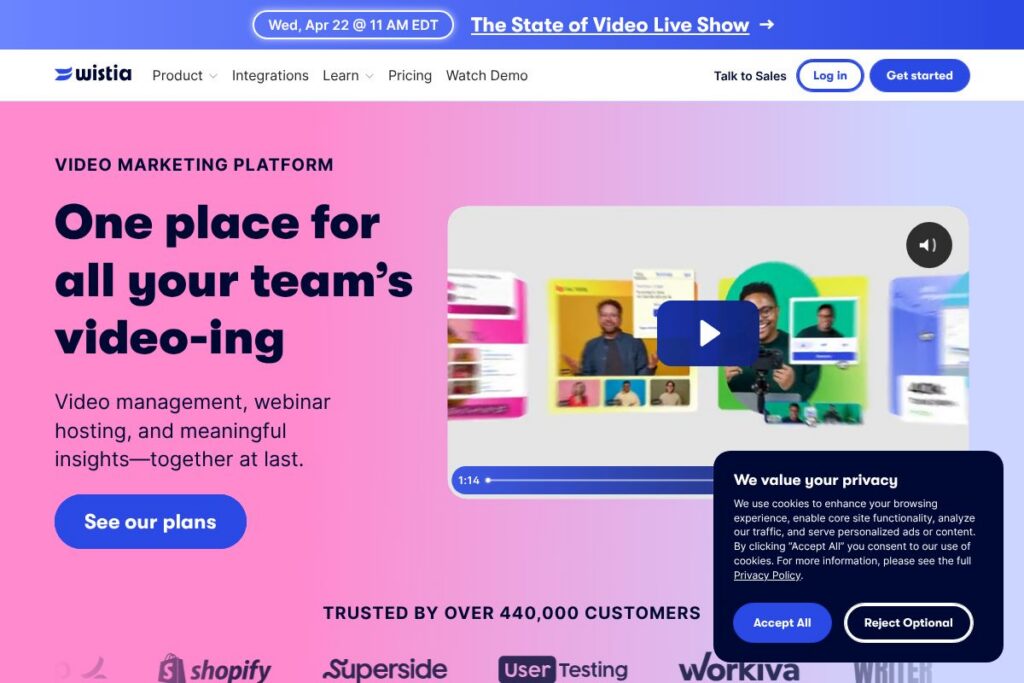
Wistia is a purpose-built video platform for businesses that combines hosting, customization, analytics, and marketing features in a single service. It focuses on helping marketing teams publish branded video experiences, capture leads inside videos, and measure viewer behavior to inform strategy and sales handoffs. The platform also includes collaboration tools for production workflows and workspace organization.
Compared with consumer-oriented options, Wistia emphasizes business features rather than purely social distribution. YouTube is unmatched for reach and free distribution but lacks Wistia’s built-in video marketing controls and granular viewer analytics. Vimeo targets creators and businesses with polished player options and community features, while Brightcove and enterprise players aim at large-scale publishers with heavy customization and CDN control. Wistia sits between these models with marketing-first tools and an emphasis on integrating video into sales and marketing funnels.
All of this makes Wistia particularly well suited to marketing and product teams that need reliable hosting, audience-level analytics, and embedded lead capture. The platform is a practical choice for small to mid-size businesses and marketing teams inside larger organizations that want more control over the viewer experience than consumer platforms provide. To explore the company directly, visit the Wistia homepage.
How Wistia Works
Wistia hosts video files on its platform and serves them through an embeddable, customizable player that you place on landing pages, blogs, or documentation sites. The player supports branding, chaptering, captions, and calls to action so videos behave as part of your marketing funnel rather than a detached asset.
When a viewer interacts with a Wistia-hosted video, the platform collects engagement metrics such as play rate, rewatch behavior, and drop-off points. Those analytics feed into audience segments and can trigger lead capture widgets or integrations with CRMs and marketing automation systems, allowing teams to route warm leads to sales.
Teams typically use Wistia in a workflow that includes uploading and tagging raw footage, editing or clipping inside Wistia or a connected editor, publishing with an embeddable player, and then analyzing performance data to optimize future videos. Collaboration features let multiple users add notes, manage assets, and share projects to speed production and review cycles.
What does Wistia do?
Wistia combines hosting and a flexible player with marketing features and viewer analytics to help teams publish videos that drive action. Core capabilities include customizable embeds, lead capture, engagement analytics, video SEO helpers, asset management, and developer APIs for automation. The platform also supports collaboration across teams to streamline production and review.
Let’s talk Wistia’s Features
Video Hosting and Custom Player
Wistia hosts video files on its infrastructure and delivers them through an embeddable player that you can style to match your brand. The player supports custom colors, thumbnails, and playback rules, and it can be embedded responsively across web properties to maintain consistent viewer experiences.
Video Analytics
Wistia provides viewer-level and aggregated analytics including play rate, heatmaps for engagement, and audience segmentation based on viewing behavior. These metrics help marketers understand which moments in a video drive interest and which topics correlate with conversions.
Lead Capture and Turnstiles
Built-in lead capture widgets allow teams to require or request viewer contact information at specified playback moments. Those lead captures can be configured to feed into CRMs or marketing automation systems so video views can become actionable leads.
Video SEO and Indexing
Wistia includes options to surface transcripts, structured metadata, and schema for video content to improve search discoverability. Those SEO features help videos rank more effectively on web properties where they are embedded.
Chapters, Playlists, and Navigation
Long-form content can be split into chapters or organized into playlists so viewers can jump to relevant sections. Chaptering improves usability for product demos, webinars, and training materials by reducing friction for repeat viewers.
Built-in Editor and Collaboration Tools
Wistia supports basic in-platform editing, clip extraction, and annotations for team collaboration. Users can leave comments, assign notes, and manage asset libraries to keep production organized.
Integrations and Developer API
Wistia exposes a developer API for automating uploads, retrieving analytics, and customizing player behavior, and it integrates with common marketing and CRM tools for data syncs. This makes it possible to embed video workflows into larger marketing systems and pipelines.
Security and Privacy Controls
The platform offers domain restrictions, privacy settings, and embedding controls so teams can limit who can view a video and where it can be played. This is useful for gated content, internal documentation, and region-specific compliance requirements.
With this set of capabilities, Wistia focuses on making video measurable and actionable for marketing and sales teams. The biggest payoff is turning viewer behavior into marketing signals that feed campaigns and lead qualification workflows.
Wistia pricing
Wistia uses a subscription pricing model tailored to businesses and teams, with options that scale by features, hosting needs, and support requirements. For the most accurate details about plans, usage limits, and any free tier options, see the Wistia homepage for current pricing and plan comparisons.
What is Wistia Used For?
Wistia is commonly used for marketing videos, product demos, webinars, customer testimonials, and internal training content where visibility into viewer behavior matters. Teams use it to embed videos on landing pages, gate content with lead capture, and analyze engagement to optimize campaigns.
It is also used for onboarding and documentation because the platform supports chapters, captions, and searchable video libraries that make it easier for employees and customers to find specific content. Marketing and sales teams benefit most when video viewing data is routed into CRM and automation systems to inform follow-up.
Pros and Cons of Wistia
Pros
- Business-focused analytics: Wistia provides detailed viewer engagement metrics and heatmaps that help marketers optimize content and measure ROI.
- Embedded lead capture: Built-in turnstile tools make it straightforward to collect leads directly from video playback and integrate them with CRMs.
- Customizable player and branding: The player is highly configurable so videos match brand guidelines and maintain a consistent experience across properties.
- Collaboration features: Team workflows for notes, asset organization, and review reduce friction in production and help multiple stakeholders work together.
Cons
- Cost for scaling libraries: Hosting large video libraries for businesses may become expensive compared with consumer platforms; organizations must evaluate hosting and plan limits.
- Less reach than social platforms: Unlike YouTube, Wistia does not provide a massive discovery audience, so teams must drive traffic to hosted pages rather than rely on platform-driven views.
- Enterprise feature variability: Some advanced enterprise features and custom SLAs are only available on higher tiers or custom plans, which may require direct sales engagement.
Does Wistia Offer a Free Trial?
Wistia offers a free plan with limited hosting and trial options for paid features. The free tier provides a way to test hosting, embedding, and basic analytics, while paid plans unlock advanced marketing features and higher usage limits; check the Wistia homepage for the latest details and any current trial offers.
Wistia API and Integrations
Wistia provides a developer API for uploading media, retrieving analytics, and customizing player behavior; the Wistia API documentation describes available endpoints and usage patterns. The platform also integrates with common marketing stacks, allowing connections to CRMs, email platforms, and analytics tools so viewing data can flow into campaign and sales workflows.
10 Wistia alternatives
Paid alternatives to Wistia
- Vimeo — A creator and business-oriented platform with an emphasis on polished player options, community features, and video tools for creators and SMBs.
- Vidyard — Focused on sales and marketing use cases with personalized video, viewer tracking, and deep CRM integrations.
- Brightcove — Enterprise-grade video platform with strong CDN capabilities, large-scale publishing, and advanced monetization features.
- JW Player — Lightweight player and hosting with developer-friendly APIs and a focus on fast delivery and monetization.
- SproutVideo — Business-focused hosting with privacy controls, analytics, and marketing features for small to mid-size teams.
- Kaltura (Cloud) — Commercial cloud offering from Kaltura with flexible publishing, live streaming, and enterprise integrations.
- IBM Video Streaming — Enterprise streaming with global delivery and security controls for large organizations.
Open source alternatives to Wistia
- Kaltura Community Edition — An open source video platform that can be self-hosted and extended, suitable for organizations that want full control over deployment.
- PeerTube — A decentralized, open source video hosting network designed for federated hosting and reduced reliance on central providers.
- MediaDrop — Self-hosted video and audio CMS suitable for publishing collections of media with control over hosting and metadata.
Frequently asked questions about Wistia
What is Wistia used for?
Wistia is used to host, customize, and measure business video content. Teams use it for marketing videos, lead capture, analytics, and internal training where control over the player and viewer data is important.
Does Wistia have an API?
Yes, Wistia provides a public API for uploads, analytics, and player control. Developers can automate media workflows and pull viewing data using the Wistia API documentation.
Can Wistia capture leads directly from videos?
Yes, Wistia supports built-in lead capture tools often called turnstiles. These can request or require contact details at configured moments and forward collected leads to CRMs or marketing systems.
Is Wistia suitable for internal training and documentation?
Yes, Wistia works well for internal content thanks to chapters, captions, and searchable libraries. Privacy settings and domain restrictions help keep training content secure and accessible only to intended audiences.
How does Wistia compare to YouTube for hosting marketing videos?
Wistia prioritizes marketing features and analytics over open discovery. While YouTube provides a large discovery platform and free hosting, Wistia gives more control over branding, lead capture, and viewer-level analytics that are useful for conversion-driven teams.
Final verdict: Wistia
Wistia stands out as a video platform built for marketers and product teams that need control over the viewer experience and actionable analytics. Its strengths are customization, detailed engagement metrics, and native tools for turning views into leads, which make it a strong choice when video is part of a conversion funnel.
Compared with Vimeo, which offers polished playback and creator-focused plans, Wistia leans more heavily into marketing integrations and lead capture workflows. In pricing terms, Vimeo provides a range of creator and business options that may be easier for small teams to start with, while Wistia positions its plans around marketing feature sets and analytics, which can be more valuable to teams focused on ROI from video. Evaluate both platforms based on required integrations, control over the player, and how much viewer-level data you need to drive marketing and sales workflows.