123FormBuilder: An Overview
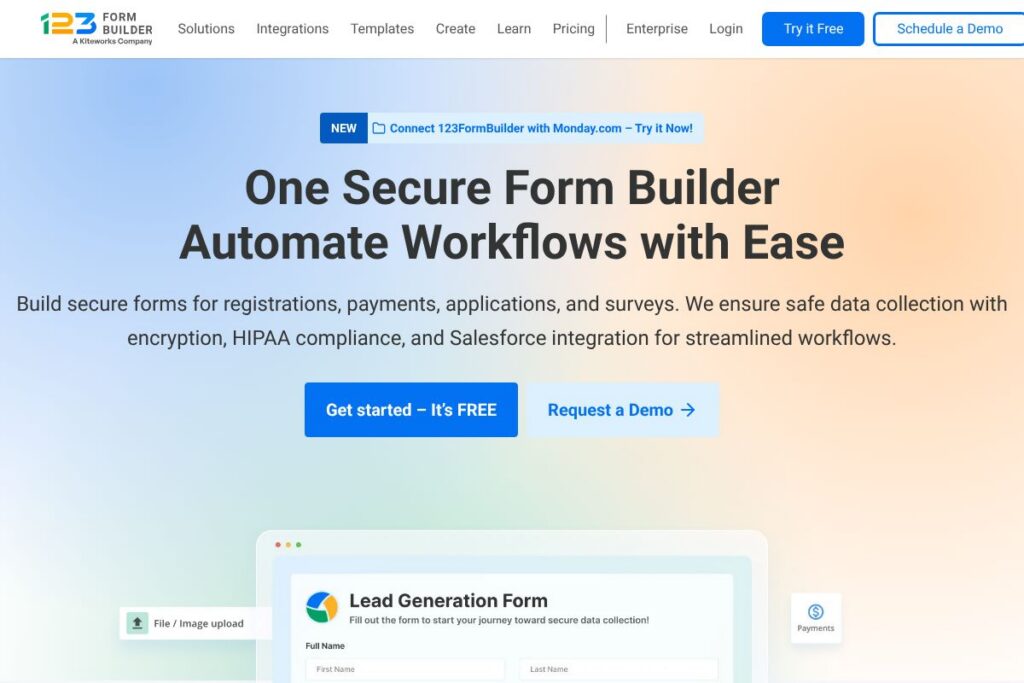
123FormBuilder is a no-code platform for building online forms, surveys, and payment-enabled order forms using a drag-and-drop interface. It focuses on secure data collection, compliance features such as GDPR and HIPAA, and integrations that move data into CRMs, spreadsheets, and other systems without manual exports.
Compared with Jotform, Typeform, and Google Forms, 123FormBuilder emphasizes enterprise security and regulated-industry features. Unlike Google Forms, which is simple and free, 123FormBuilder adds encryption, data residency choices, and signed agreements for HIPAA compliance. Compared with Typeform, 123FormBuilder provides stronger backend automation and enterprise integrations, while Jotform overlaps on templates and customization but targets a slightly different set of widgets and marketplace integrations.
All of this makes 123FormBuilder well suited for organizations that must collect sensitive or regulated data, teams that want no-code automation into tools like Salesforce and Google Workspace, and groups that need quick template-driven forms for registrations, orders, and surveys.
How 123FormBuilder Works
The builder uses a visual drag-and-drop canvas where you add fields, set validation, and configure logic without writing code. You can apply conditional branching, prefill fields from query strings or CRM records, and attach files or documents to submissions to support application and onboarding workflows.
Once a form is live, submissions can trigger automations such as email autoresponders, document generation, and eSignature requests. Integrations push collected data to destinations like Salesforce, Google Sheets, Mailchimp, or payment gateways so your team avoids manual data entry and maintains a single source of truth.
What does 123FormBuilder do?
123FormBuilder combines a visual form editor, a template library, payment processing, and enterprise-grade security to handle registrations, orders, surveys, and applications. The platform also layers in automation and integrations so forms become part of operational workflows rather than isolated data silos.
Key functionality includes:
Drag-and-drop form editor
Create forms visually with field types for text, files, payments, and widgets. The editor supports field validation, layout control, and mobile-responsive design so forms work across desktop and mobile devices.
Template library
Access 3,000+ templates for events, orders, applications, and surveys to jump-start form creation. Templates reduce setup time for common business scenarios and are fully editable to match branding and workflow needs.
Conditional logic and branching
Show or hide fields, pages, or actions based on prior answers to tailor the respondent experience. This improves completion rates and enables multi-step application flows that adapt to user input.
Payments and eCommerce
Collect payments via integrations with PayPal, Stripe, Square, and more to accept orders, donations, or fees directly in forms. You can combine payments with product listings, coupons, and tax calculations for basic online commerce.
Integrations and automation
Connect forms to Salesforce, Mailchimp, Google Workspace, and thousands of apps via direct connectors or Zapier. Integrations let you create contacts, push orders, schedule calendar events, and synchronize form data with downstream systems.
Security and compliance
Protect submissions with 256-bit SSL, form and data encryption, backup and recovery options, and anti-spam measures. The platform supports GDPR controls, HIPAA compliance, data residency choices, SSO, and audit trails for enterprise governance.
Document generation and eSign
Automatically generate PDFs, invoices, or contracts from submission data and route them for signatures or archival. This reduces paperwork and speeds processes such as onboarding, contracting, and invoicing.
Accessibility and responsive design
Forms meet WCAG 2.1 Level A and AA standards and include alt-text support to improve accessibility. All forms are responsive so respondents on mobile and tablet devices have a consistent experience.
With these features you can replace manual paperwork, accept payments, and create secure, compliant workflows that integrate with business systems to reduce repetitive administrative work.
123FormBuilder pricing
123FormBuilder follows a subscription-based SaaS pricing model with multiple tiers for individuals, teams, and enterprises; pricing varies by features, submission volume, and compliance needs. For the most accurate, up-to-date plan details and enterprise options, check 123FormBuilder’s homepage for current pricing and plan comparisons.
What is 123FormBuilder Used For?
123FormBuilder is commonly used to collect registrations, manage event attendees, run surveys, accept payments, and handle online applications across industries. Its template library and no-code automation make it a fit for marketing teams, HR departments, finance groups, and operations teams that replace paper forms.
Organizations in healthcare, government, education, manufacturing, non-profits, and financial services use the tool to automate recurring processes like patient intake, supplier quality checks, student enrollment, volunteer signups, and vendor onboarding while preserving compliance and security requirements.
Pros and Cons of 123FormBuilder
Pros
- Strong compliance and security: The platform offers encryption, HIPAA support, GDPR controls, and data residency choices, which helps organizations meet regulatory obligations. These controls reduce risk when collecting sensitive information.
- Extensive integrations: Direct connectors for Salesforce, Google Workspace, Mailchimp, and payment gateways plus Zapier support allow data to flow into existing systems without manual work. This enables end-to-end automation for common business processes.
- Large template library: With thousands of templates, teams can launch forms quickly for a range of scenarios, decreasing setup time and standardizing data collection across departments.
- Accessibility and responsive forms: WCAG 2.1 Level A and AA compliance and responsive layouts make forms usable for a broad audience, improving completion rates and inclusivity.
Cons
- Advanced features require paid tiers: Enterprise capabilities such as SSO, audit trails, and advanced data residency are tied to higher-tier plans, which may be a barrier for small businesses on tight budgets. Organizations needing full compliance features should expect to budget for enterprise-level subscriptions.
- Learning curve for complex automations: Users building multi-step workflows with document generation and eSign may face a learning curve configuring integrations and templates. Dedicated setup or account management can streamline implementation but adds setup overhead.
Does 123FormBuilder Offer a Free Trial?
123FormBuilder offers a free plan and paid tiers with trial or onboarding options for new customers. The free sign-up provides access to the builder, basic templates, and limited submissions so you can test forms and simple integrations before upgrading. For enterprise trials, onboarding, or custom demos contact their sales team via the signup or contact pages on 123FormBuilder’s homepage.
123FormBuilder API and Integrations
123FormBuilder provides API access for developers to programmatically create forms, retrieve submissions, and manage form settings; refer to the platform’s API documentation for endpoint details and authentication methods. For developer resources and integration guides see the 123FormBuilder API documentation.
The platform integrates with Salesforce, PayPal, Stripe, Mailchimp, Google Workspace, Zapier, Wix, Shopify, Dropbox, HubSpot, and many more through native connectors or Zapier. Learn more about supported connections on the 123FormBuilder integrations page.
10 123FormBuilder alternatives
Paid alternatives to 123FormBuilder
- Jotform — A flexible form builder with a large widget marketplace, PDF form generation, and strong customization options suitable for businesses that want advanced form design.
- Typeform — Focuses on conversational, user-friendly surveys and forms that prioritize respondent engagement and modern layouts for marketing and research use cases.
- Google Forms — A simple, free option integrated with Google Workspace that is ideal for basic surveys and internal data collection without advanced compliance features.
- Formstack — Targets enterprises with workflow automation, document generation, and HIPAA-grade security that suits healthcare and regulated industries.
- Wufoo — Provides an easy-to-use form builder with payment options and reporting, aimed at small to mid-size businesses.
- SurveyMonkey — Strong survey features and analytics for research teams, with survey-specific reporting and distribution tools.
- Microsoft Forms — Integrated with Microsoft 365, useful for organizations already using Microsoft’s ecosystem and seeking lightweight form features.
Open source alternatives to 123FormBuilder
- LimeSurvey — An open source survey platform that supports complex questionnaires and self-hosting for control over data and privacy.
- OhMyForm — A community-driven open source form builder that you can self-host to keep full ownership of data and infrastructure.
- Drupal Webform — A module for Drupal sites that provides comprehensive form-building capabilities and full control via self-hosted deployments.
- Nextcloud Forms — Part of the Nextcloud suite for teams that prefer an integrated, self-hosted collaboration platform with simple form features.
Frequently asked questions about 123FormBuilder
What is 123FormBuilder used for?
123FormBuilder is used for creating online forms, surveys, and payment-enabled order forms. Organizations use it to replace paper processes, collect registrations, accept payments, and automate data flows into CRMs and spreadsheets.
Does 123FormBuilder support payments and which processors can I use?
Yes, 123FormBuilder supports payments through processors like PayPal and Stripe. You can integrate multiple payment gateways to accept donations, orders, and fees directly within forms.
Can 123FormBuilder handle HIPAA data for healthcare forms?
Yes, 123FormBuilder offers HIPAA compliance options for healthcare customers. The platform includes encryption, signed agreements, and configuration options to manage protected health information securely.
Does 123FormBuilder integrate with Salesforce and Google Workspace?
Yes, 123FormBuilder integrates with Salesforce and Google Workspace among many other apps. These integrations let you send submissions to CRMs, populate spreadsheets, and automate calendar events.
Is there an API for 123FormBuilder for custom integrations?
Yes, 123FormBuilder exposes an API for developers. API documentation covers endpoints for forms and submissions to help teams automate workflows and build custom connectors.
Final Verdict: 123FormBuilder
123FormBuilder stands out for its combination of no-code form creation, enterprise security, and broad integrations that turn forms into automated workflows. Its compliance options, data residency choices, and audit features make it especially suitable for regulated industries such as healthcare, finance, and government while still serving marketing, education, and non-profit needs.
Compared with Jotform, both platforms offer free plans and paid tiers; 123FormBuilder places more emphasis on enterprise security and compliance, while Jotform focuses on an extensive widget marketplace and template customization. Evaluate both vendors for specific pricing and feature fit, then choose the one that aligns with your compliance requirements and integration needs. For plan details and to start building forms, visit 123FormBuilder’s homepage.