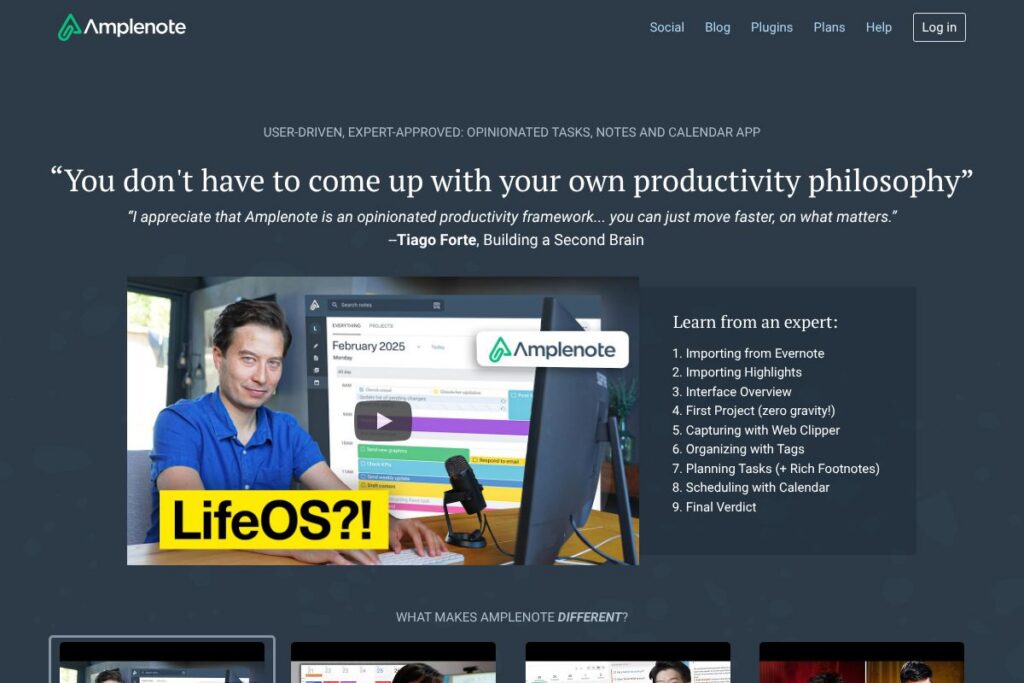
What is Amplenote
Amplenote is a notes-first productivity app that puts tasks and scheduling at the center of how people capture and complete work. It blends long-form notes with a structured task system, calendar sync, and publishing features so users can write, act on, and share information from a single workspace.
Compared with Notion, which emphasizes flexible page building and databases, Amplenote focuses more tightly on task prioritization and time-based planning. Compared with Evernote, Amplenote offers more built-in task and scheduling features rather than treating tasks as a secondary add-on. Compared with Roam Research, Amplenote keeps a stronger emphasis on actionable todo lists while still supporting bi-directional linking and knowledge graph style connections.
All of this makes Amplenote especially useful for people who want a single app that covers note capture, task prioritization, and calendar-driven planning. It is particularly well suited to users who rely on ranked todo lists, frequent media-rich documentation, and publishing notes to external audiences.
How Amplenote Works
Notes and tasks are created in the same document model so an item can be both a line in a note and a scheduled task that appears on your calendar. Tasks inherit metadata from surrounding notes and can be assigned due dates, priorities, and contexts so they are discoverable in lists and calendar views.
The platform ranks tasks using a scoring system derived from the Eisenhower Matrix to surface the most valuable work for today. Users move from capture to execution by triaging new items in an inbox, assigning scores or dates, and letting Amplenote surface what to work on next.
Collaborative workflows use shared notes, inline media, and optional published pages. When you publish a note, readers see a live copy that updates when the original does, which supports simple sharing for blogs, documentation, or delegated work.
Amplenote features
Amplenote organizes into notes, tasks, calendar sync, and publishing tools. Core capabilities include Rich Footnotes for embedding screenshots and videos, task scoring based on the Eisenhower Matrix, bi-directional links, calendar integration, and options to publish notes to the web. The product emphasizes tight integration between captured information and the task list.
Here are some key features worth highlighting:
Rich Footnotes
Rich Footnotes allow you to embed images, videos, spreadsheets, and linked note sections inline with your text so a single note can carry explanations and supporting material. This removes the need to juggle multiple attachments and keeps context next to action items.
Task Scoring and Prioritization
Tasks receive a computed score that factors urgency and importance so you can focus on high-impact work without manual sorting. The score integrates with views and the Today list so triage becomes a regular part of capture and planning.
Bi-directional Linking and Backlinks
Notes can link to other notes with backlinks that make it easy to build a personal knowledge graph while keeping related tasks connected to their source material. This helps teams trace decisions and follow context when a task references background research.
Calendar Sync and Scheduling
Amplenote syncs with external calendars and lets you schedule tasks on specific dates and time blocks. Scheduled tasks appear alongside other calendar items so planning and timeboxing happen in the same place you manage work.
Publishing and Collaboration
Notes can be published as live web pages with custom styles, and collaborators can be added to notes for shared editing or task delegation. The publish feature supports use cases from internal documentation to public blog posts that update in real time.
Mobile Apps and Offline Sync
Mobile apps store local copies and sync changes when a connection is available, so you can capture notes and complete tasks offline. The mobile UI reflects the same notes-plus-task model as the web app, preserving context while on the go.
With Amplenote you get a single workspace that keeps reference material, execution lists, and scheduled time aligned; that combination reduces friction when turning notes into done items.
Amplenote pricing
Amplenote uses a subscription model with multiple plans tailored to different users and teams. For the most accurate and up-to-date plan details, view Amplenote’s homepage where the vendor lists current plans, trial options, and any promotional offers.
What is Amplenote Used For?
Amplenote is typically used to combine knowledge work and task execution into a single workflow: capturing notes, extracting action items, assigning due dates, and scheduling time to complete them. This makes it useful for writers, knowledge workers, consultants, and small teams that need context-rich tasks tied directly to reference material.
Common scenarios include meeting notes that become task lists, research with embedded source material and follow-up actions, personal planning where tasks are prioritized against a calendar, and publishing how-to guides or documentation as live web pages.
Pros and cons of Amplenote
Pros
- Rich media inside notes: Rich Footnotes let you embed screenshots, videos, and spreadsheets directly in notes so context and evidence are immediately available.
- Task-first note model: Tasks are native to notes and receive computed scores to reduce decision fatigue when choosing what to work on next.
- Publishable notes: You can publish notes as live web pages with custom styling, which simplifies sharing documentation or blog-style content.
- Calendar integration: Scheduled tasks synchronize with calendar views so planning and task execution live together.
Cons
- Learning curve for advanced workflows: The combined note-plus-task model requires time to master for teams migrating from separate apps for notes and todo lists.
- Less flexible layout than block editors: Users who rely on database-style blocks or highly custom page layouts may find alternatives like Notion more flexible for complex page design.
- Enterprise feature gaps: Larger organizations that require extensive admin controls, provisioning, or advanced analytics may need to evaluate how Amplenote fits into existing IT policies.
Does Amplenote Offer a Free Trial?
Amplenote offers a free tier and provides time-limited trials or trial access to premium features depending on current promotions. The free tier covers basic note-taking and simple task management, while trial periods typically unlock advanced features like publishing, expanded storage, or enhanced syncing. Check Amplenote’s homepage for the current free plan details and trial options.
Amplenote API and Integrations
Amplenote supports calendar synchronization and connects with common productivity ecosystems to surface tasks and scheduled items alongside external calendar events. For integration with automation platforms and custom workflows, consult Amplenote’s resource pages for the latest developer and integration notes.
If you need programmatic access, Amplenote offers integration options and developer resources that cover syncing notes, exporting content, and connecting with third-party automations like Zapier or calendar services. Visit Amplenote’s help and docs for specific integration guides and setup instructions.
10 Amplenote alternatives
Paid alternatives to Amplenote
- Notion — A flexible all-in-one workspace that combines documents, databases, and lightweight project management with a large template ecosystem.
- Evernote — A long-standing note app with strong web clipping, search, and cross-device syncing designed for personal and team note capture.
- Roam Research — A knowledge graph note app focused on bi-directional linking and networked thought for writers and researchers.
- Obsidian — A markdown-based knowledge manager built around local files, plugins, and a graph view for linking notes.
- Microsoft OneNote — A free-form note app integrated with Microsoft 365 and strong support for inking and multi-section notebooks.
- Bear — A writing-focused note app with a clean UI and tagging system, aimed primarily at Apple device users.
- Todoist — A task-first app with robust todo list features and scheduling, useful if your primary need is task management rather than long-form notes.
Open source alternatives to Amplenote
- Joplin — An open source note-taking app with end-to-end encryption, markdown support, and sync options you can self-host.
- Standard Notes — Focused on privacy and security, this open source app offers encrypted notes and an extendable editor ecosystem.
- Logseq — A local-first outliner and knowledge graph app with markdown storage and community-driven plugins.
- Trilium Notes — A hierarchical note application with advanced scripting and automation features suitable for power users.
- Turtl — A secure, encrypted note app that emphasizes privacy, with a straightforward structure for notes and boards.
Frequently asked questions about Amplenote
What is Amplenote best used for?
Amplenote is best used for combining note capture with task management and calendar scheduling. It helps users turn notes into prioritized action items and schedule work without leaving the same app.
Does Amplenote integrate with Google Calendar?
Yes, Amplenote supports calendar synchronization for scheduling and viewing tasks. Users can sync scheduled tasks to external calendars and view appointments alongside note-driven tasks.
Can Amplenote publish notes to the web?
Yes, Amplenote can publish notes as live web pages. Published notes update when the original is edited, making it suitable for documentation, status reports, or blog-style content.
Is Amplenote suitable for team collaboration?
Yes, Amplenote supports shared notes, delegating tasks, and collaborative editing. Teams can assign tasks inside notes and use published pages to share work externally.
Does Amplenote offer an API for developers?
Amplenote provides integration options and developer resources for automation and syncing. Consult Amplenote’s help and docs for the latest API or integration guides.
Final verdict: Amplenote
Amplenote stands out for tying together notes, tasks, and calendar scheduling in a way that keeps context close to action. Its Rich Footnotes and task scoring are practical for users who need to record research and then turn that research into prioritized work that fits into a schedule.
Compared with Evernote, which has paid plans starting at $7.99/month and focuses on capture and search, Amplenote offers deeper built-in task and scheduling features that reduce the need to use a separate todo or calendar app. If your workflow requires tightly connecting reference material to scheduled tasks and you want publishable notes, Amplenote is a compelling choice. For teams that need heavy customization of page layouts or extensive enterprise controls, evaluate whether Amplenote’s built-in task and publishing features match your policy and scale requirements.