Constant Contact: An Overview
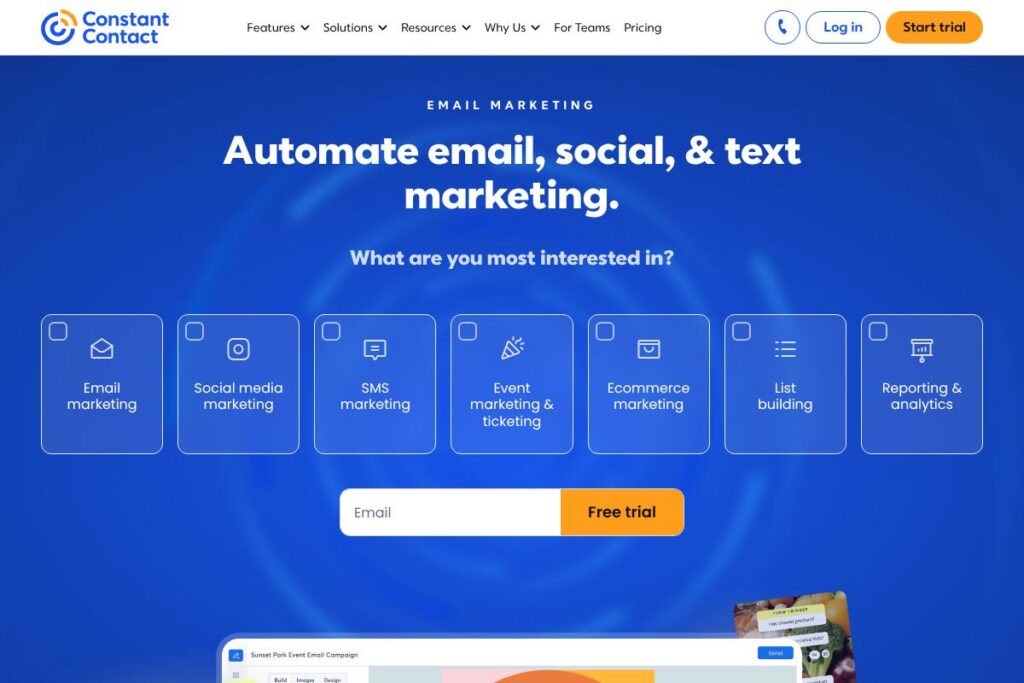
Constant Contact is an email and digital marketing platform aimed at small businesses, franchises, and multi-location teams that need simple campaign creation, audience management, and cross-channel outreach. Core capabilities include drag-and-drop email design, contact segmentation, automated workflows, social posting, and SMS messaging, all accessible from a single dashboard. Explore the Constant Contact homepage for product details and examples of customer success.
Compared with competitors like Mailchimp, Klaviyo, and HubSpot, Constant Contact positions itself around ease of use and phone-based support for small business users. Mailchimp emphasizes a robust free tier and ecommerce integrations, Klaviyo focuses on data-driven ecommerce segmentation and higher-tier pricing for large contact lists, and HubSpot combines marketing automation with CRM features at higher price points. Constant Contact trades some of the advanced segmentation depth of Klaviyo for simpler setup, clearer phone support, and built-in team management features.
All of this makes Constant Contact well suited for small businesses and organizations that want straightforward email campaigns, basic automation, and multi-user management without a steep learning curve. It is particularly useful for brick-and-mortar businesses, nonprofits, and franchises that need consistent branding across locations and straightforward compliance tools for email regulations.
How Constant Contact Works
The platform centers on templates and an intuitive editor that lets users assemble emails with drag-and-drop content blocks, image libraries, and AI-assisted copy suggestions. Users build contact lists through imports, sign-up forms, landing pages, and social lead capture, then apply segments and tags to target campaigns.
Automation is available for common flows such as welcome emails, birthday messages, and re-sends to non-openers, while built-in reporting tracks opens, clicks, bounces, and campaign ROI. Teams use role-based permissions and shared templates to keep branding consistent across locations; organizations with multiple accounts can manage them from a centralized account view.
What does Constant Contact do?
Constant Contact provides tools to design, send, and measure email campaigns, plus cross-channel features for social posting and SMS. The editor streamlines email production with customizable templates and AI writing assistance, while campaign scheduling and reporting let users plan and review performance.
Key capabilities include contact segmentation, automated email flows, resending to non-openers, social ad creation, and SMS credits in higher plans. For organizations that need integration with other business systems, Constant Contact offers a catalog of connectors and a developer API to link CRM, ecommerce, and analytics platforms.
Let’s talk Constant Contact’s Features
Email Templates and Drag-and-Drop Editor
The editor offers hundreds of customizable templates that speed campaign creation and maintain brand consistency. Templates are responsive and allow content blocks to be rearranged, which reduces the time from idea to send for teams without design resources.
Automation and Email Workflows
Prebuilt automation flows cover welcome series, birthday greetings, and re-send-to-non-openers, with higher-tier plans enabling unlimited automation sequences. Automation reduces manual follow-ups and helps maintain timely communication with new and existing subscribers.
Contact Management and Segmentation
Contacts can be tagged, segmented by behavior or custom fields, and imported from CSVs or integrated systems to support targeted messaging. Segmentation improves relevance, leading to higher open and click rates when audiences receive tailored content.
Social Posting and Advertising
Users can create and schedule social media posts directly from the platform and promote posts via social ads to drive sign-ups and traffic. The combined workflow helps convert social followers and website visitors into contacts for email and SMS campaigns.
SMS and Text Marketing
SMS credits are included in higher-tier plans to complement email campaigns for urgent messages and short promotions. Text messaging provides a direct channel for time-sensitive offers, appointment reminders, and two-way responses in supported plans.
Reporting and Deliverability Tools
Reporting tracks opens, clicks, bounces, and unsubscribe rates while deliverability tools help manage consent, spam compliance, and list hygiene. These metrics are essential for iterating on subject lines, content, and send times to improve campaign performance.
With these features, Constant Contact combines basic automation, multi-channel outreach, and team controls to make routine marketing tasks manageable for small teams.
Constant Contact Pricing
Constant Contact uses a tiered SaaS subscription model with monthly and annual billing, plus discounts for prepaid terms and nonprofit organizations. Plans scale by features such as automation limits, SMS credits, advanced reporting, and custom segments.
Monthly Billing:
Lite – $12/mo (drag-and-drop email editor, social posting, AI writing assistance, 300+ integrations, welcome series automation)
Standard – $35/mo (everything in Lite plus scheduling for email and social posts, three automation flows, resending to non-openers, social advertising, advanced reporting)
Premium – $80/mo (everything in Standard plus unlimited automation, unlimited custom segments, 500 text messages per month, lookalike ad targeting, SEO recommendations)
Annual Billing:
Lite – $10.20/mo billed annually ($122.40/year, same features as monthly) when prepaid for 12 months with standard discounting options
Standard – $29.75/mo billed annually ($357/year, same features as monthly)
Premium – $68/mo billed annually ($816/year, same features as monthly)
Enterprise and Custom Plans
Enterprise – Custom pricing for organizations with very large contact lists or multiple teams and locations. These plans include advanced account management, priority support, and volume messaging options. Request tailored options through the Teams and enterprise demo.
Discounts: Prepaying 6 months typically yields 10% off, while prepaid 12 months typically yields 15% off. Nonprofits can often receive deeper prepaid discounts such as 20% for 6 months and 30% for 12 months. View the Constant Contact homepage for the most current plan details and available promotions.
What is Constant Contact Used For?
Small businesses use Constant Contact to create regular customer newsletters, promotional campaigns, event invitations, and seasonal offers without needing a dedicated marketing team. The platform’s templates and automation make it straightforward to maintain consistent outreach and measure engagement.
Franchises and multi-location organizations use the Teams features to lock templates, set permissions, and centralize billing so each location can execute local campaigns while preserving brand standards. Nonprofits rely on the platform for donor outreach, event promotion, and volunteer coordination using email and SMS together.
Pros and Cons of Constant Contact
Pros
- Ease of use: The platform’s editor and premade templates reduce the learning curve for users new to email marketing, enabling faster campaign creation.
- Strong small-business support: Phone support and onboarding assistance are available across plans, which helps organizations that need guidance getting started.
- Team and multi-account management: Features to manage multiple accounts, lock templates, and set permissions help franchises and distributed teams maintain consistent branding.
Cons
- Advanced segmentation limits: For highly data-driven ecommerce teams, segmentation and behavioral automation are not as deep as specialist platforms like Klaviyo.
- Pricing for large lists: Costs can rise as contact lists grow and more automation or SMS credits are required, making it less cost-effective for very large send volumes.
- Feature parity with competitors: Some competitors offer more advanced CRM-native automation or native ecommerce event tracking that Constant Contact approaches via integrations rather than built-in tooling.
Does Constant Contact Offer a Free Trial?
Constant Contact offers a 30-day free trial. The trial provides full access to core marketing tools including email templates, drag-and-drop editing, social posting, and contact list creation for evaluation. After the trial, choose from Lite, Standard, or Premium subscription tiers with monthly or annual billing and prepaid discount options.
Constant Contact API and Integrations
The platform provides a developer API for programmatic access to contacts, campaigns, and lists; consult the API documentation for endpoints and authentication details. The API supports common use cases such as syncing CRM records and automating contact updates.
Constant Contact also supports numerous prebuilt integrations with ecommerce, CRM, and productivity apps including Shopify, WooCommerce, Salesforce, and Zapier through the public integration directory. These connections make it easier to transfer data between systems and extend functionality without custom development.
10 Constant Contact alternatives
Paid alternatives to Constant Contact
- Mailchimp — A popular choice for small businesses with a generous free tier, email builder, and advertising tools that scale into more advanced marketing automations.
- ActiveCampaign — Known for advanced automation and CRM capabilities, good for teams that want powerful segmentation and sales-marketing alignment.
- Klaviyo — Focused on ecommerce businesses with deep behavioral tracking and advanced segmentation based on customer events.
- HubSpot — Combines email marketing with CRM, contact scoring, and inbound tools, suitable for businesses that want marketing and sales tightly integrated.
- GetResponse — Offers email marketing, automation, landing pages, and webinar hosting in a single platform, with tiered plans to match needs.
- Campaign Monitor — Template-rich editor and reporting geared toward designers and agencies, with scalable sending options.
- Sendinblue — Includes email and SMS messaging with a pricing model that scales by messages rather than contacts, useful for message-heavy use cases.
Open source alternatives to Constant Contact
- Mautic — An open source marketing automation platform that supports email campaigns, form building, and campaign workflows with self-hosting options.
- phpList — A self-hosted newsletter manager focused on sending large lists with basic list management and consent handling.
- Mailtrain — An open source newsletter app built on Node.js and MySQL, suitable for teams that prefer self-hosted control and lower recurring costs.
- OpenEMM — Enterprise-grade open source email marketing software with campaign management and reporting tools for self-hosted deployments.
Frequently asked questions about Constant Contact
What is Constant Contact used for?
Constant Contact is used for email marketing, social posting, and SMS outreach for small businesses and teams. Users create campaigns, automate common messages, build contact lists, and analyze engagement across channels.
Does Constant Contact have an API?
Yes, Constant Contact provides a public API for developers. The API documentation explains endpoints for contacts, campaigns, and list management to support integrations and automation.
How much does Constant Contact cost per month?
Constant Contact starts with a Lite plan at about $12/month, with Standard and Premium tiers at higher monthly rates. Discounts are available for prepaid terms and nonprofit organizations; see the Constant Contact homepage for exact current pricing and promotions.
Can Constant Contact handle multi-location teams?
Yes, Constant Contact includes Teams features for managing multiple accounts, locked templates, and role-based permissions. These tools are aimed at franchises, retail chains, and organizations that need consistent branding across locations.
Is Constant Contact compliant with email regulations like GDPR and CAN-SPAM?
Yes, Constant Contact provides tools to support GDPR and CAN-SPAM compliance. The platform includes consent capture, unsubscribe management, and guidance on best practices to help maintain permission-based lists.
Final Verdict: Constant Contact
Constant Contact is a practical choice for small businesses, nonprofits, and multi-location organizations that need an approachable email marketing platform with cross-channel capabilities and accessible support. It does particularly well at simplifying campaign creation, centralizing team workflows, and providing phone-based onboarding and help that many small teams rely on.
Compared with Mailchimp, Constant Contact emphasizes clearer small-business support and team account management while Mailchimp tends to emphasize free-tier entry points and extensive ecommerce integrations. Constant Contact’s pricing begins at $12/month for the Lite plan, offering straightforward automation and phone support, whereas Mailchimp’s tiering and free plan appeal to organizations that want a lower-cost entry point but may need additional integrations or advanced automations as they scale.
If you manage a small marketing team, run multiple locations, or prefer phone support and preset automation flows, Constant Contact is a solid, low-friction platform to consider. For highly technical ecommerce teams that need deep behavioral segmentation and event-based automation, consider comparing it with Klaviyo or automation-centric platforms to determine which trade-offs in price and feature depth match your priorities.