Getting to Know Joplin
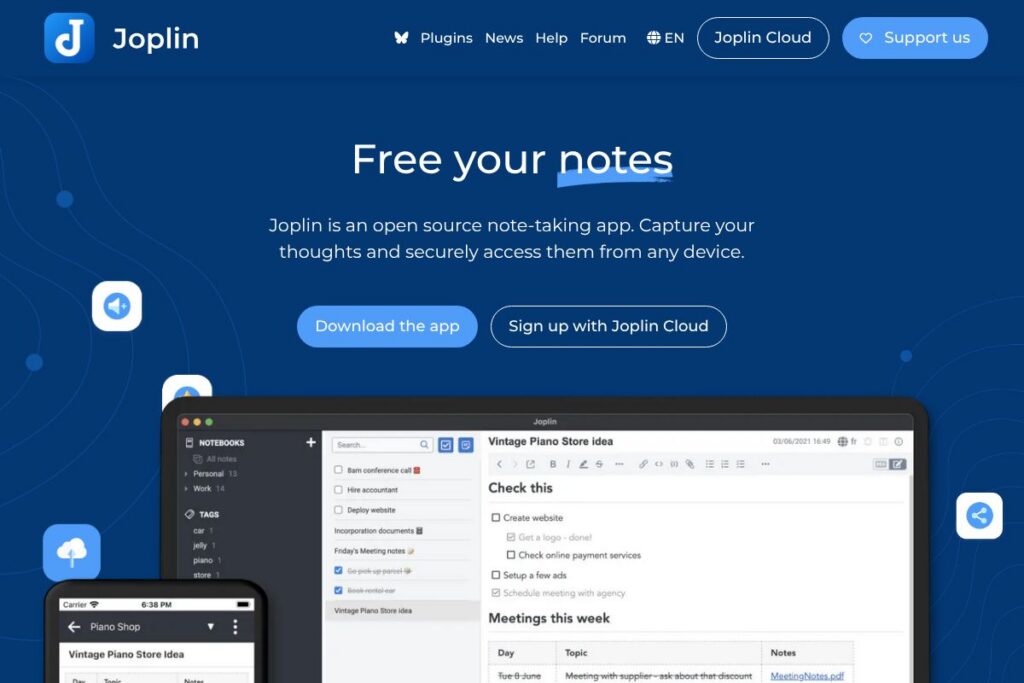
Joplin is an open-source note-taking and task manager designed for users who want full control over their data. It supports Markdown and rich text editing, notebooks and tags, reminders, and cross-device synchronization via multiple storage backends. The application runs on Windows, macOS, Linux, Android, and iOS, and there is also a terminal client for command-line workflows.
Compared with Evernote, Joplin puts ownership and portability first by saving notes in open formats and offering end-to-end encryption out of the box. Compared with Obsidian, Joplin is stronger on synchronization and web clipping while Obsidian focuses on local graph-based knowledge management. Against Standard Notes, Joplin offers more customization through plugins and themes while Standard Notes emphasizes a minimal, security-first core with optional paid extensions.
All of this makes Joplin well suited to individuals and teams who need a flexible note system that can be self-hosted or paired with a managed option. It is especially useful for privacy-conscious users who want E2EE, developers who will extend the app via the Extension API, and anyone who collects web content using a browser clipper.
How Joplin Works
Joplin stores notes as Markdown or rich text files organized into notebooks and tagged for context. You create, edit, and organize notes in the desktop, mobile, or terminal client, and synchronization pushes changes to your chosen backend so every device stays up to date.
Synchronization can use Joplin Cloud, Dropbox, OneDrive, WebDAV, or any storage service compatible with these protocols. The web clipper browser extension captures web pages or screenshots into your notebook, and the Extension API lets developers add features or custom editors. End-to-end encryption can be enabled to protect content so only authorized devices can read notes.
Joplin features
Joplin is organized around cross-device note management, secure synchronization, and extensibility. Core capabilities include Markdown and rich text editing, a browser clipper, multiple sync backends including an optional hosted service, a plugin system with custom themes, and built-in end-to-end encryption. Recent improvements expanded plugin APIs and made the mobile apps more responsive.
Here are some key features worth highlighting:
Note editors
Joplin supports Markdown editing with live preview and an optional rich text editor so users can pick the workflow they prefer. The Markdown editor supports code blocks, tables, attachments, and internal linking which benefits technical users and long-form writers. Editors sync formatting consistently across platforms and work well with keyboard-driven workflows.
Web clipper
The web clipper extension captures full pages, simplified articles, or selectable screenshots directly into your notebooks from Chrome and Firefox. Clipped content is saved as notes with metadata and source links which makes it easy to build research libraries. The clipper integrates with your sync backend so clipped notes appear on every device.
Synchronization and storage backends
Joplin synchronizes via multiple backends including Joplin Cloud, Dropbox, OneDrive, WebDAV, and compatible self-hosted services. You can choose a managed hosted option for convenience or keep everything on your own storage to meet privacy or compliance needs. Conflict resolution and incremental sync are handled automatically to reduce manual merging.
End-to-end encryption (E2EE)
E2EE secures notes before they leave your device so stored copies and transit data are unreadable without your keys. The encryption model supports per-account keys and encrypted attachments which helps protect sensitive notes. Enabling E2EE requires key setup on each device and provides a higher privacy guarantee than plain sync.
Extensibility and plugins
Joplin includes an Extension API so developers can build plugins, custom themes, and new editors that run inside the app. The plugin ecosystem covers tasks like enhanced import/export, additional editors, automation, and integrations with external services. Plugins let teams tailor the application to specific workflows without modifying core code.
Publish and share notes
You can publish notes to the web or share notebooks with collaborators using Joplin Cloud for collaborative editing and read-only published URLs for public content. Publishing creates a web-accessible version of a note that preserves formatting and attachments which is useful for documentation or blog-style sharing. Shared notebooks sync in real time for collaborators who have access.
Cross-platform clients
Native clients are available for Windows, macOS, Linux, Android, and iOS, plus a terminal app for headless or scriptable use. The consistent interface and sync behavior make switching between devices seamless, and offline access is supported so notes remain readable without connectivity. Mobile clients include notifications and reminder features tailored to on-the-go use.
Joplin’s biggest benefit is combining data portability and strong security with a high degree of customization, making it a practical choice for both personal knowledge bases and collaborative note workflows.
Joplin pricing
Joplin is open-source software and the core applications are free to use. You can self-host synchronization using WebDAV or third-party cloud storage without paying for the app itself, and the source code is available for inspection and modification.
For users who prefer a managed option, Joplin offers a hosted service called Joplin Cloud. For details on hosted offerings, storage limits, trials, and billing, check the Joplin Cloud plans page for current options and terms.
What is Joplin Used For?
Joplin is commonly used for personal note-taking, research clipping, and task lists where users need control over storage and strong privacy protections. Its Markdown support and attachment handling make it suitable for technical notes, documentation, and journaling.
Teams use Joplin for knowledge sharing when they need a privacy-friendly alternative to closed platforms, or when they want the option to self-host synchronization. Academic researchers and writers often use the web clipper to gather sources and the tagging system to keep projects organized.
Pros and Cons of Joplin
Pros
- Open-source and portable: Notes are stored in open formats so you can export and migrate data freely without vendor lock-in.
- Strong encryption: End-to-end encryption protects notes and attachments so only authorized devices can decrypt content.
- Extensible with plugins: The Extension API and plugin ecosystem let teams add custom workflows, editors, and integrations.
- Flexible sync options: You can use Joplin Cloud, Dropbox, OneDrive, WebDAV, or a self-hosted backend to match privacy and infrastructure needs.
Cons
- User interface complexity: The power and flexibility come with a learning curve, and some users may find the UI less polished than single-vendor note apps.
- Managed cloud is separate: While the core app is free, collaborative features and easy sharing rely on Joplin Cloud or configuring a sync backend, which can add cost or setup overhead.
- Plugin quality varies: Third-party plugins cover many gaps but quality and maintenance levels differ across the ecosystem.
Does Joplin Offer a Free Trial?
Joplin is free and open-source. The core desktop, mobile, and terminal apps are available at no cost and can be synced using free or existing storage services; for managed hosting or collaborative cloud features, see the Joplin Cloud plans page for trial and subscription details.
Joplin API and Integrations
Joplin provides an Extension API for building plugins and custom functionality, and the API documentation describes endpoints and plugin hooks for developers. Integrations commonly used with Joplin include Dropbox, OneDrive, WebDAV-compatible servers, and connector plugins that tie into other productivity tools.
The web clipper integrates with Chrome and Firefox via the web clipper extension so captured content flows directly into your notebooks and sync backend. For automation and custom sync strategies, users can combine the terminal client with scripts and third-party sync services.
10 Joplin alternatives
Paid alternatives to Joplin
- Evernote — A long-standing, feature-rich note app with built-in sync and advanced search, available under paid tiers for premium features.
- Notion — An all-in-one workspace for notes, docs, databases, and collaboration with subscription plans for teams and individuals.
- Microsoft OneNote — A free-to-use note app bundled with Microsoft 365 that integrates tightly with Office and OneDrive for paid subscribers.
- Obsidian — A local-first knowledge base with a strong plugin ecosystem; core app is free for personal use while paid services add sync and publishing features.
- Roam Research — A paid, backlink-focused note system designed for networked thought and knowledge graphs.
- Bear — A Markdown note app aimed at Apple users with a subscription unlocking sync and advanced features.
Open source alternatives to Joplin
- Standard Notes — A privacy-focused note app with a minimal free core and optional paid extensions, built around encryption and long-term accessibility.
- Trilium Notes — A hierarchical note-taking application with scripting, rich editing, and self-hosting capabilities for complex knowledge bases.
- Turtl — An encrypted note-taking app designed for privacy-first users with simple collaboration features and self-hosting options.
- Zim — A desktop wiki for personal knowledge that stores pages in plain text with support for plugins and local organization.
Frequently asked questions about Joplin
What platforms does Joplin support?
Joplin runs on Windows, macOS, Linux, Android, and iOS. There is also a terminal client for command-line usage and headless automation.
Does Joplin support end-to-end encryption?
Yes, Joplin supports end-to-end encryption. You enable E2EE and manage encryption keys on each device so synchronized content remains encrypted outside your devices.
Can I sync Joplin with my own server?
Yes, you can sync Joplin using WebDAV or other compatible storage backends. This lets organizations or individuals host their own sync storage for privacy or compliance reasons.
Does Joplin have a web clipper for browsers?
Yes, Joplin offers a web clipper extension for Chrome and Firefox. The clipper saves pages, simplified articles, and screenshots into your notebooks and forwards them to your sync backend.
Is Joplin suitable for team collaboration?
Joplin can be used for team collaboration via shared notebooks in Joplin Cloud or by configuring shared sync storage. Teams that prioritize data control and encryption often choose Joplin combined with a managed or self-hosted sync solution.
Final verdict: Joplin
Joplin stands out for putting control, portability, and privacy at the center of note-taking. Its combination of Markdown-first editing, flexible sync backends, plugin extensibility, and end-to-end encryption makes it a strong choice for users who want to avoid vendor lock-in while keeping notes secure and portable.
Compared with Evernote, which charges for advanced features under paid tiers, Joplin’s core applications are free and open-source, though collaborative convenience through Joplin Cloud may involve subscription fees. If you need a polished, fully managed ecosystem with built-in corporate features, Evernote or Notion may be easier to adopt; if you want control and customizability, Joplin is the better fit.