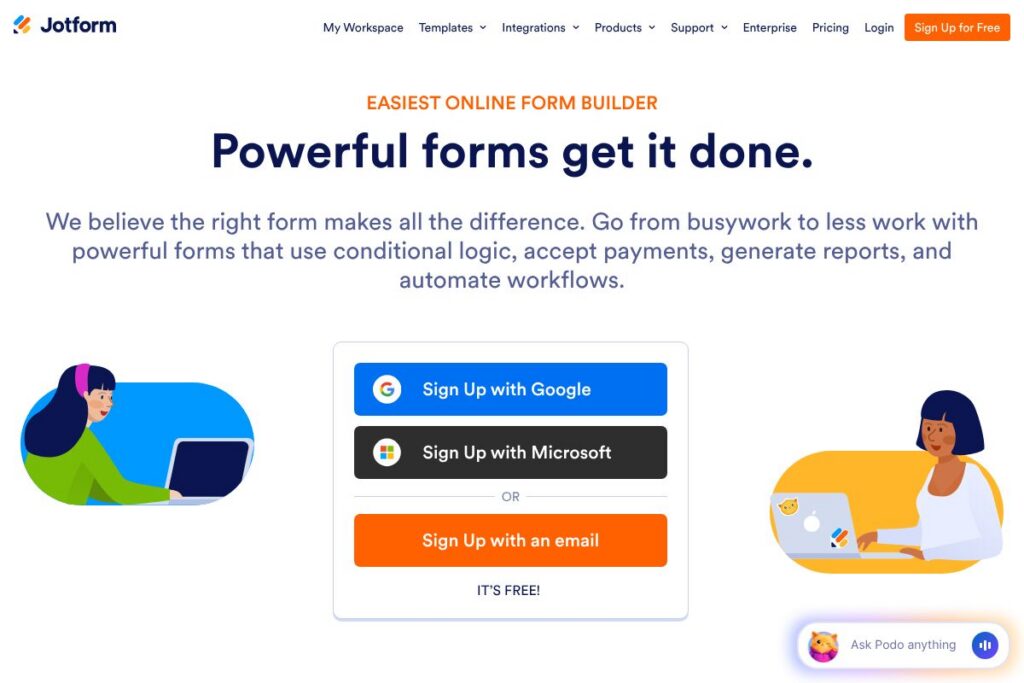
What is Jotform
Jotform is an online form builder that lets users create forms and surveys with a visual drag-and-drop editor, add custom styling, and collect submissions including payments. It targets a wide range of use cases from simple contact forms to multi-step applications and order forms, accommodating both small organizations and larger teams with workflow needs.
Compared with Google Forms and Typeform, Jotform emphasizes flexibility and extensibility. Google Forms is simple and free but limited in styling and payment collection, while Typeform focuses on conversational form experiences; Jotform sits between them by offering deeper customization, native payment integrations, and workflow features.
All of this makes Jotform a practical choice for users who need a full-featured form platform that supports conditional logic, payment processing, and reporting. It is well suited for event registrations, HR applications, order forms, and organizations that require data routing and automation within form submissions.
How Jotform Works
The builder operates in a browser with a drag-and-drop canvas where you place fields, set conditional logic, and apply branding. Fields include text, file uploads, payment widgets, and widgets for calculations or widgets from the Jotform marketplace, enabling rapid composition of one-page or multi-page forms.
After building, forms can be embedded in websites, shared via direct links, or published as standalone landing pages. Submission handling supports email notifications, PDF generation, webhooks, and automated forwarding to connected apps so teams can immediately action incoming data.
What does Jotform do?
Jotform provides a suite of capabilities for designing, publishing, and processing forms. Core capabilities include a visual form builder, conditional logic, payment integrations, templates, and basic reporting; the platform also adds automation and team collaboration features to manage form lifecycles.
Let’s talk Jotform’s Features
Drag-and-drop Form Builder
The visual editor lets you add and arrange fields quickly, configure validation, and set up multi-page flows without writing code. This reduces setup time for typical forms like registrations, surveys, and lead capture while allowing fine-grained control of field behavior.
Conditional Logic
Conditional logic controls which fields or pages appear based on previous answers, enabling personalized form flows and streamlined data collection. Teams use this to create application workflows that adapt to applicant responses and to show or hide payment fields only when needed.
Payment Collection
Jotform connects with major payment processors to accept payments, donations, and product orders directly through forms. Payment fields can calculate totals, apply taxes or discounts, and route receipts to submitters, which simplifies online ordering and fee collection.
Templates and Styling
A large template gallery speeds up common use cases such as event registration, job applications, and feedback surveys, while styling options let you add logos, fonts, and color schemes. This helps keep forms consistent with brand identity across public touchpoints.
Integrations and Automation
Built-in integrations send submissions to email marketing platforms, CRMs, cloud storage, and project management tools, or trigger automations and webhooks for downstream processing. These connectors reduce manual data entry and help fit forms into existing business processes.
Reporting and PDF Generation
Submission data can be viewed in tables, charts, or exported as CSV and PDF. Automated PDF reports provide formatted records for approvals, record-keeping, or sharing with stakeholders without manual formatting.
With these capabilities Jotform covers the full form lifecycle from creation to processing and export, making it a versatile tool for many business needs.
Jotform pricing
Jotform uses a freemium subscription model with paid tiers that add higher usage allowances, advanced features, and team management capabilities. For up-to-date plan details and any enterprise options, check the current pricing options on the vendor site.
What is Jotform Used For?
Jotform is commonly used for event registrations, application intake, online orders, payment collection, surveys, and internal request forms. Its payment widgets and calculation fields make it useful for simple e-commerce and donation use cases where a lightweight checkout tied to a form is sufficient.
Organizations also use Jotform for data intake and approvals by combining conditional logic with automated PDF generation and webhook forwarding. Small businesses, educational institutions, HR teams, and nonprofits often rely on the platform to replace manual paper processes.
Pros and Cons of Jotform
Pros
- Flexible form design: The drag-and-drop editor and template library let non-technical users build complex forms quickly, including multi-page layouts and branded styling.
- Payment and calculation support: Multiple payment processor integrations and built-in calculation fields handle orders, invoices, and donations without separate e-commerce tooling.
- Extensive integrations: Native connectors and webhook support make it straightforward to route submissions to CRMs, cloud storage, and automation platforms for downstream processing.
Cons
- Advanced features behind paid tiers: Some enterprise features such as large submission volumes, advanced security controls, and white-label options require paid plans or enterprise contracts.
- Learning curve for complex workflows: Building intricate conditional logic and multi-step automation can be time-consuming for newcomers and may require planned testing before launch.
Does Jotform Offer a Free Trial?
Jotform offers a free plan with limited monthly submissions and form views, and paid tiers with expanded quotas and features. The free plan enables basic form creation, templates, and integrations so users can test core functionality before upgrading to paid plans. For specific trial durations or promotional offers, review the current pricing options.
Jotform API and Integrations
Jotform provides a developer API that exposes endpoints for form creation, submission retrieval, and account management; the Jotform API documentation describes available calls and authentication. Key native integrations include email marketing platforms, cloud storage providers, CRMs, and payment processors which are listed on the integrations page.
10 Jotform alternatives
Paid alternatives to Jotform
- Google Forms — Free and simple for basic surveys and quizzes with tight Google Workspace integration, but limited payment and styling options.
- Typeform — Focuses on conversational, interactive forms with strong design and user experience, often used for customer-facing surveys and lead capture.
- Formstack — Enterprise-oriented form and document workflow platform with advanced automation and compliance features for regulated industries.
- Formsite — Provides secure data collection with advanced reporting and conditional logic for mid-market users.
- SurveyMonkey — Survey-focused platform with advanced analytics and survey-specific question types for research and feedback collection.
- Wufoo — Simple form builder owned by SurveyMonkey with a template-driven approach and basic payment support.
Open source alternatives to Jotform
- LimeSurvey — Open source survey software suitable for research projects and structured surveys with self-hosting options.
- FormTools — Modular open source form management system that requires self-hosting and offers flexibility for developer customization.
- Orbeon Forms — Enterprise-ready open source form platform that supports complex form logic and integration for self-hosted deployments.
- Nextcloud Forms — Part of the Nextcloud ecosystem for teams already using Nextcloud for files and collaboration, offering simple form collection.
Frequently asked questions about Jotform
What types of forms can Jotform create?
Jotform can create contact forms, surveys, registration forms, order forms, payment forms, and custom application forms. Templates and widgets cover common use cases so you can start from a prebuilt structure or a blank canvas.
Does Jotform accept payments through forms?
Yes, Jotform supports payments by integrating with major processors and payment gateways. You can add payment widgets to calculate totals and accept one-time payments or donations directly through a form.
Can Jotform integrate with CRM and cloud apps?
Yes, Jotform connects to many CRMs, cloud storage services, and marketing platforms. See the integrations page for a full list of supported services and setup instructions.
Does Jotform provide an API for developers?
Yes, Jotform provides a RESTful API for programmatic access to forms and submissions. Review the Jotform API documentation for endpoints, authentication, and examples.
Is Jotform suitable for teams and enterprise use?
Jotform offers team and enterprise features such as shared folders, role-based access, and higher usage quotas. Organizations that need compliance controls or dedicated support can explore enterprise options through the vendor.
Final verdict: Jotform
Jotform is a comprehensive form platform that balances ease of use with powerful capabilities, including conditional logic, payment collection, integrations, and PDF reporting. It is particularly strong for users who need customizable forms that plug into business workflows without custom development.
Compared with Typeform, Jotform favors breadth of features and backend automation while Typeform focuses on a polished user-facing experience. In pricing structure the two follow a freemium approach with paid tiers for higher quotas and advanced features; Jotform is often the better pick when payments, calculations, or enterprise integrations are required, while Typeform is preferred for conversational survey design.
For teams needing a flexible, extensible form solution that covers simple contact forms to complex intake and payment workflows, Jotform is a practical choice. Check the Jotform homepage and the API documentation for specifics on plans, features, and integration options.