Mixpanel: An Overview
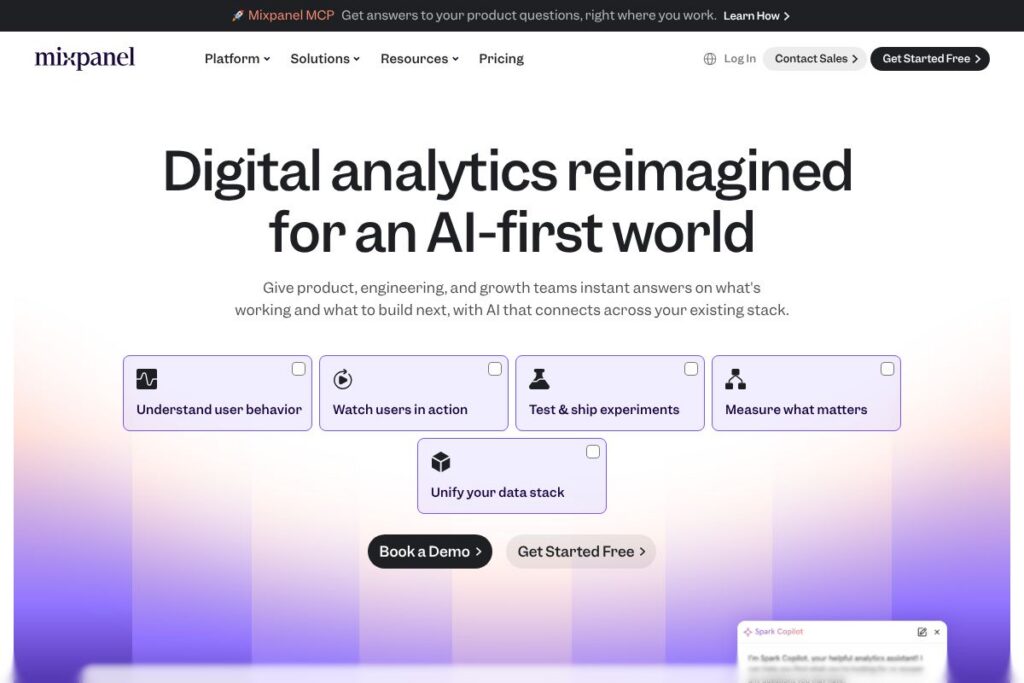
Mixpanel is a product analytics platform focused on event-level measurement, retention analysis, funnel conversion, and experimentation for product teams. It emphasizes lightweight instrumentation, fast queries, and tools that connect analytics to product changes, such as feature flagging and A/B testing. Mixpanel also layers AI over event data so teams can ask plain-language questions and get actionable explanations of user behavior.
Compared with Amplitude, which is often positioned around behavioral cohorting and product growth playbooks, Mixpanel is notable for its session replay integration and a tighter combination of experiments and feature flags inside the same product. Against Google Analytics, Mixpanel trades pageview-centered reporting for event-level tracking that captures product interactions across web and mobile. Against Heap, Mixpanel requires explicit event tracking but returns faster, more precise funnel and retention calculations for planned experiments.
All of this makes Mixpanel well suited to product managers, growth teams, and engineers who need accurate event analytics, fast querying at scale, and a path from insight to action through experiments and feature flags. The platform is particularly useful when teams want to map KPIs to specific product drivers and validate changes against real user behavior.
How Mixpanel Works
Instrumentation starts by tracking events from your app, website, or backend, with events carrying properties that describe context. Those events flow into Mixpanel’s event store where they can be queried, segmented, and used in funnels or retention cohorts. The platform supports SDKs for web and mobile and server-side ingestion for backend events.
Once data is flowing, teams use Mixpanel’s query builder or plain-language AI queries to explore behavior, then pin insights into dashboards. Experiments and feature flags connect directly to the same event schema so you can run A/B tests against conversion funnels and evaluate lift using the same metrics. Warehouse syncs keep Mixpanel data aligned with Snowflake, BigQuery, or Redshift so backend analytics and product analytics match.
What does Mixpanel do?
Mixpanel centers on event analytics, funnel and retention reporting, session replay, feature flags, and experimentation, with AI features to generate answers from raw event data. It also offers data governance, security controls, and warehouse syncs to ensure data is consistent across analytics and engineering workflows. The platform recently pushed deeper AI assistance and tighter integration between experiments and analytics to reduce friction between analysis and shipping changes.
What Makes Mixpanel Stand Out
Event Tracking and Instrumentation
Mixpanel records discrete user events with customizable properties so teams can capture exactly which product actions matter. This yields precise funnels, cohort definitions, and segmentation that reflect real product behavior, which benefits teams iterating on features or onboarding flows.
Funnels and Conversion Analysis
Funnels visualize conversion across multiple steps and support breakdowns by user properties or cohorts, making it straightforward to find where users drop off and measure the impact of product changes. Funnels can be tied to experiments to evaluate A/B test performance on prioritized metrics.
Retention and Cohorts
Retention reports show how user engagement changes over time and allow the creation of dynamic cohorts for re-engagement or analysis. Teams use cohort-based views to diagnose churn drivers and measure the long-term effect of product adjustments.
Mixpanel AI and Natural-Language Queries
AI-driven querying lets non-technical users ask questions in plain language and receive explanations, charts, and suggested next steps. This lowers the barrier to self-serve analysis and speeds up discovery for cross-functional teams.
Session Replay and Heatmaps
Session replays and heatmaps are linked to analytics so you can move from a funnel drop-off to the exact sessions causing it. That connection helps convert quantitative signals into qualitative understanding of user interactions and UI issues.
Experiments and Feature Flags
Built-in experimentation and feature flagging let teams run A/B tests and rollouts using the same event schema used for analytics. This reduces tool sprawl and ensures tests are evaluated against consistent product metrics.
Data Warehouse Syncs
Mixpanel synchronizes event and user data with Snowflake, BigQuery, Redshift, and similar warehouses for cross-system analysis and reporting. Warehouse syncs keep product analytics consistent with backend reporting and enable advanced SQL-based queries in your data stack.
Dashboards, KPI Maps, and Alerts
Dashboards gather key metrics, and KPI mapping tools show how metrics relate to potential drivers so teams know which levers to pull. Alerts and scheduled reports keep stakeholders informed when key metrics move.
Security and Governance
Mixpanel provides enterprise-grade controls including SSO, audit logs, role-based access, and compliance certifications to support governance and data protection needs. These features help teams define source-of-truth metrics and control who can edit or publish them.
With these capabilities Mixpanel helps teams go beyond surface metrics, tying behavioral signals back to experiments and product decisions so improvements are measurable and repeatable.
Mixpanel pricing
Mixpanel uses a SaaS subscription model with tiered plans and custom enterprise pricing that scales by usage and feature needs. The product includes a free tier alongside paid plans that add higher event volumes, AI query capacity, advanced governance, and enterprise support.
For current plan details and the most up-to-date billing options, view Mixpanel’s current pricing options. For enterprise requirements such as SSO, HIPAA readiness, and dedicated support, check Mixpanel’s enterprise offerings or contact their sales team through the site.
What is Mixpanel Used For?
Product analytics and experimentation are Mixpanel’s primary use cases, including onboarding funnel optimization, feature adoption tracking, and retention improvement. Product managers and growth teams use Mixpanel to quantify the impact of interface changes, new features, and messaging on user behavior.
Engineering and data teams use Mixpanel for instrumented event collection, integrating backend metrics, and syncing product data to data warehouses. Customer success and marketing teams also leverage cohorts and funnels to monitor campaigns and user journeys.
Pros and cons of Mixpanel
Pros
- Fast, scalable query engine: Mixpanel returns sub-second queries even at high event volumes, which keeps exploratory analysis and dashboards responsive for large product datasets.
- Integrated experiments and feature flags: Running experiments and managing flags in the same platform as analytics removes synchronization issues and simplifies test analysis and rollouts.
- Session replay tied to analytics: Replays that are directly linked to event funnels let teams move from a metric to a real session in seconds, helping diagnose UX issues quickly.
- Strong governance and security: Enterprise controls like SSO, audit logs, and compliance certifications support regulated environments and multi-team governance needs.
Cons
- Requires event planning and instrumentation: Accurate results depend on well-designed event schemas, so teams must invest time in instrumentation and property design to get reliable analysis.
- Enterprise pricing for large volumes: Organizations with very high event volumes or advanced governance needs typically move to custom enterprise plans, which can be more expensive than basic SaaS tiers.
- Learning curve for advanced analysis: While Mixpanel supports plain-language queries, advanced segmentation and complex cohort logic can require training for analysts new to event-based analytics.
Does Mixpanel Offer a Free Trial?
Mixpanel offers a free plan. The free tier provides core analytics functionality so teams can start tracking events, building funnels, and running basic retention reports; paid plans unlock higher usage limits, AI capacity, and enterprise features. For details on limits and trial promotions, see Mixpanel’s signup and plan information.
Mixpanel API and Integrations
Mixpanel provides a developer-focused API for event ingestion, user profiles, and data export; reference the API documentation for endpoints and SDK usage. SDKs for web, iOS, Android, and server-side libraries accelerate instrumentation and event delivery.
The platform integrates with common warehouse solutions such as Snowflake, BigQuery, and Redshift through built-in syncs, and connects to tooling like Slack, Segment, and BI platforms for notifications and downstream reporting. Explore Mixpanel’s data connector options for specifics on supported integrations.
10 Mixpanel alternatives
Paid alternatives to Mixpanel
- Amplitude – Product analytics with cohort analysis and growth playbooks focused on user journeys and behavioral insights.
- Heap – Auto-capture analytics that reduces upfront instrumentation by recording user interactions automatically for retroactive analysis.
- Pendo – Combines product analytics with in-app guides and user feedback tools targeted at product teams focusing on adoption.
- FullStory – Session replay and digital experience analytics with powerful user session search and debugging features.
- Adobe Analytics – Enterprise-grade web and app analytics with deep customization and integration across the Adobe Experience Cloud.
- Google Analytics 4 – Event-driven analytics with broad ecosystem integration, suitable for teams that need a free option with strong marketing analytics ties.
- Segment (Twilio Segment) – Not a direct analytics engine but a customer data platform that routes event data to analytics tools and warehouses.
Open source alternatives to Mixpanel
- PostHog – Self-hosted product analytics with feature flags and session recording; good for teams that want full control over data and hosting.
- Matomo – Open source analytics focusing on privacy and self-hosting, emphasizing pageview and event tracking for websites.
- Countly – Product analytics platform that can be self-hosted and extended, offering mobile and web analytics with plugins for customization.
Frequently asked questions about Mixpanel
What is Mixpanel best used for?
Mixpanel is best used for event-level product analytics and experimentation. It helps teams measure funnels, track retention, and run A/B tests against consistent product metrics.
Does Mixpanel integrate with data warehouses like Snowflake?
Yes, Mixpanel offers warehouse syncs for systems such as Snowflake, BigQuery, and Redshift. These syncs allow you to analyze unified product and backend data across tools.
Can Mixpanel run experiments with feature flags?
Yes, Mixpanel supports experiments and feature flag management. You can run A/B tests against product metrics and control rollouts from the same platform used for analytics.
Is Mixpanel secure enough for enterprise use?
Mixpanel includes enterprise-grade security and governance features. The platform offers SSO, audit logs, and compliance readiness such as SOC 2 Type II and ISO 27001 to support regulated environments.
Does Mixpanel provide an API for developers?
Yes, Mixpanel provides a documented API and multiple SDKs. See the Mixpanel API documentation for ingestion, export, and SDK integration details.
Final Verdict: Mixpanel
Mixpanel excels at combining event-level analytics with tools that move teams from insight to action, notably session replay, experiments, and feature flags in a single workflow. Its sub-second query performance, AI query assistance, and warehouse syncs make it a solid choice for product and growth teams that need fast, reliable answers tied directly to product changes.
Compared with Amplitude, Mixpanel tends to lean into session replay and built-in experimentation, while both platforms offer free tiers and custom enterprise pricing. If you need tight integration between analytics and experiments plus strong governance features, Mixpanel is a compelling option; teams focused solely on complex behavioral modeling or who prefer auto-capture may evaluate Amplitude or Heap as alternatives.