What is PlaybookUX
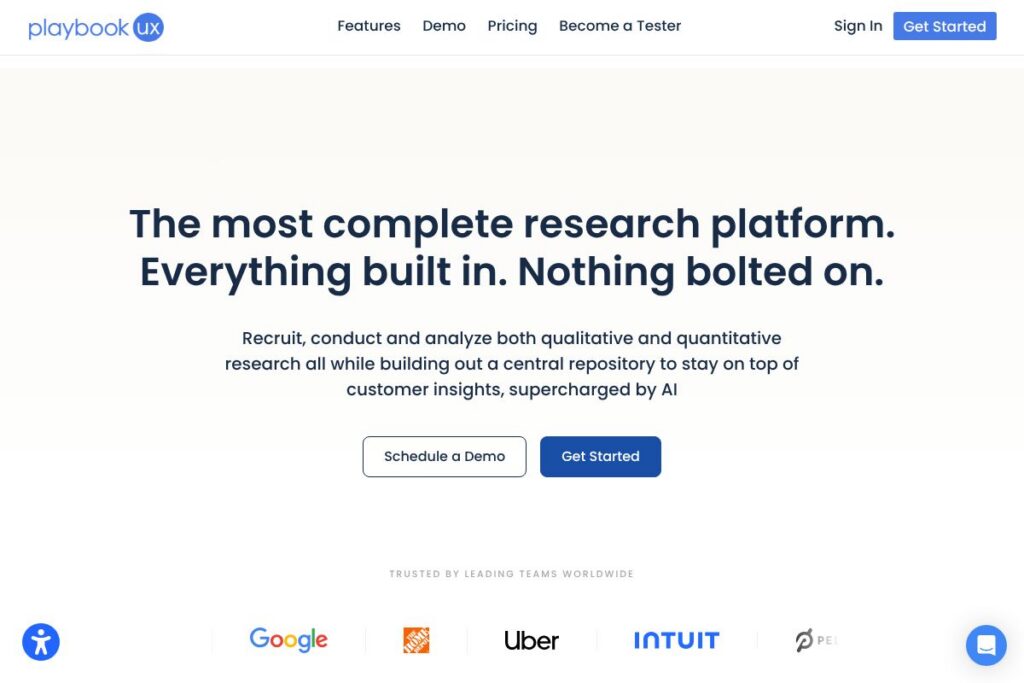
PlaybookUX is a unified research platform that combines participant recruitment, session capture, analysis tools, and a centralized repository for customer insights. It supports both qualitative and quantitative methods, including moderated and unmoderated video testing, surveys, card sorting, tree testing, and first-click tests, with AI features to speed up analysis and summarization.
Compared with platforms like UserTesting, which focuses on large-scale usability panels and enterprise contracts, PlaybookUX emphasizes an all-in-one workflow that brings recruitment, testing, and analysis into the same product. Compared with Dovetail, which concentrates on qualitative analysis and note-taking, PlaybookUX adds integrated recruitment and session capture so teams can run end-to-end studies without stitching multiple tools together. For teams that rely on session replay and analytics, Hotjar excels at passive analytics, while PlaybookUX centers active user research and direct participant feedback.
PlaybookUX does well at consolidating research workflows so teams spend less time managing licenses and more time analyzing results. Its combination of participant panel access, built-in test types, and AI-assisted analysis makes it appropriate for in-house UX teams, small agencies, and product groups that want to scale research without managing multiple point solutions. For more on the platform, see the PlaybookUX homepage.
How PlaybookUX Works
Set up begins with creating a study and selecting the target audience using built-in screeners and panel filters, or by uploading your own participant list. Recruitment can come from PlaybookUX’s vetted participant pool or your customers; the platform handles scheduling, participant reminders, and participant payouts so your team can focus on test design.
During sessions, PlaybookUX captures webcam, audio, and screen recordings for unmoderated and moderated studies while collecting structured quantitative answers alongside open-ended responses. Team members can observe live moderated sessions as invisible observers, take synchronized notes, and tag moments in real time to make later analysis faster.
After data collection, PlaybookUX applies search, tagging, and AI features to surface themes, produce executive summaries, and generate highlight reels or clip libraries. Results are stored in a central repository that teams can search and annotate for stakeholder reporting and long-term insight management.
PlaybookUX features
PlaybookUX organizes research around end-to-end workflows: recruitment, study execution, and analysis. Core capabilities include a participant panel, unmoderated and moderated testing, a suite of testing formats (card sorting, tree testing, five-second tests, first-click, preference testing), Figma integration, session replays, tagging and repository features, and AI-assisted summaries that speed up analysis.
Let’s talk PlaybookUX’s Features
Participant Recruitment
Recruitment supports PlaybookUX’s panel of millions of vetted participants and allows teams to bring their own contacts. The platform includes demographic and screener filtering to target personas and streamlines logistics like scheduling and reminders, which reduces time-to-results for most studies.
Unmoderated Testing
Unmoderated tests capture video of participants’ faces, voices, and screens while they complete tasks and answer questions. Teams can combine qualitative prompts with quantitative metrics, then clip key moments and build highlight reels for stakeholders.
Moderated Interviews
Built-in video conferencing records webcam, audio, and screen activity while letting observers join sessions invisibly. The scheduler and recruitment integration reduce coordination overhead, and post-session transcripts and timestamped clips make synthesis faster.
Card Sorting
Card sorting supports open, closed, and hybrid modes with image support and advanced settings like randomization. Results include similarity matrices and dendrograms to help teams map information architecture and identify category relationships.
Tree Testing
Tree testing measures task success, path analysis, and first-click behavior against a site map built inside the platform. The reporting surface highlights where users fail to find content so teams can iterate on navigation and labeling.
Surveys
Surveys can mix multiple choice, open-ended, ratings, rankings, matrix, and image-based questions, with skip and branching logic. Real-time charts and filterable responses let teams triangulate quantitative results with qualitative clips and transcripts.
Figma Integration
Import Figma prototypes directly and place overlays for click tracking, heat maps, and task completion analytics on your designs. This integration eliminates manual setup and provides actionable metrics tied to prototype screens.
Session Replays and Heat Maps
Session replays let you watch every click, scroll, and navigation path from participant sessions, with replay AI that summarizes behaviors. Heat maps and click maps visualize attention and misclicks for first-click and five-second tests.
First-Click and Five-Second Tests
First-click testing measures where users click first on an asset while five-second tests capture first impressions after brief exposure. Both deliver fast validation for visual hierarchy and messaging with follow-up questions to deepen insights.
Preference Testing
Upload multiple designs to measure user preference and pair results with follow-up questions for context. Visualizations help teams decide between variants with clear statistical readouts and qualitative justification.
Tagging, Search, and Repository
A built-in tagging system and searchable repository keep research assets organized so teams can surface past findings quickly. Tag structures, comments, and shared highlight reels help make research accessible across distributed teams.
AI-Assisted Analysis
AI tools generate executive summaries, theme extraction, task analyses, and replay summaries, and can suggest follow-up prompts during sessions. These features reduce manual coding time and accelerate stakeholder-ready reporting.
With PlaybookUX, the biggest benefit is having recruitment, session capture, multiple test types, and AI-enabled analysis inside a single platform, which simplifies project management and reduces the need to export and stitch data across tools. For details on the platform and feature demos, visit the PlaybookUX homepage.
PlaybookUX pricing
PlaybookUX offers flexible, subscription-based pricing tailored to different team sizes and research needs, including options for individuals, teams, and enterprise deployments. Because pricing and plan specifics change periodically, check PlaybookUX’s current pricing options on their website for the most up-to-date details.
What is PlaybookUX used for
PlaybookUX is used to validate product concepts, evaluate prototypes, and measure usability by collecting direct user feedback through recorded sessions, surveys, and structured tests. Teams use it for tasks like navigation testing, first-impression evaluation, preference comparisons, and longitudinal research when tracking changes over time.
It is also used to centralize research artifacts and findings; the platform’s repository, tagging, and search features make it practical for organizations that want to build institutional knowledge from multiple studies. Product managers, UX researchers, designers, and customer insights teams commonly use PlaybookUX to reduce the friction of running studies and delivering stakeholder-ready results.
Pros and cons of PlaybookUX
Pros
- Comprehensive, all-in-one platform: Combines recruitment, testing, recording, and analysis in a single product so teams do not need multiple tools to run studies.
- AI-assisted analysis: Speeds up theme extraction, executive summaries, and replay highlights, which reduces manual synthesis time and accelerates reporting.
- Wide range of test types: Supports moderated and unmoderated sessions, card sorting, tree testing, first-click, five-second, preference testing, and surveys, providing flexibility for many research designs.
- Central repository and tagging: Makes it easier to store, search, and reuse findings across projects, improving knowledge retention across teams.
Cons
- Learning curve for advanced features: Teams adopting the full set of capabilities may need time to design studies that take full advantage of recruiting and analysis functionality.
- Feature overlap with specialized tools: Organizations that already use dedicated transcription, analytics, or repository tools may find some redundancy and will need to decide whether to consolidate or keep best-of-breed solutions.
Does PlaybookUX Offer a Free Trial?
PlaybookUX provides trial and demo options for new users. Prospective customers can sign up for a trial or request a demo to evaluate platform features, recruitment options, and AI-assisted analysis; visit PlaybookUX’s homepage to start a trial or request a demo.
PlaybookUX API and Integrations
PlaybookUX integrates directly with Figma for prototype import and click/heat map overlays, making it simple to test designs without extra setup; see Figma’s site for details on prototype workflows at Figma. The platform also supports common export formats, webhook notifications, and integrations that let teams move data into analytics and reporting systems; check PlaybookUX’s integration information for specifics.
If you need programmatic access, PlaybookUX provides developer-oriented options to automate study management and data exports; visit the PlaybookUX site to explore available API documentation and integration guides.
10 PlaybookUX alternatives
Paid alternatives to PlaybookUX
- UserTesting — A large-scale usability testing platform with a broad panel and enterprise-focused research workflows; it is suited to teams that need high-volume moderated and unmoderated testing with managed services. See UserTesting for more information.
- Dovetail — Focuses on qualitative analysis, tagging, and repository management; pairs well with separate recording tools when deep analysis and synthesis is the priority. Explore Dovetail to compare note and code-focused workflows.
- Lookback — Offers remote moderated and unmoderated interview tooling with strong live observation and session recording capabilities for collaborative research. Review Lookback for live research workflows.
- Hotjar — Oriented around behavioral analytics and session recordings for passive feedback and heat mapping, useful for analytics-heavy teams validating live site behavior. Check Hotjar for passive analytics features.
- Optimal Workshop — Specializes in information architecture research, including card sorting and tree testing, with strong analysis for content strategy decisions. See Optimal Workshop for IA-focused studies.
- Maze — Rapid prototype testing and quantitative usability metrics with integrations to design tools, targeted at product and design teams needing quick validation. Explore Maze for prototype testing.
- UsabilityHub — Provides quick preference, five-second, and click tests with a fast panel for quick design decisions. Visit UsabilityHub for rapid visual testing.
Open source alternatives to PlaybookUX
- OpenReplay — An open source session replay platform that records user sessions and visualizes clicks and navigation paths; it can be self-hosted for teams needing replay data without vendor lock-in. See OpenReplay for self-hosted replay capabilities.
- PostHog — Product analytics with session recording and user behavior analysis that can be self-hosted and extended with plugins; useful when combining analytics and event tracking in one system. Learn more about PostHog for in-house analytics.
- Matomo — An open source analytics platform with heatmaps and session recording plugins that gives teams full data ownership and self-hosting options. Check Matomo for privacy-focused analytics.
- Jitsi — An open source video conferencing solution that teams can use for moderated interviews when they prefer a self-hosted or privacy-first approach. Visit Jitsi for conferencing and recording options.
Frequently asked questions about PlaybookUX
What is PlaybookUX used for?
PlaybookUX is used for recruiting participants, running usability studies, and analyzing qualitative and quantitative research. Teams use it to validate prototypes, measure task success, and capture user feedback across multiple test types.
Does PlaybookUX integrate with Figma?
Yes, PlaybookUX supports Figma integration for prototype import and click mapping. You can overlay analytics like heat maps and task completion on your Figma designs to validate user flows.
Can PlaybookUX analyze video sessions using AI?
Yes, PlaybookUX includes AI-assisted analysis tools that summarize sessions and surface themes. These tools generate executive summaries, highlight reels, and sentiment indicators to help teams synthesize findings faster.
How does PlaybookUX recruit participants?
PlaybookUX recruits from a vetted participant panel and also allows customers to bring their own participants. The platform supports demographic filters and screener questions to target specific personas and handles scheduling and reminders.
Is PlaybookUX suitable for enterprise teams?
PlaybookUX is suitable for enterprise teams that need centralized research workflows and seat-based collaboration. It offers features for workspaces, tagging, and stakeholder reporting that scale across multiple product teams.
Final verdict: PlaybookUX
PlaybookUX stands out as a practical choice for teams that want a single platform to handle recruitment, a wide range of test types, session capture, and AI-assisted analysis. Its focus on a central repository and tagging makes it especially useful for organizations that aim to build and preserve institutional research knowledge without managing multiple point tools.
Compared with UserTesting, PlaybookUX tends to appeal more to teams seeking an integrated, end-to-end research workflow with flexible access to participant recruitment; UserTesting often targets larger enterprises with different pricing structures and a heavier emphasis on managed services. For teams that prioritize consolidated research capabilities and faster analysis, PlaybookUX is a robust option to evaluate, and you can review feature details and sign up on the PlaybookUX homepage.