POWR: An Overview
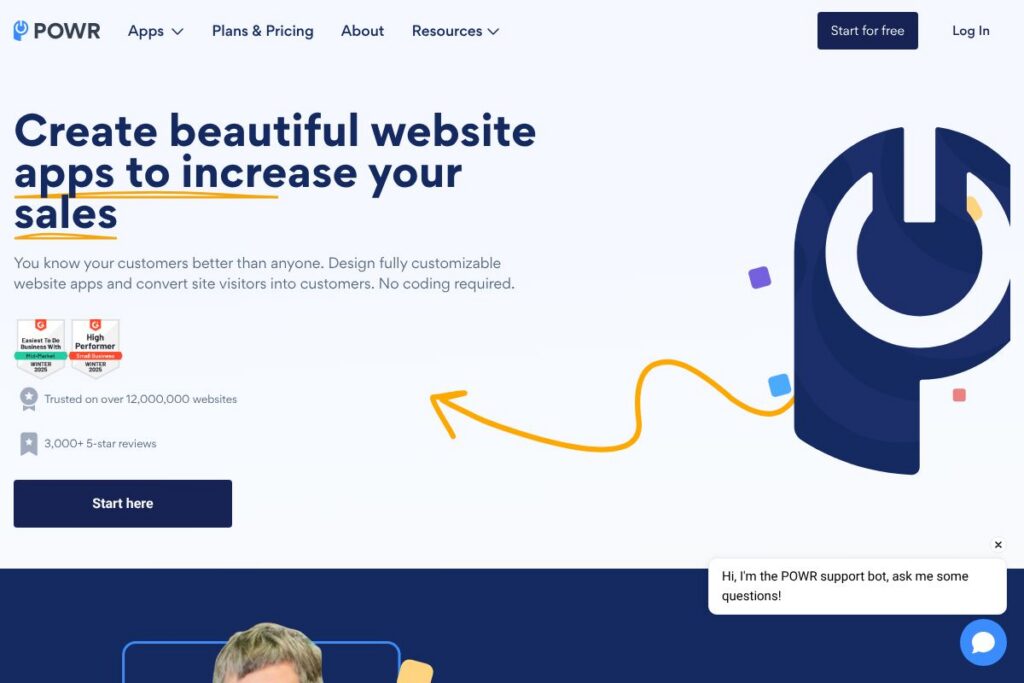
POWR is a no-code suite of website apps that you can install and customize without writing code. The platform offers a library of ready-made plugins for forms, popups, social feeds, galleries, product displays, and other conversion-focused components that embed on sites built with WordPress, Shopify, Squarespace, Wix, and many other builders.
Compared with competitors, POWR focuses on breadth and cross-platform compatibility rather than a single deep specialty. For example, Elfsight concentrates on a polished set of widgets with a strong emphasis on visual design, while form-first services like Typeform and Jotform prioritize survey and form UX. POWR sits between these approaches by offering a wide range of app types with easy embedding and widely supported integrations.
All of this makes POWR a practical choice for site owners who need a broad toolkit of plugins they can deploy quickly. It is particularly useful for small teams and agencies that maintain multiple websites and need consistent, easy-to-manage widgets across different platforms.
How POWR Works
POWR delivers apps through an online app editor and an embedding mechanism that works for most website builders. You start by selecting an app in the POWR app gallery, customize the layout and behavior in the visual editor, then copy an embed snippet or install via a platform-specific plugin or app store.
Once embedded, apps can collect leads, display dynamic content, accept payments, or trigger automations. Many users connect POWR apps to third-party services such as email marketing platforms and CRMs, or route data through Zapier for further automation. Updates you make in the POWR editor apply immediately across all pages where the app is embedded.
Practical workflows include adding a lead capture popup to landing pages, embedding a product grid on a Shopify collection using a POWR app, and creating an RSVP form that posts responses to a Google Sheet or sends contacts to an email marketing provider.
POWR features
POWR’s platform centers on a broad library of prebuilt website apps with in-browser customization, embeddable code snippets, and integrations. Core capabilities include form and popup builders, social and review displays, galleries and sliders, payment-enabled purchase buttons, and integration hooks for common marketing tools. The apps are designed for nontechnical users and include responsive settings for mobile.
Let’s talk POWR’s Features
Form Builder
The form app provides field customization, conditional logic, file uploads, and submission routing to email or external services. It helps teams capture leads, collect surveys, or intake customer information without custom back-end work.
Popup and Modal Builder
POWR popups support timed, exit-intent, and scroll-triggered behavior, with templates for discounts, newsletter signups, and announcements. These options make it straightforward to run targeted conversion campaigns across pages.
Social Feed and Reviews
Apps for social feeds and user reviews surface external content on your site by pulling in posts or review snippets and presenting them in templates. This feature is useful for social proof and keeping site content dynamic without manual updates.
Image Galleries and Sliders
Gallery and slider apps let you create responsive image and video displays with captions, lightbox behavior, and layout options. They work well for portfolios, product showcases, and editorial presentation.
eCommerce Buttons and Payments
POWR includes buy buttons, product grids, and simple cart flows that accept payments via common processors. These apps enable small shops or campaigns to sell directly from existing pages without a full storefront rebuild.
Integrations and Automations
Built-in connectors and Zapier support allow POWR apps to push data to CRMs, email platforms, and spreadsheets. Integration options reduce manual data transfer and make form submissions actionable for marketing and sales workflows.
Customization and Styling
The visual editor supports layout controls, color and typography settings, and custom CSS injection for teams that want tighter styling control. This lets designers align apps with site brand guidelines while still using the no-code editor.
With this set of capabilities, POWR helps teams add interactive, conversion-focused components to sites quickly. The biggest benefit is the combination of a wide app library plus simple embedding that works across many website platforms; this reduces the need for platform-specific plugins or one-off developer work.
POWR pricing
POWR offers a freemium pricing approach with tiered upgrades for more advanced features and usage limits; for the latest plan details and any enterprise options, view POWR’s current pricing options in their online app gallery. Check the POWR app gallery for up-to-date information on plan limits, premium app access, and any discounts for annual billing.
What is POWR Used For?
POWR is commonly used for lead capture, conversion optimization, and adding interactive elements to marketing and product pages. Marketers add popups and inline forms to collect emails and offers while site owners embed galleries and social feeds to increase engagement.
Agencies and freelancers use POWR to standardize widget-based features across multiple client sites without rebuilding functionality for each platform. Small shops use the payment-enabled apps to add lightweight purchase flows and product displays to promotional pages.
Pros and cons of POWR
Pros
- Wide app library: The platform covers more than 60 app types, which reduces the need to mix multiple third-party tools for basic website functionality. This is helpful when you need multiple widgets such as forms, popups, galleries, and social feeds across a site.
- Cross-platform embedding: POWR supports embedding on WordPress, Shopify, Squarespace, Wix, and other builders, which simplifies multi-platform management. Agencies managing diverse client stacks benefit from the single editor and centralized updates.
- No-code customization: The visual editor allows nondevelopers to configure behavior, styling, and integrations without touching server code. This lowers the technical barrier for marketing teams to run experiments and make changes quickly.
Cons
- Advanced customization can require workarounds: While the editor covers most layout and styling needs, very specific interactions or deeply integrated back-end logic may require additional developer effort. Teams with heavy custom requirements might need to extend apps with custom code.
- Feature parity across all apps: Because POWR offers many app types, some individual apps may not be as feature-rich as single-purpose competitors such as dedicated survey or review platforms. If your project requires advanced analytics or specialized UI beyond the core functionality, a specialist tool may be a better fit.
Is POWR Free to Try?
POWR offers a free plan with basic access to many apps and paid upgrades for premium features and higher usage limits. Free tier users can design and embed apps to test functionality, and paid plans unlock additional app types, advanced features, and removal of POWR branding.
POWR API and Integrations
POWR provides native integrations with common marketing and eCommerce platforms, plus Zapier connectivity for broader automation. The POWR integrations list describes connectors to services such as Mailchimp, Google Sheets, and popular site builders, enabling straightforward data routing and automation.
For developers, POWR apps can be embedded via HTML snippets and customized with CSS or JavaScript where supported. If you need server-side automation, using POWR together with Zapier or an integration to your CRM is the usual approach for routing form submissions and purchase data.
10 POWR alternatives
Paid alternatives to POWR
- Elfsight — A commercial widget platform with a strong focus on polished visual widgets and a wide integration set suited to marketers who prioritize design.
- Typeform — A conversational form and survey service that emphasizes user experience for complex surveys and lead capture flows.
- Jotform — A form builder with extensive field types, payment integrations, and templates for business workflows.
- Hello Bar — A tool focused on lead capture and on-site messaging such as banners, popups, and notification bars for conversion optimization.
- Sumo — A marketing toolkit with list-building popups, share buttons, and analytics aimed at traffic and conversion growth.
- Outgrow — A tool for interactive calculators, quizzes, and recommendation widgets that help capture leads through personalized experiences.
Open source alternatives to POWR
- Contact Form 7 — A free and open WordPress plugin for building forms and handling submissions on WordPress sites; best when you host and manage site plugins.
- WPForms Lite — The free version of a popular WordPress form builder that provides basic form functionality under the WordPress plugin model.
- OhMyForm — An open-source form and survey platform you can self-host to control data and workflows for teams that prefer self-managed infrastructure.
Frequently asked questions about POWR
What is POWR used for?
POWR is used for adding embeddable website apps such as forms, popups, galleries, and social feeds to websites. It helps teams collect leads, display dynamic content, and add lightweight eCommerce or interactive elements without custom development.
Does POWR have a free plan?
Yes, POWR offers a free plan with basic access to many apps. Paid plans add premium features, higher usage limits, and options to remove POWR branding.
Can POWR integrate with Shopify?
Yes, POWR includes direct Shopify support and embed options that work on Shopify stores. You can add product displays, buy buttons, and forms to collection and product pages using the POWR editor and app embeds.
How do I add POWR apps to WordPress?
You add POWR apps to WordPress via embed code or the POWR WordPress plugin. After customizing an app in the POWR editor, paste the provided snippet into a page or use the plugin to insert apps without editing theme files.
Does POWR provide an API for developers?
POWR supports embed snippets and offers integration points rather than a public REST API for full app control. For automation and data routing, teams commonly use the platform’s native connectors or Zapier to move submission data into CRMs and other services.
Final verdict: POWR
POWR is a broad no-code toolkit for website owners who need to add interactive apps without building custom solutions. It excels at offering many app types in one place, with an editor that makes embedding and styling straightforward across multiple site builders.
Compared to a specialist like Elfsight, POWR tends to be more flexible for mixed use cases because of its larger app catalog and accessible free tier. Elfsight may offer more polished individual widgets and a designer focus, while POWR provides a cost-effective entry point for teams that need many different widget types and cross-platform compatibility.