What is ProProfs
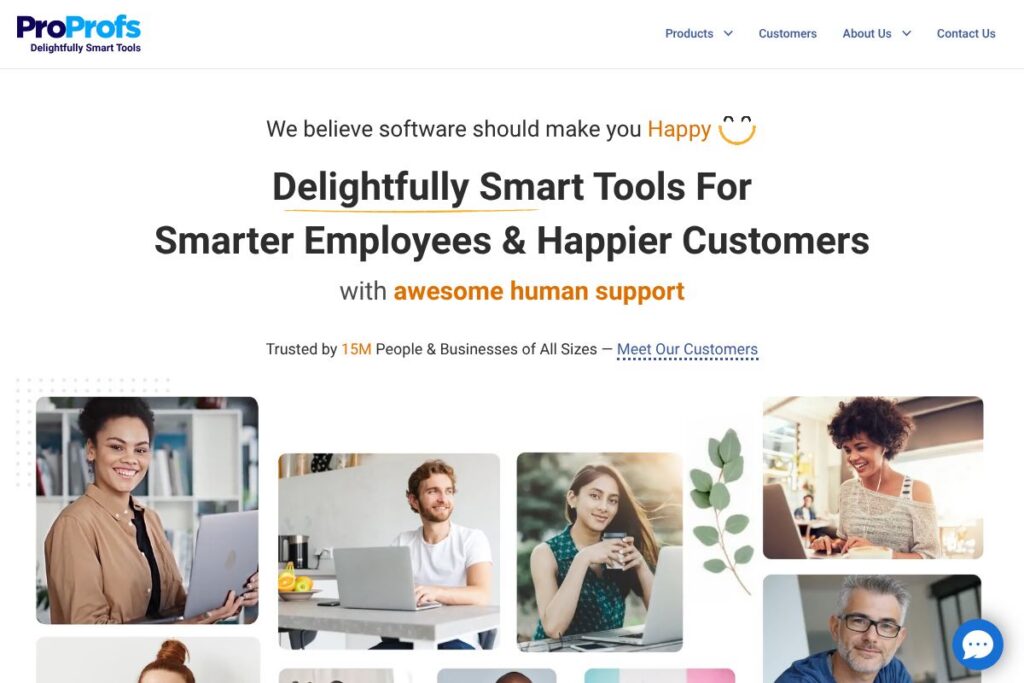
ProProfs is a SaaS suite that combines learning and development tools with customer support and knowledge management features. The platform includes a quiz and assessment builder, a learning management system, a knowledge base, and a help desk aimed at training employees, supporting customers, and measuring outcomes.
Compared with dedicated LMS vendors such as TalentLMS and course-authoring suites like Articulate 360, ProProfs emphasizes ease of use and a faster setup for nontechnical authors. Versus customer support platforms such as Zendesk or Freshdesk, ProProfs bundles help desk and knowledge base features alongside training and assessment tools, which can reduce tool sprawl for organizations that need both L&D and support capabilities.
ProProfs does well as an all-in-one option for small and mid-market teams that want simple content creation, assessment, and customer-facing documentation in one connected suite. It is particularly suited to HR, customer success, and training teams that need quick authoring, built-in reporting, and user management without heavy implementation work.
How ProProfs Helps Training and Support Teams
The platform is organized around modular apps that work together: authors create quizzes and courses in the Quiz Maker and Training Maker, then publish content to learners or use the Knowledge Base and Help Desk to support customers and staff. Administrators manage users, groups, and access from a central console while reporting tracks completion and performance metrics.
A typical workflow is creating an onboarding course in the Training Maker, adding short graded quizzes from the Quiz Maker to assess comprehension, and linking support articles from the Knowledge Base to reduce support tickets. For customer support teams, the Help Desk routes tickets and surfaces knowledge base articles to enable self-service and faster resolution.
What does ProProfs do?
ProProfs focuses on course and quiz creation, knowledge base publishing, and help desk ticketing with reporting and user management to support both learning and support operations. Recent updates and product positioning emphasize connected tool suites so customers can move from training to support without separate vendors or heavy integrations.
ProProfs Quiz Maker
A web-based quiz and assessment builder that supports multiple question types, timed tests, randomized questions, and automated scoring. It benefits training teams by enabling quick assessment creation for certification, compliance, and knowledge checks, and it integrates results into learner reports.
Training Maker (LMS)
An LMS for hosting courses, tracking learner progress, and assigning training to groups with certifications and re-certification schedules. It is aimed at HR and L&D teams that need a straightforward learning platform with enrollment controls and completion tracking.
Knowledge Base
A searchable documentation system for creating and publishing help articles, FAQs, and internal SOPs with permission controls and article feedback. Teams use it to reduce ticket volume, standardize answers, and create a single source of truth for customers and employees.
Help Desk
Ticketing and customer support tools that include email-to-ticket, canned responses, ticket routing, and multi-channel ticket management. The Help Desk helps support teams manage volume, escalate issues, and resolve customer inquiries more consistently.
Survey Maker and Feedback Tools
Tools for building surveys, polls, and feedback forms to measure customer satisfaction and training effectiveness. These are useful for collecting post-course feedback, customer CSAT surveys, and internal pulse checks.
Reporting and Analytics
Built-in reports that cover quiz scores, course completion, learner progress, and ticket metrics to help managers measure training impact and support performance. Data exports and scheduled reports allow integration with other analytics workflows.
Integrations and User Management
Integration options include single sign-on, user provisioning, and connections to third-party apps via an integrations directory and Zapier. These capabilities simplify onboarding, automate user sync, and connect ProProfs data to other systems.
With these features, the biggest benefit is the suite approach: a single vendor for assessments, training, and support means faster setup and fewer integration points when compared with assembling separate best-of-breed tools.
ProProfs pricing
ProProfs uses a SaaS subscription model with multiple product-focused plans and tiering for individuals, teams, and enterprises. Pricing varies by product, feature set, and organizational needs rather than a single unified rate, and enterprise options include advanced security and dedicated support.
For specific plan tiers and up-to-date costs, view the current pricing options on ProProfs’ site to compare product plans for the Quiz Maker, Training Maker, Knowledge Base, and Help Desk. For enterprise needs, contact ProProfs sales to get custom pricing based on seats, features, and support requirements.
What is ProProfs Used For?
ProProfs is used for employee training, customer onboarding, compliance testing, and knowledge management. Organizations deploy it to deliver structured courses, certify staff with quizzes, publish customer help articles, and centralize training and support content for consistent delivery.
Teams that commonly use ProProfs include HR and L&D for onboarding and compliance training, customer support for self-service and ticket deflection, and small product teams seeking a simple way to collect user feedback and measure learning outcomes.
Pros and Cons of ProProfs
Pros
- Rapid content creation: ProProfs lets nontechnical authors build courses and quizzes quickly using templates and a drag-and-drop interface, reducing the time to publish training materials.
- Unified suite: Combining training, assessments, knowledge base, and help desk reduces the number of separate vendors organizations must manage and simplifies reporting across learning and support.
- User-friendly interface: The platform emphasizes simplicity and accessibility, which lowers the learning curve for administrators, authors, and learners.
Cons
- Limited enterprise-grade customization: While suitable for many organizations, very large enterprises with complex branding or workflow needs may find customization and advanced integrations more limited than specialized enterprise LMS or support platforms.
- Feature depth varies by product: Some individual apps are intentionally simpler than dedicated competitors, so organizations needing deep eLearning authoring or advanced customer support analytics may need supplementary tools.
Does ProProfs Offer a Free Trial?
ProProfs offers time-limited free trials and demo options for most of its products. These trials typically allow evaluation of core features such as course creation, quizzes, and basic help desk workflows, and ProProfs also provides guided demos and support to help teams test fit before committing to a subscription.
ProProfs API and Integrations
ProProfs provides developer-facing integration options and an API for automating user provisioning, pulling reports, and connecting content workflows. The API documentation explains available endpoints and authentication methods for developers building custom integrations.
For non-developer integrations, ProProfs maintains an integrations directory and Zapier connections to link with tools like CRM systems, single sign-on providers, and analytics platforms, which helps connect ProProfs to your existing stack.
10 ProProfs alternatives
Paid alternatives to ProProfs
- TalentLMS — Cloud LMS focused on corporate training with flexible course management and a strong marketplace of integrations.
- Docebo — Enterprise LMS with advanced AI features, deep analytics, and large-scale deployment capabilities.
- Articulate 360 — A suite for professional course authoring and interactive content creation aimed at instructional designers.
- Zendesk — Customer support platform with mature ticketing, automation, and reporting designed for high-volume support teams.
- Freshdesk — Multichannel help desk that offers ticketing, automation, and self-service portals with clear support workflows.
- SurveyMonkey — A dedicated survey and feedback platform for richer survey logic and analysis than general-purpose survey tools.
- Lessonly — Training and coaching platform focused on sales and customer-facing teams with practice-based learning features.
Open source alternatives to ProProfs
- Moodle — A widely used open-source LMS for full-featured course delivery and extensive plugin ecosystem.
- Open edX — Scalable open-source platform for online courses with strong support for MOOC-style and cohort-based learning.
- osTicket — Open-source ticketing system for basic help desk workflows and email-to-ticket routing.
- BookStack — Simple open-source knowledge base and documentation platform for building internal or public help centers.
Frequently asked questions about ProProfs
What is ProProfs used for?
ProProfs is used for online training, assessments, knowledge bases, and help desk support. Organizations use it to deliver courses, certify employees, host support articles, and manage customer tickets in one connected environment.
Does ProProfs have an API?
Yes, ProProfs provides an API for automation and custom integrations. Developers can use the API documentation to automate user provisioning, retrieve reports, and integrate ProProfs with other systems.
How much does ProProfs cost?
ProProfs uses subscription pricing that varies by product and plan tier. For current rates and plan comparisons across their Quiz Maker, Training Maker, Knowledge Base, and Help Desk, view the current pricing options.
Can ProProfs be used for customer support?
Yes, ProProfs includes a Help Desk and Knowledge Base for customer support workflows. The Help Desk handles ticketing, routing, and canned responses while the Knowledge Base supports self-service and ticket deflection.
Does ProProfs support single sign-on and enterprise features?
ProProfs supports enterprise features such as single sign-on and user provisioning on higher tiers. These features help integrate account management with corporate identity systems and simplify administration for larger teams.
Final verdict: ProProfs
ProProfs stands out for combining easy-to-use course authoring, assessment, knowledge base publishing, and help desk ticketing into a single suite. That combination is useful for organizations that need both learning and support capabilities without integrating multiple vendors, and the focus on simplicity makes the platform accessible to nontechnical authors and small IT teams.
Compared with a specialist support product like Zendesk, ProProfs offers broader learning and training features in the same subscription scope, which can lower overall vendor costs and administrative overhead. For teams that prioritize deep customizations or advanced analytics, Zendesk or an enterprise LMS like Docebo may be preferable, but ProProfs is a practical choice when unified training and support tools and fast time-to-value matter most.