What is RPOWER POS
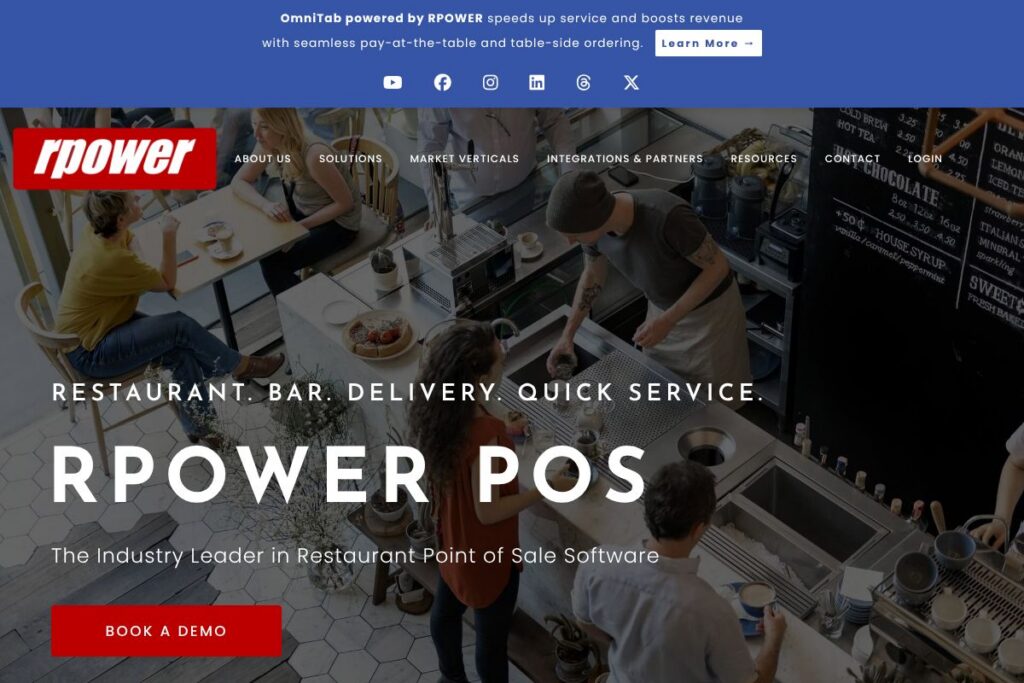
RPOWER POS is a restaurant point of sale platform designed to handle ordering, payments, reporting, and integrations for a range of foodservice formats. The product supports table service, quick service, bars and nightclubs, and delivery workflows while providing hybrid cloud/local deployment to keep terminals operational if the network drops.
Compared with competitors such as Toast, Square for Restaurants, and Clover, RPOWER POS emphasizes hybrid architecture and a broad partner ecosystem. While Toast is known for an integrated payment and software stack with published tiers, and Square for Restaurants targets fast setup and simple pricing, RPOWER POS focuses on flexibility for multi-location operations and deeper point-of-sale customization through integrations.
All of this makes RPOWER POS well suited for restaurants that need robust local performance, extensive third-party integrations, and detailed sales and labor analytics. It is particularly useful for operators who require deployment options that balance cloud management with on-site reliability.
How RPOWER POS Works
RPOWER POS runs on a hybrid cloud/local model where core terminals operate locally and synchronize configuration and reporting with cloud services. Restaurants configure menus, tables, and payment options on site, while managers access consolidated sales and labor dashboards through the cloud console for remote oversight.
Typical workflows include order taking on POS terminals or mobile devices, kitchen routing via kitchen display systems, and consolidated payment processing that supports EMV and contactless methods. Integrations with online ordering and third-party delivery platforms connect external sales channels back into the same inventory, reporting, and loyalty systems.
What does RPOWER POS do?
RPOWER POS groups features around ordering, payments, reporting, and integrations, with an emphasis on real-time analytics and flexible deployment. Core capabilities cover table management, quick-service workflows, bar/nightclub operations, and delivery and pickup handling, while the platform recently expanded contactless payment and online ordering partner support.
The platform includes several powerful capabilities:
Real-time Analytics and Reporting
Managers get a 360-degree view of sales, labor, and hourly performance with filtering, exporting, and comparison tools that help forecast sales and identify trends. Reports can be run by location, shift, or menu item to support scheduling and purchasing decisions.
Contactless Payments
Support for tap-to-pay, QR code payments, and mobile wallets lets guests pay at the table, at the counter, or from a smartphone. EMV at the table and EMV at the door reduce fraud risk while offering a range of payment flows for restaurants.
100+ Integrations Ecosystem
RPOWER POS connects with point-of-sale adjacent services including loyalty, online ordering, payroll, and inventory systems to centralize operations. The integration library is designed to let restaurants add partners that increase traffic, streamline back-office work, and improve guest retention.
Table Service Tools
Graphical table displays, check splitting, menu coursing, hold/fire ordering, and automatic gratuity calculation simplify service in full-service environments. Mobile ordering and table-side payment support speed table turns and reduce friction for servers.
Quick Service and Counter Features
Integrated loyalty, scale support, customer-facing displays, digital menu boards, barcode scanning, and online ordering connections cover fast-casual and QSR needs. These features help manage throughput and keep order accuracy high.
Bar and Nightclub Capabilities
Drawer compulsion, spotter displays, multiple check printing, beverage enforcement, open tabs, and intuitive shift change tools help bars and late-night venues operate efficiently. Day-and-time profit centers let managers analyze performance by service window.
Delivery and Pickup Support
A dispatching system, caller ID, customer order history, multiple online-ordering integrations, and tax rules for dine-in versus takeout help delivery workflows. Integrated gift and loyalty management supports promotions without adding separate systems.
With this feature set, the biggest benefit of RPOWER POS is its combination of operational breadth and integration depth, which reduces manual reconciliation and creates a single source of truth across guest channels and back-office functions.
RPOWER POS Pricing
RPOWER POS uses a custom pricing model tailored to restaurant size, deployment type, and integration needs rather than publicly listed fixed plans. Pricing typically varies with the number of terminals, chosen hardware, payment processing arrangements, and whether the deployment is cloud-first or hybrid local.
For current rates and options specific to your operation, view RPOWER POS’s contact and sales information or request a tailored quote through the RPOWER POS buyer’s guide and sales pages.
What is RPOWER POS used for?
RPOWER POS is used to run front-of-house and back-of-house operations across restaurants of different formats, from quick-service counters to multi-floor dining and nightlife venues. It consolidates ordering, payments, kitchen routing, and guest-facing systems so staff work from a single platform.
Operators also use RPOWER POS for reporting and workforce management, leveraging sales and labor analytics to schedule staff and control costs. Its delivery dispatcher and online-ordering integrations make it practical for restaurants offering pickup and delivery alongside in-store dining.
Pros and Cons of RPOWER POS
Pros
- Hybrid cloud/local architecture: Local terminal operation preserves service continuity during network interruptions while cloud sync enables centralized management and reporting.
- Extensive integration network: More than 100 integration partners allow restaurants to connect loyalty, payroll, online ordering, and inventory tools to a single POS system.
- Specialized workflows: Built-in capabilities for table service, quick service, bar/nightclub, and delivery reduce the need for workarounds and third-party tools.
- Contactless and EMV payment support: Multiple contactless payment methods including QR and mobile wallets help streamline guest payments and reduce handling.
Cons
- Custom pricing model: Pricing is quote-based rather than published, which can slow initial vendor comparison for smaller operators seeking transparent per-terminal costs.
- Implementation complexity for integrations: Extensive integration capability can require technical coordination or reseller support during setup to align third-party systems.
- Vendor and reseller reliance: Organizations that prefer a single-vendor SaaS model with fixed tiers may find the reseller and customization approach less straightforward.
Does RPOWER POS Offer a Free Trial?
RPOWER POS is offered via paid licensing and custom quotes; it does not advertise a standard free plan. Interested operators can request demonstrations, a buyer’s guide, or a trial deployment through RPOWER POS sales channels to evaluate functionality before committing.
RPOWER POS API and Integrations
RPOWER POS provides extensive third-party integration support with more than 100 partners, covering loyalty, online ordering, delivery marketplaces, payroll, and inventory systems. Explore RPOWER POS’s integrations information to see featured partners and integration categories.
The platform also supports developer and partner connectivity through published APIs and partner programs, enabling custom integrations and reseller implementations; review the API and developer resources for available endpoints and integration requirements.
10 RPOWER POS alternatives
Paid alternatives to RPOWER POS
- Toast — Full restaurant POS and payments stack with built-in online ordering, reporting, and hardware; strong focus on all-in-one SaaS for independent restaurants.
- Square for Restaurants — Fast setup, simple pricing structure, and integrated payments aimed at small to mid-size eateries and pop-ups.
- Clover — Flexible terminal and app marketplace that supports a variety of restaurant workflows and hardware configurations.
- Lightspeed Restaurant — Cloud-native POS with advanced inventory, tableside ordering, and reporting suited to multi-location operations.
- Revel Systems — iPad-based enterprise POS with strong customization and back-office features for complex operations.
- Upserve by Lightspeed — Restaurant-focused platform combining POS, analytics, and guest management tools optimized for independent full-service restaurants.
Open source alternatives to RPOWER POS
- Odoo POS — Part of the Odoo suite, an open source ERP with POS, inventory, and accounting modules that can be self-hosted and extended.
- Chromis POS — Java-based open source POS that supports touchscreen terminals, printing, and basic restaurant workflows.
- Unicenta — Open source multi-branch POS with inventory, reporting, and kitchen printing features suitable for small to mid-size restaurants.
- Floreant POS — Community-driven open source restaurant POS focused on table management, kitchen printing, and basic reporting.
Frequently asked questions about RPOWER POS
What payment methods does RPOWER POS support?
RPOWER POS supports EMV chip, contactless tap-to-pay, mobile wallet payments, and QR payments. The platform supports both at-table EMV transactions and counter or door-side payment flows to match different service styles.
Does RPOWER POS integrate with online ordering and delivery platforms?
Yes, RPOWER POS integrates with multiple online ordering and delivery partners. These integrations feed orders directly into the POS and kitchen systems to reduce manual entry and improve order accuracy.
Can RPOWER POS run if the internet connection is lost?
Yes, the hybrid cloud/local design allows terminals to operate locally during network outages. Transactions and orders continue on-site and synchronize with cloud services once connectivity is restored.
Does RPOWER POS provide reporting and labor analytics?
Yes, RPOWER POS includes real-time sales and labor reporting with filtering and export capabilities. Reports help with forecasting, scheduling, and margin analysis across shifts and locations.
How do I get pricing or start a demo of RPOWER POS?
Contact RPOWER POS sales to request a demo or tailored pricing quote. Use the RPOWER POS contact page or request the buyer’s guide to start an evaluation.
Final verdict: RPOWER POS
RPOWER POS stands out for its hybrid cloud/local architecture, broad integration ecosystem, and feature coverage across table service, quick service, bars, and delivery. The platform is a strong choice for operators who need local resiliency combined with centralized reporting and the ability to connect many third-party services.
Compared with Toast, which emphasizes an all-in-one SaaS experience and publicly described product tiers, RPOWER POS favors custom pricing and deeper on-premise capability for larger or multi-location restaurants. For operators seeking out-of-the-box pricing and rapid deployment, Toast or Square for Restaurants may be easier to evaluate; for those needing tailored integrations and hybrid deployments, RPOWER POS provides more flexibility and control.
Overall, RPOWER POS is a practical option for restaurants and hospitality groups that prioritize operational continuity, integration breadth, and detailed reporting across locations. For sales inquiries and to arrange demos, consult the RPOWER POS buyer resources and contact channels.