What is SpotOn
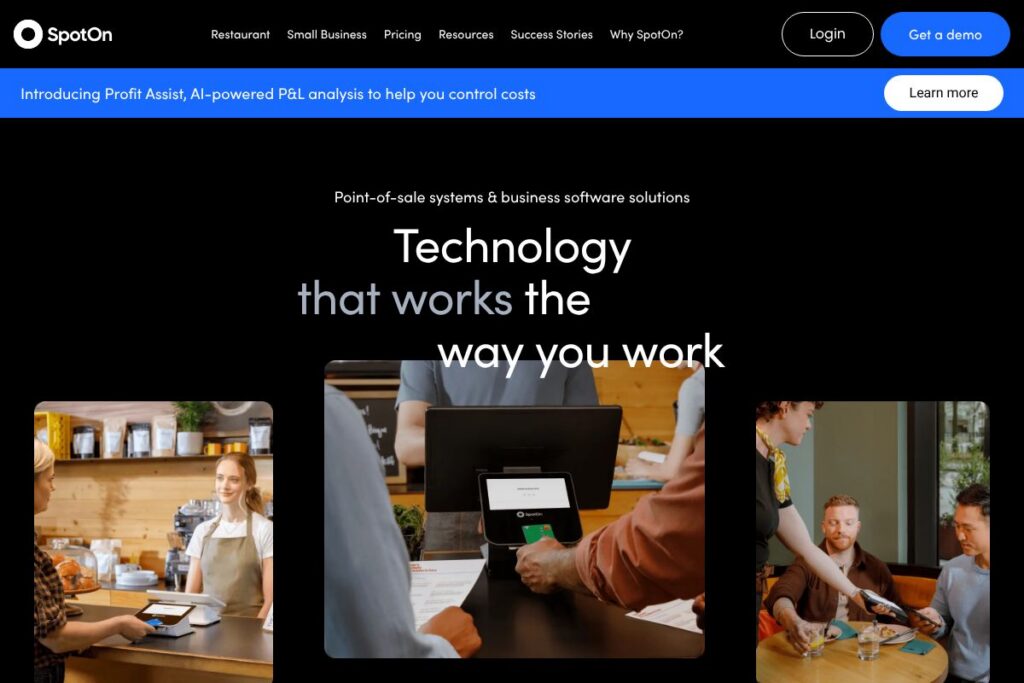
SpotOn is a point-of-sale platform that combines payments processing, industry-specific POS software, hardware options, and customer engagement tools for restaurants, retail shops, bars, and service businesses. The product is offered as a bundled solution where software, hardware, and payment processing are designed to work together, and support is available around the clock. Explore SpotOn’s offerings on the SpotOn homepage for demos and platform overviews.
Compared with competitors SpotOn positions itself between single-vendor card processors and full-service restaurant platforms. Against Square, SpotOn focuses more on bundled hardware and dedicated support for multi-location operations. Compared with Toast, SpotOn offers comparable restaurant-focused features while also targeting retail and service verticals with unified payments. Versus Clover, SpotOn emphasizes tailored onboarding, 24/7 support, and integrated marketing and loyalty tools as differentiators.
SpotOn works well for businesses that want a single vendor to handle hardware, software, and payments with ongoing support. It is especially useful for full-service restaurants, quick-service counters, bars, breweries, and multi-location retailers that need integrated inventory, labor, and customer engagement features alongside payment processing.
How SpotOn Works
SpotOn installs a POS system tailored to your business type, combining terminals or tablets with cloud-based software that handles transactions, menu or item management, and staff workflows. Payments flow through SpotOn’s processing system so sales, tips, refunds, and payouts are reconciled inside the same interface.
Teams use SpotOn to manage orders, track inventory, run labor reports, and launch loyalty campaigns from a single dashboard. For restaurants, SpotOn supports tableside ordering, kitchen routing, online ordering, and integration with third-party delivery where needed. For retailers, built-in inventory management and barcode scanning streamline sales and stock tracking.
What does SpotOn do?
SpotOn’s platform centers on payment processing, point-of-sale software, and business tools that support operations, reporting, and customer loyalty. Recent product emphasis has included expanded analytics, integrated marketing tools, and enhanced support workflows that simplify setup and ongoing maintenance.
Let’s talk SpotOn’s Features
Integrated Payments
SpotOn processes in-person and online payments within the same system so transactions, tips, and refunds are tracked centrally. This reduces reconciliation time and lets businesses pull payment data into daily sales reports. Integrated payments also let you manage chargebacks and payouts from a single vendor dashboard.
Point-of-Sale Terminals and Hardware
SpotOn offers a range of hardware choices including countertop terminals, tablets for tableside service, and receipt printers, designed to fit different footprints and workflows. Hardware is sold and supported by SpotOn which simplifies setup and maintenance compared with assembling components from multiple vendors. The platform supports offline transaction sync for short network interruptions so sales can continue when connectivity is lost.
Restaurant Management
SpotOn includes restaurant-specific features such as table management, kitchen ticketing, split checks, modifiers, and menu controls that support both full-service and quick-service operations. Labor tools help managers schedule shifts and track time clock entries alongside sales for labor cost analysis. Online ordering and order routing are built to reduce manual entry and speed fulfillment.
Inventory and Order Management
Built-in inventory tools let businesses track stock levels by ingredient or SKU, set reorder alerts, and run variance reports to reduce waste. For multi-location operators you can centralize inventory visibility and transfer stock between locations. Inventory data ties into sales to provide up-to-date on-hand quantities at the register.
Loyalty and Marketing
SpotOn provides customer loyalty, email, and SMS marketing features that connect purchase history to targeted promotions. Businesses can create points programs, digital receipts with offers, and automated campaigns that drive repeat visits. Data from loyalty programs feeds into segmentation for more relevant messaging.
Reporting and Analytics
The reporting suite aggregates sales, labor, inventory, and marketing data into dashboards and scheduled reports for owners and managers. Custom reports enable deeper analysis such as item-level profitability, peak hours, and promotion performance. Export options let finance teams ingest data into accounting systems.
Integrations and APIs
SpotOn connects with accounting, payroll, and third-party ordering platforms to reduce duplicated work and streamline operations. The platform offers integration options to common business tools and a developer portal for custom connections; see the SpotOn developer portal for API details.
The biggest benefit of SpotOn is delivering a single-vendor solution that ties payments, POS, customer engagement, and support into a coordinated stack. This reduces the number of vendors to manage and provides a consistent support channel for hardware, software, and payments.
SpotOn pricing
SpotOn uses a combined pricing approach that typically includes hardware purchases or leases, software subscriptions for advanced features, and payment processing fees based on transactions. For larger or multi-location deployments pricing is commonly customized to account size, hardware configuration, and required support levels.
SpotOn does not publish a single public price sheet; for current package options and custom pricing contact the company or view SpotOn’s pricing and plans for details and to request a tailored quote. The company offers bundled quotes that combine hardware, software, and processing so you can evaluate total cost of ownership before committing.
What is SpotOn Used For?
SpotOn is used to run daily sales and back-office workflows across restaurants, bars, retail stores, breweries, and service-based businesses. Operators use the platform to accept payments, manage menus or product catalogs, handle inventory, schedule staff, and run customer loyalty programs.
SpotOn is also used by multi-location businesses that need centralized reporting and consistent hardware and software across sites. Franchise operators and owners who prefer a single vendor for setup and ongoing support often choose SpotOn because it bundles installation, training, and 24/7 support with the solution.
Pros and Cons of SpotOn
Pros
- Integrated payments and POS: Using one vendor for payments, software, and hardware simplifies reconciliation and vendor management while keeping transaction data centralized.
- Industry-specific tools: SpotOn provides features tailored to restaurants, retail, bars, and service businesses which reduces the need for third-party add-ons.
- 24/7 support: Around-the-clock support and hands-on onboarding help reduce downtime and accelerate staff training during rollout.
- Built-in marketing and loyalty: Native loyalty and marketing tools help capture customer data and drive repeat visits without stitching together separate systems.
Cons
- Custom pricing model: Enterprise-style or bundled pricing can make it harder to compare total costs against pay-as-you-go processors without a direct quote. This requires contacting sales for exact pricing.
- Vendor lock-in risk: Relying on a bundled vendor for hardware, software, and payments can complicate switching providers if you later prefer to unbundle services.
- Feature overlap with competitors: Some businesses with simple needs may find comparable functionality in lower-cost options like Square or single-purpose solutions, reducing the value of a full stack.
Does SpotOn Offer a Free Trial?
SpotOn offers a free demo and trial options that let prospective customers see the POS interface, hardware, and reporting before committing. You can request a demo to evaluate workflows, ask about trial configurations for your business type, and discuss hardware options with a sales specialist.
SpotOn API and Integrations
SpotOn provides developer-facing tools and partner integrations so teams can connect accounting, payroll, online ordering, and marketing platforms to the POS. The SpotOn developer portal lists API endpoints, webhook capabilities, and partner integration guides.
Common integration categories include accounting sync to QuickBooks, online ordering and delivery partners, email and SMS marketing platforms, and payroll/timekeeping systems for labor tracking. These integrations help reduce manual data entry and keep sales, inventory, and labor data consistent across systems.
10 SpotOn alternatives
Paid alternatives to SpotOn
- Square — A simple, widely used POS and payments platform that is easy to start with and scales through add-on services for appointments, online stores, and payroll.
- Toast — A restaurant-focused POS with deep features for ordering, kitchen operations, and table management designed for multi-terminal restaurant deployments.
- Clover — A flexible POS ecosystem with modular hardware and a large app marketplace for adding specialty features to the register.
- Lightspeed — A multi-industry POS with strong inventory controls and e-commerce integrations for retailers and restaurants.
- Revel Systems — An enterprise-capable POS with robust reporting and customization for larger chains and complex setups.
- Shopify POS — Best for merchants who already run Shopify online stores and want tight inventory and sales integration between online and in-person channels.
- NCR Silver — A legacy POS provider with options tailored to hospitality and retail that supports multi-location businesses.
Open source alternatives to SpotOn
- Odoo POS — Part of the Odoo ERP suite, Odoo POS is open source and integrates tightly with inventory, accounting, and e-commerce modules. It is suitable for teams that want full control and self-hosting options.
- uniCenta — A Java-based open source POS that supports multi-terminal setups, barcode scanning, and basic inventory management for retail and hospitality.
- Chromis POS — A fork of uniCenta that focuses on simplicity and runs on standard desktop and touchscreen hardware, suitable for small shops and cafes.
- Floreant POS — An open source restaurant POS designed for table management, kitchen printers, and order routing for independent restaurants.
Frequently asked questions about SpotOn
What types of businesses use SpotOn?
SpotOn is used by restaurants, bars, retailers, breweries, and service businesses. The platform offers industry-specific features for full-service and counter-service restaurants, multi-location retailers, and specialty service providers.
Does SpotOn offer payment processing with its POS?
Yes, SpotOn includes integrated payment processing. Payments are handled through SpotOn’s processing service so transactions, payouts, and reporting remain within the same platform.
Can SpotOn integrate with accounting software like QuickBooks?
Yes, SpotOn supports accounting integrations. You can synchronize sales and payouts with accounting systems to reduce manual entry and simplify bookkeeping.
Is SpotOn available for multi-location businesses?
Yes, SpotOn supports multi-location operations. Centralized reporting, hardware management, and consistent configuration across sites make it suitable for franchises and businesses with several locations.
Does SpotOn provide developer APIs for custom integrations?
Yes, SpotOn provides developer-facing APIs and a partner portal. The SpotOn developer portal documents available endpoints and integration options for custom workflows.
Final verdict: SpotOn
SpotOn is a comprehensive vendor for businesses that want an integrated POS, payments, and customer engagement platform backed by 24/7 support. It is a strong choice for restaurants and multi-location retailers that prefer a bundled approach with vendor-managed hardware and onboarding.
Compared with Square, SpotOn typically offers more hands-on setup, industry-specific features, and bundled hardware options while Square favors simple, transparent sign-up and pay-as-you-go pricing. If you need a single partner to manage hardware, software, and payments and value ongoing support, SpotOn is a sensible option. If you have a simple storefront with low-volume needs and prefer self-service setup and published transaction pricing, Square may be more cost-effective.
Overall, SpotOn excels at delivering a coherent stack for operators who want integrated payments, POS, loyalty, and analytics with support included. For pricing, hardware bundles, and to arrange a hands-on evaluation request a demo through SpotOn’s demo page.