TouchBistro: An Overview
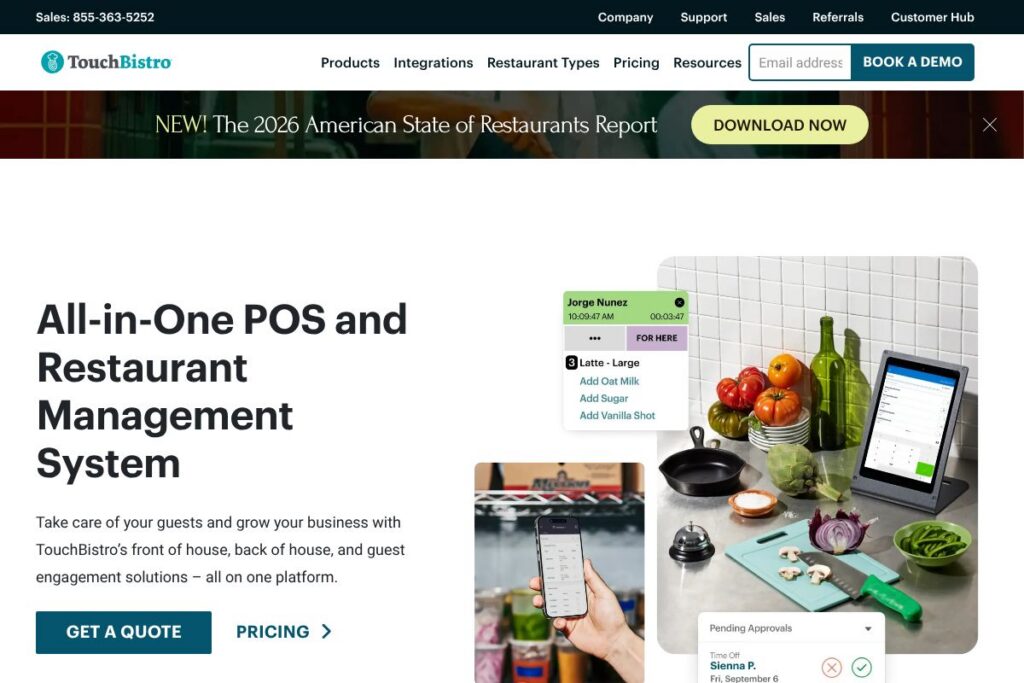
TouchBistro is a restaurant-first point of sale and operations platform built for front of house, back of house, and guest engagement needs. The product centers on an iPad-native POS that integrates tableside ordering, menu management, payments, and reporting while adding kitchen displays, inventory controls, and guest loyalty features that work together to run a restaurant operation.
Compared with Toast and Lightspeed Restaurant, TouchBistro emphasizes an iPad-native experience and offline operation that suits independent full-service and multi-location restaurants. Toast provides a similarly broad feature set but often bundles hardware and payment processing more tightly; Lightspeed Restaurant competes on advanced inventory and unified retail-restaurant workflows. Those differences mean TouchBistro is commonly chosen by operators who prefer a mobile-first POS, flexible integrations, and an emphasis on FOH workflows.
TouchBistro does well at simplifying staff workflows, speeding service with tableside ordering and kitchen routing, and consolidating sales, inventory, and guest data in one platform. It is best suited to restaurants, bars, cafes, and hospitality operators that need an integrated POS with restaurant-specific features and a mature integrations ecosystem.
How TouchBistro Works
The system installs as an iPad app for point-of-sale terminals, with optional hardware such as receipt printers and cash drawers connected through local network or certified peripherals. Servers take orders at the table on an iPad, send orders instantly to kitchen displays or printers, and accept payments at table or at a fixed terminal.
Cloud services handle centralized menu management, reporting, and multi-location data aggregation, while local devices cache transactions to continue operating if the internet connection drops. Typical workflows include menu setup on a manager dashboard, staff training on the iPad app for order-taking and payments, and daily reconciliation using the reporting tools.
What does TouchBistro do?
TouchBistro bundles point-of-sale, menu and item management, tableside ordering, kitchen display system, and integrated payments into one platform so restaurants can manage front of house and back of house from the same product. It also includes reporting, menu costing, and basic inventory tracking to help operators monitor margins and food costs.
Let’s talk TouchBistro’s Features
Point of Sale
The iPad-native POS supports tables, coursing, modifiers, upsells, and split payments. It streamlines order entry for servers, reduces input errors with modifier prompts, and supports fast checkouts via integrated card processing or third-party processors.
Tableside Ordering and Payments
Tableside ordering enables servers to take orders at the table and send them directly to the kitchen, while integrated card readers and contactless payments speed checkout. This reduces walk time between FOH and BOH and supports modern payment methods.
Kitchen Display System (KDS)
The KDS routes orders to kitchen stations, prioritizes courses, and provides cooks with real-time ticket updates to improve throughput and reduce ticket times. It helps kitchens manage high-volume periods and reduces the need for printed tickets.
Inventory and Costing
Inventory tools let managers track ingredient levels, set par levels, and calculate food cost percentages based on menu pricing and recipe components. Those controls help limit waste and identify costly menu items.
Reporting and Analytics
Sales dashboards and daily reports show sales by item, server performance, and peak hours to inform scheduling and menu decisions. Reports can be accessed via the cloud dashboard for multi-location comparisons and historical trend analysis.
Online Ordering and Delivery Management
Built-in online ordering and third-party delivery integrations let restaurants accept off-premise orders directly and manage them alongside dine-in traffic. This centralizes order flow and reduces errors that come from juggling multiple order sources.
Staff Scheduling and Labor Tools
Scheduling and time clock features track hours, labor costs, and shift patterns to assist with payroll preparation and labor optimization. Basic labor reporting highlights busy shifts and helps align staffing with demand.
Guest Management and Loyalty
Guest management supports order history, loyalty programs, and targeted promotions so operators can encourage repeat visits and personalize offers. Integrations with email and SMS systems extend guest engagement beyond the POS.
Integrations and Payments
TouchBistro connects to accounting, payroll, inventory, and reservation systems through a marketplace of integrations, and supports integrated payments for streamlined reconciliation. Integration options allow businesses to fit TouchBistro into existing technology stacks.
With these capabilities combined, the platform reduces manual handoffs between FOH and BOH, speeds service, and centralizes operational data for clearer decision making.
TouchBistro pricing
TouchBistro uses a subscription-based pricing model tailored to business size and feature needs, with custom options for single-location restaurants and multi-site operations. The company typically provides bundled hardware options and optional add-ons such as online ordering, gift cards, and payroll integrations that affect the total cost.
For current plan options and to compare monthly and annual billing, view TouchBistro’s current pricing options. For multi-location deployments or enterprise needs, check their enterprise and deployment information or contact sales to get a customized quote.
What is TouchBistro Used For?
TouchBistro is commonly used for in-restaurant order taking and payment processing, replacing legacy terminals with iPad-based POS stations and mobile order devices. Operators use it to manage table layouts, run checks, and coordinate course timing while syncing orders to the kitchen and bar.
It is also used to centralize back-of-house tasks such as inventory tracking, cost-of-goods reporting, and menu engineering. Multi-site restaurants use the cloud dashboard to compare locations, consolidate reporting, and maintain consistent menus across outlets.
Pros and Cons of TouchBistro
Pros
- Restaurant-focused feature set: Designed specifically for table service, quick service, and multi-location restaurants with built-in features such as coursing, KDS, and menu costing that align with hospitality workflows.
- iPad-native usability: The mobile-first interface reduces training time for staff and enables smooth tableside order taking and payments.
- Offline operation: Local transaction caching keeps service running during internet outages, preventing order loss and downtime.
- Integration ecosystem: A wide range of integrations for accounting, payroll, inventory, and delivery platforms helps fit TouchBistro into existing stacks.
Cons
- Hardware dependence: The best experience requires certified hardware such as iPads and supported peripherals, which adds upfront cost and lifecycle management.
- Third-party payment variance: Pricing and features for payments can vary depending on the chosen processor, which may complicate total cost comparisons.
- Advanced reporting limits for some operators: Operators needing highly customized BI may need to export data or use third-party analytics tools for deeper analysis.
Does TouchBistro Offer a Free Trial?
TouchBistro offers a free demo and trial options for prospective customers. Restaurants can request a product demo or trial through the TouchBistro sales process to evaluate POS workflows, KDS routing, and reporting; visit the TouchBistro demo request page to schedule a walkthrough and discuss trial availability.
TouchBistro API and Integrations
TouchBistro maintains an integrations marketplace with connectors for accounting, payroll, loyalty, inventory, and delivery services to extend core POS functionality. Explore supported solutions and partner apps via the TouchBistro integrations directory.
For developers and partners, TouchBistro offers integration and developer resources to build custom connections and automate data flows; review the developer and support resources for technical documentation and integration guides.
10 TouchBistro alternatives
Paid alternatives to TouchBistro
- Toast — A restaurant-focused platform with POS, payments, and delivery tools that scale from single locations to enterprise operations, often chosen for integrated payments and broad add-on services.
- Square for Restaurants — A flexible POS with streamlined payments and an easy onboarding path that suits small to mid-size cafes and quick service outlets.
- Lightspeed Restaurant — Offers advanced inventory and multi-channel selling capabilities, appealing to restaurants that also operate retail or require complex stock management.
- Clover — A modular POS platform with a range of hardware options and an app market that supports different hospitality configurations.
- Revel Systems — An iPad-based POS with strong reporting and enterprise features for chains and high-volume quick service restaurants.
- Upserve — Now part of Lightspeed, known for restaurant-specific analytics, guest profiles, and server performance reporting.
- TouchBistro — The subject solution; included here for comparison when operators compile multiple vendor shortlists.
Open source alternatives to TouchBistro
- uniCenta — An open source POS system that supports retail and hospitality workflows with local hosting options and a plugin ecosystem.
- Chromis POS — A Java-based open source POS for restaurants and retail that supports kitchen printers and basic order workflows.
- Floreant POS — An open source restaurant POS with features for table service, kitchen printers, and basic management functions.
- Odoo (Community) — The open source Odoo Community edition includes a POS module that can be extended with inventory and accounting in a self-hosted stack.
Frequently asked questions about TouchBistro
What types of restaurants is TouchBistro best suited for?
TouchBistro works well for full-service restaurants, bars, cafes, and multi-location operators. Its tableside ordering, KDS, and menu management features support both table-service and quick-service workflows.
Does TouchBistro support third-party delivery and online ordering?
Yes, TouchBistro integrates with third-party delivery platforms and offers built-in online ordering options. Restaurants can manage off-premise orders alongside dine-in traffic through the platform and partner integrations.
Can TouchBistro run if the internet connection goes down?
Yes, TouchBistro supports offline operation with local transaction caching. Devices continue to accept orders and process payments locally, then sync to the cloud once connectivity is restored.
Does TouchBistro integrate with accounting and payroll systems?
Yes, TouchBistro has integrations for common accounting and payroll platforms. These connectors let managers export sales and labor data to reduce manual reconciliation.
Is there developer access or an API for TouchBistro?
TouchBistro provides integration resources and developer documentation for partners. Developers and technical teams can use available APIs and partner tools to build custom workflows and data exports.
Final verdict: TouchBistro
TouchBistro stands out for its restaurant-focused design, iPad-native POS, and the way it ties front of house actions to kitchen workflows and back of house reporting. It is particularly strong for restaurants that prioritize tableside ordering, reliable offline operation, and a focused set of hospitality features without needing a hybrid retail/restaurant platform.
Compared with Toast, which often bundles hardware and payments and targets both independent restaurants and larger groups, TouchBistro offers comparable core features with a stronger emphasis on mobile-first POS and flexible integrations. For pricing, TouchBistro provides tailored subscription options and add-ons through a sales-led process, while Toast typically publishes plan tiers that are combined with payment processing fees; evaluate both via their demo and sales teams to compare total cost of ownership and hardware bundles.
Overall, TouchBistro is a practical choice for operators who want a restaurant-centric POS that reduces FOH friction, improves kitchen coordination, and centralizes reporting, while leaving room to integrate preferred payment processors and back-office systems. For demos and to compare current plan options, visit the TouchBistro homepage or request a product demo.