What is TryBooking
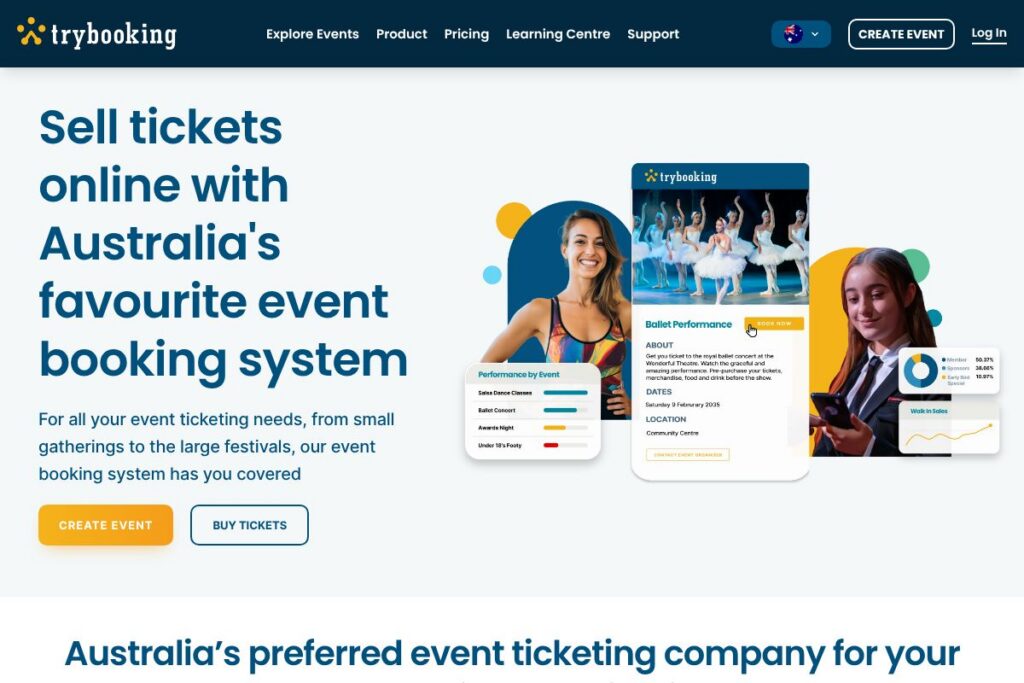
TryBooking is an event ticketing and booking platform widely used by community organisations across Australia. It centralises event creation, ticket sales, registrations, and fundraising pages with an emphasis on straightforward setup, low fees, and local support.
Compared with competitors, TryBooking positions itself around simplicity and low cost. Compared to Eventbrite, which provides a global marketplace and promotional reach, TryBooking focuses on community events and lower per-ticket costs. Against Humanitix, which donates fees to charity, TryBooking competes on a straightforward pricing model and no-tier access to features, and compared with Ticketek, which targets large-scale ticketing and live events, TryBooking caters to smaller organisers who need flexible registration and fundraising tools.
Where TryBooking excels is in making ticketing accessible to volunteer-run groups and small organisations through an intuitive interface, free handling of complimentary events, and direct local support. This makes it well suited to schools, sporting clubs, community groups, and small festivals who value low fees and simple workflows.
How TryBooking Works
Event organisers create an event in a web-based dashboard, define ticket types and capacities, and publish a booking page that buyers can access directly. You can set paid and free ticket types, include fundraising or donation options on the booking flow, and add custom questions to collect attendee information.
Payments are processed through the platform so organisers can track sales, reconcile transactions, and transfer funds to their organisation. On the day of the event organisers use built-in check-in tools and printable tickets to manage entry, while post-event reporting provides attendee lists and sales summaries for reconciliation.
What does TryBooking do?
TryBooking brings together ticket creation, booking pages, payment processing, fundraising options, and support into a single platform so community events run with minimal technical overhead. The platform offers a buyer-friendly, no-login checkout, all-features access without tier restrictions, and local customer support to assist organisers with setup and troubleshooting.
Let’s talk TryBooking’s Features
Event setup and ticket types
Organisers can create multiple ticket types, set capacities, apply pricing tiers, and schedule sales windows from a single interface. This is useful for events with VIP, concession, early bird, or general admission tickets and supports grouping tickets for sessions or workshops.
Simple checkout and buyer experience
Buyers can purchase tickets without creating an account, reducing friction and abandoned checkouts, while organisers still capture required attendee data. The platform also prevents sharing buyer data with third parties and avoids promoting unrelated events to your audience.
Low-cost fees and free event support
TryBooking applies a per-ticket fee model aimed at keeping costs low for community organisers, and all free events incur no platform fees. That combination supports volunteer-run activities and fundraising events where margins are tight.
Fundraising pages and donations
You can add donation fields and fundraising pages to events, enabling ticket buyers to contribute extra amounts or support cause-specific campaigns alongside ticket purchases. This integrates donations with ticket sales reporting so fundraising totals are visible alongside event revenue.
Attendee management and reporting
The dashboard provides attendee lists, custom data export, and sales reports to streamline reconciliation and post-event follow-up. Custom questions collected at checkout can be used for seating, dietary requirements, or session allocation.
Onsite tools and ticket delivery
TryBooking supports printable tickets, barcode scanning, and simple check-in workflows to speed entry on event day. These tools reduce manual entry and make walk-up check-in and pre-printed lists practical for small to medium events.
Local support and customer service
Every account includes access to support by email, phone, and live chat, with local staff familiar with Australian event requirements. This reduces setup time for organisers who prefer direct assistance instead of self-service only resources.
Integrations and data export
The platform includes basic integrations and export options to move attendee and sales data into accounting, CRM, or email systems. For developer and automation needs, refer to the TryBooking help resources for guidance on connecting external systems and automating data flows.
With these capabilities TryBooking helps organisers manage the complete lifecycle of an event, from signup through check-in and reconciliation, with tools focused on low cost and ease of use.
TryBooking pricing
TryBooking uses a fee-based pricing model with a focus on keeping per-ticket costs low for community organisers, and it does not restrict features behind tiered plans. The platform explicitly supports free events at no cost to organisers, while paid events carry modest booking fees so organisers only pay when they sell tickets.
For details on exact booking fees, merchant processing options, and any pass-through charges, review the TryBooking billing information on the TryBooking homepage at the TryBooking homepage. This will show the current fee structure and any country-specific payment details.
What is TryBooking Used For?
TryBooking is commonly used for community events, school functions, sports club registrations, fundraisers, workshops, conferences, and small festivals where organisers need simple ticketing and attendee management. Its support for free events and donation pages makes it practical for non-profits and fundraising activities.
Organisers who need quick setup, low per-ticket fees, and local support use TryBooking to reduce administrative overhead and get attendees through checkout quickly. It also fits organisations that prefer a single platform for registrations, donations, and onsite ticket handling without switching between multiple services.
Pros and Cons of TryBooking
Pros
- Low per-ticket fees: TryBooking emphasises minimal booking costs and free handling of complimentary events, which reduces overhead for community organisers.
- No account required for buyers: This reduces friction at checkout and lowers abandoned transaction rates for public-facing events.
- All features included: The platform does not gate core capabilities behind tiers, giving organisers access to fundraising, reporting, and onsite tools without extra charges.
- Local support channels: Direct phone, email, and live chat support from an Australian team helps organisers with setup and troubleshooting.
Cons
- Limited marketplace promotion: Unlike global platforms, TryBooking is not primarily a discovery marketplace, so organisers must drive their own traffic to event pages. This means you may need additional marketing to sell more tickets.
- Feature set aimed at small-to-medium events: Large-scale promoters or venues with complex seating charts or dynamic pricing may find enterprise-focused ticketing platforms more feature rich.
- Integration depth varies: While basic exports and integrations are available, very bespoke workflows may require additional developer work or manual data handling.
Does TryBooking Offer a Free Trial?
TryBooking offers a free option for free events; paid events are charged per-ticket fees and there is no separate trial for paid features. Free event organisers can use the platform without paying fees, while paid-event organisers only incur charges when tickets are sold.
TryBooking API and Integrations
TryBooking provides integration and developer resources to export attendee data, connect to third-party systems, and automate reconciliation tasks. See the TryBooking help resources for guidance on API access, webhooks, and supported integration patterns.
For details on specific connectors and developer endpoints consult the API documentation and developer resources at the TryBooking help pages, which outline available endpoints, authentication, and common integration workflows.
10 TryBooking alternatives
Paid alternatives to TryBooking
- Eventbrite — A global ticketing platform with marketplace discovery, promotional tools, and a broad set of integrations suited to both small and large events.
- Humanitix — Ticketing with a charitable focus that donates booking fees to education projects, and includes event management and reporting features.
- Ticketek — A large-scale ticketing provider focused on concerts, sports, and major live events with advanced seat map tools and distribution networks.
- Oztix — Australian-focused ticketing and promotions platform with event marketing and artist management features for live music and shows.
- Universe — A ticketing and registration platform with customization options, embeddable widgets, and promotional features for organisers.
- Billetto — European and Australian ticketing service focused on event discovery, simple event pages, and organiser tools for marketing.
- EventFinda — An Australian event listing and ticketing service that combines event discovery with online registration and ticket sales.
Open source alternatives to TryBooking
- Attendize — Self-hosted event management and ticketing software that organisers can deploy on their own servers and customise as needed.
- Pretix — Open source ticketing system with flexible plugins, powerful checkout configuration, and the option for self-hosting or managed deployments.
- OpenTickets — Community-driven ticketing solutions, often delivered as WordPress plugins or self-hosted systems, useful for simple registration and ticketing needs.
Frequently asked questions about TryBooking
What is TryBooking used for?
TryBooking is used for online ticket sales, event registrations, and fundraising pages for community organisations, schools, sports clubs, and small festivals.
Does TryBooking charge for free events?
No, TryBooking does not charge organisers for free events. Free event ticketing is offered without platform fees so organisers pay nothing to use the system for complimentary bookings.
How does TryBooking process payments?
TryBooking processes payments through built-in payment processing and merchant settlement workflows. Organisers receive post-event reconciliation and transfers according to the platform’s payout schedule.
Can TryBooking be used for fundraising and donations?
Yes, TryBooking supports fundraising pages and donation fields within the booking flow. This allows organisers to accept voluntary contributions alongside ticket purchases and track fundraising totals in reports.
Does TryBooking have an API for integrations?
TryBooking provides developer resources and integration options including export tools and API-like capabilities. Consult the TryBooking help resources to review available endpoints and integration guides.
Final verdict: TryBooking
TryBooking is a practical, cost-conscious ticketing platform that serves community organisers, schools, and small event teams with a clear focus on low fees, straightforward workflows, and local support. Its buyer-friendly no-login checkout and free handling of complimentary events remove common friction points for grassroots events.
Compared to Eventbrite, which offers broader marketplace exposure and promotional tools, TryBooking is positioned for organisers who prioritise lower per-ticket costs and an uncomplicated feature set. For community groups that need dependable ticketing, fundraising support, and local help without tiered feature restrictions, TryBooking is a strong choice.
For pricing specifics, fee calculations, and payout schedules visit the TryBooking homepage to review the current pricing options and billing details on the TryBooking homepage.