What is Wufoo
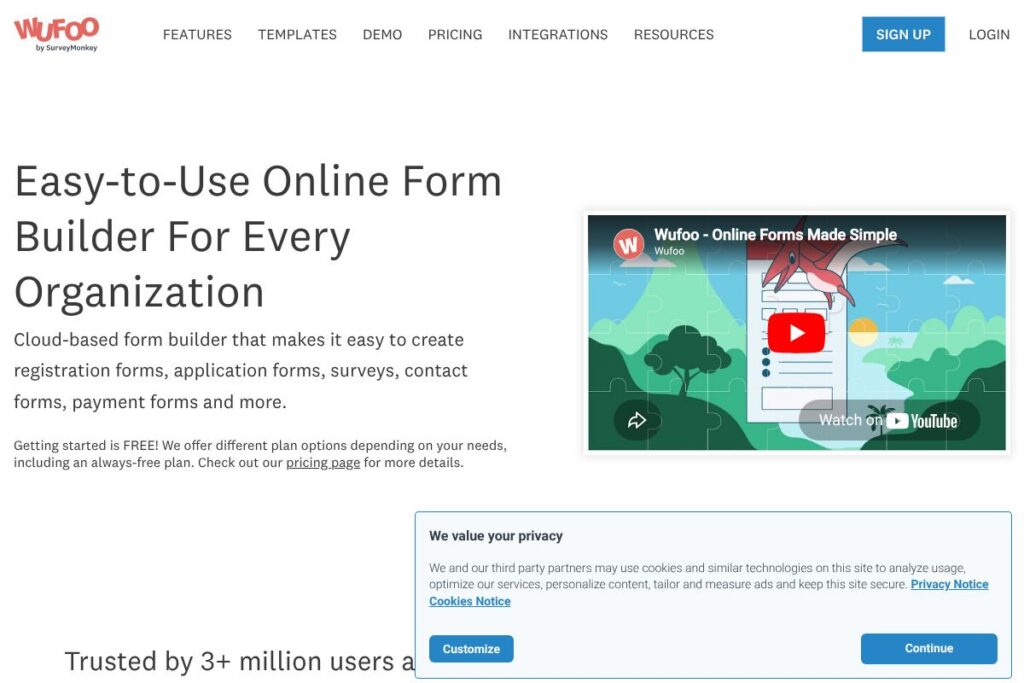
Wufoo is a cloud-based form builder that combines a visual form designer with a hosted data backend so teams can build, deploy, and manage online forms without writing code. The product is aimed at marketers, HR teams, event organizers, educators, and small to mid-size businesses that need to collect structured data, files, and payments online.
Compared with Typeform, which focuses on conversational, single-question-at-a-time forms, Wufoo is more traditional and fast for multi-field forms and data collection workflows. Compared with Google Forms, Wufoo provides more design customization, conditional logic, and built-in payment options. Compared with JotForm, Wufoo emphasizes a straightforward builder plus a cloud storage database with solid reporting and simple integration options.
All of this makes Wufoo particularly useful for teams that need quick form deployment plus reliable storage and export capabilities. It works well for organizations that want straightforward integrations with payment providers and automation platforms while keeping form creation accessible to non-technical users.
How Wufoo Works
Wufoo uses a drag-and-drop web builder where you add fields, configure validation and conditional logic, and publish forms to a direct URL or embed them into websites. Forms store submissions in Wufoo’s cloud database, which you can view, search, filter, and export from the dashboard.
Payment collection is handled by connecting to payment partners such as Stripe or PayPal during form setup; you can add pricing fields and payment workflows without separate shopping cart software. Notifications, automated confirmations, and file uploads are configured per form so teams can route responses to stakeholders or external systems.
Workflows typically look like this: create a form from a template, add conditional rules and payment settings, test and publish, then connect the form to email notifications, Google Sheets, or automation tools so collected data enters your existing processes.
What does Wufoo do?
Let’s talk Wufoo’s Features. Wufoo’s core capabilities include an intuitive form builder, templates and theming, payment collection through partners, conditional logic, a cloud-hosted submissions database, reporting tools, and integrations for automation. The platform focuses on speed of setup and reliable data capture for internal teams and external users.
Form Builder
The visual builder supports common field types, file uploads, and validation rules so you can create contact forms, registration forms, and multi-step applications quickly. It benefits teams by reducing reliance on developers and speeding up iterative changes to live forms.
Payment Processing
Wufoo supports payment collection by connecting to payment partners such as Stripe and PayPal, enabling purchases, registrations, and donations directly through forms. This removes the need for separate payment pages and simplifies reconciliation for small events and services.
Templates and Themes
The product includes form templates for common use cases and visual theming options to match branding, with the option to add custom CSS for advanced style control. Templates shorten setup time and ensure consistent design across campaigns and landing pages.
Data Management and Cloud Storage
Submissions are stored in a hosted database accessible from the Wufoo dashboard, with search, export, and filtering tools to manage responses. Teams can download CSVs or connect outputs to downstream systems for analysis and record keeping.
Reporting and Analytics
Built-in summary reports and individual response views help teams triage responses and spot trends without exporting data. Reporting is useful for event registrations, survey results, and monitoring form performance over time.
Integrations and Automation
Wufoo connects to automation tools and CRM platforms so you can route form data to systems like Salesforce or Google Sheets, and it offers Zapier connectors for more than 2,000 third-party apps. This helps teams automate follow-up, CRM updates, and notification flows.
Security and Compliance
The platform offers standard protections for web form data such as SSL encryption and account controls; payment collection uses secure gateways through partners. These features help organizations meet basic data handling expectations for online forms.
With Wufoo you get a straightforward system for building and running forms that includes storage and integrations, making it easier to collect and act on form responses without adding infrastructure.
Wufoo pricing
Wufoo uses a freemium SaaS pricing model, with an always-free plan for basic use and paid tiers that add more forms, results, and features. The company offers tiered plans designed for individuals, small teams, and organizations that need higher limits or advanced features.
Monthly Billing:
- Free Plan – Free (Create up to five forms, basic fields, hosted form URLs)
- Paid Plans – Paid tiers available monthly (higher form limits, file uploads, payments, more integrations)
Annual Billing:
- Paid Plans – Paid tiers available annually (annual billing typically reduces the effective monthly cost and includes the same expanded features as monthly plans)
For exact plan names, limits, and the most current rates, review Wufoo’s pricing options on the vendor site. The vendor’s main site also explains feature differences between the free tier and paid plans.
What is Wufoo Used For?
Wufoo is commonly used for event registrations, contact forms, application and intake forms, customer surveys, and simple e-commerce flows like donations or ticket sales. Teams deploy it for both public-facing pages and internal intake where quick form changes are necessary.
It is also used by HR teams for candidate intake, by education programs for enrollment, and by marketing for lead capture and gated content forms. Small businesses and non-profits value the combination of payment support and easy data exports for bookkeeping and CRM imports.
Pros and cons of Wufoo
Pros
- Ease of use: The visual drag-and-drop builder is approachable for non-technical users and accelerates form creation and iteration. Users can produce working forms in minutes without developer support.
- Hosted submissions database: Wufoo stores responses in the cloud, making it easy to search, export, and manage collected data directly from the dashboard. This reduces the need for separate backend setup.
- Payment and integrations: Built-in connectors to payment partners and automation platforms let teams accept payments and move data into CRMs or sheets without custom code.
Cons
- Advanced customization limits: For highly custom form experiences and bespoke logic, teams may need additional front-end work or a platform with deeper scripting capabilities. That can lead to trade-offs compared to developer-focused form frameworks.
- Enterprise feature set: Large organizations requiring advanced access controls, single sign-on, or enterprise-grade SLAs may find commercial enterprise platforms more tailored to those needs.
Does Wufoo Offer a Free Trial?
Wufoo offers a free plan. The free tier allows you to sign up and create up to five forms at no cost so you can test the builder, collect responses, and evaluate integrations before moving to a paid plan.
Wufoo API and Integrations
Wufoo provides a developer-facing API that exposes form, field, and entry endpoints for programmatic access to form structure and submissions; see the Wufoo API documentation for endpoint details and examples. The API supports both reading submissions and submitting entries programmatically, which helps integrate forms into custom workflows.
Wufoo also supports a range of native and third-party integrations including payment partners like Stripe and PayPal, automation via Zapier, and direct connections to CRM and spreadsheet tools. Use the Wufoo dashboard to configure integrations or consult the vendor documentation for specific connectors.
10 Wufoo alternatives
Paid alternatives to Wufoo
- Typeform — A form and survey tool focused on conversational, single-question-at-a-time experiences and polished design.
- JotForm — A feature-rich form builder with many widgets, templates, and payment integrations suitable for complex forms.
- Google Forms — A free, simple form tool tightly integrated with Google Workspace and useful for basic surveys and data collection.
- Formstack — A robust form and document automation platform with advanced workflows and enterprise features.
- Microsoft Forms — A lightweight form tool integrated with Microsoft 365, good for organizations standardized on Microsoft products.
- SurveyMonkey — A survey-first platform with advanced analytics and enterprise survey features.
- Cognito Forms — A form builder with advanced calculations, repeating sections, and payment support.
Open source alternatives to Wufoo
- OhMyForm — An open source form builder that can be self-hosted for teams that want full control over data and customization.
- FormTools — A PHP-based open source tool for creating and storing form submissions with an extensible plugin system.
- Orbeon Forms — An enterprise-capable open source forms platform oriented toward complex form logic and workflows.
- Drupal Webform — A module for Drupal sites that provides powerful form-building and submission management within the CMS.
Frequently asked questions about Wufoo
What is Wufoo used for?
Wufoo is used to create online forms and collect data. Common uses include registrations, surveys, contact forms, payment collection, and application forms.
Does Wufoo support payment processing?
Yes, Wufoo supports payments via partners like Stripe and PayPal. You can add pricing fields to forms and route payments through configured payment gateways.
Does Wufoo offer an API for developers?
Yes, Wufoo provides a REST-style API for accessing forms and entries. The API documentation explains endpoints for reading submissions and creating entries programmatically.
Is Wufoo free to use?
Wufoo offers a free plan for basic use. The free tier allows up to five forms and is suitable for light use or evaluation before upgrading.
Can Wufoo integrate with Zapier and CRMs?
Yes, Wufoo integrates with Zapier and common CRMs. These integrations let you automate follow-up, send leads to a CRM, or push form data into spreadsheets and other tools.
Final verdict: Wufoo
Wufoo is a practical choice for teams that need a fast, no-code way to build forms, collect payments, and store responses in a cloud-hosted database. It balances ease of use with a useful set of integrations and reporting features, making it suitable for small businesses, non-profits, and event organizers.
Compared with Typeform, Wufoo offers a more traditional and efficient multi-field form experience and a straightforward free tier, while Typeform prioritizes a conversational UX and visual polish that some teams prefer. If you need quick deployment, simple payment collection, and cloud-stored submissions without heavy customization, Wufoo is a solid option; if design-forward, long-form experiences are the priority, consider Typeform instead.