Rasa: An Overview
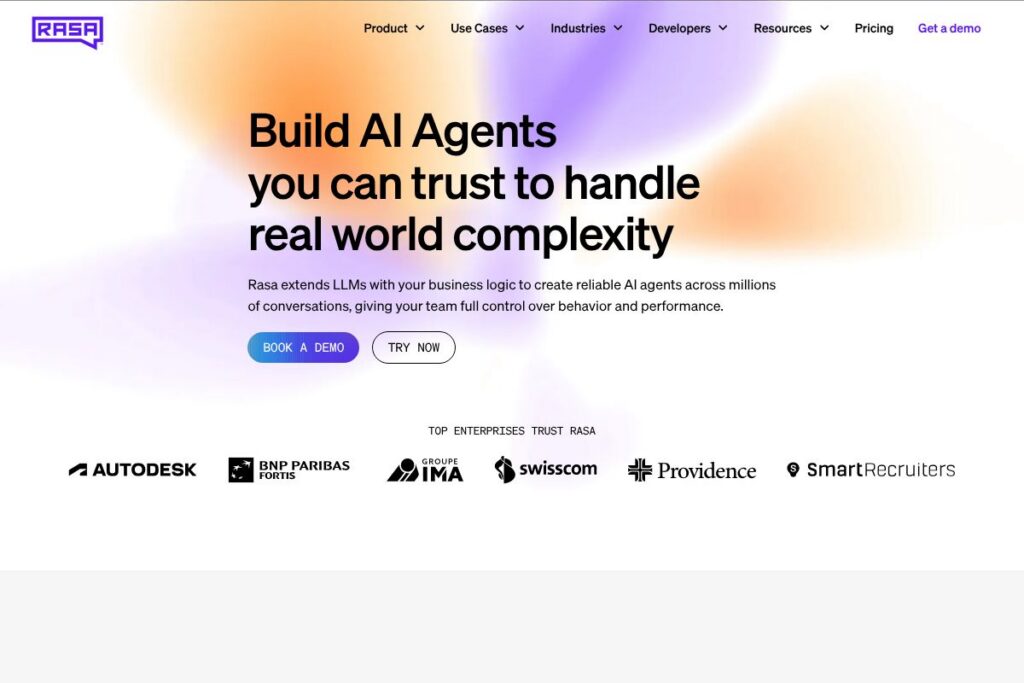
Rasa is a developer-first conversational AI platform built around an open source core and paid tooling for enterprise production use. Its architecture separates natural language understanding, dialogue management, and orchestration so teams can customize behavior, integrate with backend systems, and keep control of conversation data.
Compared with hosted, closed-source options like Dialogflow, Microsoft Bot Framework, and IBM Watson Assistant, Rasa emphasizes local data ownership and extensibility. Where Dialogflow offers a fast path for simple, cloud-hosted agents and Microsoft provides deep Azure integration, Rasa is better suited when teams need custom state handling, domain-specific NLU models, or on-prem deployments.
All of this makes Rasa a powerful choice for engineering teams, data scientists, and enterprises that require flexible conversational logic, tight integration with business systems, and strong privacy controls. The platform is particularly appropriate for organizations that will iterate on conversational design and want a toolchain that supports both experimentation and production operations.
How Rasa Works
Rasa uses two main components: an NLU pipeline that converts user text into structured intents and entities, and a dialogue management model that decides the next action based on the current conversation state. Developers train NLU models using example utterances and craft policies or use machine-learned policies to manage multi-turn flows.
In practice, teams run Rasa locally or on cloud infrastructure, connect channel adapters for web chat, messaging apps, or telephony, and wire actions to backend systems using custom connectors or HTTP APIs. The companion tool Rasa X is used to review conversation logs, annotate training data, and push iterative model improvements into production with confidence; see the Rasa documentation for details.
What does Rasa do?
Rasa bundles core capabilities needed to build conversational AI that can understand user inputs, manage context across turns, trigger backend actions, and be deployed where enterprise requirements demand. Recent platform additions focus on stronger tools for model evaluation, policy management, and voice / IVR channel support.
Let’s talk Rasa’s Features
Natural Language Understanding
Rasa’s NLU component extracts intents and entities using configurable pipelines that combine tokenizers, featurizers, and transformer or spaCy components. This lets teams tune accuracy for domain-specific language and maintain model training data in version control for reproducible updates.
Dialogue Management and Policies
Dialogue logic is implemented with a mix of rule-based trackers and machine-learned policies so you get predictable behavior for critical flows and flexible learning for open conversations. This hybrid approach helps maintain safety and consistency while improving handling of varied user inputs over time.
Rasa X for Annotation and Deployment
Rasa X provides a UI for inspecting conversations, correcting model mistakes, and managing releases of dialogue and NLU models. It supports staged deployments and can be used to collect production conversations to grow training data, improving model quality through human-in-the-loop workflows; check the Rasa X overview for implementation guidance.
Custom Actions and Integrations
Custom actions let your assistant call internal APIs, query databases, and run business logic during conversations. Because actions run in your environment, you can securely access protected services and maintain audit trails for production workflows.
Multichannel and Voice Support
Rasa connects to web chat, mobile apps, messaging platforms, and telephony through adapters, enabling omnichannel conversational experiences. The platform includes voice and IVR capabilities via telephony integrations so projects that require speech input and call flows can be implemented alongside text channels.
Observability and Monitoring
Rasa provides tools to log conversations, track goal completion, and surface failing stories or NLU misclassifications. These observability features help teams prioritize model improvements and measure production KPIs like intent accuracy and task completion rate.
Security and Enterprise Controls
Enterprise deployments support single sign-on, role-based access controls, and data residency options so organizations can enforce compliance requirements. The ability to self-host or run within a private cloud reduces exposure of sensitive conversation data to third-party hosts.
With Rasa you get a platform focused on control and extensibility, enabling teams to ship assistants that meet strict accuracy, privacy, and integration requirements. The biggest benefit is the ability to iterate conversational models from experimentation to production while keeping full ownership of data and logic.
Rasa pricing
Rasa uses a mixed model: an open source core that is free to use, plus enterprise-grade tooling and managed offerings with custom pricing for production deployments. This approach lets teams start with the open source framework during development and evaluate commercial options when they need advanced operational features or vendor-supported hosting.
Open Source
Rasa Open Source is provided at no licensing cost and can be self-hosted, giving teams full control of model training, inference, and data storage. Refer to the Rasa documentation and the project GitHub repository for installation and contribution details.
Enterprise and Managed Options
Enterprise offerings are priced with custom plans tailored to deployment scale, support level, and feature set; these typically include advanced security, SLAs, and Rasa X support for production workflows. For enterprise pricing and packaging, contact Rasa via their enterprise product pages or request a proposal through the Rasa contact options.
What is Rasa Used For?
Rasa is commonly used to automate customer support, build virtual assistants for internal operations, and create conversational interfaces for products that require domain-specific understanding. Typical projects include help desk automation, booking and reservation systems, and guided troubleshooting assistants that interact with backend systems.
Ideal users are engineering teams, machine learning practitioners, and product managers who need a platform that supports iterative model training, custom integrations, and production monitoring. Organizations with regulatory or data residency concerns benefit from Rasa’s self-hosting and data ownership model.
Pros and Cons of Rasa
Pros
- Highly customizable: Rasa’s modular architecture and custom actions let teams implement complex business logic and domain-specific behavior without being constrained by a hosted vendor’s abstractions.
- Data ownership and privacy: Deploying Rasa on-premises or in a private cloud ensures conversation data remains under organizational control, which is important for compliance-sensitive industries.
- Open source core: Teams can use and extend Rasa Open Source for free, experiment with advanced NLU and dialogue policies, and contribute to the project via the Rasa GitHub repository.
- Strong observability and iteration tools: Rasa X and logging features enable human-in-the-loop workflows for continuous improvement from real conversations.
Cons
- Requires engineering resources: Implementing and maintaining a Rasa-based system typically needs software engineering and data science expertise for model tuning, custom connectors, and deployment automation.
- Operational overhead for self-hosting: Running Rasa at scale demands infrastructure, monitoring, and DevOps processes which can be heavier than using fully managed conversational AI services.
- Commercial features under enterprise plans: Some enterprise-grade management, support, and hosted options are behind custom pricing, which may make it harder for small teams to access those capabilities without budget planning.
Does Rasa Offer a Free Trial?
Rasa offers a free open source framework and community edition, with enterprise features available through custom trials or demos. You can start with Rasa Open Source at no cost and request enterprise evaluations or demos via Rasa’s product pages to test managed features and support options.
Rasa API and Integrations
Rasa provides a well-documented REST API for model inference, custom actions, and management endpoints; developers can find the full API documentation that covers endpoints, webhook patterns, and custom channel adapters. The platform ships with adapters and community connectors for common channels such as Slack, Microsoft Teams, Twilio, and web chat, and teams can build custom connectors for proprietary systems.
For voice and telephony integration, Rasa supports IVR workflows through telephony adapters and can work with media gateways to handle speech recognition and text-to-speech. Many production deployments combine Rasa with speech-to-text services and telephony providers to deliver voice-capable assistants.
10 Rasa alternatives
Paid alternatives to Rasa
- Dialogflow — A Google Cloud managed conversational AI service that offers quick setup, built-in NLU, and pay-as-you-go pricing suited for teams that prefer a hosted solution; see Dialogflow pricing for details.
- IBM Watson Assistant — Enterprise-oriented conversational platform with prebuilt integrations, analytics, and strong enterprise support options for regulated industries.
- Microsoft Bot Framework — Developer-centric toolkit with deep Azure integration, scalable bot hosting, and connectors to Microsoft 365 services.
- Amazon Lex — A managed service with seamless AWS integration that provides NLU and automatic speech recognition for voice and text bots.
- Ada — A customer service automation platform focused on no-code bot building and business user workflows with enterprise support.
- Kore.ai — Enterprise digital assistant platform with orchestration, analytics, and prebuilt vertical solutions.
- LivePerson — Conversational platform combining bots and human handoff, with emphasis on customer messaging and AI routing.
Open source alternatives to Rasa
- Botpress — A modular open source conversational platform with a visual flow editor and extensible NLU components for on-premises deployment.
- DeepPavlov — An open source library for building complex conversational systems, with prebuilt components for NLU and question answering.
- OpenDialog — An open source conversational application platform that emphasizes structured conversation design and decision logic.
- ChatterBot — A Python library for building simple conversational agents and experimenting with chatbot logic and training data.
Frequently asked questions about Rasa
What is Rasa used for?
Rasa is used to build, train, and deploy contextual chatbots and voice assistants. Teams use it to automate support tasks, guide users through workflows, and integrate conversational interfaces with backend systems.
Does Rasa provide an API for developers?
Yes, Rasa exposes REST APIs for model inference, actions, and conversation management. The Rasa documentation includes developer guides and endpoint references.
Can Rasa run on-premises for data-sensitive deployments?
Yes, Rasa can be self-hosted and deployed in private clouds or on-premises. Self-hosting enables strict data residency and control over logs and training data.
Is Rasa open source?
Rasa has an open source core that is free to use. The open source project is supported by commercial enterprise offerings for larger organizations that need hosted services, SLAs, and additional operational tools.
How does Rasa compare to Dialogflow on costs?
Rasa offers a free open source framework while Dialogflow uses a managed, pay-as-you-go pricing model. That means Rasa can be less expensive at the software layer for teams that can self-host, whereas Dialogflow’s costs scale with usage and managed service consumption; review Dialogflow pricing and Rasa’s enterprise contact options to choose the right approach.
Final Verdict: Rasa
Rasa stands out for teams that need fine-grained control over NLU, dialogue logic, and data ownership, making it well suited to regulated industries and complex enterprise workflows. Its open source foundation allows prototyping without licensing costs, and Rasa X plus enterprise offerings provide the operational tooling required to run assistants in production.
Compared with Dialogflow, Rasa gives more flexibility and local control while Dialogflow provides a faster managed route with usage-based pricing. If you need a highly customizable assistant and are prepared to invest in engineering and operations, Rasa is a strong fit; if you prefer a fully managed, quick-to-launch solution with predictable cloud billing, a hosted competitor may be a better starting point.
For hands-on exploration start with the Rasa documentation for installation and tutorials, and contact Rasa’s enterprise team via the product pages when you are ready to discuss production support and hosted options.