Voiceflow: An Overview
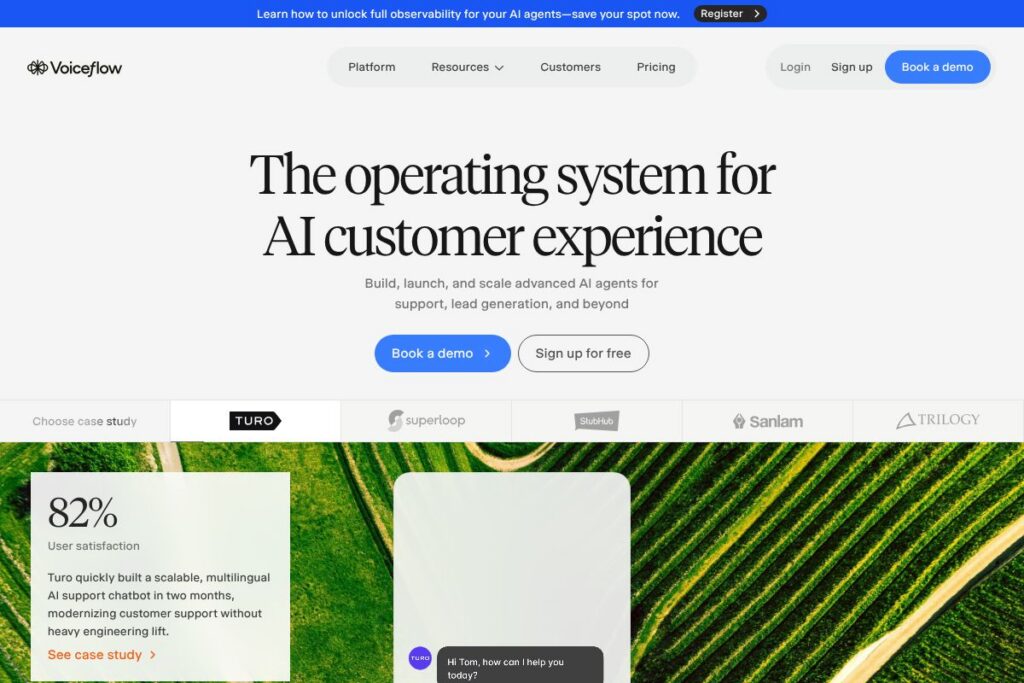
Voiceflow provides a visual, no-code environment to build conversational AI agents for chat and voice channels. The platform combines a drag-and-drop flow designer, natural language understanding tooling, and production-grade deployment controls so non-technical teams can design and iterate on agents without heavy engineering overhead.
Voiceflow is often compared with purpose-built and generalist conversational platforms such as Dialogflow, Rasa, and Amazon Lex. Compared with Dialogflow, Voiceflow focuses more on visual flow design and collaboration for product and design teams. Compared with Rasa, Voiceflow requires less engineering to get started while offering integrations and the option to bring your own model. Compared with Amazon Lex, Voiceflow abstracts infrastructure and provides designer-friendly prototyping and publishing flows.
Voiceflow does well at enabling cross-functional teams to prototype and ship conversational experiences quickly, especially for customer support and advisor handoffs. This makes it particularly useful for enterprise CX teams, product teams, and customer support groups that need rapid iteration and omnichannel deployment.
How Voiceflow Works
Designers and product owners map conversation flows in a visual canvas where nodes represent prompts, logic, API calls, and handoffs. Each flow node can include NLU training examples, slot collection, validation logic, and conditional branching, which lets teams model complex customer journeys without writing code.
Once a prototype is ready, teams test conversations with real-time prototyping and user testing in the web editor. Agents can then be deployed to channels such as web chat, voice assistants, and contact center integrations, and managed through environments that mirror development, staging, and production workflows.
Voiceflow’s Agentic Context Engine enriches the runtime with contextual state and retrieval logic so conversational agents can reference prior interactions, external data, and service APIs. Monitoring and analytics capture conversation-level metrics to guide iterative improvements.
Voiceflow features
Voiceflow is organized around visual design, production deployment, and observability. Core capabilities include a flow-based no-code editor, NLU model management, omnichannel publishing, API integrations, environment pipelines, and security certifications like SOC 2 Type II and ISO/IEC 27001:2022.
The Features That Make Voiceflow Shine
Visual flow designer
The drag-and-drop canvas lets teams build conversation paths with nodes for prompts, actions, API calls, and conditional logic. This reduces handoff friction between designers and engineers and speeds up prototyping for cross-functional teams.
Agentic Context Engine
Runtime context management stitches together user history, external data, and generative responses to create coherent multi-turn conversations. This helps agents maintain state and produce personalized responses across sessions.
NLU and multilingual support
NLU tooling supports intent classification, slot filling, and training data management with multilingual capabilities for deploying agents across regions. Teams can iterate on utterances and intent models directly inside the platform.
Omnichannel publishing
Agents built in Voiceflow can be published to web chat, voice assistants, and contact center platforms, enabling a single design to serve multiple channels while preserving interaction logic and context.
Integrations and API connectors
Built-in connectors and HTTP action nodes let agents call external APIs, update CRMs, and hand off sessions to human agents. This enables automation of support interactions and seamless advisor or agent transfers.
Environments and CI-like pipelines
Environment support provides development, staging, and production pipelines so teams can test changes before rolling them out. This helps reduce regressions and supports collaborative development workflows.
Analytics, monitoring, and LLM evaluations
Conversation-level metrics, session traces, and LLM-based evaluation tools provide visibility into agent performance and areas for iteration. These insights help prioritize improvements without extensive manual review.
Enterprise security and compliance
Voiceflow includes enterprise-grade controls, role-based permissions, and compliance attestations such as SOC 2 Type II and ISO/IEC 27001:2022. The platform also supports GDPR and HIPAA-related controls for sensitive data handling.
With these capabilities, Voiceflow aims to shorten the path from idea to production while giving teams observability and control at scale.
Voiceflow pricing
Voiceflow uses an enterprise SaaS pricing model with plans tailored to business needs and scale, including seat-based and usage-based elements. Public, itemized pricing is not published on a dedicated pricing page, so organizations typically talk to sales for custom quotes and deployment options. View Voiceflow’s homepage and contact channels to request current pricing options and enterprise details.
What is Voiceflow Used For?
Voiceflow is commonly used to create customer support chatbots, voice assistants, and interactive FAQ agents that automate routine interactions and hand off complex issues to human agents. Teams use it to build agent workflows that guide users, qualify leads, and surface personalized recommendations while integrating with back-end systems.
Product and CX teams also use Voiceflow to prototype conversational experiences alongside stakeholders, test flows with users, and iterate quickly without developing full back-end services. Enterprises adopt Voiceflow to scale conversational coverage across multiple brands, languages, and channels.
Pros and Cons of Voiceflow
Pros
- Visual design for cross-functional teams: The flow-based editor enables designers, product managers, and non-engineers to build and iterate conversational logic without deep coding.
- Production-grade deployment and environments: Built-in environments and deployment controls let teams move from prototype to production with predictable release workflows and staging support.
- Broad integrations and API support: Native connectors and HTTP actions simplify integration with CRMs, ticketing systems, and other enterprise services to automate end-to-end journeys.
- Strong security and compliance posture: SOC 2 Type II and ISO/IEC 27001:2022 compliance help organizations meet enterprise security requirements and regulatory needs.
Cons
- Enterprise pricing model: Pricing is tailored and typically negotiated, which can be a barrier for very small teams seeking transparent, self-serve pricing comparisons.
- Advanced customization may require engineering: Highly specialized runtime behaviors or deeply custom integrations often need code or engineering support beyond the no-code canvas.
- Learning curve for complex agents: While the platform is approachable for simple bots, modeling large multi-product, multilingual agents requires planning and governance to avoid design drift.
Does Voiceflow Offer a Free Trial?
Voiceflow offers both self-serve sign-up and enterprise trials depending on use case. Individuals and small teams can start with the web editor to prototype basic flows, while enterprise customers can request demo environments and trial periods through Voiceflow’s contact channels on the homepage.
Voiceflow API and Integrations
Voiceflow provides HTTP action nodes and connector blocks to call external APIs and databases from within conversation flows. The platform also supports webhooks and integration points for CRMs, ticketing systems, and contact center platforms; see the Voiceflow documentation for integration guides and endpoint examples.
For teams that want custom automation, Voiceflow allows workspace-level webhooks and programmatic exports of flows so engineering teams can orchestrate deployments and embed agents in broader application stacks.
10 Voiceflow alternatives
Paid alternatives to Voiceflow
- Dialogflow – Google Cloud conversational AI for intent detection and fulfillment, strong for developers who want tight cloud integration.
- Rasa Enterprise – Open core platform with enterprise features for developers who need on-premise control and custom NLU pipelines.
- Amazon Lex – AWS-native conversational service that integrates with the AWS ecosystem for serverless bot hosting and voice capabilities.
- Ada – Customer service automation focused on no-code bot building and enterprise support automation workflows.
- Zendesk Answer Bot – Integrates with Zendesk support tooling to deflect tickets and provide knowledge-base driven responses.
- Kore.ai – Enterprise conversational AI with omnichannel support and strong telephony integrations for contact centers.
- Genesys DX – Omnichannel and contact-center-focused automation with built-in routing and agent handoffs.
Open source alternatives to Voiceflow
- Rasa – Developer-first open source framework for intent classification and dialogue management, good for teams that want full control and self-hosting.
- Botpress – Visual bot-building platform that is open source and extensible, offering a balance of GUI and developer flexibility.
- DeepPavlov – Open source conversational frameworks focused on research-grade NLU components and dialogue management utilities.
- ChatterBot – Python-based conversational library useful for simple prototypes and educational projects.
Frequently asked questions about Voiceflow
What is Voiceflow used for?
Voiceflow is used to design and deploy conversational AI agents for chat and voice channels. Teams build workflows, connect APIs, and publish agents to web chat and voice platforms to automate support, lead qualification, and advisor handoffs.
Does Voiceflow integrate with CRMs and ticketing systems?
Yes, Voiceflow supports API connectors and webhook actions to integrate with CRMs and ticketing systems. Integrations enable tasks like creating tickets, updating records, and routing conversations to human agents when needed.
Can Voiceflow support multilingual agents?
Yes, Voiceflow supports multilingual NLU and deployment across regions. Teams can train intents and utterances in multiple languages and publish agents for international audiences.
Does Voiceflow provide enterprise security certifications?
Voiceflow maintains enterprise security controls and certifications such as SOC 2 Type II and ISO/IEC 27001:2022. The platform includes role-based access, data handling controls, and features to help with GDPR and HIPAA compliance requirements.
Is Voiceflow suitable for building voice assistants?
Yes, Voiceflow supports both chat and voice agent development and can publish to voice platforms. The visual editor includes voice-specific nodes and testing capabilities for spoken interactions.
Final verdict: Voiceflow
Voiceflow excels at making conversational agent design accessible to non-engineering teams while providing the deployment and security controls required by enterprises. Its visual flow editor, environment pipelines, and integration capabilities shorten the path from prototype to production, which is why organizations often use it to scale support automation and lead capture.
Compared with Rasa, which offers more developer control and self-hosting options, Voiceflow provides a faster, designer-friendly experience but with less emphasis on code-first customization. On pricing, Voiceflow follows a custom enterprise SaaS model while Rasa provides open source options and enterprise licensing; organizations that want transparent, low-cost self-hosted setups may prefer Rasa, while teams prioritizing speed to market and collaborative design workflows will find Voiceflow a strong fit.
Voiceflow is recommended for CX, product, and support teams that need to build omnichannel conversational agents quickly, iterate based on real conversation data, and operate under enterprise security and compliance requirements. For hands-on links and demos, explore the Voiceflow homepage and the Voiceflow documentation.