Streamlabs: An Overview
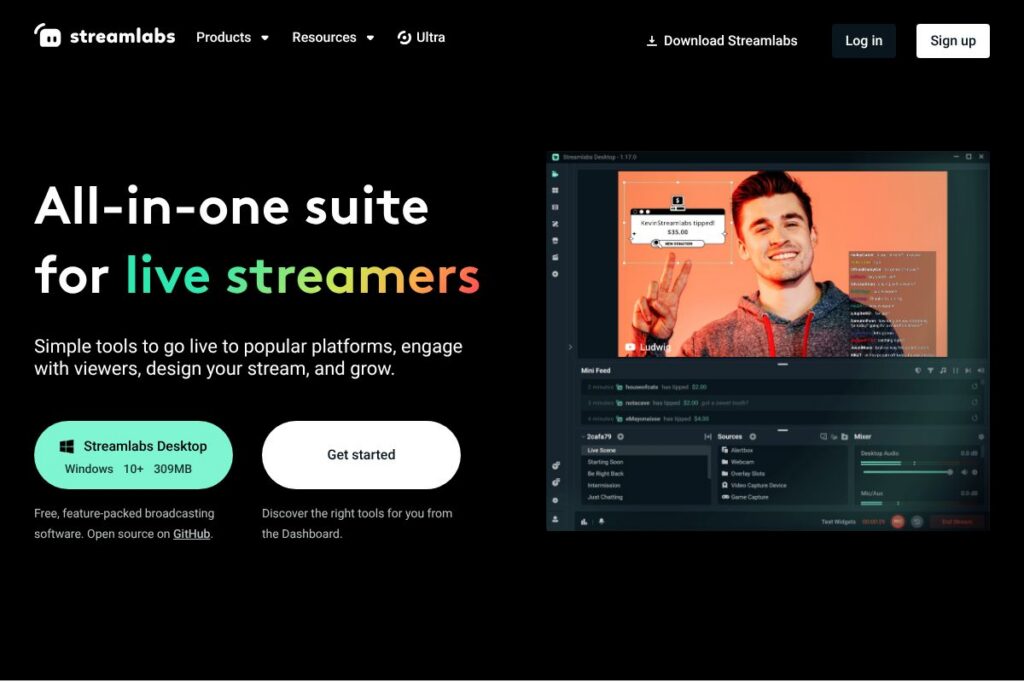
Streamlabs bundles free, open-source broadcasting software with a suite of creator tools that cover streaming, alerts, overlays, tipping, merchandising, and post-production. The core Streamlabs Desktop app provides recording and live broadcasting capabilities while cloud services and add-on apps handle alerts, analytics, clips, and monetization.
Compared with OBS Studio, Streamlabs offers a more integrated, user-friendly interface and built-in overlays, widgets, and tipping, while OBS Studio remains a lighter-weight, totally free alternative focused solely on encoding and scene composition. Compared with XSplit, Streamlabs delivers a broader creator ecosystem including clip tools and podcast editing in one account, whereas XSplit focuses on professional broadcast features and paid licensing. All of this makes Streamlabs especially useful for streamers who want a single login to manage live shows, engage viewers, and convert content into short-form clips.
Streamlabs excels at simplifying the technical steps of going live, packaging design assets and monetization into the same workflow, and supporting creators across desktop, mobile, and browser-based tools. It is best suited for individual streamers, small creator teams, and influencer-led content producers who want fast setup and multi-platform reach.
How Streamlabs Works
The platform centers on Streamlabs Desktop, which connects to your Twitch, YouTube, or Facebook account and sends a live video feed while managing scenes, sources, and overlays. You can add browser-based widgets such as alerts, chat boxes, and donation widgets, then save those settings to the cloud for reuse and migration between devices.
Beyond the desktop app, Streamlabs routes events and rewards through its cloud services: tips and merch purchases trigger on-screen alerts, multistreaming can broadcast the same feed to several platforms at once, and the app library extends functionality with moderation, automated messages, and loyalty systems. For recording and editing, content flows from Streamlabs Desktop or Streamlabs Talk Studio into the platform’s editors and Cross Clip tool for short-form repurposing.
Streamlabs features
Streamlabs provides an end-to-end creator workflow that covers live production, community engagement, monetization, and post-production. Core capabilities include the free Streamlabs Desktop app, an app and widget library, multistreaming, pro overlays and themes, guest/remote co-hosting, tipping and merch tools, and cloud-backed editors for video and podcast production.
Let’s talk Streamlabs’s Features
Multistream
Stream simultaneously to Twitch, YouTube, Facebook, and other destinations to expand audience reach; toggle multistream on in the Desktop app and the platform handles parallel distribution so you do not need separate encoders.
Pro Overlays and Themes
Streamlabs includes a library of free overlays and themes, plus additional professional packs for higher-quality branding; overlays simplify scene design and help streams look consistent across episodes.
Alerts and Tip Integration
Customizable on-screen alerts display donations, subscriptions, follows, and bits in real time; alert settings link to the tipping system and can be branded to match overlays.
App Library and Automation
An extensible marketplace of apps and widgets adds moderation tools, chat games, automated shoutouts, and analytics, making it easy to extend functionality without custom coding.
Guest Hosting and Talk Studio
Add guests or mobile devices as additional cameras via a shared link; Talk Studio supports browser-based recording with multiple remote participants for interviews and co-streams.
Video Editor and Cross Clip
Turn long broadcasts into edited clips and short-form vertical content with collaborative editing and cross-format exports tailored for TikTok, Reels, and Shorts.
Podcast Editor
Text-based podcast editing lets creators edit spoken audio by editing transcripts, with upload and storage allowances varying by account level.
Merch and Monetization Tools
Design, sell, and manage branded merchandise from within the Streamlabs web suite; combined with custom tipping pages, these features centralize revenue channels.
With these features, the biggest benefit is a single, connected workflow so creators can go from live show to edited short clips and merchandise storefront without moving data between multiple unrelated services.
Streamlabs pricing
Streamlabs follows a freemium model: the core Streamlabs Desktop software is free and open source, while the platform offers optional paid upgrades and add-on services under the Ultra and Pro tiers for creators who need expanded storage, high-resolution exports, and additional monetization features. For exact plan limits and the latest feature comparisons, see Streamlabs’ homepage for current plan details.
Free core software
Streamlabs Desktop is available at no cost and is open source on GitHub. The free tier includes broadcasting, basic overlays, widgets, tipping integration, and access to the app library.
Paid upgrades and Ultra tools
A paid subscription tier called Ultra and individual Pro upgrades provide expanded capabilities such as additional overlays and themes, higher upload limits, no watermarks on exports, multistreaming, and increased storage. Because specific pricing and bundles change, check Streamlabs’ site for the most up-to-date options and any promotional offers.
What is Streamlabs Used For?
Streamlabs is used to produce, brand, and monetize live broadcasts across major platforms. Creators use the Desktop app for scene composition, overlays, and local recording, while cloud services manage tipping, merch, and guest connections.
It is also used to convert live content into short-form clips, edit podcast episodes, and run a unified creator brand across live shows and on-demand content. Small teams and solo creators benefit from the integrated toolchain that reduces the need to stitch separate apps together.
Pros and Cons of Streamlabs
Pros
- Integrated creator toolkit: The platform combines broadcasting, alerts, tipping, overlays, merch, and editors so creators can manage the whole workflow from one account.
- Easy setup for new streamers: Streamlabs Desktop provides presets, prebuilt overlays, and one-click integrations for Twitch, YouTube, and Facebook that reduce setup time.
- Feature-rich app library: A large selection of widgets and automation apps adds moderation, engagement, and analytics without requiring custom development.
- Cloud-backed workflows: Scene and overlay settings can be stored in the cloud and accessed across devices, simplifying multi-device work.
Cons
- Resource usage: The Desktop app can be heavier on CPU and GPU compared with leaner encoders, which may be a concern on older hardware.
- Pro features behind paid tiers: Advanced capabilities such as extensive storage, multistreaming in some bundles, and no-watermark exports require paid upgrades, which adds ongoing cost for power users.
- Ecosystem lock-in: Using multiple Streamlabs services ties live production, monetization, and editing to one vendor, which can make migration more work if you decide to switch tools later.
Does Streamlabs Offer a Free Trial?
Streamlabs offers a free core desktop app and a freemium model with optional paid upgrades. The Desktop application is free and open-source, while additional capabilities are sold as subscription upgrades; visit Streamlabs’ homepage to check the current trial offers or promotional access to paid features.
Streamlabs API and Integrations
Streamlabs provides developer-facing APIs and widget endpoints that power alerts, tip processing, and event hooks; the platform integrates natively with Twitch, YouTube, Facebook, and common chat and moderation services. Developers can consult the Streamlabs developer resources for authentication, webhook, and widget configuration via the Streamlabs developer API documentation.
The product also supports direct integrations with payment processors, merchandising providers, and social platforms, and its app library extends integrations for analytics, overlays, and community engagement. See Streamlabs’ web suite for specific integration listings and setup guides.
10 Streamlabs alternatives
Paid alternatives to Streamlabs
- StreamElements — A cloud-based streaming suite with overlays, tipping, and a loyalty system that emphasizes lightweight browser-based tools for real-time overlays and alerts.
- XSplit — A paid desktop broadcasting app popular with creators who need professional production features and commercial licensing options.
- Lightstream — A browser-based streaming studio focused on simple multistreaming, remote guest handling, and cloud scene composition.
- vMix — A professional live production and switcher application with robust input support and advanced production features for higher-end setups.
- Restream — A dedicated multistreaming service that emphasizes distribution to many platforms, analytics, and chat consolidation.
Open source alternatives to Streamlabs
- OBS Studio — The widely used open-source encoder and scene compositor that forms the technical base for many streaming workflows and integrates with third-party widgets.
- Nginx RTMP Module — A server-side solution for self-hosted RTMP ingest and stream distribution that suits technical users who run custom streaming infrastructure.
- CasparCG — An open-source graphics and playout server used in broadcast environments for templated graphics and timed playback.
Frequently asked questions about Streamlabs
What platforms does Streamlabs support for streaming?
Streamlabs supports Twitch, YouTube, and Facebook for live streaming. The Desktop app also enables streaming to custom RTMP endpoints and supports multistreaming to multiple destinations simultaneously.
Does Streamlabs Desktop cost money?
Streamlabs Desktop is free and open source. Additional premium capabilities are available via paid upgrades and subscription tiers for creators who need expanded storage, advanced overlays, or multistreaming bundles.
Can you add guests with Streamlabs?
Yes, Streamlabs supports guest connections. Use Talk Studio or the guest link feature to invite remote participants or mobile devices as additional cameras for interviews and co-streams.
Does Streamlabs offer tools to repurpose VODs into short clips?
Yes, Streamlabs includes Cross Clip and a Video Editor for short-form content. These tools let you convert VOD highlights into vertical clips suitable for TikTok, Reels, and YouTube Shorts.
Is Streamlabs open source?
Parts of Streamlabs are open source, including the Desktop app. The company also maintains cloud services and paid features that operate alongside the open-source components.
Final verdict: Streamlabs
Streamlabs stands out as a practical, all-in-one platform for creators who want a single workflow that covers live production, audience engagement, monetization, and content repurposing. The core Streamlabs Desktop provides a fast path to go live, while the wider suite adds alerts, overlays, merch, and editors that reduce the number of separate tools a creator must manage.
Compared with OBS Studio, which is completely free and focused on encoding and scene composition, Streamlabs offers a broader product ecosystem and built-in monetization tools at the cost of additional subscription tiers for advanced features. For creators who prefer an integrated experience and are ready to pay for convenience and cloud features, Streamlabs is a strong choice; for users who want a completely free, lightweight encoder with manual integration, OBS Studio remains the simpler alternative.