What is Kaltura
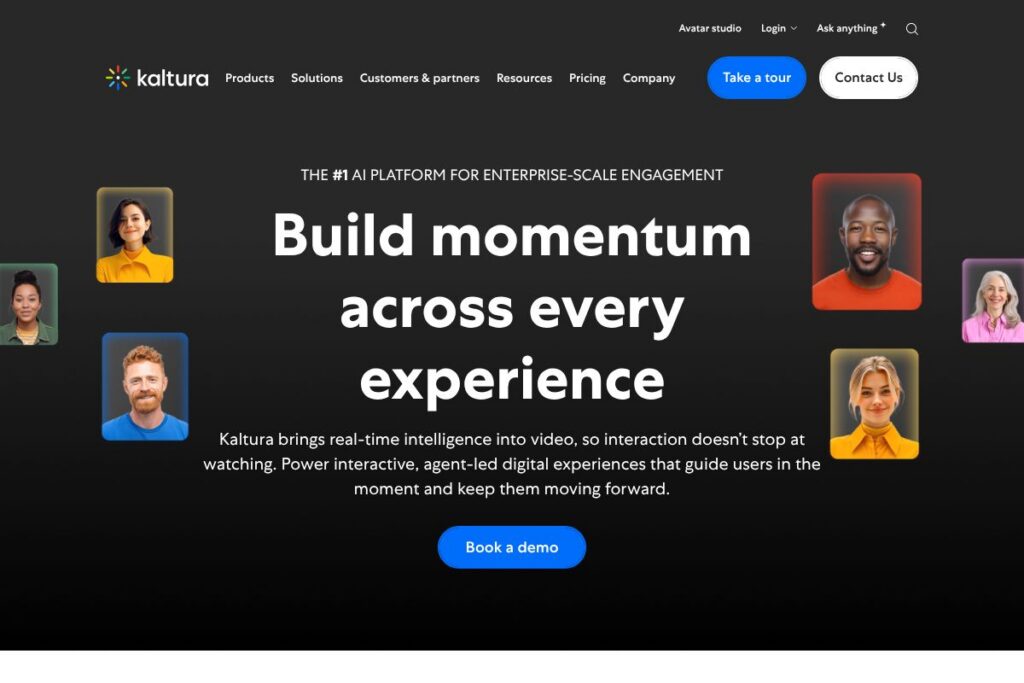
Kaltura is an enterprise video platform that combines live streaming, on-demand video, portals, and AI-driven engagement to create branded experiences for marketing, learning, and corporate communications. The platform includes tools for virtual events and webinars, video hubs with personalized discovery, enterprise content management, analytics, and agentic AI avatars that guide viewers and generate contextual content.
Compared with Brightcove, Vimeo Enterprise, and Panopto, Kaltura emphasizes modularity and enterprise governance while adding real-time AI interactions. Brightcove is traditionally strong in broadcast-grade streaming and CDN optimization, Vimeo Enterprise is focused on marketing and monetization workflows, and Panopto targets higher education and lecture capture; Kaltura blends those capabilities with deeper enterprise video management and AI-driven user guidance.
Kaltura performs well when teams need large-scale, secure video workflows combined with engagement tools and AI-driven navigation. It is best suited for enterprises, universities, large media organizations, and events teams that require branded experiences, tight governance, and advanced discovery features at scale.
How Kaltura Works
Kaltura organizes video into a lifecycle that starts with ingest and capture, moves through enrichment and discovery, and ends with distribution, analytics, and monetization. Video is ingested via live streaming or uploads, automatically enriched with captions, metadata, and AI-derived insights, then published to portals or event channels for viewers.
Agentic Avatars act as contextual, real-time assistants that surface relevant clips, answer questions, and generate personalized multimodal content based on an organization’s knowledge. Teams stitch Kaltura into web sites, LMS platforms, and CRM systems so engagement and analytics flow back into business workflows.
Practical workflows include hosting a branded virtual event with live polls and simultaneous language support, then converting the live session into a curated Video Portal entry with chaptering and search, and finally using analytics to retarget engaged attendees through sales systems.
Kaltura features
Kaltura’s feature set spans capture, enrichment, distribution, management, and AI-driven engagement. Core capabilities include Agentic Avatars for real-time guidance, Video Portal creation for personalized hubs, an Events Platform for webinars and virtual conferences, and Video Content Management for governance and analytics. The platform also integrates with LMS, CRM, and publishing systems to close the loop on audience engagement and ROI.
Here are some key features worth highlighting:
Agentic Avatars
Agentic Avatars are real-time AI agents that answer viewer questions, generate personalized multimedia responses, and lead users to relevant content using an organization’s own knowledge base. They work inside live and on-demand experiences to increase engagement, guide ABM journeys, and automate follow-up actions.
Video Portal
Video Portal enables branded, AI-powered hubs that surface the right content for each visitor using personalization and automated enrichment. Portals include search, recommendations, and automated metadata generation to improve discovery over time.
Events Platform
The Events Platform supports live webinars and virtual conferences with integrated polling, Q&A, parallel tracks, and embedded AI that boosts interaction and measures engagement in real time. It is designed for high-attendance events and includes follow-up workflows for sales and marketing teams.
Video Content Management
Video Content Management provides enterprise-grade workflows for publishing, moderation, access control, and retention, along with role-based permissions and content lifecycle tools. Administrators can automate enrichment, manage large archives, and enforce compliance and security policies.
Live streaming and on-demand workflows
Kaltura handles multi-bitrate live streaming, DVR, simulcast, and VOD packaging so teams can broadcast to global audiences reliably. The platform supports branded players, monetization options, and post-event processing that turns live sessions into searchable assets quickly.
Analytics and monetization
Built-in analytics track engagement at viewer and asset levels, measuring watch time, interaction rates, and event conversion metrics to quantify ROI. Monetization tools support subscriptions, pay-per-view, and ad insertion when needed for media and publishing customers.
Security and compliance
Security features include single sign-on, role-based access, encryption, and data residency controls to meet enterprise and regulatory requirements. The platform supports moderation and automated compliance workflows for regulated industries.
With these capabilities, Kaltura helps organizations run large-scale video initiatives that combine live and on-demand content with AI-driven discovery and viewer guidance.
Kaltura pricing
Kaltura uses enterprise-focused, quote-based pricing tailored to deployment scale, feature selection, and support levels rather than a fixed public rate card. Pricing typically varies by the number of concurrent viewers, storage and egress needs, security and compliance requirements, and add-ons such as AI credits or premium support.
For detailed options and to request a quote, contact Kaltura through their contact and pricing options to discuss custom plans, trials, and deployment models.
What is Kaltura used for
Kaltura is used for hosted webinars and virtual events that require rich interaction, brand control, and measurable follow-up. Marketing and sales teams use it to run demand-generation webinars with in-stream guidance and ABM-focused avatar workflows that convert interest into pipeline.
Universities and training organizations use Kaltura for lecture capture, on-demand course video portals, and integrated learning experiences that include accessibility features and LMS links. Corporate communications teams deploy it for town halls and leadership messages that must reach global workforces with translation and contextual Q&A.
Media and broadcast teams use Kaltura for large-scale streaming, OTT channels, and monetization workflows where viewer personalization and content discovery increase lifetime value. IT and professional services firms rely on its content governance to meet security and retention policies.
Pros and Cons of Kaltura
Pros
- Enterprise-grade scalability: Kaltura handles very large catalogs and millions of monthly active users while offering role-based controls and global delivery.
- AI-driven engagement: Agentic Avatars and automated enrichment improve discovery and viewer interaction, which increases watch time and conversion for events and portals.
- Flexible deployment options: You can deploy on cloud, private cloud, or hybrid architectures while integrating with LMS and CRM systems for end-to-end workflows.
- Comprehensive feature set: Live, VOD, portals, analytics, and monetization are available in one platform, reducing the need for point solutions.
Cons
- Enterprise sales process: Pricing and deployment require consultation and customization, which can extend procurement timelines for smaller teams.
- Platform complexity: The breadth of features can require dedicated administration and training to configure workflows optimally for a specific use case.
- Integration work for niche systems: While many common integrations exist, integrating deeply with bespoke or legacy systems may require engineering resources.
Does Kaltura Offer a Free Trial?
Kaltura offers enterprise demos and trial evaluations on request. Prospective customers can request a demo or trial through Kaltura’s sales team to test event features, Video Portal capabilities, and Agentic Avatars in a scoped environment with representative data.
Kaltura API and Integrations
Kaltura provides developer APIs and SDKs that let organizations automate ingestion, metadata enrichment, publishing, and analytics. Explore the Kaltura Developers site for API documentation, SDKs, and integration guides.
The platform integrates with common enterprise systems such as Salesforce, LMS platforms like Canvas and Moodle, single sign-on providers, and web CMS platforms to ensure video data flows into CRM, learning, and marketing workflows.
10 Kaltura alternatives
Paid alternatives to Kaltura
- Brightcove — Enterprise streaming and OTT services focused on broadcast-quality delivery and global CDN optimization.
- Vimeo Enterprise — Branded video hubs and marketing-focused tools with monetization options and an easier self-serve path.
- Panopto — Lecture capture and video platform tailored to higher education and corporate learning programs.
- JW Player — Streaming and player technology with strong analytics and low-latency delivery options.
- IBM Watson Media — Scalable streaming and AI-driven closed captioning and analytics for enterprise broadcasters.
- Wowza Streaming Cloud — Flexible live streaming and low-latency solutions for custom streaming workflows.
Open source alternatives to Kaltura
- Opencast — An open source video management and lecture capture solution for universities and research institutions.
- PeerTube — Federated, open source video hosting that emphasizes decentralized discovery and community hosting.
- Ant Media Server (Community Edition) — Real-time streaming server that supports low-latency WebRTC and adaptive streaming in an open source release.
Frequently asked questions about Kaltura
What is Kaltura used for?
Kaltura is used to host, stream, and manage live and on-demand video for events, learning, communication, and media workflows. Organizations use it to run webinars, build branded video portals, capture lectures, and deliver OTT channels with analytics.
Does Kaltura support live streaming and webinars?
Yes, Kaltura supports large-scale live streaming and interactive webinars. Its Events Platform includes polling, Q&A, multi-track sessions, and post-event publishing to portals and on-demand catalogs.
How do Kaltura Agentic Avatars work?
Agentic Avatars are real-time AI agents that respond and generate personalized multimodal content using an organization’s knowledge base. They guide viewers, answer contextual questions, and can drive follow-up actions such as scheduling demos or surfacing related learning content.
Can Kaltura integrate with my LMS or CRM?
Yes, Kaltura integrates with common LMS and CRM platforms. The platform offers connectors and API endpoints to link video content, engagement metrics, and user data back to systems like Canvas, Moodle, and Salesforce.
How much does Kaltura cost?
Kaltura uses custom enterprise pricing based on scale and required features. For exact pricing, deployment models, and trial availability contact Kaltura through their contact and pricing options.
Final verdict: Kaltura
Kaltura stands out as a full-featured enterprise video platform that combines powerful management, AI-driven engagement, and flexible deployment models. Its Agentic Avatars and automated enrichment add measurable engagement benefits for marketing, education, and corporate communication teams, while the content management and security features meet enterprise governance needs.
Compared with Brightcove, which focuses on broadcast delivery and CDN efficiency with tiered packages, Kaltura emphasizes modularity, deeper learning and training workflows, and integrated AI guidance; both vendors target enterprises but Kaltura is often the better fit when AI-driven discovery, portal personalization, and LMS integrations are priorities. For pricing and tailored proposals, request a consultation through Kaltura’s contact and pricing options.