What is Notion
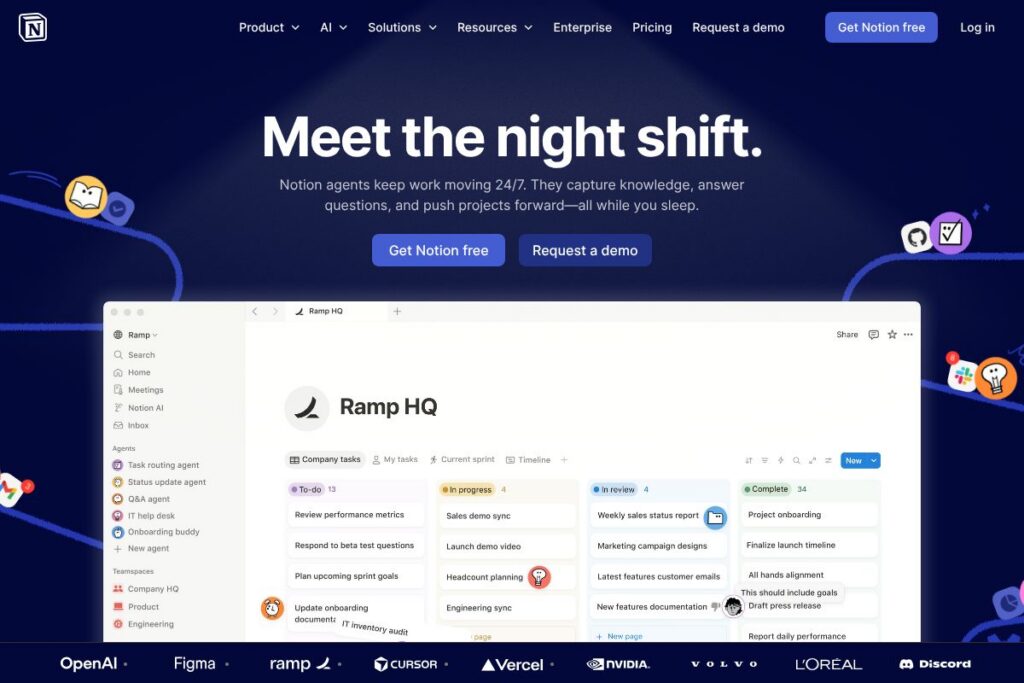
Notion is a unified workspace that combines documents, databases, task boards, and AI-powered assistants into a single platform for teams and individuals. It lets organizations create a knowledge base, manage projects, capture meeting notes, and run custom automations and agents that perform repeatable work across apps.
Notion competes with document-first and workspace tools such as Coda, Confluence, and Airtable. Compared with Coda, Notion focuses on structured content and a simpler page model rather than building app-like documents; compared with Confluence, Notion places more emphasis on flexible page layouts and modern collaboration for cross-functional teams. Against Airtable, Notion prioritizes nested documents and knowledge management while Airtable prioritizes relational databases and heavy spreadsheet-like automation.
What Notion does particularly well is combine a searchable knowledge base with project pages and AI assistants so teams can reduce context switching. These strengths make it a practical choice for product, design, and operations teams that want one place for docs, meeting notes, and light automation rather than several point tools. For larger organizations, Notion scales into an enterprise-grade knowledge layer that integrates with existing tools.
How Notion Works
Notion organizes work into pages and databases that you can link, filter, and view as lists, boards, tables, calendars, or timelines. Pages can contain rich content blocks, embeds, and database views so teams can build everything from simple wikis to lightweight project spaces without coding.
Notion’s AI features operate inside pages and databases, where agents and AI assistants can summarize notes, draft content, surface answers from your knowledge base, and take automated actions you define. Teams typically start by building a central knowledge base, connect key tools, and then deploy custom agents to triage feedback, handle routine support tasks, or automate reporting workflows.
What does Notion do?
Notion brings document creation, knowledge management, project tracking, and AI assistants into a single platform. Core capabilities include flexible pages and databases, cross-workspace enterprise search, and AI agents that can run continually to capture knowledge and resolve repeatable tasks.
Key functionality includes:
Notion Agents
Notion Agents run programmed tasks and respond to prompts on behalf of teams. They can capture new information from integrations, answer questions based on your workspace content, and execute recurring workflows so human teammates focus on higher-value decisions.
Enterprise Search
Enterprise search indexes pages, databases, and connected apps so teams get a single searchable surface for knowledge discovery. The search supports natural language queries and is tuned to surface policies, specs, and project pages alongside AI-generated answers.
AI Meeting Notes
AI Meeting Notes automatically generate structured summaries and action items from meeting content. Teams can save meeting notes to project pages, assign follow-ups, and populate project databases without manual drafting.
Knowledge Base
The knowledge base functionality centralizes documentation, runbooks, and SOPs into connected pages and databases. It acts as a single source of truth for teams and also powers the AI assistants so answers reflect internal context and documents.
Projects and Task Tracking
Project pages combine database views, timelines, and kanban boards to track work without requiring a separate project management tool. Notion’s flexible views allow cross-team templates and simple dependencies for small-to-medium projects.
Integrations and App Search
Notion connects to common tools and syncs content into the workspace so agents and search can surface external context. Integrations improve automated workflows and reduce the need to switch between apps while researching or resolving items.
With these features, Notion’s biggest benefit is reducing the number of distinct tools teams must manage by combining documentation, search, and basic automation with AI assistants that keep work moving around the clock.
Notion pricing
Notion uses a subscription pricing model with individual, team, and enterprise offerings tailored to different organization sizes and needs. For up-to-date plan details, seat and feature comparisons, and enterprise options, check Notion’s published information on the platform.
For the latest overview of available plans and billing terms, visit Notion’s homepage and product pages where they publish current plan descriptions and options for teams and enterprises.
What is Notion Used For?
Notion is commonly used for team wikis, internal documentation, product specs, and meeting notes where searchable, linked content matters. Teams use it to capture decisions, maintain onboarding materials, and share cross-functional project plans in one place.
It is also used to automate routine reporting and support workflows by combining database-driven views with AI agents. Small teams appreciate Notion for lightweight task tracking and single-page documentation, while larger organizations use it as an enterprise knowledge layer connected to other systems.
Pros and Cons of Notion
Pros
- Unified workspace: Notion reduces tool fragmentation by combining notes, databases, and project pages in one place, which simplifies knowledge organization and daily workflows.
- Custom agents and AI features: Notion’s agents can automate repeatable tasks, summarize content, and answer questions across your workspace, improving productivity for routine work.
- Flexible page model: The block-based editor supports rich content, embeds, and multiple database views so teams can create tailored templates for docs and projects.
- Searchable knowledge base: Cross-workspace search helps teams find relevant docs and policy pages quickly, which supports faster onboarding and fewer misplaced resources.
Cons
- Learning curve for advanced setups: Building sophisticated databases, templates, and custom agents takes planning and can require time to standardize across teams.
- Limited heavy automation compared to workflow-only tools: For advanced automation or large-scale orchestration, dedicated automation platforms may offer more granular controls and connectors.
- Offline and large-file handling: Offline editing and very large asset libraries are not Notion’s primary strengths compared with some content management or document storage tools.
Does Notion Offer a Free Trial?
Notion offers a free plan and free trials for paid tiers. The free plan supports individual users and light collaboration, while paid team and enterprise plans unlock features such as advanced permissions, admin controls, and enterprise-grade support; trial terms for paid tiers are described on Notion’s product pages.
Notion API and Integrations
Notion provides a developer API to read, write, and query pages and databases programmatically, enabling custom integrations and automations. See the Notion API documentation for endpoints, SDKs, and examples on how to connect Notion to other systems.
In addition to the API, Notion supports integrations with tools like Slack, Google Workspace, Figma, GitHub, and Zapier so teams can bring external data and notifications into Notion pages and databases. These integrations increase the value of the workspace by letting agents and search include external context.
10 Notion alternatives
Paid alternatives to Notion
- Coda — A document-as-app platform that blends docs with building blocks for interactive apps and more advanced automation workflows.
- Confluence — Atlassian’s documentation and knowledge management tool, suited for enterprises that need structured spaces with deep Atlassian ecosystem integration.
- Airtable — A spreadsheet-database hybrid that excels at structured data, complex views, and automation for operations and product teams.
- Asana — Primarily a project management tool with strong task tracking and timeline features, useful when task orchestration is the primary need.
- ClickUp — An all-in-one work platform focused on project management, docs, and native time tracking with many configurable views and automations.
- Slite — A lightweight team documentation tool focused on clean writing and simple knowledge bases with fast search.
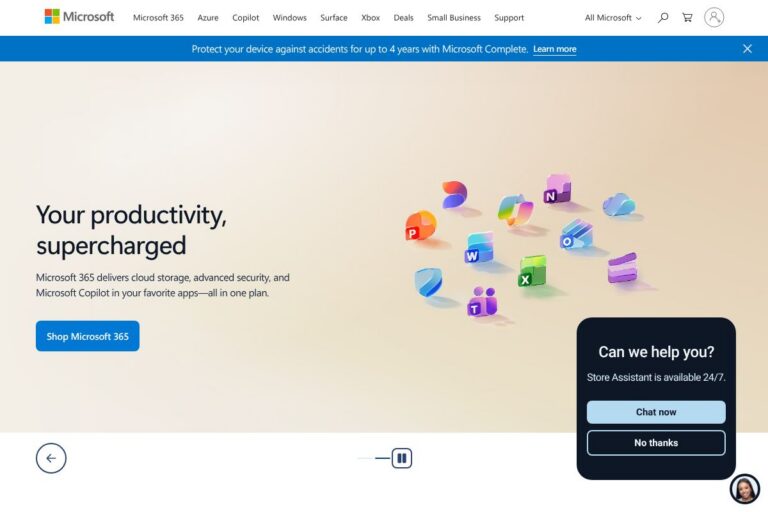
- Microsoft OneNote — Part of Microsoft 365, suited for note-taking and simple team notebooks that integrate with Office apps.
Open source alternatives to Notion
- AppFlowy — An open source alternative that mirrors many Notion-style features with a focus on privacy and self-hosting options.
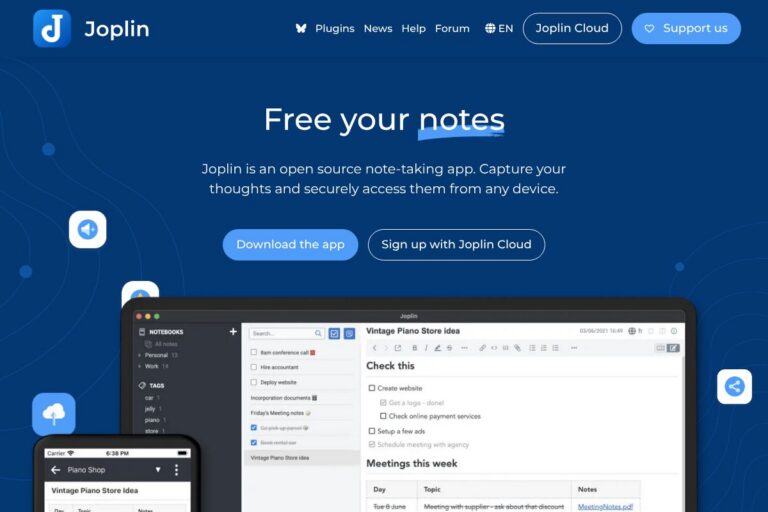
- Joplin — An open source note-taking app that supports markdown, notebooks, and end-to-end encryption for personal knowledge management.
- BookStack — A self-hosted documentation platform organized around books, chapters, and pages for internal knowledge bases.
- Outline — An open source knowledge base built for teams with structured docs and searchable content.
- Turtl — A secure, open source note-taking app focused on privacy and encrypted storage for personal and small team use.
Frequently asked questions about Notion
What is Notion used for?
Notion is used for documentation, knowledge management, and lightweight project tracking. Teams centralize SOPs, meeting notes, product specs, and collaborative project pages inside a single workspace.
Does Notion have an API?
Yes, Notion provides a public API for developers. The Notion API documentation describes endpoints for working with pages, databases, and blocks and includes SDKs and examples for common languages.
Can Notion replace a traditional project management tool?
Notion can cover lightweight project tracking and task boards for many teams. For complex, enterprise-grade project orchestration or detailed resource management you may still require a dedicated PM tool alongside Notion.
Is Notion suitable for large enterprises?
Yes, Notion supports enterprise deployments with admin controls and single sign-on. Larger organizations commonly use Notion as a searchable knowledge layer and integrate it with existing systems for security and compliance.
How do Notion Agents work with my existing apps?
Notion Agents can ingest and respond to content from connected integrations and your workspace. Agents use your internal documents and integrated app data to surface answers, run automations, and keep work moving with minimal manual input.
Final verdict: Notion
Notion excels at consolidating documentation, notes, and lightweight project tracking into one searchable workspace, with AI agents that reduce routine work and keep knowledge current. Its flexible page and database model makes it useful for cross-functional teams that need a single place for specs, onboarding, and meeting follow-ups rather than a collection of separate tools.
Compared with Coda, Notion tends to be simpler to adopt for general documentation and knowledge management, while Coda is stronger for building interactive, app-like documents with advanced formula-driven automation. On pricing, both platforms offer freemium models and paid team/enterprise tiers; organizations should compare feature fit against team needs when choosing between them.
Overall, Notion is a solid choice for teams that want a single workspace to hold knowledge, coordinate projects, and run on-demand or continuous AI assistants; its combination of search, docs, and agents reduces context switching and centralizes routine workflows.