What is Trello
Trello is a visual task management app built around boards, lists, and cards that represent projects, stages, and individual to-dos. Users create cards for tasks, add descriptions, attachments, checklists, and due dates, then move cards through lists to reflect progress. Trello works on the web, desktop, and mobile so teams can capture work from anywhere and keep context across devices.
Compared with other collaboration platforms Trello favors simplicity and visual clarity. Asana focuses more on task dependencies and richer reporting, making it a better fit for complex project management. Jira targets software development workflows with issue tracking and advanced sprint tools, while Notion blends structured databases and documents for knowledge work. Trello’s relative strength is rapid onboarding and flexible board-based workflows.
Trello does well at lightweight project tracking, content planning, and personal productivity where visibility and ease of use matter more than heavyweight processes. It is a good fit for small teams, marketing and content calendars, product roadmaps at an early stage, and individuals who want a simple cross-device way to capture and prioritize work. For organizations that need deep analytics or strict process controls, Trello pairs well with complementary tools that provide reporting or dev workflows.
How Trello Works
Trello organizes work in boards that contain lists, which in turn hold cards. Each card represents a task or idea and can include attachments, labels, checklists, comments, due dates, and custom fields, so the card becomes the single place for work-related context.
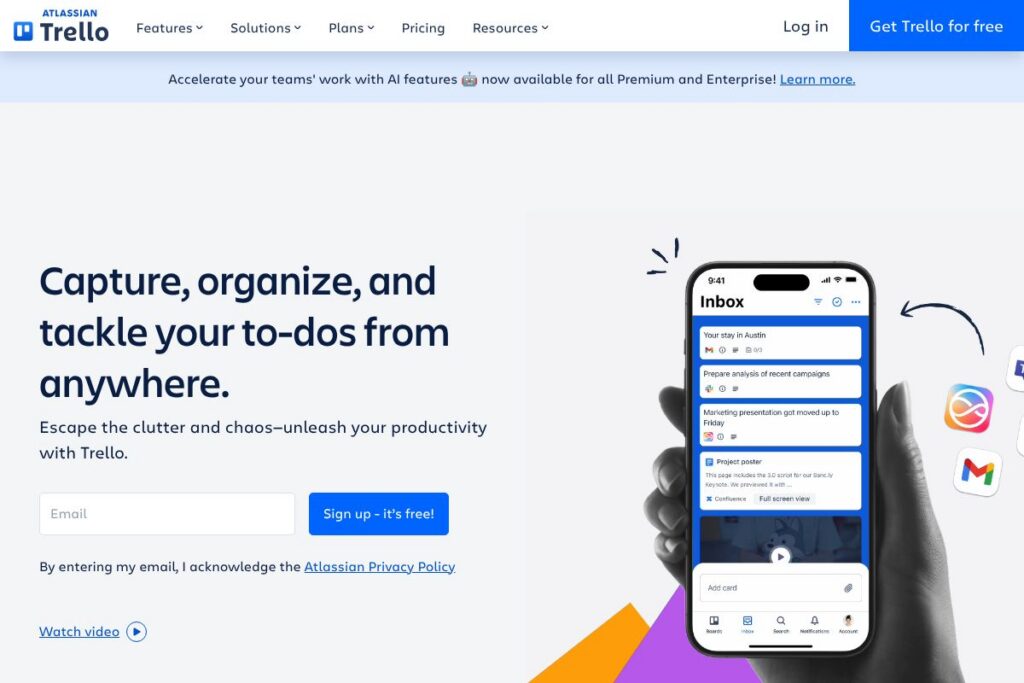
Incoming tasks can be captured into a central Inbox or created directly from email and supported messaging apps; Trello converts forwarded emails into cards and offers AI-generated summaries to reduce manual triage. Automation rules (Butler) run on boards to move cards, set due dates, add labels, and post comments based on triggers, removing repetitive work.
Integrations connect Trello to external services so events in other apps become Trello cards or board updates. Teams typically combine boards (for work states), mirrored cards (to track the same work across multiple boards), and automations to build repeatable workflows that require minimal manual intervention.
Trello features
Trello centers on visual boards and simple, flexible task cards, with added capabilities for automation, integrations, AI summarization, and mobile access. Recent updates emphasize AI features for Premium and Enterprise customers that assist with summarizing content, drafting card descriptions, and converting messages into actionable cards.
The Features That Make Trello Shine
Boards, Lists, and Cards
Cards are the fundamental unit for tasks and ideas, and lists represent stages or groups you control. Cards support comments, attachments, checklists, labels, and custom fields so teams keep work context in one place; moving a card between lists represents progress in a simple kanban-style flow.
Inbox and Planner
The Inbox centralizes items captured from multiple sources so you can triage new work in one place, while Planner views provide timeline and calendar views for scheduling. These views help individuals and teams plan capacity and see deadlines without switching to a different app.
AI-powered summaries and email conversion
AI features can summarize card comments or convert forwarded emails into neatly organized cards with extracted links and suggested checklists. This reduces manual data entry when turning discussions or long emails into actionable tasks.
Automation (Butler)
No-code automation lets you create rules, scheduled commands, and buttons that act on cards and lists to automate repetitive steps. Automations can assign members, move cards based on conditions, and trigger notifications, saving time on routine coordination.
Integrations and Power-Ups
Trello connects to Google Workspace, Microsoft 365, Slack, Microsoft Teams, Jira, Salesforce, Dropbox, and many others through built-in integrations and Power-Ups. Integrations surface linked files and conversations on cards so teams maintain context without switching tools.
Card mirroring and multi-board views
Mirroring lets a single task appear on multiple boards so stakeholders can follow work from different perspectives. Multi-board views aggregate mirrored cards into a central view for cross-team visibility and easier reporting.
Mobile apps and offline sync
Trello provides native mobile apps for iOS and Android that sync boards, cards, and comments so you can capture work on the go. Offline edits sync when connectivity returns, which is useful for distributed teams or remote work scenarios.
Security and admin controls
Enterprise and team plans include admin controls, SSO, granular permission settings, and audit capabilities to help organizations manage access and compliance. These controls let larger organizations enforce policies while using Trello’s flexible boards.
With Trello you get an approachable visual task system that scales from single-person task lists to cross-team workflows, supported by integrations, automations, and AI tools to reduce manual work.
Trello pricing
Trello uses a freemium SaaS model with a free tier and paid plans for individuals, teams, and organizations, plus enterprise licensing for large organizations. Exact plan names, features, and current rates change periodically, so check Trello’s homepage for the most up-to-date options.
For tailored enterprise details and volume licensing, review Trello’s enterprise information on the Trello Enterprise overview. For a straightforward summary of available tiers and included features, visit Trello’s homepage.
What is Trello Used For?
Trello is commonly used for task and project tracking, editorial and content calendars, product and feature planning, and personal to-do lists. Its kanban-style boards make it easy to visualize work in progress, prioritize tasks, and manage simple workflows without heavy process overhead.
Teams also use Trello to capture incoming requests from email and chat into an Inbox, then route work to specialist boards for execution. The platform is frequently chosen by marketing teams, small product teams, HR operations, and contractors who need a low-friction way to coordinate work across tools.
Pros and cons of Trello
Pros
- Visual simplicity: Trello’s board-and-card model is easy to learn, which shortens onboarding and makes it accessible to non-technical teams across departments.
- Flexible workflows: You can model many processes from simple to moderately complex using lists, custom fields, and automations without writing code.
- Strong integrations: Native connections to Google Workspace, Microsoft 365, Slack, and other services let teams pull context into cards and trigger actions from external events.
- Built-in automation: Butler enables common automations directly in boards so teams reduce repetitive tasks without third-party tools.
Cons
- Limited built-in reporting: Trello lacks advanced, out-of-the-box reporting and portfolio views compared with some competitors, so larger organizations often supplement it with BI tools or use mirrored boards.
- Scaling complexity: As boards multiply, maintaining consistency and governance can be challenging without conventions, templates, and admin controls.
- Not specialized for engineering: While integrations exist with developer tools, Jira provides deeper issue tracking, release management, and developer-centric features.
Does Trello Offer a Free Trial?
Trello offers a free plan and paid tiers with trial options for advanced features. The free plan supports basic boards, cards, and integrations, while paid plans add automation usage, advanced views, and administrative controls; check Trello’s homepage for current trial durations and promotional offers.
Trello API and Integrations
Trello provides a developer API that allows programmatic access to boards, lists, cards, webhooks, and other resources. The Trello API documentation details endpoints, authentication, rate limits, and example workflows for custom integrations.
In addition to the API, Trello offers built-in integrations with major productivity platforms such as Slack, Microsoft Teams, Google Workspace, Jira, Salesforce, and Zapier. These connections let you create cards from messages, attach files, and synchronize work across systems.
10 Trello alternatives
Paid alternatives to Trello
- Asana — A task and project manager with stronger timeline views, dependencies, and reporting for teams that need structured project planning.
- Jira — Focused on software development with issue tracking, sprint planning, and deep developer integrations for engineering teams.
- monday.com — A configurable work OS that supports custom data types, dashboards, and portfolio-level reporting for mid-to-large teams.
- ClickUp — An all-in-one platform combining tasks, documents, goals, and native time tracking with many configurable views.
- Notion — Blends documents and databases for teams that want documentation and lightweight project tracking in the same place.
- Wrike — Provides advanced reporting and resource management features for marketing and professional services teams.
- Smartsheet — Spreadsheet-style project management with automation and scalability for enterprise use cases.
Open source alternatives to Trello
- Wekan — An open source kanban board you can self-host with board, list, and card features similar to Trello.
- Focalboard — A self-hosted project and task manager inspired by kanban boards, available as a standalone app or integrated with Mattermost.
- Taiga — Open source project management geared toward agile teams, offering boards, sprints, and issue tracking.
- Restyaboard — A Trello-like open source alternative with offline syncing and card features for self-hosted deployments.
Frequently asked questions about Trello
What is Trello used for?
Trello is used for visual task and project management across individuals and teams. It helps capture tasks, track progress with boards and lists, and centralize context on cards.
Does Trello offer AI features?
Yes, Trello includes AI features for Premium and Enterprise plans. AI can summarize card content, convert forwarded emails into cards, and generate suggested checklists to speed up triage.
How much does Trello cost?
Trello uses a freemium model with paid plans for individuals, teams, and enterprises. For detailed plan options and the latest rates, visit Trello’s homepage to review current offers.
Does Trello have an API?
Yes, Trello has a public API for developers. The Trello API documentation provides endpoints, authentication guidance, and examples for integrating with other systems.
Can Trello integrate with Slack and Microsoft Teams?
Yes, Trello integrates with Slack and Microsoft Teams. You can create cards from messages, receive updates in channels, and link conversations to cards for follow-up.
Final verdict: Trello
Trello excels as a lightweight, visual system for capturing and organizing work, particularly when teams value ease of use and quick setup. Its board-and-card model, combined with no-code automations and integrations, makes it ideal for content planning, small-team projects, and personal productivity where visibility and flexibility matter most.
Compared to Asana, Trello is often simpler and faster to adopt, while Asana provides more structured project controls and built-in reporting for complex programs. In terms of pricing, both platforms offer free tiers and paid plans that scale by features and team size; Trello emphasizes visual workflows and ease of use, whereas Asana targets teams that need dependency management and advanced tracking.
Overall, Trello is a strong choice for teams and individuals who want a low-friction, visual workspace backed by integrations and automation. For organizations that require advanced reporting or developer-focused issue tracking, supplement Trello with specialist tools or consider alternatives better aligned to those needs.