Freshworks: An Overview
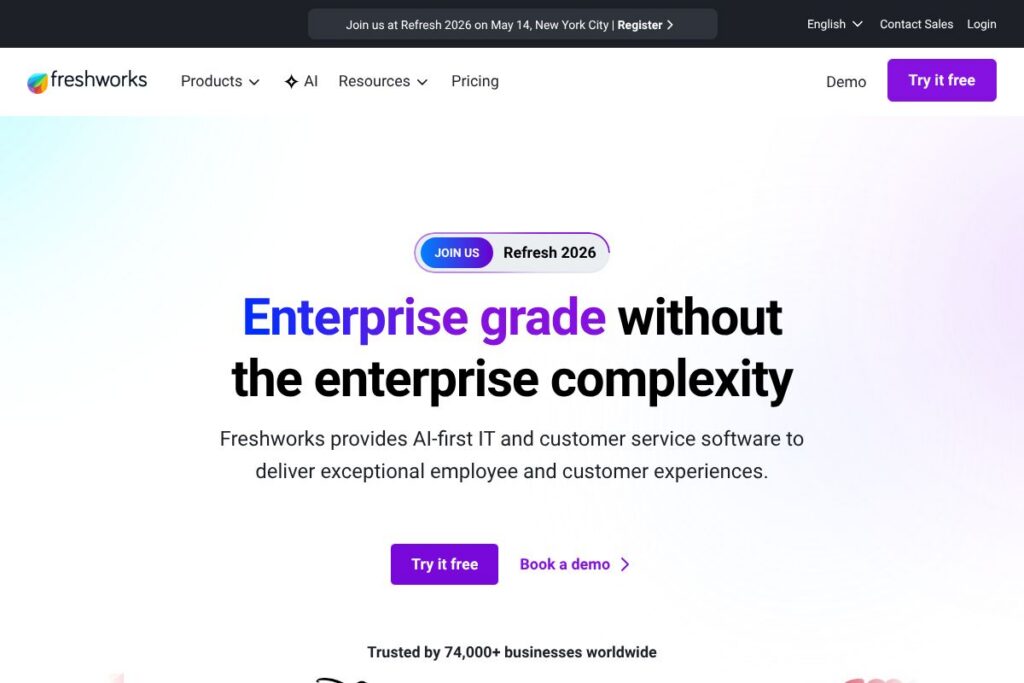
Freshworks provides a suite of AI-first SaaS products focused on IT service management and customer support, combining ticketing, automation, and conversational AI to reduce manual work and improve response times. The product family includes Freshservice for ITSM and Freshdesk for customer service, plus Freddy AI for automation and agent assistance. See the Freshservice product page and the Freshdesk product page for product-level details.
Compared with competitors like Zendesk and ServiceNow, Freshworks emphasizes faster setup and simpler administration, with built-in automation aimed at mid-market and enterprise teams that prefer lower implementation overhead. Compared with Zoho Desk, Freshworks focuses more heavily on embedded AI features; compared with ServiceNow, it trades some advanced customization for easier onboarding and shorter time-to-value. All of this makes Freshworks particularly well suited for teams that need enterprise-grade capabilities without complex deployments.
How Freshworks Works
Freshworks products operate as cloud-hosted applications with modular products that can be adopted independently or together. Freshdesk handles omnichannel customer conversations, Freshservice covers ITSM processes such as incident, problem, change, and asset management, and Freddy AI provides automation, suggested responses, and agentic workflows that take actions on behalf of users. Browse the Freddy AI overview to see how AI components integrate with tickets and workflows.
Typical implementation starts with configuring channels and ticketing rules, connecting identity and collaboration systems, and enabling automation policies to triage and route work. Many teams pair Freshservice with discovery and asset modules, then layer automation rules to assign incidents and auto-resolve known errors. Freshworks also supports connectors to collaboration and CRM systems so users can escalate or hand off work across existing stacks; see the developers portal for integration options.
What does Freshworks do?
Freshworks centralizes support and IT operations around ticketing, automation, and conversational experiences. Core capabilities include omnichannel ticket routing, knowledge bases and self-service portals, asset and CMDB functions in ITSM, automated workflows, and AI-driven agent assistance that reduces manual ticket handling. Recent additions emphasize expanded Freddy AI capabilities that can take actions, suggest resolutions, and summarize interactions.
Let’s talk Freshworks’ Features
Freddy AI
Freddy provides conversational and agentic AI that can draft replies, suggest next actions, and in some cases execute automated steps within the platform. It reduces repetitive work by surfacing likely resolutions and can be trained on your knowledge base to improve accuracy over time. Teams use Freddy to speed first response, draft consistent answers, and close common tickets automatically.
Omnichannel Ticketing
Freshworks consolidates email, chat, phone, social, and messaging channels into a single ticket stream with unified context and history. This helps agents see the full interaction trail and reduces duplicated work across channels. Managers can set SLAs and routing rules that ensure the right skillsets receive relevant tickets.
Automation and Workflows
Advanced workflow builders let teams automate triage, routing, escalations, and repeatable fixes without writing code. Automation reduces manual handoffs and ensures consistency in issue handling, which improves metrics like first contact resolution and mean time to resolve. Many organizations use automation to convert high-volume repetitive requests into self-service flows.
ITSM and Asset Management
Freshservice offers ITIL-aligned modules for incident, problem, change, release, and asset management alongside a CMDB for tracking relationships. Asset discovery and lifecycle tracking help IT teams prioritize work and reduce time spent reconciling inventory. Change management and approvals are integrated with ticketing to maintain audit trails.
Self-service and Knowledge Base
Built-in knowledge management and customizable self-service portals let customers and employees find answers without agent intervention. Rich content, searchable FAQs, and guided forms reduce ticket volume and speed issue resolution. Portals can be branded and localized to match organizational needs.
Reporting and Analytics
Pre-built and custom reports provide visibility into ticket volumes, agent performance, SLA compliance, and customer satisfaction. Dashboards help managers identify bottlenecks and measure the impact of automation or staffing changes. Exportable data and schedulable reports support regular operational reviews.
Integrations and Marketplace
A public marketplace and APIs support integrations with collaboration, CRM, monitoring, and productivity tools. Common integrations include connectors for Slack, Microsoft Teams, Salesforce, Jira, and Zapier to align support workflows with other systems. The developers portal documents available APIs, webhooks, and SDKs.
With these capabilities, Freshworks delivers a combination of automated triage, omnichannel handling, and AI assistance that reduces manual workload and improves resolution speed across both customer support and IT operations.
Freshworks pricing
Freshworks uses a subscription SaaS pricing model with per-product tiers for Freshdesk and Freshservice, plus enterprise options and add-ons for AI credits, advanced modules, and premium support. Pricing varies by product edition, seat count, and optional features, and enterprise contracts typically include custom SLAs and deployment support.
For current plan comparisons and detailed rate cards, view the Freshdesk pricing options and the Freshservice pricing options, or contact sales to discuss enterprise licensing and volume discounts. The product pages list available tiers, included features, and guidance on scaling from small teams to enterprise deployments.
What is Freshworks Used For?
Freshworks is used to manage customer support and internal IT workflows from first contact through resolution, combining ticketing, automation, and self-service to reduce ticket volume and improve response metrics. Customer service teams use Freshdesk for omnichannel support, SLA enforcement, and customer satisfaction reporting, while IT teams use Freshservice for incident, change, and asset management.
Typical users include mid-market to enterprise organizations that need an integrated platform with faster implementation than legacy enterprise systems, and support teams that want built-in AI assistance to reduce manual tasks. Freshworks is also used by teams consolidating multiple point tools into a single platform to lower costs and simplify operations.
Pros and Cons of Freshworks
Pros
- Simplicity of setup: Freshworks provides prebuilt templates and guided setup that shorten implementation time and reduce the need for specialized consultants. This helps teams see value quickly and iterate on workflows without heavy customization.
- AI-driven assistance: Freddy AI significantly reduces repetitive agent work by suggesting replies, automating routine tasks, and surfacing knowledge base articles. This can lead to higher first contact resolution and faster average resolution times.
- Comprehensive product family: With modules for ITSM, customer support, and conversational AI, organizations can standardize on a single vendor for multiple experience layers. This reduces integration overhead and centralizes reporting.
Cons
- Advanced customization limits: While Freshworks emphasizes simplicity, organizations with highly specialized workflows may find deep customization or complex enterprise integrations more constrained than legacy platforms. This can require workarounds or custom development via APIs.
- Feature parity with large incumbents: Some advanced enterprise features offered by platforms like ServiceNow or large CRM suites may be less extensive, particularly for large-scale IT operations or heavily regulated environments. Companies requiring extensive customization may need to evaluate specific module capabilities.
Does Freshworks Offer a Free Trial?
Freshworks offers free trials for Freshdesk and Freshservice with no credit card required. Trials allow teams to test core ticketing, automation, and AI features for a limited period; enterprise features and long-term AI credit usage may require a paid plan or contact with sales to evaluate at scale.
Freshworks API and Integrations
Freshworks provides developer APIs, webhooks, and SDKs for building custom integrations and automations; consult the API documentation for endpoints covering tickets, users, assets, and automation actions. The platform also supports a marketplace of prebuilt integrations for tools like Slack, Microsoft Teams, Salesforce, Jira, and Zapier, enabling common cross-system workflows.
10 Freshworks alternatives
Paid alternatives to Freshworks
- Zendesk — A mature customer service platform with deep customization and a large ecosystem, suitable for teams that need advanced routing and analytics integrations.
- ServiceNow — Enterprise-grade ITSM and service management platform with extensive customization, strong for complex IT operations and governance.
- Zoho Desk — Cost-conscious help desk tool with multichannel support and CRM alignment, often chosen by small to mid-market teams.
- Salesforce Service Cloud — A CRM-centric service solution that ties support tightly into sales and marketing workflows for customer-centric organizations.
- Help Scout — A simple, email-first help desk designed for small to medium support teams focused on conversational support.
- Jira Service Management — Developer-centric ITSM that integrates deeply with engineering tools and agile workflows.
Open source alternatives to Freshworks
- Zammad — Open source help desk with ticketing, search, and role-based access that can be self-hosted for greater control.
- osTicket — Lightweight support system for basic ticketing and email handling with a straightforward self-hosting model.
- UVdesk — Open source support system with ecommerce integrations and self-hosting options for businesses wanting control over their stack.
- Request Tracker (RT) — Longstanding open source ticketing system with flexible workflows and extensive customization for technical teams.
Frequently asked questions about Freshworks
What is Freshworks used for?
Freshworks is used for customer support and IT service management. The suite centralizes ticketing, automation, knowledge base, and AI-driven assistance to reduce manual work and speed issue resolution.
Does Freshworks offer a free trial for its products?
Yes, Freshworks offers free trials for Freshdesk and Freshservice with no credit card required. Trials let teams test core features, though enterprise modules and high-volume AI usage typically require paid plans or a sales engagement.
How does Freshworks pricing typically work?
Freshworks uses subscription pricing with product-specific tiers and enterprise options. Pricing varies by product edition, seat count, and add-ons; view the Freshdesk pricing options and Freshservice pricing options for details.
Does Freshworks provide an API for integrations?
Yes, Freshworks publishes APIs, webhooks, and SDKs. The API documentation describes endpoints for tickets, assets, users, and automation hooks to extend or integrate Freshworks with other systems.
Can Freshworks scale for large enterprise deployments?
Yes, Freshworks can scale to enterprise needs with dedicated plans and support. Enterprise customers typically negotiate contracts that include SLAs, advanced modules, and implementation assistance to match governance and integration requirements.
Final Verdict: Freshworks
Freshworks stands out for combining accessible ITSM and customer support features with embedded AI that reduces repetitive agent work and speeds resolution. It is particularly strong for organizations that want enterprise-capable functionality without lengthy, specialist-led implementations, and its modular product approach lets teams adopt just what they need.
Compared with Zendesk, Freshworks generally positions itself as simpler to deploy and manage, with deeper out-of-the-box AI assistance; Zendesk may offer broader enterprise customization and ecosystem options at scale. For precise cost comparisons and feature parity checks, review Zendesk’s pricing and Freshworks product pages and evaluate which platform maps more closely to your operational requirements.